소셜 앱 온보딩에는 고유한 제약이 있어요. 제품의 가치가 다른 사람이 함께 있는 데서 나오기 때문이에요. 친구가 없는 소셜 앱은 빈 방과 같아요. 온보딩은 계정 설정과 커뮤니티 연결이라는 두 문제를 동시에 풀어야 해요. 소셜 앱 설치의 대부분이 초대, 콘텐츠 공유, 바이럴 게시물 같은 소셜 공유에서 오기 때문에 딥 링크가 중요해요. 제품에 바이럴 루프를 넣는 방법은 다음 글에서 볼 수 있어요: 바이럴 메커니즘: 앱에서 자연스러운 성장 설계하기.
초대 관련 흐름은 다음 글을 참고하세요: 초대 링크 온보딩: 초대에서 활성 사용자까지. 커뮤니티 중심 성장은 다음 글을 참고하세요: 커뮤니티 중심 앱 성장 전략. 온보딩 기본 원칙은 다음 글을 참고하세요: 2026년 모바일 앱 온보딩 모범 사례.
콜드 스타트 문제
정의
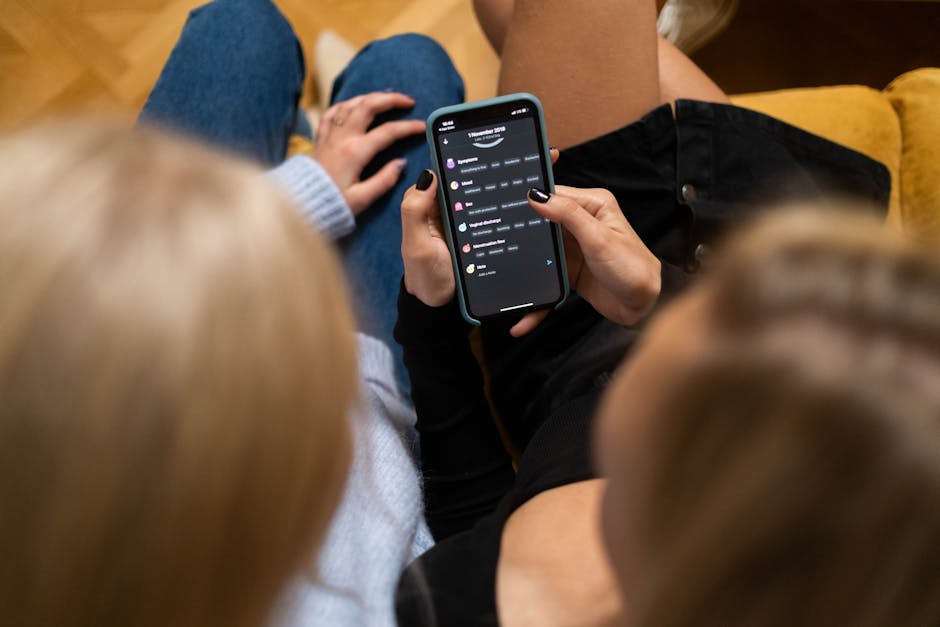
새 사용자가 소셜 앱을 열면 아무것도 보이지 않아요. 게시물도, 친구도, 콘텐츠도 없어요. 참여할 것이 없으니 떠나 버려요.
해결 방법
첫 세션에서는 연결이 없어도 콘텐츠가 있는 피드를 보여줘야 해요:
async function buildInitialFeed(user, context) {
  const feedSources = [];

  // 1. 친구의 초대로 들어왔다면 그 친구의 콘텐츠를 보여줘요
  if (context.referrer) {
    const friendContent = await getPublicContent(context.referrer, { limit: 10 });
    feedSources.push({ source: 'friend', items: friendContent });
  }

  // 2. 커뮤니티에서 큐레이션한 인기 콘텐츠
  const trending = await getTrendingContent({ limit: 20 });
  feedSources.push({ source: 'trending', items: trending });

  // 3. 선택한 관심사에 맞는 콘텐츠 (관심사를 고른 경우)
  if (user.interests && user.interests.length > 0) {
    const interestContent = await getContentByInterests(user.interests, { limit: 15 });
    feedSources.push({ source: 'interests', items: interestContent });
  }

  // 4. 스태프 추천이나 에디터 콘텐츠
  const editorial = await getEditorialContent({ limit: 5 });
  feedSources.push({ source: 'editorial', items: editorial });

  // 섞고 순위 매기기
  return blendFeed(feedSources);
}
온보딩 흐름
1단계: 계정 만들기
소셜 앱은 소셜 로그인을 우선하도록 화면을 최대한 간단하게 유지하세요:
function SocialAppSignup({ context }) {
  return (
    <Screen>
      {context.referrer && (
        <InviterBanner>
          {context.referrerName}님이 초대했어요!
        </InviterBanner>
      )}

      <AppleSignIn />
      <GoogleSignIn />

      <Divider text="또는" />

      <Input label="이메일" />
      <Input label="비밀번호" type="password" />
      <Button type="submit">가입하기</Button>
    </Screen>
  );
}
2단계: 프로필 설정
소셜 앱에서는 프로필이 곧 제품이에요. 하지만 필수 입력 항목으로 온보딩을 막지는 마세요:
function ProfileSetup({ user }) {
  return (
    <Screen>
      <Heading>프로필을 설정하세요</Heading>

      {/* 필수 */}
      <Input label="표시 이름" required />

      {/* 선택이지만 권장 */}
      <AvatarUpload
        label="프로필 사진 추가"
        hint="사진이 있는 프로필은 연결이 3배 많아져요"
      />

      <TextArea
        label="소개"
        placeholder="나를 소개해 주세요"
        maxLength={150}
        optional
      />

      <Button type="submit">계속</Button>
      <LinkButton onPress={skipProfile}>나중에 추가</LinkButton>
    </Screen>
  );
}
3단계: 연결 찾기
이 단계가 가장 중요해요. 연결이 0개인 사용자의 80% 이상이 떠나요. 연결이 5개 이상인 사용자는 40% 이상이 계속 남아요.
function FindConnections({ user }) {
  const [connections, setConnections] = useState([]);

  return (
    <Screen>
      <Heading>아는 사람 찾기</Heading>

      {/* 연락처 동기화 */}
      <ContactSyncButton
        onSync={async (contacts) => {
          const matches = await findRegisteredContacts(contacts);
          setConnections(matches);
        }}
      />

      {/* 매칭된 연락처 표시 */}
      {connections.length > 0 && (
        <ContactList
          contacts={connections}
          onFollowAll={() => followAll(connections)}
          onFollowOne={(contact) => followOne(contact)}
        />
      )}

      {/* 추천 계정 (항상 표시) */}
      <SuggestedAccounts
        based="popularity"
        limit={10}
      />

      {/* 초대로 들어왔다면 초대한 사람 표시 */}
      {user.referrer && (
        <InviterCard
          user={user.referrer}
          autoFollowed={true}
        />
      )}

      <Button
        disabled={connections.filter(c => c.followed).length < 3}
        onPress={continueOnboarding}
      >
        계속하기 ({connections.filter(c => c.followed).length}명 팔로우함)
      </Button>

      <LinkButton onPress={skip}>나중에 하기</LinkButton>
    </Screen>
  );
}
4단계: 관심사 선택
토픽 기반 피드가 있다면:
function InterestPicker({ context }) {
  const [selected, setSelected] = useState(
    context.category ? [context.category] : []
  );

  return (
    <Screen>
      <Heading>What are you into?</Heading>
      <Text>Follow topics to fill your feed with content you care about.</Text>

      <TopicGrid
        topics={allTopics}
        selected={selected}
        onToggle={(topic) => {
          if (selected.includes(topic)) {
            setSelected(selected.filter(t => t !== topic));
          } else {
            setSelected([...selected, topic]);
          }
        }}
        minRequired={3}
      />

      <Button
        disabled={selected.length < 3}
        onPress={() => saveInterests(selected)}
      >
        Follow {selected.length} Topics
      </Button>
    </Screen>
  );
}
소셜 온보딩을 위한 딥 링크
콘텐츠 공유 딥 링크
가장 흔한 소셜 앱 딥 링크는 누군가 게시물이나 콘텐츠를 공유하는 경우예요.
async function handleContentShareDeepLink(deferred) {
  if (deferred === null) return startStandardOnboarding();

  const params = deferred.params;
  const path = deferred.path;

  if (path.startsWith('/post/')) {
    const postId = path.split('/')[2];

    return {
      flow: 'content_first',
      contentId: postId,
      sharedBy: params.sharer_name,
      showContentBeforeSignup: true,
    };
  }

  if (path.startsWith('/profile/')) {
    const profileId = path.split('/')[2];

    return {
      flow: 'profile_view',
      profileId: profileId,
      autoFollow: true, // Follow the shared profile after signup
    };
  }

  return { flow: 'standard' };
}
가입 전에 콘텐츠 보여주기
콘텐츠 공유 딥 링크에서는 가입을 요구하기 전에 공유된 콘텐츠를 먼저 보여주세요:
function ContentFirstOnboarding({ contentId, sharedBy }) {
  const [hasViewed, setHasViewed] = useState(false);

  if (hasViewed === false) {
    return (
      <ContentPreview
        contentId={contentId}
        sharedBy={sharedBy}
        onViewed={() => setHasViewed(true)}
      >
        <SignupBanner>
          Join to see more and interact with this post.
        </SignupBanner>
      </ContentPreview>
    );
  }

  return (
    <SignupScreen
      context={`Join to interact with ${sharedBy}'s post`}
      postSignupRedirect={`/post/${contentId}`}
    />
  );
}
그룹/커뮤니티 초대 딥 링크
async function createGroupInviteLink(inviter, group) {
  const link = await Tolinku.createLink({
    path: `/group/${group.id}/join`,
    params: {
      ref: inviter.id,
      group_name: group.name,
      member_count: group.memberCount.toString(),
    },
    ogTitle: `${group.name} 그룹에 [App]에서 참여하세요`,
    ogDescription: `${inviter.displayName}님이 초대했어요. 멤버 ${group.memberCount}명.`,
    ogImage: group.coverImage,
  });

  return link.url;
}

async function handleGroupInviteDeepLink(params) {
  return {
    flow: 'group_invite',
    groupId: params.group_id,
    groupName: params.group_name,
    inviterName: params.referrer_name,
    autoJoinGroup: true,
    postSignupScreen: 'GroupFeed',
  };
}
온보딩에서 소셜 증거 활용하기
활동 보여주기
소셜 앱은 활동이 많아야 성장해요. 온보딩 중에 그 활동을 보여 주세요:
function ActivityTicker() {
  return (
    <Ticker>
      <TickerItem>Sarah님이 방금 사진을 올렸어요</TickerItem>
      <TickerItem>지난 1시간 동안 12명이 가입했어요</TickerItem>
      <TickerItem>인기: #weekend #photography</TickerItem>
    </Ticker>
  );
}
공통 연결
소셜 로그인으로 가입한 사용자라면 공통 연결을 보여 주세요:
function MutualConnections({ user }) {
  const mutuals = useMutualConnections(user.socialGraph);

  if (mutuals.length === 0) return null;

  return (
    <Card>
      <AvatarStack avatars={mutuals.slice(0, 5).map(m => m.avatar)} />
      <Text>
        {mutuals[0].name} and {mutuals.length - 1} others you know are on [App]
      </Text>
      <Button onPress={() => followAll(mutuals)}>
        Follow All ({mutuals.length})
      </Button>
    </Card>
  );
}
소셜 온보딩 측정하기
핵심 지표
| 지표 | 정의 | 벤치마크 |
|---|---|---|
| 온보딩 종료 시 연결 수 | 온보딩 중 평균 팔로우/친구 수 | 5-10 |
| 첫 게시물/상호작용까지 걸리는 시간 | 가입 후 첫 행동까지 걸린 시간(분) | 5분 미만 |
| 피드 채움 비율 | 온보딩 후 피드에 10개 이상 항목이 있는 사용자 비율(%) | 80% 초과 |
| D1 리텐션 | 1일차 재방문 | 30-45% |
| 소셜 초대 전환율 | 설치 / 초대 링크 클릭 | 15-25% |
매직 넘버
대부분의 소셜 앱에는 리텐션을 예측하는 "매직 넘버"가 있어요. 예를 들어 페이스북의 유명한 지표는 "10일 안에 친구 7명"이었어요. 직접 찾아보세요:
async function findMagicNumber() {
  const users = await getRecentSignups({ last: '90d' });

  for (let connections = 1; connections <= 20; connections++) {
    const usersWithXConnections = users.filter(
      u => u.connectionsAtDay10 >= connections
    );
    const retained = usersWithXConnections.filter(u => u.activeDay30);

    console.log(connections, 'connections:', {
      users: usersWithXConnections.length,
      d30Retention: (retained.length / usersWithXConnections.length * 100).toFixed(1) + '%',
    });
  }
}
매직 넘버를 알았다면 온보딩을 그 숫자에 맞춰 설계하세요. 연결이 5개가 목표라면 계정을 최소 5개 팔로우하기 전에는 "친구 찾기" 단계를 건너뛰지 못하게 하세요. 초기 연결을 만드는 초대 링크 패턴은 다음 문서를 참고하세요 초대 링크 온보딩: 초대에서 활성 사용자까지.
딥 링킹 기능은 Tolinku 딥 링킹. 콘텐츠 공유 관련 내용은 콘텐츠 공유 문서을 참고하세요. 온보딩 활용 사례는 관련 문서에서 확인하세요. 온보딩 문서.
딥 링킹 팁을 메일로 받아 보세요
일주일에 한 번만 보내요. 스팸은 없어요.