Deep linking standards evolve with each OS release. The AASA format has changed, Android's App Links verification process has been updated, and web APIs for app detection continue to develop. If your deep link implementation was set up two years ago and never updated, it may be silently failing for users on newer devices.
This guide covers the current state of deep linking standards as of 2026. For the complete deep linking overview, see the complete guide to deep linking in 2026. For what the future holds, see the future of mobile deep linking.
Universal Links (iOS)
AASA Format Evolution
Apple has updated the Apple App Site Association (AASA) file format over time:
Legacy format (iOS 9-12):
{
  "applinks": {
    "apps": [],
    "details": [
      {
        "appID": "TEAMID.com.example.app",
        "paths": [
          "/products/*",
          "/offers/*",
          "NOT /admin/*"
        ]
      }
    ]
  }
}
Modern format (iOS 13+, recommended):
{
  "applinks": {
    "details": [
      {
        "appIDs": ["TEAMID.com.example.app"],
        "components": [
          {
            "/": "/products/*",
            "comment": "Product pages"
          },
          {
            "/": "/offers/*",
            "?": { "ref": "?*" },
            "comment": "Offers with ref parameter"
          },
          {
            "/": "/admin/*",
            "exclude": true,
            "comment": "Exclude admin paths"
          }
        ]
      }
    ]
  }
}
The modern components format supports:
- Query parameter matching (
"?"key) - Fragment matching (
"#"key) - Exclusion patterns (
"exclude": true) - Comments for documentation
- Case-insensitive matching (
"caseSensitive": false)
See Apple's applinks documentation for the full specification.
AASA Delivery Changes
| Version | AASA Delivery |
|---|---|
| iOS 9-13 | Device fetches directly from your domain |
| iOS 14+ | Apple's CDN fetches and caches the AASA (via app-site-association service) |
Since iOS 14, Apple's CDN fetches AASA files on behalf of devices. This means:
- Changes to your AASA file may take up to 24 hours to propagate.
- Apple's CDN caches aggressively. Setting
Cache-Controlheaders on your AASA may not help. - If Apple's CDN cannot fetch your AASA (server down, blocked by firewall), new installs will not get Universal Links.
iOS 17-18 Specifics
- Associated Domains Diagnostics is available in Developer Settings, providing real-time status of Universal Link domains.
- Managed Associated Domains for enterprise apps allow MDM-pushed domain associations.
- App Clips can handle Universal Links for specific experiences without installing the full app.
App Links (Android)
Verification Process
Android App Links verification has become stricter:
| Version | Verification Behavior |
|---|---|
| Android 6-11 | Verification at install time only |
| Android 12+ | Verification at install and periodically after |
| Android 13+ | Stricter verification, fails closed (browser opens if not verified) |
On Android 12+, the system re-verifies App Links periodically. If your assetlinks.json is temporarily unavailable during re-verification, App Links may stop working until the next successful verification.
assetlinks.json Format
The format has remained stable:
[
  {
    "relation": ["delegate_permission/common.handle_all_urls"],
    "target": {
      "namespace": "android_app",
      "package_name": "com.example.app",
      "sha256_cert_fingerprints": [
        "AB:CD:EF:12:34:56:78:90:AB:CD:EF:12:34:56:78:90:AB:CD:EF:12:34:56:78:90:AB:CD:EF:12:34:56:78:90"
      ]
    }
  }
]
Key points for 2026:
- Include both your upload key and the Play App Signing key in
sha256_cert_fingerprints(if using Play App Signing). - The file must be served at
/.well-known/assetlinks.jsonwithcontent-type: application/json. - No redirects are allowed on the path.
- Google's Digital Asset Links API can validate your file.
Android Intent Filters
<intent-filter android:autoVerify="true">
    <action android:name="android.intent.action.VIEW" />
    <category android:name="android.intent.category.DEFAULT" />
    <category android:name="android.intent.category.BROWSABLE" />
    <data android:scheme="https"
          android:host="app.example.com"
          android:pathPattern="/products/.*" />
</intent-filter>
android:autoVerify="true" is required for verified App Links. Without it, Android shows a disambiguation dialog.
Web Platform APIs
Web App Manifest (manifest.json)
The Web App Manifest can declare deep link handling:
{
  "name": "My App",
  "related_applications": [
    {
      "platform": "play",
      "url": "https://play.google.com/store/apps/details?id=com.example.app",
      "id": "com.example.app"
    },
    {
      "platform": "itunes",
      "url": "https://apps.apple.com/app/my-app/id123456789"
    }
  ],
  "prefer_related_applications": true
}
getInstalledRelatedApps()
The getInstalledRelatedApps() API lets websites check if the user has the related app installed:
if ('getInstalledRelatedApps' in navigator) {
  const apps = await navigator.getInstalledRelatedApps();
  if (apps.length > 0) {
    // User has the app installed
    showDeepLinkButton();
  } else {
    // User does not have the app
    showInstallButton();
  }
}
Current support (2026):
- Chrome on Android: Supported
- Samsung Internet: Supported
- Safari: Not supported
- Chrome on iOS: Not supported
- Firefox: Not supported
This API is useful for smart banners but cannot replace Universal Links/App Links for actual deep linking.
Attribution Standards
SKAdNetwork (iOS)
Apple's SKAdNetwork provides privacy-preserving install attribution:
| Version | Key Features |
|---|---|
| SKAdNetwork 3.0 | Basic install postbacks |
| SKAdNetwork 4.0 (iOS 16.1+) | Multiple postbacks, crowd anonymity, fine/coarse conversion values |
SKAdNetwork does not provide deep link data. It only tells you which ad network drove an install, not which specific deep link the user clicked. Combine SKAdNetwork attribution with your own deep link analytics for a complete picture.
Android Attribution Reporting API
Part of the Privacy Sandbox, the Attribution Reporting API provides:
- Event-level reports: Limited data (source + trigger, noise added)
- Aggregate reports: Privacy-preserving aggregate measurement
Like SKAdNetwork, this does not replace deep link analytics. It complements them by providing privacy-safe install attribution.
Deprecated and Removed Standards
Firebase Dynamic Links (Deprecated)
Google deprecated Firebase Dynamic Links in August 2025. If you are still using them, migrate to App Links or a deep linking platform.
Custom URL Schemes (Discouraged)
While still technically supported, custom URL schemes (myapp://) are discouraged on both platforms:
- iOS: Universal Links are the recommended approach. Custom schemes lack verification and fallback.
- Android: App Links (verified HTTPS links) are preferred. Custom schemes show disambiguation dialogs.
See custom URL schemes for mobile apps: setup and pitfalls for migration guidance.
Best Practices for 2026
1. Use the Modern AASA Format
If your AASA file still uses the legacy paths array, migrate to components:
// Before (legacy)
"paths": ["/products/*", "NOT /admin/*"]

// After (modern)
"components": [
  { "/": "/products/*" },
  { "/": "/admin/*", "exclude": true }
]
The modern format gives you query parameter matching and better documentation.
2. Include Both Signing Keys (Android)
If you use Google Play App Signing, your assetlinks.json must include both the upload key and the Play signing key:
{
  "relation": ["delegate_permission/common.handle_all_urls"],
  "target": {
    "namespace": "android_app",
    "package_name": "com.example.app",
    "sha256_cert_fingerprints": [
      "UPLOAD_KEY_FINGERPRINT",
      "PLAY_SIGNING_KEY_FINGERPRINT"
    ]
  }
}
3. Monitor Verification Files
Both Apple's CDN and Android's re-verification process can break silently. Set up automated monitoring:
# Run every 6 hours via cron or CI
curl -sf https://yourdomain.com/.well-known/apple-app-site-association > /dev/null || alert "AASA down"
curl -sf https://yourdomain.com/.well-known/assetlinks.json > /dev/null || alert "assetlinks down"
4. Test on Latest OS Versions
Each major OS release can change deep linking behavior. Test on the latest iOS and Android betas before they ship:
- iOS betas: Available to developers via Apple Developer Program
- Android betas: Available via Android Developer Preview
Tolinku for Standards Compliance
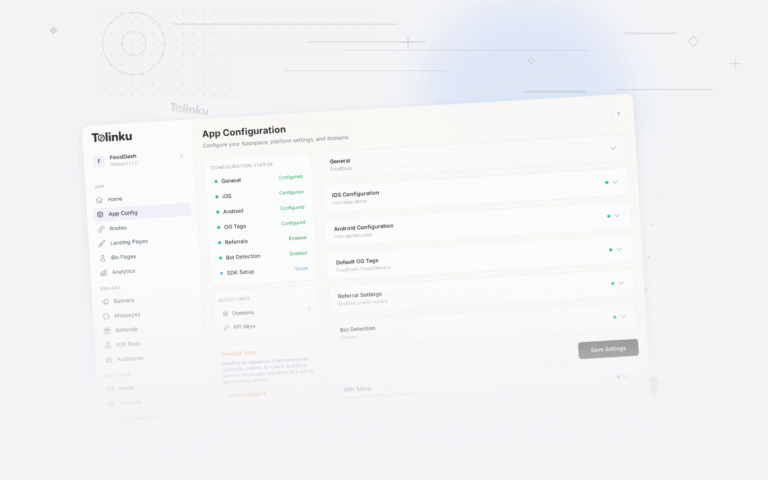
Tolinku automatically generates and hosts AASA and assetlinks.json files using the current recommended formats. When standards change, Tolinku updates the files without requiring action from you. See the deep linking documentation for details.
For deep linking challenges, see common deep linking challenges and how to solve them. For the complete guide, see the complete guide to deep linking in 2026.
Get deep linking tips in your inbox
One email per week. No spam.