

Smart Banners
Smart banners are lightweight bars that appear on your website, prompting mobile visitors to open or install your app. They are the simplest way to convert web traffic into app users.
How it works
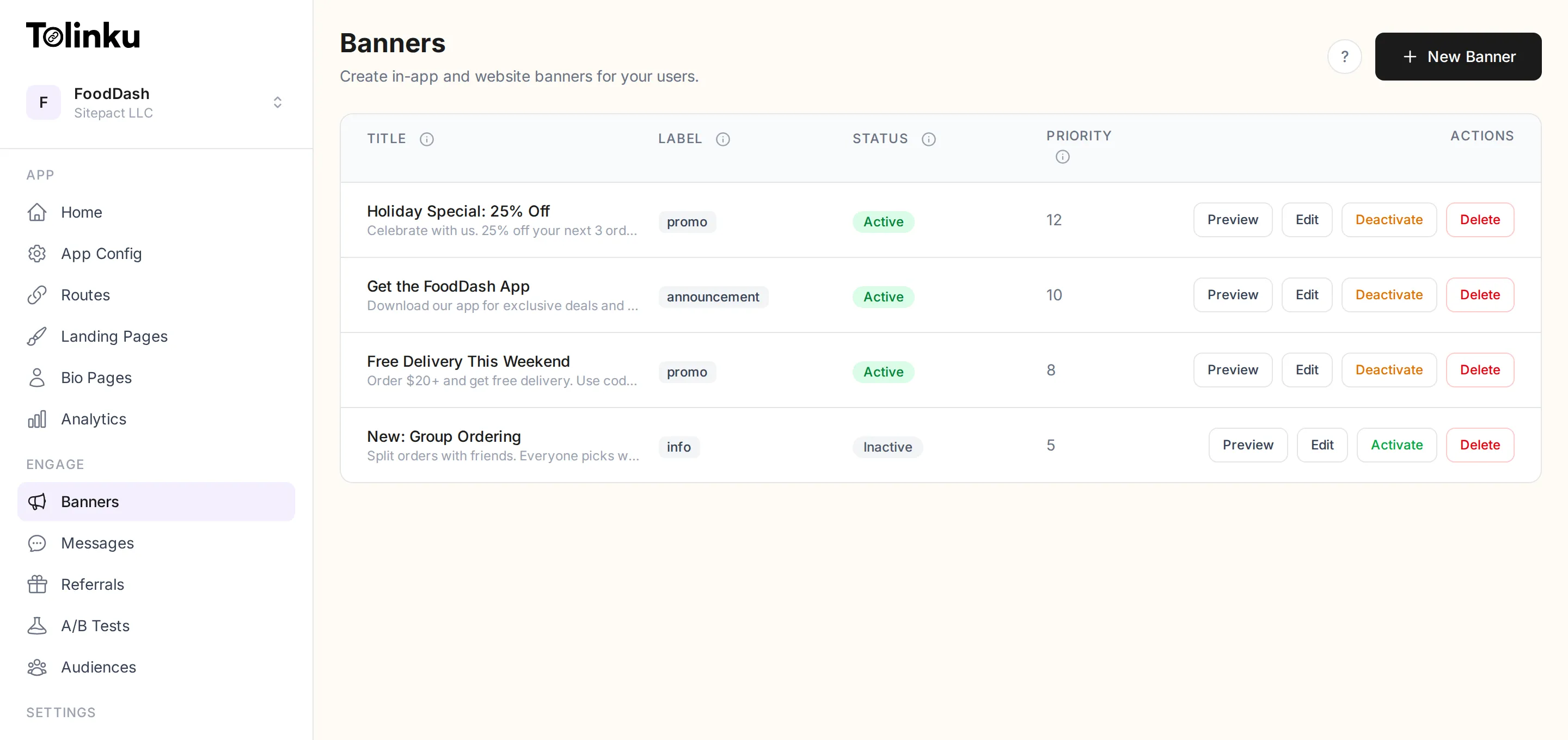
Section titled “How it works”- You create a banner in the Tolinku dashboard with your desired text, colors, and call-to-action.
- You add a small script tag to your website.
- When a mobile visitor loads your page, the banner appears at the top or bottom of the screen.
- Tapping the banner opens the app (if installed) or redirects to the App Store / Play Store.
Banners are rendered client-side by the Tolinku banner script. They do not require any server-side changes to your website.
Adding the banner script
Section titled “Adding the banner script”Add this script tag to your website’s HTML, before the closing </body> tag:
<script src="https://cdn.tolinku.com/banner.js" data-key="tolk_pub_your_publishable_key" async></script>Replace tolk_pub_your_publishable_key with your Appspace’s publishable API key. The script fetches your active banner configuration and renders it automatically.
Banner labels
Section titled “Banner labels”Each banner has a label that categorizes it:
| Label | Use case |
|---|---|
website | General “Get our app” banner for your main site |
info | Informational messages (e.g. “New version available”) |
promo | Promotional offers or campaigns |
announcement | Time-sensitive announcements |
Labels let you show different banners on different pages by filtering with the data-label attribute on the script tag.
Free tier
Section titled “Free tier”The free tier includes 1 smart banner. Paid plans allow unlimited banners with scheduling and audience targeting.