Referral link generation looks straightforward on the surface. You give a user a URL, they share it, and you track who came from whom. In practice, the implementation has a lot of moving parts: unique code generation, URL structure decisions, deep link compatibility, mobile app routing, and fraud resistance. Get any of these wrong and you end up with broken attribution, duplicate rewards, or a system that falls apart when users share links across different surfaces.
This guide covers the full technical picture for building referral link generation that works reliably.
The Core Components of a Referral Link
A referral link needs to carry at minimum:
- A way to identify the referrer (user ID, unique code, or both)
- A destination (where the new user lands after clicking)
- Attribution metadata (campaign, channel, context)
The simplest form is a URL parameter:
https://yourapp.com/signup?ref=abc123
This works for basic web flows. It breaks down the moment the user:
- Clicks on mobile and your app is installed (should open the app, not the browser)
- Clicks on mobile and your app is not installed (needs to land correctly after install)
- Shares via a surface that strips query parameters (some messaging apps do this)
- Copies the link and pastes it somewhere that truncates it
A production referral system needs deep link-aware URLs that handle all of these cases.
Server-Side vs Client-Side Generation
Client-side generation (building the link in the browser or app) is tempting because it is fast and requires no API call. The problem is that you cannot validate anything client-side. A user can manipulate the referral code before sharing, create synthetic links with arbitrary codes, or generate links for other users' IDs.
Server-side generation is the correct approach. When a user requests their referral link, your server:
- Authenticates the request
- Looks up (or generates) the user's referral code
- Creates the link with verified attribution data
- Returns the URL
This adds a round trip but gives you control over the data that ends up in the link.
Generating Unique Codes
The referral code is the identifier that ties a click back to a referrer. A few approaches:
Deterministic from user ID. Hash the user ID with a secret salt and take a substring. Fast, no storage needed, but codes are predictable if someone discovers your algorithm.
const code = crypto
  .createHmac('sha256', process.env.REFERRAL_SECRET)
  .update(userId)
  .digest('base64url')
  .slice(0, 8)
  .toUpperCase();
Random with storage. Generate a random code and store the user-to-code mapping. More flexible (users can regenerate their code, you can revoke codes), requires a database lookup on every click.
Sequential with obfuscation. Use a numeric ID but encode it with something like Hashids so it does not look sequential. Avoids enumeration attacks while keeping codes short.
For most applications, random codes stored in a referral_codes table are the right choice. They are short enough to share verbally (important for some use cases), easy to look up, and straightforward to revoke.
URL Structure Options
Query Parameter Approach
https://yourapp.com/signup?ref=ABC123
Pros: simple, works everywhere, easy to parse. Cons: can be stripped by some platforms, looks like tracking to privacy-conscious users, does not work for mobile app deep linking without additional handling.
Path-Based Approach
https://yourapp.com/r/ABC123
https://yourapp.com/invite/ABC123
Pros: cleaner, less likely to be stripped, easier to make memorable. Cons: requires server-side routing for every code, slightly more complex to implement.
Subdomain Approach
https://ABC123.yourapp.com
Rarely worth the infrastructure complexity for referral links specifically.
Deep Link-Aware URLs
The best approach for mobile apps is to use a link management system that generates URLs which:
- Redirect to the App Store or Google Play if the app is not installed
- Open the app directly if it is installed (via Universal Links on iOS or App Links on Android)
- Pass the referral code through the install so it is available when the app first opens (deferred deep linking)
See the Tolinku deep linking docs for a full explanation of how deferred deep linking works. This is the mechanism that makes referral attribution work after an app install.
Embedding Referral Data in Deep Links
When you create a deep link for a referral, you embed the referral code in the link's metadata. The link management system preserves this data through the entire flow, including through the App Store redirect and install.
A referral link might carry:
{
  "referralCode": "ABC123",
  "referrerId": "user_789",
  "campaign": "friend-invite",
  "channel": "in-app-share",
  "createdAt": "2026-03-04T10:00:00Z"
}
When the new user opens your app for the first time (or clicks the link if the app is already installed), your SDK reads this metadata and you can:
- Pre-fill the signup form with context ("You were invited by Sarah")
- Attribute the new user to the referrer immediately
- Trigger the reward flow automatically
Using the Tolinku API for Referral Link Generation
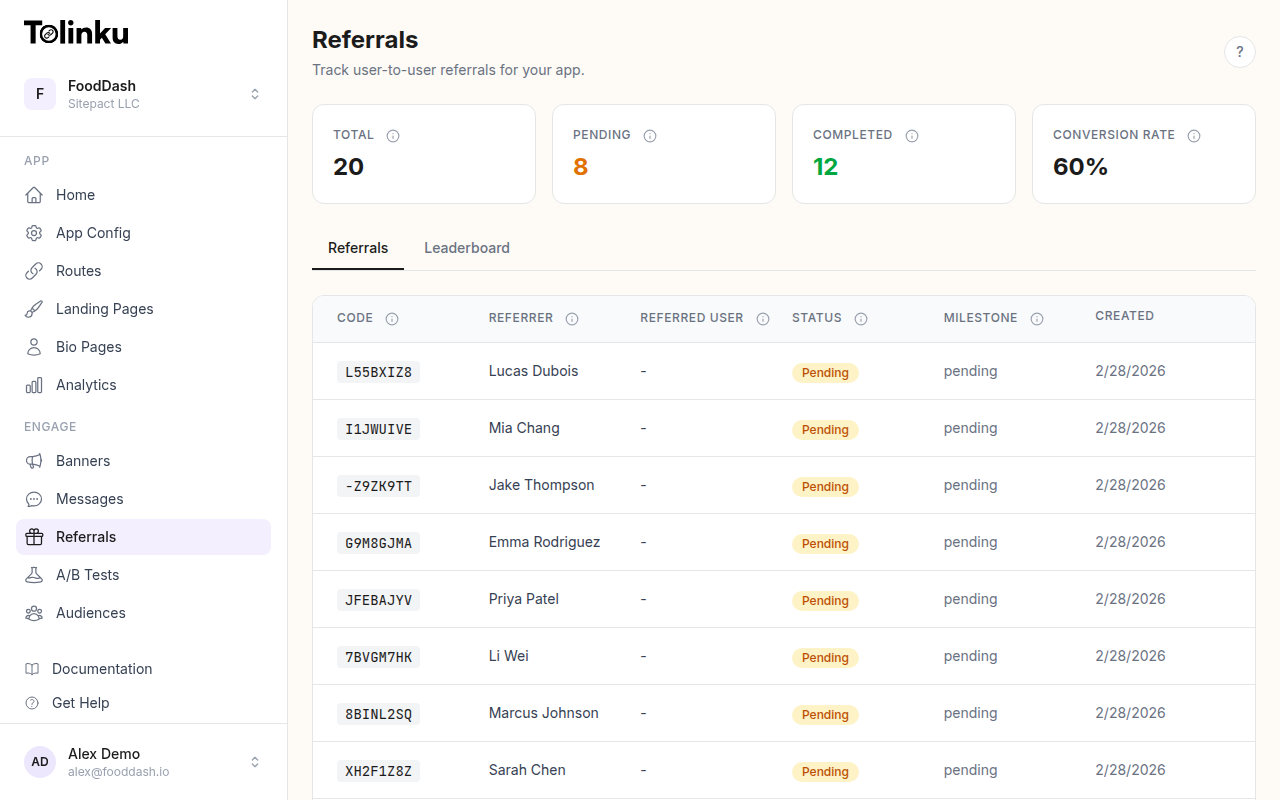
Tolinku's referral API handles the link creation, deep link generation, and attribution tracking in one call. Here is a basic server-side implementation:
// Generate a referral link for a user
async function generateReferralLink(userId, options = {}) {
  const response = await fetch('https://app.tolinku.com/v1/referrals/links', {
    method: 'POST',
    headers: {
      'Authorization': `Bearer ${process.env.TOLINKU_SECRET_KEY}`,
      'Content-Type': 'application/json',
    },
    body: JSON.stringify({
      referrerId: userId,
      campaign: options.campaign || 'default',
      channel: options.channel || 'unknown',
      metadata: {
        userId,
        ...options.metadata,
      },
    }),
  });

  const data = await response.json();
  return data.url; // e.g., https://go.yourapp.com/r/ABC123
}
The referral setup guide walks through configuring your Appspace for referral tracking, including setting up the attribution window and reward triggers.
For a full walkthrough of link structure and parameters, see the referral links documentation.
Unique Codes vs URL Parameters: Which to Use
This is not really an either/or decision. Most production systems use both:
- The URL path or subdirectory contains the human-readable or shareable form:
/r/ABC123 - The underlying link contains richer metadata that does not need to be in the URL itself
What you should avoid is putting sensitive data in the URL directly (like the user's internal database ID as a plain integer). Even if your codes are random, treat them as semi-public and do not design your system so that knowing someone's referral code reveals anything sensitive about them.
Handling Link Expiration and Revocation
Referral links generally should not expire for standard programs. A user shares their link in a tweet, it gets picked up six months later, and you want it to still work. However, you may want to:
- Revoke codes for users who have been banned or who violated terms
- Expire campaign-specific links that were generated for a limited-time promotion
- Rotate codes on user request (some users want to reset their referral history)
Build your code storage with a status field (active, revoked, expired) and a campaign_id foreign key. When a link is clicked, validate both the code status and the campaign window before attributing the referral.
Tracking Attribution After Click
The click itself is only the first step. You need to:
- Record the click with timestamp, referral code, and metadata (user agent, IP hash for fraud checks)
- Store a cookie or device fingerprint so you can match the click to a later signup
- When the new user signs up, look up pending attribution and create the referral record
- Trigger the reward flow
For mobile installs, step 2 is handled by the deep link system rather than cookies. The Tolinku SDK reads the deferred deep link data on first app launch and passes it to your attribution callback.
// iOS SDK - read referral data on first launch
Tolinku.shared.getReferralData { data in
    guard let referralCode = data?["referralCode"] as? String else { return }
    // attribute the install to this referral code
    YourAPI.attributeInstall(referralCode: referralCode)
}
Short Links for Sharing
Long URLs with query parameters or encoded metadata are impractical for manual sharing (SMS, verbal communication, printed materials). Generate short links as the user-facing format and resolve them server-side to the full attribution URL.
Most link management platforms handle this automatically. The short link (go.yourapp.com/r/ABC123) redirects to the full destination with all attribution metadata intact.
For the full picture on how Tolinku handles referral attribution end to end, see the referral features page and the rewards and attribution docs.
Summary
Solid referral link generation comes down to a few decisions made correctly:
- Generate codes server-side with validation, not client-side
- Use deep link-aware URLs for mobile apps so attribution survives the install
- Store codes with status and campaign metadata so you can revoke and expire them
- Keep the user-facing URL short and clean, while the underlying link carries full attribution data
- Hook into your SDK's deferred deep link callback for mobile attribution
These choices compound. A referral system built on top of reliable link infrastructure is much easier to extend with fraud prevention, tiered rewards, and analytics than one built on simple query parameters and cookies.
Related reading: Building Referral Programs That Work, Deferred Deep Linking: How It Works, Tolinku Referral Use Cases.
Get deep linking tips in your inbox
One email per week. No spam.