A cart deep link opens your app with items already in the shopping cart. The user taps one link and lands on a checkout-ready screen instead of searching for products, selecting variants, and adding items one by one. This removes significant friction from the purchase flow.
This guide covers how to design, implement, and use cart deep links. For the product page deep linking approach, see Product Page Deep Links. For the broader e-commerce strategy, see Deep Linking for E-Commerce Apps.

How Cart Deep Links Work
A cart deep link encodes one or more products (with quantities and variants) in the URL. When the user opens the link:
- The app launches (or comes to the foreground)
- The link handler parses the product data from the URL
- The app adds the specified items to the user's cart
- The app navigates to the cart or checkout screen
The user sees a ready-to-purchase cart without any manual product selection.
URL Structure Design
Single Product
https://go.yourapp.com/cart/add?product=SKU-12345&qty=1&variant=black-medium
Multiple Products
Option 1: Comma-separated product IDs with quantities:
https://go.yourapp.com/cart?items=SKU-123:2,SKU-456:1,SKU-789:3
Option 2: Repeated parameters:
https://go.yourapp.com/cart?product[]=SKU-123&qty[]=2&product[]=SKU-456&qty[]=1
Option 3: JSON payload (for complex configurations):
https://go.yourapp.com/cart?data=eyJpdGVtcyI6W3siaWQiOiJTS1UtMTIzIiwicXR5IjoyfV19
(Base64-encoded JSON; keeps the URL cleaner for complex item data)
With Promo Code
https://go.yourapp.com/cart?items=SKU-123:1&promo=SUMMER20
The app can auto-apply the promo code when loading the cart.
Recommended Structure
Keep it simple and human-readable:
https://go.yourapp.com/cart/add?items=SKU-123:2,SKU-456:1&promo=WELCOME10
This format:
- Is easy to generate programmatically
- Is readable in analytics and logs
- Handles multiple items
- Supports promotional codes
- Fits within URL length limits
Implementation
Route Configuration
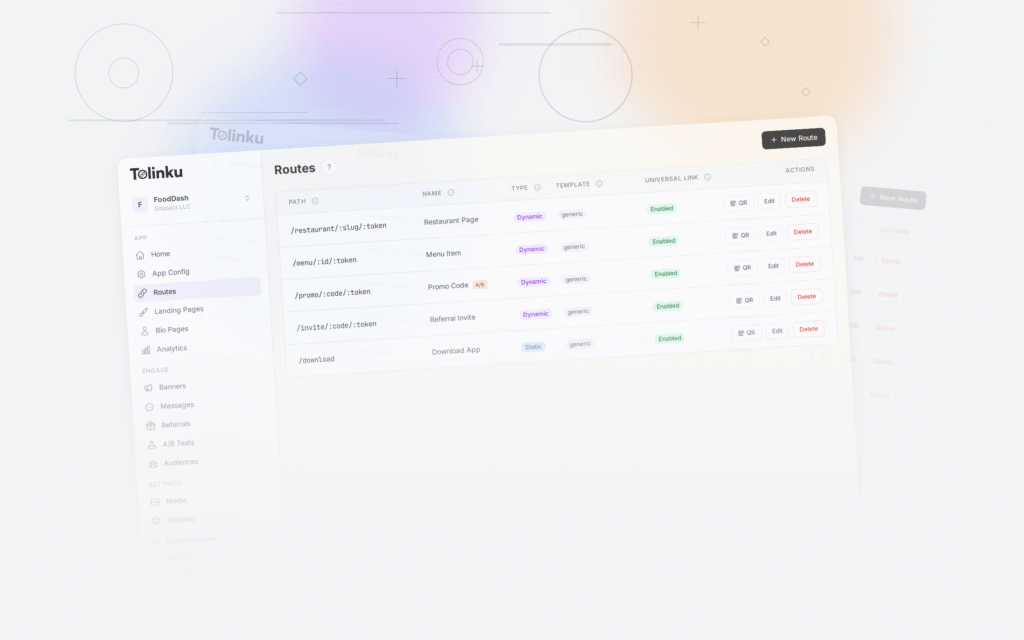
Create a route on your deep linking platform:
Path: /cart/add
Web fallback: https://yourapp.com/cart (or product pages)
App-Side Cart Handler
React Native:
function handleCartDeepLink(url) {
  const parsed = new URL(url);
  const itemsParam = parsed.searchParams.get('items');
  const promo = parsed.searchParams.get('promo');

  if (itemsParam) {
    const items = itemsParam.split(',').map(item => {
      const [sku, qty] = item.split(':');
      return { sku, quantity: parseInt(qty, 10) || 1 };
    });

    // Add items to cart
    for (const item of items) {
      cartStore.addItem(item.sku, item.quantity);
    }

    // Apply promo if present
    if (promo) {
      cartStore.applyPromoCode(promo);
    }

    // Navigate to cart
    navigation.navigate('Cart');
  }
}
Flutter (Dart):
void handleCartDeepLink(Uri uri) {
  final itemsParam = uri.queryParameters['items'];
  final promo = uri.queryParameters['promo'];

  if (itemsParam != null) {
    final items = itemsParam.split(',').map((item) {
      final parts = item.split(':');
      return CartItem(sku: parts[0], quantity: int.tryParse(parts[1]) ?? 1);
    }).toList();

    // Add items to cart
    for (final item in items) {
      cartProvider.addItem(item.sku, item.quantity);
    }

    // Apply promo
    if (promo != null) {
      cartProvider.applyPromo(promo);
    }

    // Navigate to cart
    router.go('/cart');
  }
}
Handling Edge Cases
Product out of stock: If a product in the deep link is out of stock, your app should:
- Add available items to the cart
- Show a message about the unavailable item
- Suggest alternatives if possible
Invalid SKU: If a SKU in the link doesn't exist in your catalog:
- Skip the invalid item
- Add valid items
- Show a brief message that some items couldn't be found
Cart already has items: Decide whether the deep link:
- Replaces the existing cart contents
- Adds to the existing cart
- Prompts the user to choose
Most implementations add to the existing cart, which is the least disruptive option.
Use Cases
Flash Sales and Limited Offers
Create a link with the sale items pre-loaded:
https://go.yourapp.com/cart/add?items=SKU-FLASH-001:1,SKU-FLASH-002:1&promo=FLASH50
Send this link via push notification, email, or social media. Users tap once and see the curated deal in their cart, ready to buy.
Subscription Reorders
For consumable products, send reorder links at the right interval:
https://go.yourapp.com/cart/add?items=SKU-COFFEE-BEANS:2&promo=REORDER10
Email subject: "Time to restock? Your coffee order is ready."
The link pre-fills the cart with their usual order plus a repeat-purchase discount.
Influencer and Affiliate Links
Give influencers custom cart links with their recommended products:
https://go.yourapp.com/cart/add?items=SKU-LIP-001:1,SKU-PALETTE-002:1&ref=influencer123
The ref parameter tracks the influencer attribution. The cart shows the exact products the influencer recommended.
Bundle Deals
Create cart links for product bundles:
https://go.yourapp.com/cart/add?items=SKU-LAPTOP:1,SKU-CASE:1,SKU-MOUSE:1&promo=BUNDLE15
Instead of the user finding and adding three items separately, one link loads the complete bundle.
Customer Service Recovery
When a customer has an issue with an order, support can send a replacement cart link:
"We're sorry about the issue. Here's a link to reorder with free shipping: [link]"
https://go.yourapp.com/cart/add?items=SKU-REPLACEMENT:1&promo=FREE-SHIP
This reduces the customer effort to re-place the order.
Abandoned Cart Recovery
Cart deep links are particularly powerful for abandoned cart recovery. When a user abandons their cart, you already know what was in it. Generate a deep link that restores their cart:
https://go.yourapp.com/cart/add?items=SKU-123:1,SKU-456:2&promo=COMEBACK10
Send via push notification or email:
- "You left something in your cart. Come back and save 10%."
- The link restores exactly what they had, with an incentive to complete the purchase.
For the full abandoned cart strategy, see Abandoned Cart Recovery with Deep Links.
Measuring Cart Deep Link Performance
Key Metrics
- Cart conversion rate: Percentage of cart deep link opens that result in a purchase. Compare against your organic cart conversion rate.
- Average order value (AOV): Do pre-filled carts have higher or lower AOV than self-assembled carts?
- Time to purchase: How quickly do users check out after opening a cart deep link? (Should be very fast, since the cart is already filled.)
- Promo code redemption rate: What percentage of cart deep link users redeem the embedded promo code?
- Item modification rate: Do users remove items from the pre-filled cart? If so, which items are removed most often? This indicates the recommended items aren't resonating.
Attribution
Tag each cart link with campaign identifiers:
https://go.yourapp.com/cart/add?items=SKU-123:1&promo=FLASH50&utm_source=push&utm_campaign=flash-sale-june
This connects the purchase back to the specific campaign, channel, and creative that drove it.
Web Fallback for Cart Links
For users who don't have the app, the web fallback should:
- Redirect to your website's cart page
- Pre-fill the cart with the same items (if your web platform supports it)
- Show a smart banner encouraging app download
Some e-commerce platforms support cart pre-fill via URL parameters. Check your platform's documentation for the specific format.
For deep linking features, see Tolinku deep linking. For e-commerce use cases, see the e-commerce documentation.
Get deep linking tips in your inbox
One email per week. No spam.