Budgeting apps thrive on daily engagement. Users who check their spending, track goals, and review insights regularly are the ones who stick around. Deep links help by connecting notifications, emails, and external triggers directly to the relevant screen: a weekly spending summary opens the spending breakdown, a bill reminder opens the payment screen, a savings milestone opens the goal detail.
This guide covers deep linking patterns for budgeting and personal finance apps. For fintech deep linking broadly, see deep linking for fintech and banking apps. For deep link routing, see deep link routing: how to route users to the right screen.
Route Patterns
/spending                              → Spending overview
/spending/categories                   → Spending by category
/spending/category/{category}          → Specific category detail
/spending/merchants                    → Spending by merchant
/spending/trends                       → Spending trends over time
/budget                                → Budget overview
/budget/{category}                     → Category budget detail
/goals                                 → All savings goals
/goals/{goal-id}                       → Specific goal detail
/goals/{goal-id}/contribute            → Add to a goal
/bills                                 → Bill tracker
/bills/{bill-id}                       → Specific bill detail
/bills/upcoming                        → Upcoming bills
/insights                              → Financial insights
/insights/{insight-id}                 → Specific insight
/accounts                             → Connected accounts
/accounts/link                         → Link a new account
Spending Notification Deep Links
Weekly Spending Summary
{
  "title": "Weekly spending: $485",
  "body": "You spent $85 less than last week. Tap to see the breakdown.",
  "deep_link": "https://links.budgetapp.com/spending/categories",
  "category": "spending_summary"
}
Over-Budget Alert
{
  "title": "Dining budget at 90%",
  "body": "You've spent $270 of your $300 dining budget with 8 days left",
  "deep_link": "https://links.budgetapp.com/budget/dining",
  "category": "budget_alert"
}
Unusual Spending
{
  "title": "Unusual spending detected",
  "body": "Your grocery spending is 40% higher than your monthly average",
  "deep_link": "https://links.budgetapp.com/spending/category/groceries",
  "category": "spending_anomaly"
}
Large Transaction
{
  "title": "Large transaction: $350",
  "body": "New charge at Best Buy. Tap to categorize.",
  "deep_link": "https://links.budgetapp.com/transactions/TXN-456",
  "category": "large_transaction"
}
Savings Goal Deep Links
Goal Milestone
{
  "title": "Vacation fund: 50% funded!",
  "body": "You've saved $1,500 of your $3,000 goal",
  "deep_link": "https://links.budgetapp.com/goals/GOAL-VACATION",
  "category": "goal_milestone"
}
Goal Contribution Reminder
{
  "title": "Time for your weekly savings",
  "body": "Add $50 to stay on track for your vacation goal",
  "deep_link": "https://links.budgetapp.com/goals/GOAL-VACATION/contribute",
  "category": "goal_reminder"
}
Goal Achieved
{
  "title": "Goal reached!",
  "body": "You've saved $3,000 for your vacation. Congratulations!",
  "deep_link": "https://links.budgetapp.com/goals/GOAL-VACATION",
  "category": "goal_achieved"
}
Bill Reminder Deep Links
Upcoming Bill
{
  "title": "Electric bill due in 3 days",
  "body": "$145.00 due July 15 to City Electric",
  "deep_link": "https://links.budgetapp.com/bills/BILL-ELECTRIC",
  "category": "bill_reminder"
}
Bill Paid Confirmation
{
  "title": "Bill paid: City Electric",
  "body": "$145.00 payment detected. Marked as paid.",
  "deep_link": "https://links.budgetapp.com/bills/BILL-ELECTRIC",
  "category": "bill_paid"
}
New Recurring Bill Detected
{
  "title": "New subscription detected",
  "body": "We noticed a recurring charge of $14.99/month from Streaming Service. Add it to your bills?",
  "deep_link": "https://links.budgetapp.com/bills",
  "category": "bill_detected"
}
Insight Deep Links
Monthly Report Email
<p>Your July spending report is ready.</p>
<p>Highlights:</p>
<ul>
  <li>Total spending: $2,340 (12% less than June)</li>
  <li>Top category: Groceries ($420)</li>
  <li>Biggest savings: Entertainment (down 35%)</li>
</ul>
<a href="https://links.budgetapp.com/spending/trends">
  View Full Report
</a>
Personalized Tip
{
  "title": "Savings tip",
  "body": "You spend $120/month on subscriptions. Tap to review them.",
  "deep_link": "https://links.budgetapp.com/spending/category/subscriptions",
  "category": "insight"
}
Year-End Summary
<p>Your 2025 financial summary is ready.</p>
<p>You saved $4,200 this year, up 15% from 2024.</p>
<a href="https://links.budgetapp.com/insights/YEAR-2025">
  View Year in Review
</a>
Implementation
func handleBudgetDeepLink(_ url: URL) {
    guard authManager.isAuthenticated else {
        pendingDeepLink = url
        showLogin()
        return
    }

    let segments = url.pathComponents

    switch segments[safe: 1] {
    case "spending":
        if segments.contains("categories") {
            showSpendingCategories()
        } else if segments.contains("category"), let category = segments.last {
            showCategoryDetail(category)
        } else if segments.contains("trends") {
            showSpendingTrends()
        } else if segments.contains("merchants") {
            showSpendingByMerchant()
        } else {
            showSpendingOverview()
        }

    case "budget":
        if let category = segments[safe: 2] {
            showBudgetCategory(category)
        } else {
            showBudgetOverview()
        }

    case "goals":
        if let goalId = segments[safe: 2] {
            if segments.contains("contribute") {
                showContributeToGoal(goalId)
            } else {
                showGoalDetail(goalId)
            }
        } else {
            showGoalsOverview()
        }

    case "bills":
        if segments.contains("upcoming") {
            showUpcomingBills()
        } else if let billId = segments[safe: 2] {
            showBillDetail(billId)
        } else {
            showBillTracker()
        }

    case "insights":
        if let insightId = segments[safe: 2] {
            showInsight(insightId)
        } else {
            showInsightsOverview()
        }

    case "accounts":
        if segments.contains("link") {
            showLinkAccount()
        } else {
            showAccounts()
        }

    default:
        showHome()
    }
}
Engagement Campaigns
Onboarding Flow
| Day | Message | Deep Link |
|---|---|---|
| Day 1 | "Link your first bank account" | /accounts/link |
| Day 2 | "Set your first budget" | /budget |
| Day 3 | "Create a savings goal" | /goals |
| Day 7 | "Your first weekly spending summary" | /spending/categories |
| Day 14 | "Add your bills for automatic tracking" | /bills |
Re-Engagement
| Segment | Message | Deep Link |
|---|---|---|
| Inactive 7 days | "Your spending this week" | /spending |
| Inactive 14 days | "You have 3 upcoming bills" | /bills/upcoming |
| Inactive 30 days | "See how your spending changed" | /spending/trends |
Tolinku for Budgeting Apps
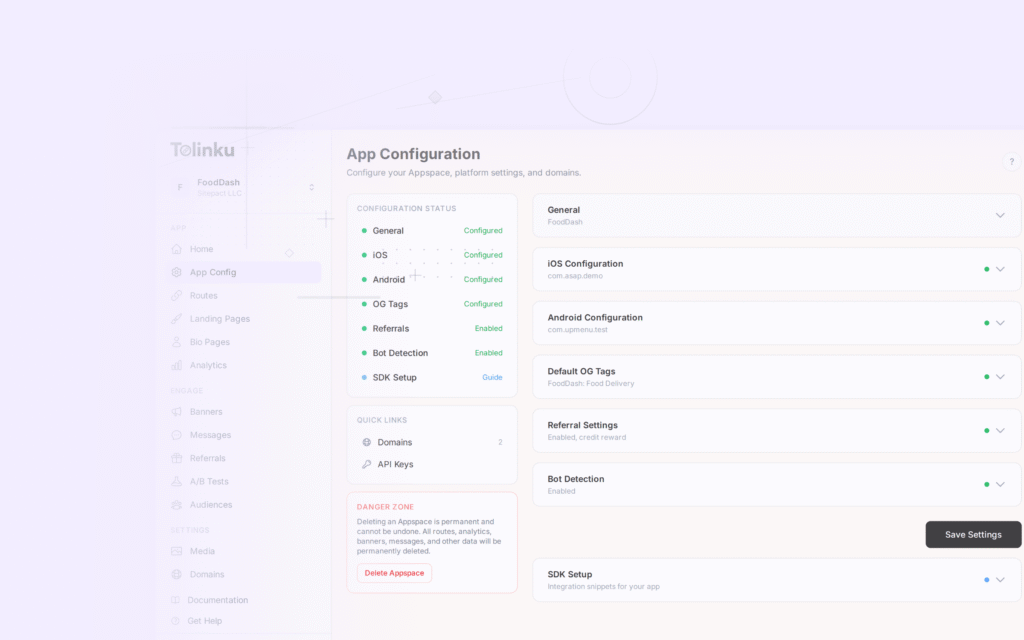
Tolinku supports the route patterns budgeting apps need. Define routes for spending, budgets, goals, bills, and insights in the Tolinku dashboard. Deferred deep linking ensures new users from referral links land on the correct onboarding step.
For financial advisor apps, see deep links for financial advisor apps. For fintech deep linking broadly, see deep linking for fintech and banking apps.
Get deep linking tips in your inbox
One email per week. No spam.