Credit card offers are time-sensitive and personalized. A pre-approved offer for a rewards card with a limited-time signup bonus needs to reach the right user, open the right screen, and make it easy to apply. Deep links connect the offer notification or email to the exact card offer screen in your app, removing every unnecessary step between interest and application.
This guide covers deep linking patterns for credit card offers and applications. For loan application flows, see loan application deep links. For fintech deep linking broadly, see deep linking for fintech and banking apps.
Route Patterns
/cards/offers                          → All available card offers
/cards/offers/{offer-id}               → Specific offer detail
/cards/offers/{offer-id}/apply         → Start application for offer
/cards/offers/{offer-id}/compare       → Compare with current card
/cards/prequalify                      → Pre-qualification check
/cards/prequalify/result/{session-id}  → Pre-qualification result
/cards/{card-id}                       → Existing card detail
/cards/{card-id}/rewards               → Rewards summary
/cards/{card-id}/activate              → Activate new card
Pre-Qualification Deep Links
Pre-qualification lets users check their eligibility without a hard credit inquiry. These links are ideal for marketing campaigns because they have low friction.
From a Marketing Email
<p>You may be pre-qualified for the Platinum Rewards Card.</p>
<p>Check now with no impact on your credit score.</p>
<a href="https://links.finapp.com/cards/prequalify">
  Check Your Offers
</a>
From a Push Notification
{
  "title": "New card offers available",
  "body": "Check if you're pre-qualified for our Platinum Rewards Card",
  "deep_link": "https://links.finapp.com/cards/prequalify",
  "category": "card_offer"
}
From an In-App Banner
When a user is browsing their existing card details, show a banner linking to upgrade offers:
https://links.finapp.com/cards/offers?context=upgrade¤t_card=CARD-123
Personalized Offer Deep Links
Pre-Approved Offer
When the system identifies a user who qualifies for a specific card:
{
  "title": "You're pre-approved!",
  "body": "Platinum Rewards Card: 3% cash back on dining, $200 signup bonus",
  "deep_link": "https://links.finapp.com/cards/offers/OFFER-789",
  "category": "pre_approved"
}
Offer Expiration Reminder
<p>Your pre-approved offer expires in 5 days.</p>
<p><strong>Platinum Rewards Card</strong></p>
<ul>
  <li>3% cash back on dining</li>
  <li>2% on groceries</li>
  <li>$200 signup bonus after $1,000 spend in 90 days</li>
</ul>
<a href="https://links.finapp.com/cards/offers/OFFER-789/apply">
  Apply Now
</a>
Upgrade Offer
For existing cardholders who qualify for a better card:
{
  "title": "Upgrade your card",
  "body": "You're eligible to upgrade to the Platinum Rewards Card at no annual fee for the first year",
  "deep_link": "https://links.finapp.com/cards/offers/OFFER-456/compare",
  "category": "card_upgrade"
}
The /compare route shows a side-by-side comparison of the user's current card and the offered card.
Application Flow Deep Links
Handling the Application Deep Link
func handleCardOfferDeepLink(_ url: URL) {
    guard authManager.isAuthenticated else {
        pendingDeepLink = url
        showLogin()
        return
    }

    let segments = url.pathComponents

    // /cards/offers/{offer-id}/apply
    if segments.contains("apply"), let offerId = segments[safe: 3] {
        let offer = offerManager.getOffer(offerId)

        guard let offer = offer else {
            showError("This offer is no longer available.")
            return
        }

        guard offer.isValid else {
            showOfferExpired(offer)
            return
        }

        showApplication(for: offer)
    }
    // /cards/offers/{offer-id}/compare
    else if segments.contains("compare"), let offerId = segments[safe: 3] {
        let offer = offerManager.getOffer(offerId)
        let currentCard = cardManager.getPrimaryCard()
        showComparison(current: currentCard, offer: offer)
    }
    // /cards/offers/{offer-id}
    else if let offerId = segments[safe: 3] {
        showOfferDetail(offerId)
    }
    // /cards/offers
    else {
        showAllOffers()
    }
}
Application Recovery
When a user starts a card application but does not complete it:
| Timing | Channel | Deep Link | Message |
|---|---|---|---|
| 2 hours | Push | /cards/offers/{offer-id}/apply |
"Continue your card application" |
| 24 hours | /cards/offers/{offer-id}/apply |
"Your Platinum Rewards application is waiting" | |
| 3 days | Push | /cards/offers/{offer-id} |
"Your signup bonus offer expires soon" |
| 7 days | /cards/offers |
"See your available card offers" |
Card Activation Deep Links
After a new card is approved and shipped, deep link directly to the activation screen:
{
  "title": "Your new card is ready",
  "body": "Activate your Platinum Rewards Card to start earning cash back",
  "deep_link": "https://links.finapp.com/cards/CARD-NEW/activate",
  "category": "card_activation"
}
This skips the home screen, account overview, and card selection. The user taps the notification and lands on the activation form.
Rewards Deep Links
Monthly Rewards Summary
<p>You earned $47.50 in cash back this month.</p>
<a href="https://links.finapp.com/cards/CARD-123/rewards">
  View Rewards
</a>
Reward Redemption Opportunity
{
  "title": "Redeem your rewards",
  "body": "You have $150 in cash back available. Redeem as statement credit or deposit.",
  "deep_link": "https://links.finapp.com/cards/CARD-123/rewards",
  "category": "rewards"
}
Regulatory Compliance
Credit card marketing is regulated by the Truth in Lending Act (TILA) and the CARD Act. Deep links to credit card offers must comply with disclosure requirements.
Web Fallback Disclosures
The web fallback page for a credit card offer deep link must include the Schumer Box (fee and rate summary table) and all legally required terms:
<p><strong>Platinum Rewards Card</strong></p>
<table>
  <tr><td>Purchase APR</td><td>18.99% - 26.99% variable</td></tr>
  <tr><td>Annual Fee</td><td>$0</td></tr>
  <tr><td>Cash Back</td><td>3% dining, 2% groceries, 1% everything else</td></tr>
</table>
<p><small>APR varies with the market based on the Prime Rate.
See terms and conditions for details.</small></p>
Adverse Action
If a user clicks through a pre-qualification deep link and is not approved, the app must follow ECOA and FCRA requirements for adverse action notices.
Tolinku for Credit Card Offers
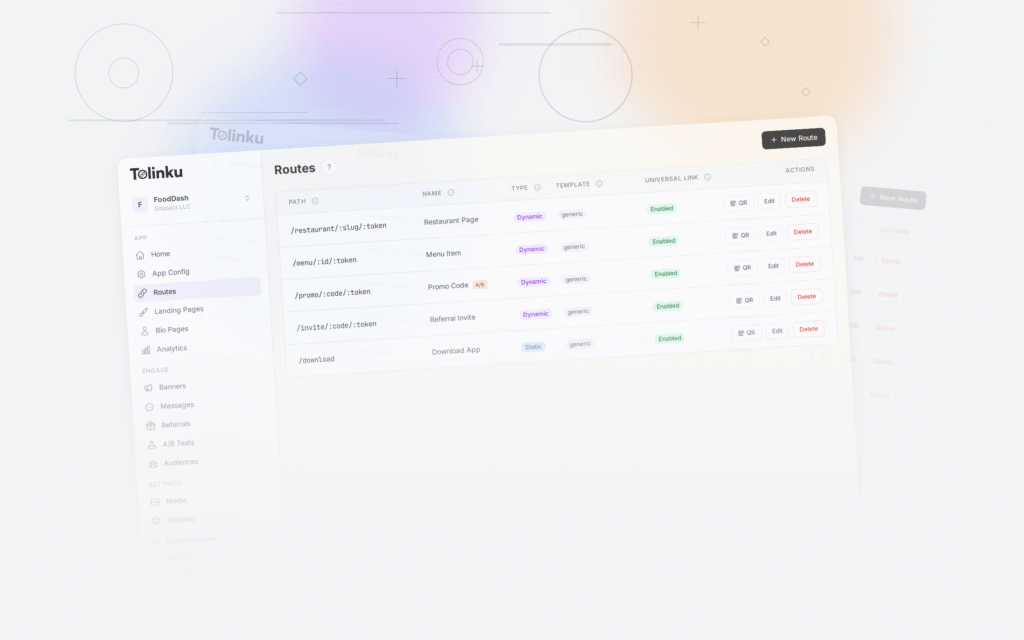
Tolinku supports the route patterns credit card offer flows need. Define routes for pre-qualification, offers, applications, and card management in the Tolinku dashboard. Deferred deep linking ensures that users who install the app from a marketing campaign land on the correct offer.
For loan applications, see loan application deep links. For promotional deep links, see promotional deep links.
Get deep linking tips in your inbox
One email per week. No spam.