Every tap between a user and a purchase is a chance for them to leave. In e-commerce, conversion rates live and die by friction. A customer sees a product in an Instagram ad, taps through, lands on your mobile website, gets prompted to open the app, opens to the home screen, and then has to search for the product they already found. Most people abandon somewhere in that chain.
Deep linking for e-commerce removes those extra steps. A well-configured deep link takes a user from any channel (email, social, SMS, push notification, paid ad) directly to the exact product, category, cart, or checkout screen inside your app. No home screen detours. No re-searching. The user arrives exactly where you intended, ready to buy.
This guide covers the full deep linking stack for e-commerce apps: how to structure product links, recover abandoned carts, run campaigns, convert web visitors to app users, and measure revenue impact. If you're building or optimizing an e-commerce app, this is the playbook.
 Photo by Nataliya Vaitkevich on Pexels
The E-Commerce Deep Linking Stack
E-commerce apps need more than just product links. A complete deep linking setup covers four layers, each serving a different stage of the purchase funnel.
Product links are the foundation. These take users to a specific product detail page (PDP) with the correct variant, size, or color pre-selected. Every product in your catalog should have a corresponding deep link.
Category and search links bring users to filtered product listings. When you run a "20% off all running shoes" campaign, the link should open the running shoes category with the sale filter applied, not drop users on the home page to figure it out.
Cart links reconstruct a user's shopping cart. These are critical for abandoned cart recovery. The link doesn't just open the app; it rebuilds the cart contents so the user can pick up exactly where they left off.
Checkout links skip straight to payment. For returning customers with saved payment methods, a checkout deep link can reduce a multi-step purchase to a single confirmation tap.
Product Deep Links
Product deep links are the most common type in e-commerce. The URL structure matters because it needs to be predictable, parseable, and flexible enough to handle your full catalog.
URL Structure
A clean product deep link follows a consistent pattern:
https://links.yourstore.com/product/:productId
https://links.yourstore.com/product/:productId?variant=blue&size=lg
https://links.yourstore.com/p/:sku
The route should accept both a product ID and optional query parameters for variants. Here's how you might configure this using dynamic routes:
{
  "route": "/product/:productId",
  "ios": {
    "appId": "123456789",
    "path": "/product/{productId}?variant={variant}&size={size}"
  },
  "android": {
    "package": "com.yourstore.app",
    "path": "/product/{productId}?variant={variant}&size={size}"
  },
  "fallback": "https://yourstore.com/product/{productId}"
}
The dynamic parameters (productId, variant, size) pass through from the deep link URL to the app, so your app receives exactly the context it needs to render the right product page. For a deeper look at structuring product links, see product page deep links.
Handling Variants and SKUs
E-commerce products are rarely one-dimensional. A single shoe comes in 12 sizes, 5 colors, and 3 widths. Your deep links need to encode enough information to land the user on the right variant.
There are two approaches:
Query parameter approach (recommended for most cases):
https://links.yourstore.com/product/air-max-90?color=infrared&size=10
SKU-based approach (when each variant has a unique identifier):
https://links.yourstore.com/p/AM90-INF-10
The query parameter approach is more flexible and human-readable. It also degrades gracefully: if a specific color is out of stock, your app can still show the product page and let the user pick an available variant. SKU-based links point to one exact variant, which can be a dead end if inventory changes.
Handling the Product In-App
When your app receives a product deep link, it needs to handle several scenarios:
// iOS example: handling product deep links
func handleProductDeepLink(productId: String, params: [String: String]) {
    // Fetch product data
    ProductAPI.fetch(id: productId) { result in
        switch result {
        case .success(let product):
            let variant = params["variant"] ?? product.defaultVariant
            let size = params["size"] ?? nil

            // Navigate to product detail page
            let pdp = ProductDetailViewController(
                product: product,
                selectedVariant: variant,
                selectedSize: size
            )
            self.navigationController?.pushViewController(pdp, animated: true)

        case .failure:
            // Product not found or unavailable
            self.showProductUnavailable(productId: productId)
        }
    }
}
Always handle the failure case. Products get discontinued, IDs change, and inventory runs out. A deep link to a missing product should show a helpful fallback (similar products, search results, or a clear message), not a crash or blank screen.
Abandoned Cart Recovery with Deep Links
Cart abandonment rates in mobile e-commerce hover around 85%, according to the Baymard Institute. Deep links are one of the most effective tools for recovering those carts, because they eliminate every friction point between the reminder and the checkout. For a complete walkthrough of this strategy, see abandoned cart deep linking.
Email to Cart
When a user abandons their cart, the recovery email should include a deep link that rebuilds their exact cart state:
https://links.yourstore.com/cart/restore?items=SKU001:2,SKU002:1&promo=COMEBACK10
This link encodes the cart contents (SKU001 quantity 2, SKU002 quantity 1) and an optional promo code. When the user taps it, the app opens directly to the cart screen with those items loaded and the discount applied.
For users who don't have the app installed, the fallback URL should point to the web checkout with the same cart state pre-populated. Deferred deep links handle the case where the user installs the app after clicking: the cart contents persist through the install process.
Push Notification to Cart
Push notifications for cart recovery follow the same pattern, but the deep link is embedded in the notification payload:
{
  "title": "You left something behind",
  "body": "Your Nike Air Max 90 is still in your cart. Complete your order before it sells out.",
  "data": {
    "deep_link": "https://links.yourstore.com/cart/restore?items=AM90-INF-10:1",
    "type": "cart_recovery"
  }
}
The timing matters. Send the first push notification 1 to 3 hours after abandonment, when purchase intent is still high. Include a second attempt 24 hours later with a discount code embedded in the deep link.
SMS Recovery
SMS has the highest open rates of any channel (around 98%, per Gartner). A short, direct message with a cart deep link performs well:
Your cart at YourStore has 2 items ($89.00). Finish your order: https://links.yourstore.com/cart/restore?session=abc123
The session parameter maps to a server-side cart session, keeping the SMS link short while still encoding the full cart state.
Social Sharing and Product Discovery
When users share products from your app, the shared links need to look good on every platform. A bare URL with no preview image or description gets ignored. Rich link previews with product images, prices, and descriptions drive significantly more clicks.
OG Tags for Product Links
Configure your deep links with proper Open Graph tags so social platforms render rich previews:
<meta property="og:title" content="Nike Air Max 90 - Infrared" />
<meta property="og:description" content="$129.99 - Free shipping on orders over $75" />
<meta property="og:image" content="https://cdn.yourstore.com/products/am90-infrared.jpg" />
<meta property="og:url" content="https://links.yourstore.com/product/air-max-90" />
The product image should be at least 1200×630 pixels for optimal display on Facebook, Twitter/X, LinkedIn, and iMessage. Include the price in the description; it sets expectations and qualifies clicks (people who tap knowing the price are more likely to buy).
User-Generated Sharing
When a user shares a product from your app, generate a deep link with attribution:
function generateShareLink(productId, userId) {
  const params = new URLSearchParams({
    utm_source: 'app_share',
    utm_medium: 'social',
    ref: userId
  });

  return `https://links.yourstore.com/product/${productId}?${params.toString()}`;
}
The ref parameter lets you track which users drive the most referral traffic and, if you have a referral program, attribute rewards correctly. The UTM parameters feed into your analytics so you can measure how user-generated sharing compares to paid channels.
Campaign Deep Links
E-commerce runs on campaigns: flash sales, seasonal promotions, influencer partnerships, loyalty rewards. Each campaign type benefits from purpose-built deep links.
Flash Sales
Flash sale links need to handle time sensitivity. The link should open the sale page while the sale is active and show a fallback after it ends:
https://links.yourstore.com/sale/flash-summer-2026?expires=2026-07-04T23:59:59Z
Your app checks the expiration timestamp on open. If the sale is still running, it shows the sale page. If it's expired, it redirects to the general sale section or the home page with a message like "This sale has ended. Check out our current deals."
Seasonal Promotions
Seasonal campaigns often target specific product categories. Structure the links to include both the campaign identifier and the category:
https://links.yourstore.com/campaign/back-to-school?category=backpacks&discount=BTS20
This approach lets you reuse the same route template across campaigns. The campaign path identifies it for tracking, and the query parameters control what the user sees and what discount applies.
Influencer and Affiliate Links
Each influencer gets a unique deep link that carries their attribution code:
https://links.yourstore.com/shop?ref=influencer_jane&campaign=summer_collab
On the backend, you track clicks, installs, and purchases attributed to each influencer. This data drives commission calculations and helps you decide which partnerships to renew.
For platforms like TikTok and Instagram where links appear in bios, the deep link serves double duty: it routes app users directly into the app and sends web users to a mobile-optimized landing page. Both paths carry the attribution data.
Web-to-App Conversion
Your mobile website gets traffic from search engines, social media, and direct visits. Converting those web visitors into app users is one of the highest-value things deep links can do, because app users typically have 3 to 5 times higher lifetime value than mobile web users.
Smart Banners on Product Pages
A smart banner on product pages shows app users a prompt to view the same product in your app. Our guide on e-commerce smart banners covers design patterns and conversion strategies specific to online stores. Unlike generic "Download our app" banners, product-specific banners have a clear value proposition: "View this in our app for exclusive pricing" or "Open in app for 1-tap checkout."
The banner includes a deep link to the current product:
<script src="https://cdn.tolinku.com/banner.js"></script>
<script>
  Tolinku.banner({
    appId: 'your-app-id',
    deepLink: `/product/${productId}`,
    title: 'View in App',
    subtitle: 'Get exclusive app-only pricing',
    position: 'top'
  });
</script>
Smart banners should be contextual. On a product page, the banner links to that product. On a category page, it links to that category. On the cart page, it links to the cart. Generic "open our app" banners perform poorly because they don't answer the question "why should I?"
App Install Interstitials
Full-screen interstitials are aggressive, and overusing them hurts SEO (Google penalizes intrusive interstitials on mobile, per their page experience guidelines). But used selectively, they work. The best trigger points are:
- After a user views 3 or more products in a session (high intent)
- When a user adds an item to their web cart (very high intent)
- On the order confirmation page (post-purchase, low friction)
Each interstitial should carry a deep link to the user's current context, not just the app store listing.
Personalization Through Deep Link Context
Deep links can carry more than just a destination. By encoding contextual data, you can personalize the in-app experience for each user based on how they arrived.
User-Specific Pricing
If you offer tiered pricing or personalized discounts, encode the offer in the deep link:
https://links.yourstore.com/product/wireless-earbuds?offer=VIP30&uid=user_789
When the app opens, it validates the offer against the user's account and displays the personalized price. The server-side validation prevents abuse: even if someone shares the link, the discount only applies to the intended recipient.
Recommendation-Based Links
Email campaigns with product recommendations can include deep links tailored to each recipient:
https://links.yourstore.com/recommended?items=P001,P002,P003&for=user_789
The app renders a curated product feed based on the items parameter, personalized for the user. This is more effective than linking to a generic "recommended for you" page, because the recommendations were computed at email-send time and may be stale by the time the user opens the app days later.
Wishlist and Save-for-Later Links
Deep links can pre-populate wishlists or save-for-later lists:
https://links.yourstore.com/wishlist/add?product=AM90-INF¬ify_restock=true
This is useful for out-of-stock products. Instead of a dead end, the deep link adds the item to the user's wishlist and opts them into restock notifications.
Measuring E-Commerce Deep Link ROI
The point of deep linking for e-commerce is revenue. You need to measure it directly, not through proxy metrics.
Revenue Per Link
Track revenue attributed to each deep link. This requires connecting your deep link click data with your purchase data:
SELECT
  dl.campaign,
  dl.source,
  COUNT(DISTINCT dl.click_id) AS clicks,
  COUNT(DISTINCT o.order_id) AS orders,
  SUM(o.total) AS revenue,
  SUM(o.total) / COUNT(DISTINCT dl.click_id) AS revenue_per_click
FROM deep_link_clicks dl
LEFT JOIN orders o ON dl.user_id = o.user_id
  AND o.created_at BETWEEN dl.clicked_at AND dl.clicked_at + INTERVAL 7 DAY
GROUP BY dl.campaign, dl.source
ORDER BY revenue DESC;
The 7-day attribution window accounts for users who click a deep link but don't purchase immediately. Adjust the window based on your typical purchase cycle.
Conversion by Channel
Compare deep link conversion rates across channels to allocate your marketing budget:
| Channel | Click-to-Purchase Rate | Avg. Order Value | Revenue per Click |
|---|---|---|---|
| Email (cart recovery) | 8-12% | $65 | $6.50 |
| Push notification | 5-8% | $55 | $3.85 |
| SMS | 6-10% | $60 | $4.80 |
| Social (organic) | 1-3% | $45 | $0.90 |
| Paid social | 2-4% | $50 | $1.50 |
| Influencer | 3-6% | $70 | $3.50 |
These are representative benchmarks from industry data. Your actual numbers will vary based on your product category, price point, and audience. The important thing is to track them consistently so you can optimize over time.
Tolinku's ecommerce analytics goes beyond click tracking. The SDK tracks 13 ecommerce event types (view item, add to cart, purchase, refund, and more), and the dashboard shows revenue attribution by campaign, ecommerce conversion funnels, top products, cart abandonment rates, and customer lifetime value cohorts. Choose between Last Click, Linear, and Time Decay attribution models to understand which deep link campaigns actually drive revenue. All revenue is automatically converted to your base currency with support for 200+ currencies. See the ecommerce analytics documentation for the full setup guide.
A/B Testing Deep Link Experiences
Test different deep link destinations against each other:
- Does linking to the product page or directly to the cart (with the product pre-added) convert better?
- Does including a promo code in the deep link increase conversion enough to justify the margin hit?
- Does a rich link preview with the price shown outperform one without?
Structure your tests by creating parallel deep links with different parameters and splitting traffic:
// Variant A: link to product page
https://links.yourstore.com/product/AM90?test=a

// Variant B: link to cart with product pre-added
https://links.yourstore.com/cart/add/AM90?test=b
Track purchase completion rates for each variant. Small differences in deep link behavior can add up to significant revenue changes at scale.
Implementation Best Practices
Route Design
Keep your route structure shallow and predictable. Every route should follow a pattern that's easy to understand and debug:
/product/:id            → Product detail page
/category/:slug         → Category listing
/cart/restore            → Cart recovery
/cart/add/:sku           → Add to cart and open cart
/checkout                → Checkout (authenticated users only)
/sale/:campaignId        → Campaign landing page
/search?q=:query         → Search results
Avoid deeply nested routes. /category/shoes/running/men/on-sale is harder to maintain than /category/mens-running-shoes?on_sale=true.
Fallback Handling
Every deep link needs a fallback for three scenarios:
- App not installed: Redirect to the web version of the same content, or to the app store with deferred deep linking to preserve context.
- Content not found: Product discontinued, sale ended, category removed. Show a relevant alternative, not an error page.
- Authentication required: Some deep links (checkout, order history, wishlist) require a logged-in user. Redirect to login and then forward to the original destination after authentication.
// Handling auth-required deep links
function handleDeepLink(path, params) {
  const authRequired = ['/checkout', '/orders', '/wishlist', '/account'];

  if (authRequired.some(prefix => path.startsWith(prefix))) {
    if (!isAuthenticated()) {
      // Save the deep link destination
      saveDeepLinkForAfterAuth(path, params);
      navigateTo('/login');
      return;
    }
  }

  // Process the deep link normally
  routeToScreen(path, params);
}
Handling Sold-Out Products
This deserves special attention because it's a common source of frustration. When a deep link points to a sold-out product, you have several options, in order of preference:
- Show the product page with a "Notify me when available" option (and a deep link that adds to wishlist)
- Show similar in-stock products from the same category
- Show the parent category page
- Show search results for the product name
Never show a generic error or redirect to the home page. The user clicked because they wanted that specific product. Acknowledge that and offer the closest alternative.
Link Expiration and Maintenance
E-commerce catalogs change constantly. Products come and go, URLs get restructured, campaigns end. Build your deep linking setup with change in mind:
- Use product IDs (not slugs) as the primary identifier in deep links. IDs are stable; slugs change when products get renamed.
- Set expiration dates on campaign links so they stop working gracefully after the campaign ends.
- Monitor deep link error rates. A spike in 404s from deep links usually means a catalog change broke something.
- Redirect old product deep links to replacement products when you discontinue items.
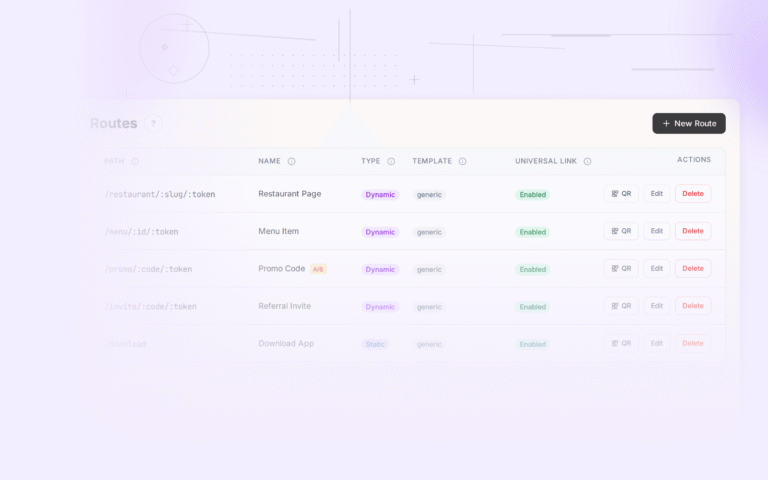
Tolinku handles route configuration and fallback logic at the platform level, so you can update routing rules without deploying app updates. When a product is discontinued, you update the route's fallback in the dashboard, and every existing deep link to that product immediately reflects the change.
Conclusion
Deep linking for e-commerce is not a nice-to-have feature. It's the infrastructure that connects your marketing channels to actual purchases. Every email, push notification, social post, and ad campaign performs better when the link takes users directly to the content they expect.
The implementation details matter. Product deep links need to handle variants and out-of-stock scenarios. Cart recovery links need to reconstruct cart state across channels. Campaign links need expiration handling and attribution tracking. And every deep link needs a sensible fallback for users who don't have your app installed.
Start with product deep links (they have the broadest impact), add cart recovery links next (they have the highest per-link ROI), then expand to campaign and personalization use cases. Measure revenue per link from the beginning so you can prove the value and justify further investment.
For a detailed walkthrough of setting up deep links for your e-commerce app, check out the Tolinku e-commerce deep linking guide.
Get deep linking tips in your inbox
One email per week. No spam.