Fintech apps do not operate in isolation. A payments app integrates with merchant POS systems. A banking app connects to payroll providers. An investment app links to tax preparation software. Deep links enable these integrations by giving partners a reliable way to send users into specific screens of your app with the right context.
This guide covers deep linking patterns for fintech partner integrations. For webhook-based integrations, see webhooks and integrations for deep linking. For co-marketing partnerships, see partnership and co-marketing for mobile apps.
Partner Integration Patterns
Merchant to Payment App
A merchant's checkout links to your payment app:
https://links.payapp.com/pay?merchant=MERCH-123&amount=45.00¤cy=USD&ref=ORDER-789
The deep link opens the payment confirmation screen with the merchant name, amount, and order reference pre-filled.
Payroll to Banking App
A payroll provider links to your banking app for direct deposit setup:
https://links.bankapp.com/direct-deposit/setup?provider=acme-payroll&employee_id=EMP-456
Tax Software to Investment App
A tax preparation app links to your investment app for tax document retrieval:
https://links.investapp.com/documents/tax?year=2025&type=1099
Insurance to Banking App
An insurance partner links to your banking app for premium payments:
https://links.bankapp.com/payments/make?payee=safe-insurance&amount=150.00&frequency=monthly
Route Patterns for Partner Deep Links
/partner/{partner-id}/action             → Partner-specific action
/pay                                      → Payment initiation
/pay/request/{request-id}                 → Respond to payment request
/connect/{service}                        → Connect to external service
/connect/{service}/callback               → Return from external service
/documents/{type}                         → Document retrieval
/accounts/link                            → Account linking flow
Inbound Partner Deep Links
These are links that partners use to send users into your app.
Payment Request Deep Link
A merchant sends a payment request that opens your payment app:
{
  "title": "Payment request from Coffee Shop",
  "body": "Coffee Shop is requesting $4.50",
  "deep_link": "https://links.payapp.com/pay/request/REQ-123",
  "category": "payment_request"
}
func handlePaymentRequestDeepLink(_ url: URL) {
    guard authManager.isAuthenticated else {
        pendingDeepLink = url
        showLogin()
        return
    }

    let segments = url.pathComponents

    // /pay/request/{request-id}
    guard segments.contains("request"), let requestId = segments.last else {
        showPaymentHome()
        return
    }

    Task {
        do {
            let request = try await paymentAPI.getRequest(requestId)

            guard request.status == .pending else {
                showError("This payment request has already been handled.")
                return
            }

            showPaymentConfirmation(
                merchant: request.merchantName,
                amount: request.amount,
                currency: request.currency,
                reference: request.reference
            )
        } catch {
            showError("Payment request not found.")
        }
    }
}
Account Linking
A partner app (e.g., a budgeting tool) links to your banking app to initiate account linking via Open Banking or Plaid:
https://links.bankapp.com/accounts/link?partner=budget-app&scope=transactions,balance&callback=budgetapp://linked
The deep link opens a consent screen where the user approves sharing specific data with the partner. After consent, the app redirects back to the partner via the callback URL.
Outbound Partner Deep Links
These are links your app uses to send users to partner apps.
Opening a Partner App
When your banking app needs to send the user to a partner's app (e.g., for insurance quotes):
func openPartnerApp(_ partner: Partner, context: [String: String]) {
    var components = URLComponents(string: partner.deepLinkBase)
    components?.queryItems = context.map { URLQueryItem(name: $0.key, value: $0.value) }

    guard let url = components?.url else { return }

    if UIApplication.shared.canOpenURL(url) {
        UIApplication.shared.open(url)
    } else {
        // Partner app not installed, open web fallback or app store
        UIApplication.shared.open(partner.webFallbackURL)
    }
}
Return Deep Links (Callbacks)
After the user completes an action in a partner app, the partner sends them back:
https://links.bankapp.com/connect/insurance/callback?policy_id=POL-789&status=active
Handle the callback:
func handlePartnerCallback(_ url: URL) {
    guard authManager.isAuthenticated else {
        pendingDeepLink = url
        showLogin()
        return
    }

    let params = URLComponents(url: url, resolvingAgainstBaseURL: false)?.queryItems
    let service = url.pathComponents[safe: 2]

    switch service {
    case "insurance":
        let policyId = params?.first(where: { $0.name == "policy_id" })?.value
        let status = params?.first(where: { $0.name == "status" })?.value

        if status == "active", let policyId = policyId {
            showInsuranceConfirmation(policyId: policyId)
        }
    case "payroll":
        let setupStatus = params?.first(where: { $0.name == "status" })?.value
        if setupStatus == "complete" {
            showDirectDepositConfirmation()
        }
    default:
        showHome()
    }
}
Embedded Finance Deep Links
Embedded finance is when financial services are built into non-financial apps. A ride-sharing app might embed a debit card. An e-commerce app might embed BNPL. Deep links connect the embedded experience to the underlying financial app.
From Embedded Card to Full Banking App
A user has an embedded debit card in a ride-sharing app and wants to manage it in the full banking app:
https://links.bankapp.com/cards/CARD-EMBED-123?source=rideshare-app
From BNPL Widget to Full App
A user who used BNPL at checkout wants to manage their payment plan:
https://links.bnplapp.com/plans/PLAN-456?source=merchant-checkout
Webhook-Triggered Deep Links
Partners can trigger deep links to your users via webhooks. The partner sends a webhook to your server, and your server sends a push notification with a deep link to the relevant user.
Flow
- Partner event occurs (payment processed, document ready, policy updated).
- Partner sends a webhook to your server.
- Your server identifies the affected user.
- Your server sends a push notification with a deep link.
- User taps the notification and lands on the relevant screen.
// Incoming webhook from partner
{
  "event": "document_ready",
  "partner": "tax-prep-co",
  "user_reference": "USR-123",
  "document_type": "1099",
  "tax_year": 2025
}

// Your server sends this push notification
{
  "title": "Tax document ready",
  "body": "Your 2025 1099 form is available from Tax Prep Co",
  "deep_link": "https://links.investapp.com/documents/tax?year=2025&type=1099",
  "category": "partner_document"
}
Security for Partner Deep Links
Validating Partner Requests
Partner deep links should include a signature or token to prevent spoofing:
https://links.payapp.com/pay?merchant=MERCH-123&amount=45.00&sig=hmac_sha256_signature
Validate the signature server-side before processing the payment:
func validatePartnerDeepLink(_ url: URL, partner: Partner) -> Bool {
    guard let params = URLComponents(url: url, resolvingAgainstBaseURL: false)?.queryItems else {
        return false
    }

    let signature = params.first(where: { $0.name == "sig" })?.value
    let payload = params
        .filter { $0.name != "sig" }
        .sorted { $0.name < $1.name }
        .map { "\($0.name)=\($0.value ?? "")" }
        .joined(separator: "&")

    let expectedSignature = hmacSHA256(payload, key: partner.secretKey)
    return signature == expectedSignature
}
Scoping Partner Access
Partners should only be able to deep link to routes they are authorized to access. Maintain an allowlist per partner:
let partnerRouteAllowlist: [String: [String]] = [
    "acme-payroll": ["/direct-deposit/setup"],
    "tax-prep-co": ["/documents/tax"],
    "safe-insurance": ["/payments/make", "/connect/insurance/callback"]
]
Reject deep links from partners that try to access unauthorized routes.
Tolinku for Partner Integrations
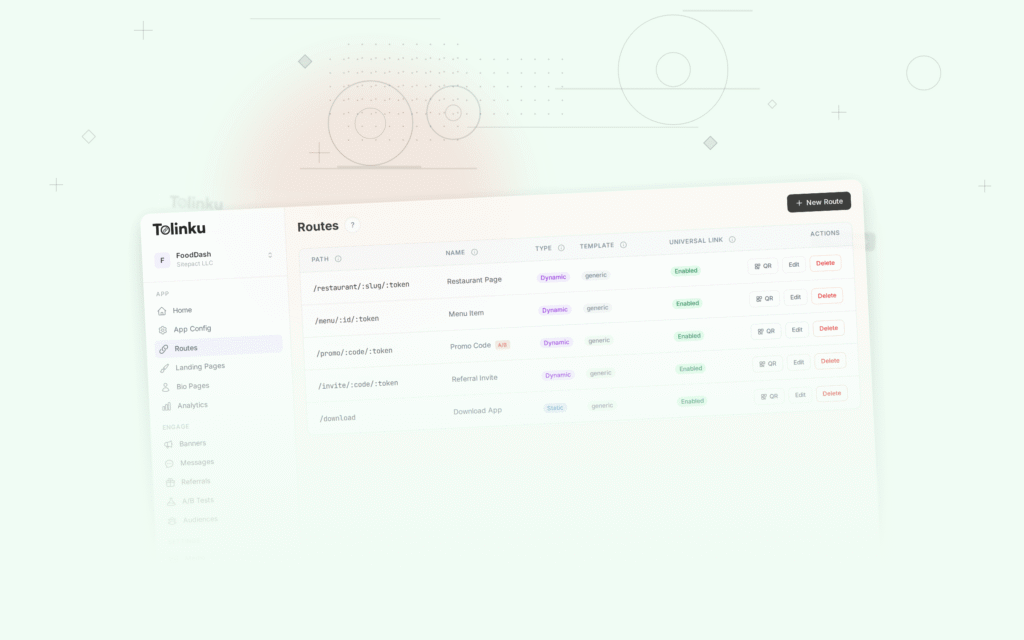
Tolinku supports the route patterns partner integrations need. Define partner-specific routes in the Tolinku dashboard and use webhooks to trigger deep link delivery when partner events occur.
For fintech deep linking, see deep linking for fintech and banking apps. For webhook integrations, see webhooks and integrations for deep linking.
Get deep linking tips in your inbox
One email per week. No spam.