As your app or business grows, links multiply. Marketing campaigns, referral programs, social media posts, email campaigns, QR codes on packaging, partner integrations, and in-app sharing all generate links that need to be created, tracked, and maintained. At some point, managing these in a spreadsheet or across multiple tools becomes unsustainable.
A link management platform centralizes all of this. But the market ranges from simple URL shorteners to full deep linking and attribution platforms. Choosing the right one depends on what you actually need.
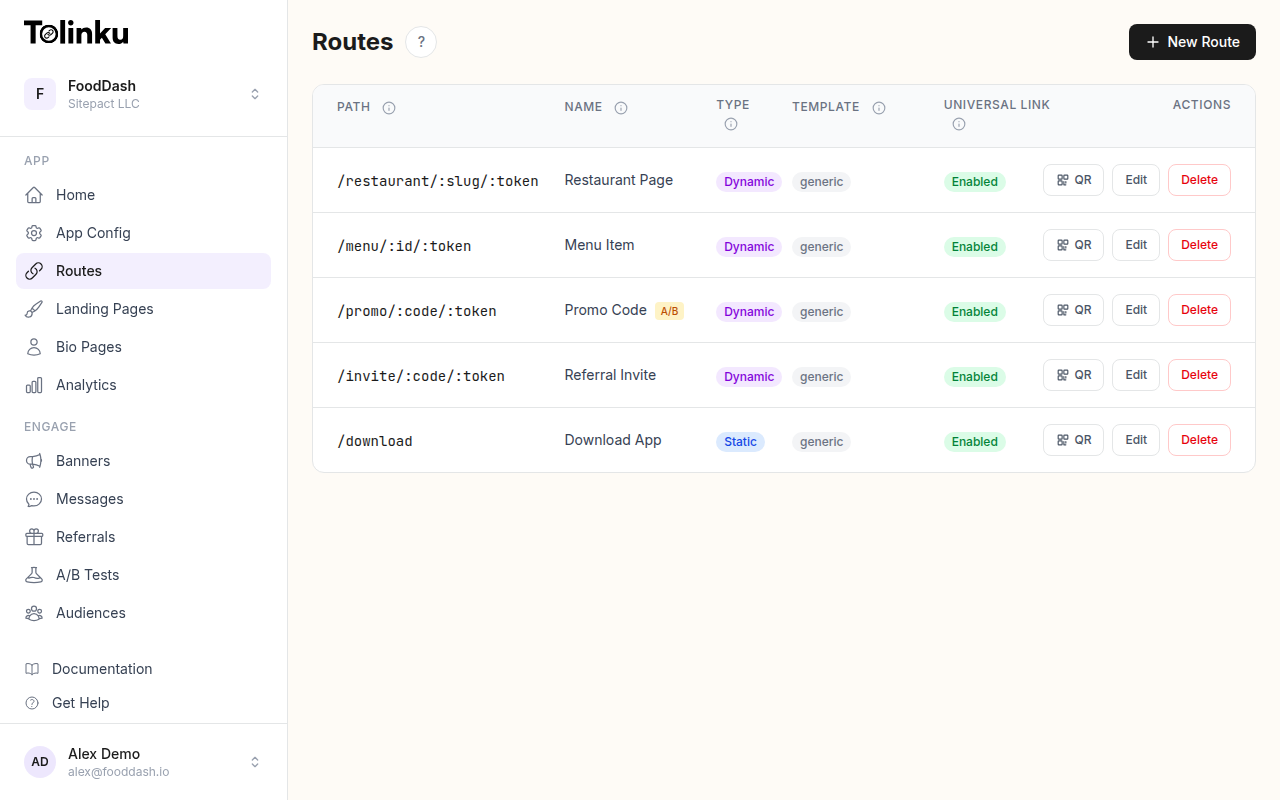 Tolinku route configuration with QR code generation for each deep link.
Core Features to Evaluate
1. Custom Domains
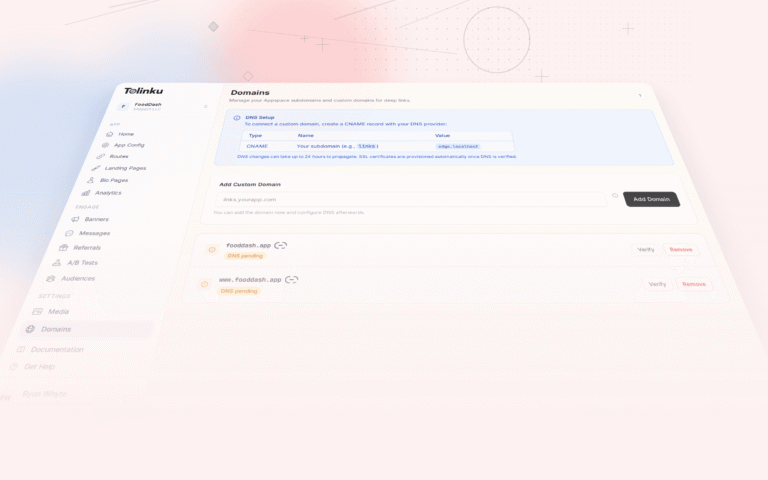
The ability to use your own domain (like go.yourapp.com) instead of the platform's domain is table stakes for professional use. Branded short links build trust and reinforce brand recognition.
What to check:
- Can you use multiple custom domains?
- Is SSL provisioned automatically?
- Does the platform support subdomains?
- Is CNAME setup straightforward?
Some platforms charge extra for custom domains or limit the number you can add per plan.
2. Deep Linking
If you have a mobile app, basic URL shortening isn't enough. You need platform-aware routing that opens specific content in your app on iOS and Android while falling back to a web page on desktop.
Key capabilities:
- Universal Links (iOS) and App Links (Android) support
- Deferred deep linking for users who don't have the app yet
- Dynamic routes with parameters (e.g.,
/product/:id) - Platform-specific destination configuration
Not every link management tool offers deep linking. Traditional URL shorteners lack this entirely. If your use case involves mobile apps, this is a critical differentiator.
3. Analytics and Reporting
Every link should generate actionable data. At minimum, look for:
- Click/scan volume: Total and unique
- Geographic breakdown: Country and region
- Device and platform data: iOS, Android, desktop, browser types
- Time-based trends: Clicks over time, peak hours
- Conversion funnels: Click → install → in-app action
- Data export: CSV or API access for custom reporting
Some platforms provide real-time dashboards while others batch-process data with delays. Real-time analytics matter for campaigns where you need to react quickly.
4. QR Code Generation
If your marketing includes any physical touchpoint (events, packaging, print ads, retail), you need QR codes. The best platforms generate QR codes for every link automatically, with options for:
- SVG and PNG download formats
- Customizable colors and logo embedding
- Dynamic codes (destination can change without reprinting)
- Per-code analytics
5. Team Collaboration
As your team grows, you need role-based access, shared link workspaces, and audit trails. Check whether the platform supports:
- Multiple team members per account
- Role-based permissions (admin, editor, viewer)
- Shared dashboards and link libraries
- Activity logs showing who created or modified links
6. API and Automation
For programmatic link creation, evaluate the API:
- RESTful endpoints for creating and managing links
- Authentication methods (API keys, OAuth)
- Rate limits and usage quotas
- Webhook support for real-time event notifications
- SDK availability for mobile and web
See Short Link APIs: Programmatic Link Creation for a deeper look at API-driven workflows.
7. Link Lifecycle Management
Links don't live forever (or at least, they shouldn't always). Look for:
- Expiration: Time-based and click-count-based deactivation
- Fallback URLs: Where expired links redirect
- Bulk management: Archive, delete, or update links in batches
- Redirect types: 301 (permanent) vs 302 (temporary) control
Feature Categories by Use Case
Different teams need different capabilities. Here's what matters most for common use cases:
Mobile App Marketing
Must-have:
- Deep linking with Universal Links and App Links
- Deferred deep linking
- Platform-specific routing
- Attribution and conversion tracking
Nice-to-have:
- A/B testing for link destinations
- Smart banners for web-to-app conversion
- In-app messages
E-Commerce
Must-have:
- Dynamic links for product catalogs
- Analytics with conversion tracking
- QR codes for packaging and retail
- Custom domains for brand trust
Nice-to-have:
- UTM parameter support
- Integration with Google Analytics
- Campaign-level reporting
Content and Media
Must-have:
- High volume link creation (API or bulk)
- Social media preview customization (OG tags)
- Click analytics per content piece
- Custom branded domains
Nice-to-have:
- Link categorization and tagging
- Geographic targeting
- A/B testing for headlines and destinations
Referral Programs
Must-have:
- Unique link generation per user via API
- Referral attribution and tracking
- Deferred deep linking for new user installs
- Webhook notifications for referral events
Nice-to-have:
- Milestone tracking
- Leaderboard and reward management
- Two-sided reward support
Pricing Models
Link management platforms typically price in one of three ways:
Per-Link Pricing
You pay for each link created. This works for low-volume use but becomes expensive at scale. If you're generating thousands of links per month for campaigns or user-generated sharing, per-link pricing adds up fast.
Per-Click Pricing
You pay based on how many times your links are clicked. This aligns cost with actual usage but can be unpredictable, especially if a link goes viral.
Flat-Rate with Tiers
You pay a fixed monthly fee that includes a bundle of features and usage quotas. Higher tiers unlock more clicks, more links, and more features. This is the most predictable model.
Tolinku uses tier-based pricing starting with a free tier (1,200 clicks/month, all core features) and scaling to Standard ($39/Appspace/month with 50,000 clicks), Growth, and Scale tiers.
Red Flags to Watch For
No custom domain support: If you can't use your own domain, every link advertises the platform instead of your brand.
Analytics behind a paywall: Basic click data should be available on all plans. Platforms that hide analytics behind premium tiers are selling something essential as an upsell.
No deep linking: If the platform only shortens URLs without mobile app routing, it's a URL shortener, not a link management platform. That's fine if you don't have an app, but limiting if you do.
No API: If there's no API for programmatic link creation, you're locked into manual dashboard workflows. That doesn't scale.
Vendor lock-in: Can you export your data? Can you migrate your custom domain to another platform? If the answer is no, proceed carefully.
Opaque pricing: Watch for per-click overage charges, hidden fees for features like QR codes or team members, and enterprise-only pricing for basic capabilities like webhooks.
Making the Decision
Start by listing your actual requirements. If you're a web-only business, a simple URL shortener might be all you need. If you have a mobile app, you need deep linking. If you're running offline campaigns, you need QR codes. If you're building a referral program, you need per-user link generation and attribution.
Then evaluate platforms against those requirements, not against feature lists. A platform with 50 features you'll never use isn't better than one with 10 features that match your needs exactly.
For a look at how Tolinku compares to traditional URL shorteners, see Tolinku vs Bitly.
For more on short links and QR codes in mobile marketing, see QR Codes and Short Links for Mobile Apps.
Get deep linking tips in your inbox
One email per week. No spam.