A/B testing compares two variants of one variable. Multivariate testing (MVT) tests multiple variables at the same time, showing you not just which variant wins but which combination of variables produces the best result. For deep link campaigns, this means testing CTA text, landing page layout, and destination screen simultaneously instead of running three separate sequential tests.
For A/B testing fundamentals, see A/B Testing Deep Links and Landing Pages. For sample size planning, see A/B Testing Sample Size Calculator for Deep Links.
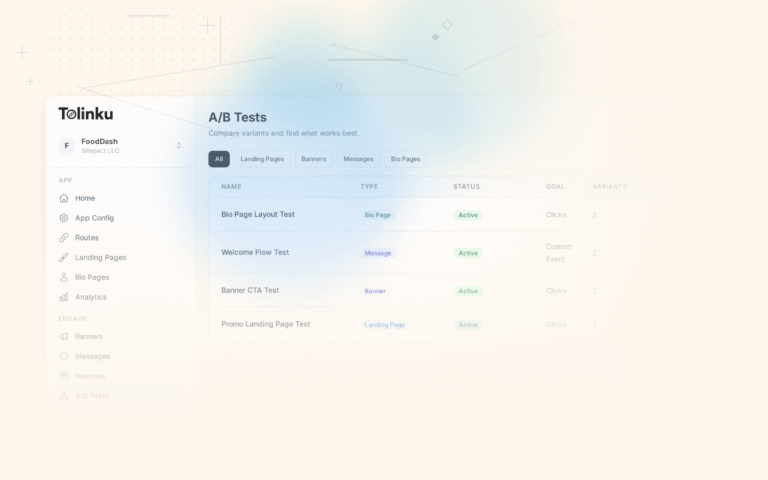
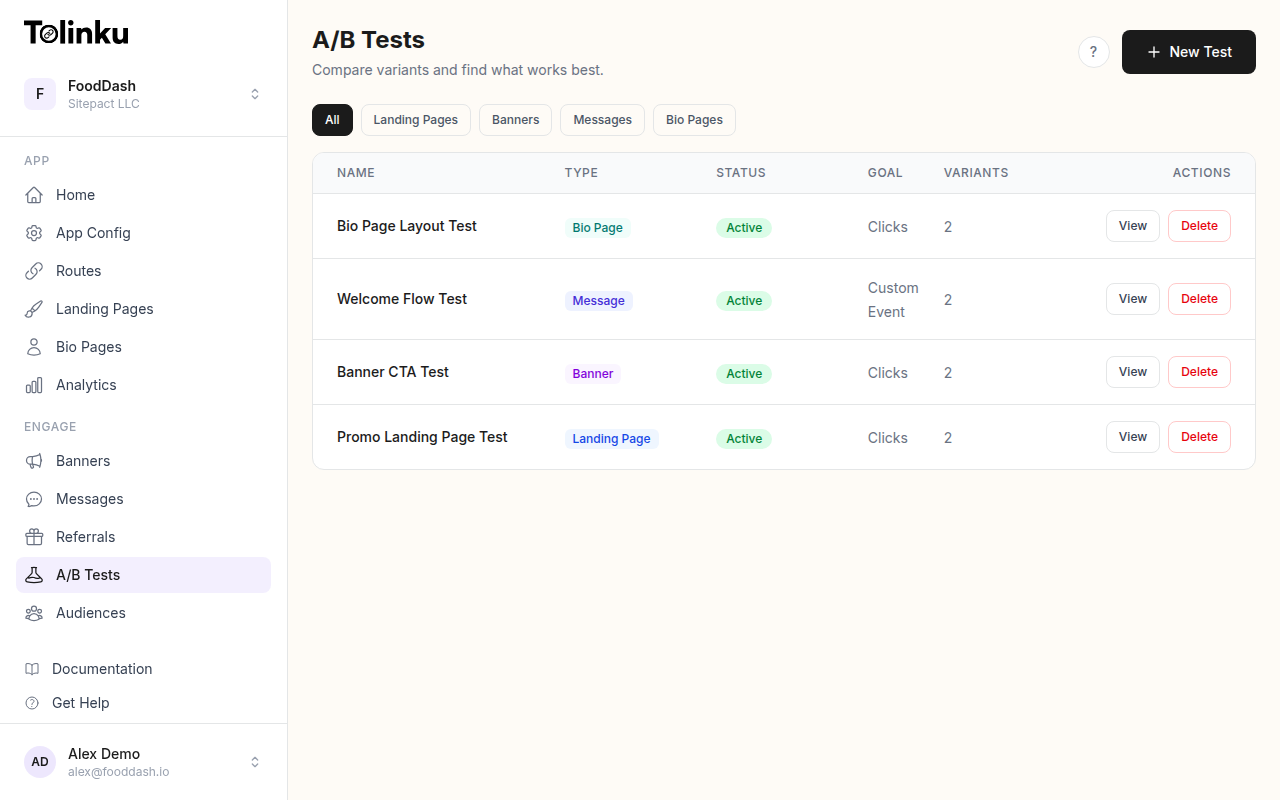 The A/B tests list page showing test names, status, types, and variant counts.
A/B Testing vs. Multivariate Testing
| Aspect | A/B Testing | Multivariate Testing |
|---|---|---|
| Variables tested | 1 | 2+ simultaneously |
| Variants | 2-4 | Can be dozens (factorial) |
| Traffic required | Moderate | High |
| Time to results | Weeks | Weeks to months |
| Insights | "B beats A" | "This combination is optimal" |
| Interaction effects | Not detected | Detected |
| Complexity | Low | Medium to high |
When to Use MVT
Use multivariate testing when:
- You have high traffic (10,000+ daily impressions on the tested surface)
- You suspect interaction effects between variables (e.g., a certain headline only works with a specific CTA)
- You want to optimize multiple elements at once instead of running sequential A/B tests
- The elements being tested are on the same page or surface
Stick with A/B testing when:
- Traffic is low (< 5,000 daily impressions)
- You're testing a single major change (new design vs. old)
- You need results quickly
How MVT Works
Full Factorial Design
Test every combination of every variable level:
function generateFullFactorial(variables) {
  // variables = { headline: ['A', 'B'], cta: ['X', 'Y', 'Z'], layout: ['short', 'long'] }
  const keys = Object.keys(variables);
  const combinations = [];

  function combine(index, current) {
    if (index === keys.length) {
      combinations.push({ ...current });
      return;
    }

    const key = keys[index];
    for (const value of variables[key]) {
      current[key] = value;
      combine(index + 1, current);
    }
  }

  combine(0, {});
  return combinations;
}

// Example
const variants = generateFullFactorial({
  headline: ['benefit', 'feature'],
  cta: ['download', 'try_free', 'get_started'],
  layout: ['short', 'long'],
});

console.log(variants.length); // 2 x 3 x 2 = 12 combinations
Fractional Factorial Design
When full factorial requires too many combinations, test a strategic subset:
function generateFractionalFactorial(variables, fraction) {
  const full = generateFullFactorial(variables);

  // Use orthogonal array to select a balanced subset
  // For a 1/2 fraction: test half the combinations
  // while maintaining ability to estimate main effects
  const selected = selectOrthogonalSubset(full, fraction);

  return {
    combinations: selected,
    fullSize: full.length,
    fractionSize: selected.length,
    canEstimate: 'main effects + some interactions',
    cannotEstimate: 'higher-order interactions',
  };
}

// A Taguchi L8 array for testing 7 two-level factors in only 8 runs
const taguchiL8 = [
  { headline: 'A', cta: 'X', layout: 'short', image: 'yes', badge: 'yes', social: 'count', urgency: 'no' },
  { headline: 'A', cta: 'X', layout: 'short', image: 'no', badge: 'no', social: 'rating', urgency: 'yes' },
  { headline: 'A', cta: 'Y', layout: 'long', image: 'yes', badge: 'yes', social: 'rating', urgency: 'yes' },
  { headline: 'A', cta: 'Y', layout: 'long', image: 'no', badge: 'no', social: 'count', urgency: 'no' },
  { headline: 'B', cta: 'X', layout: 'long', image: 'yes', badge: 'no', social: 'count', urgency: 'yes' },
  { headline: 'B', cta: 'X', layout: 'long', image: 'no', badge: 'yes', social: 'rating', urgency: 'no' },
  { headline: 'B', cta: 'Y', layout: 'short', image: 'yes', badge: 'no', social: 'rating', urgency: 'no' },
  { headline: 'B', cta: 'Y', layout: 'short', image: 'no', badge: 'yes', social: 'count', urgency: 'yes' },
];
Implementation
MVT Configuration
const mvtExperiment = {
  id: 'landing_page_mvt_v1',
  type: 'multivariate',
  variables: {
    headline: {
      levels: [
        { id: 'benefit', value: 'Save 2 Hours Every Week' },
        { id: 'social', value: 'Join 500K+ Teams' },
      ],
    },
    cta: {
      levels: [
        { id: 'download', value: 'Download Free' },
        { id: 'try', value: 'Try It Free' },
        { id: 'start', value: 'Get Started' },
      ],
    },
    socialProof: {
      levels: [
        { id: 'rating', value: { type: 'stars', rating: 4.8 } },
        { id: 'count', value: { type: 'userCount', count: '500K+' } },
      ],
    },
  },
  design: 'full_factorial', // 2 x 3 x 2 = 12 combinations
  primaryMetric: 'app_install',
  minSamplePerCombination: 500,
  // Total required: 12 x 500 = 6,000
};
Variant Assignment
function assignMVTVariant(userId, experiment) {
  const existing = storage.get(`mvt_${experiment.id}_${userId}`);
  if (existing) return existing;

  // Generate all combinations
  const combinations = generateFullFactorial(
    Object.fromEntries(
      Object.entries(experiment.variables).map(([key, config]) => [
        key,
        config.levels.map(l => l.id),
      ])
    )
  );

  // Deterministic assignment
  const hash = djb2Hash(`${userId}-${experiment.id}`);
  const index = hash % combinations.length;
  const assignment = combinations[index];

  // Resolve to actual values
  const resolved = {};
  for (const [variable, levelId] of Object.entries(assignment)) {
    const level = experiment.variables[variable].levels.find(l => l.id === levelId);
    resolved[variable] = level.value;
  }

  const variant = {
    combinationIndex: index,
    assignment,
    resolved,
  };

  storage.set(`mvt_${experiment.id}_${userId}`, variant);
  return variant;
}
Rendering the Page
function LandingPage({ experiment }) {
  const variant = useMVTVariant(experiment);

  return (
    <Page>
      <Hero>
        <Heading>{variant.resolved.headline}</Heading>
        <CTAButton>{variant.resolved.cta}</CTAButton>
      </Hero>

      <SocialProof config={variant.resolved.socialProof} />

      <TrackImpression
        experimentId={experiment.id}
        combination={variant.assignment}
      />
    </Page>
  );
}
Analyzing MVT Results
Main Effects
The main effect of a variable is its average impact across all levels of other variables:
async function calculateMainEffects(experimentId) {
  const experiment = getExperiment(experimentId);
  const results = await getAllCombinationResults(experimentId);

  const mainEffects = {};

  for (const [variable, config] of Object.entries(experiment.variables)) {
    mainEffects[variable] = {};

    for (const level of config.levels) {
      // Get all combinations where this variable = this level
      const matching = results.filter(r => r.assignment[variable] === level.id);
      const avgConversion = matching.reduce((sum, r) => sum + r.conversionRate, 0) / matching.length;

      mainEffects[variable][level.id] = {
        avgConversion: (avgConversion * 100).toFixed(2) + '%',
        sampleSize: matching.reduce((sum, r) => sum + r.impressions, 0),
      };
    }
  }

  return mainEffects;
}

// Example output:
// {
//   headline: { benefit: { avg: '4.2%' }, social: { avg: '3.8%' } },
//   cta: { download: { avg: '4.5%' }, try: { avg: '3.9%' }, start: { avg: '3.6%' } },
//   socialProof: { rating: { avg: '4.1%' }, count: { avg: '3.9%' } },
// }
Interaction Effects
Interaction effects show when variables influence each other:
async function calculateInteractions(experimentId) {
  const results = await getAllCombinationResults(experimentId);
  const experiment = getExperiment(experimentId);
  const variables = Object.keys(experiment.variables);

  const interactions = [];

  // Check all pairs of variables
  for (let i = 0; i < variables.length; i++) {
    for (let j = i + 1; j < variables.length; j++) {
      const varA = variables[i];
      const varB = variables[j];

      // For each combination of levels
      const levelsA = experiment.variables[varA].levels;
      const levelsB = experiment.variables[varB].levels;

      const grid = {};
      for (const la of levelsA) {
        grid[la.id] = {};
        for (const lb of levelsB) {
          const matching = results.filter(r =>
            r.assignment[varA] === la.id && r.assignment[varB] === lb.id
          );
          grid[la.id][lb.id] = matching.reduce((sum, r) => sum + r.conversionRate, 0) / matching.length;
        }
      }

      // Check if effect of varA differs by level of varB
      const hasInteraction = checkInteraction(grid, levelsA, levelsB);
      if (hasInteraction.significant) {
        interactions.push({
          variables: [varA, varB],
          grid,
          strength: hasInteraction.strength,
        });
      }
    }
  }

  return interactions;
}
Example: An interaction exists when "Download Free" (CTA) works better with "Save 2 Hours" (headline) but "Try It Free" works better with "Join 500K+ Teams." Without MVT, you'd miss this.
Finding the Winning Combination
async function findWinner(experimentId) {
  const results = await getAllCombinationResults(experimentId);

  // Sort by conversion rate
  const sorted = results.sort((a, b) => b.conversionRate - a.conversionRate);

  // Check if the top combination is significantly better than the others
  const best = sorted[0];
  const secondBest = sorted[1];

  const significance = zTest(
    secondBest.conversions, secondBest.impressions,
    best.conversions, best.impressions
  );

  return {
    winner: best.assignment,
    conversionRate: (best.conversionRate * 100).toFixed(2) + '%',
    lift: ((best.conversionRate - secondBest.conversionRate) / secondBest.conversionRate * 100).toFixed(1) + '%',
    vsSecondBest: significance,
    allResults: sorted.map(r => ({
      combination: r.assignment,
      rate: (r.conversionRate * 100).toFixed(2) + '%',
      impressions: r.impressions,
    })),
  };
}
Traffic Requirements
Full Factorial
function mvtTrafficRequirement(variables, baselineRate, mde, perCombinationSample = 500) {
  const numCombinations = Object.values(variables).reduce(
    (product, levels) => product * levels.length,
    1
  );

  const totalRequired = numCombinations * perCombinationSample;

  return {
    combinations: numCombinations,
    perCombination: perCombinationSample,
    totalRequired,
    note: `Need ${totalRequired.toLocaleString()} total impressions`,
  };
}

// 2 x 3 x 2 = 12 combinations x 500 each = 6,000 total
// At 1000/day = 6 days (but need 14 minimum for weekly patterns)
Quick Reference
| Variables | Levels Each | Combinations | Min Traffic (500/combo) |
|---|---|---|---|
| 2 vars | 2 each | 4 | 2,000 |
| 2 vars | 3 each | 9 | 4,500 |
| 3 vars | 2 each | 8 | 4,000 |
| 3 vars | 3 each | 27 | 13,500 |
| 4 vars | 2 each | 16 | 8,000 |
| 4 vars | 3 each | 81 | 40,500 |
Beyond 3 variables with 3 levels each, consider fractional factorial design to reduce traffic requirements.
Deep Link MVT Scenarios
Scenario 1: Landing Page Optimization
Test headline, CTA, and social proof on the fallback landing page:
const landingPageMVT = {
  id: 'landing_mvt_v1',
  variables: {
    headline: {
      levels: [
        { id: 'benefit', value: 'Save 2 Hours Every Week' },
        { id: 'social', value: 'Join 500K+ Teams' },
      ],
    },
    cta: {
      levels: [
        { id: 'download', value: 'Download Free' },
        { id: 'try', value: 'Try It Free' },
      ],
    },
    proof: {
      levels: [
        { id: 'stars', value: '4.8 stars on App Store' },
        { id: 'users', value: 'Used by 500K+ teams' },
      ],
    },
  },
  // 2 x 2 x 2 = 8 combinations, manageable
};
Scenario 2: Smart Banner Configuration
Test banner copy, position, and timing:
const bannerMVT = {
  id: 'banner_mvt_v1',
  variables: {
    copy: {
      levels: [
        { id: 'benefit', value: 'Better experience in the app' },
        { id: 'action', value: 'Continue in the app' },
      ],
    },
    position: {
      levels: [
        { id: 'top', value: 'top' },
        { id: 'bottom', value: 'bottom' },
      ],
    },
    timing: {
      levels: [
        { id: 'immediate', value: 0 },
        { id: 'delayed', value: 3000 },
      ],
    },
  },
  // 2 x 2 x 2 = 8 combinations
};
Scenario 3: Email Campaign Elements
Test subject line, CTA, and link destination:
const emailMVT = {
  id: 'email_mvt_v1',
  variables: {
    subject: {
      levels: [
        { id: 'direct', value: 'Your order is ready' },
        { id: 'app', value: 'Your order is ready - track in app' },
      ],
    },
    cta: {
      levels: [
        { id: 'generic', value: 'View Order' },
        { id: 'specific', value: 'Track Delivery' },
      ],
    },
    destination: {
      levels: [
        { id: 'order_page', value: '/orders/:id' },
        { id: 'tracking', value: '/orders/:id/tracking' },
      ],
    },
  },
  // 2 x 2 x 2 = 8 combinations
};
Best Practices
- Limit to 2-3 variables: More variables means exponentially more combinations and traffic.
- Use 2 levels per variable when possible: Going from 2 to 3 levels multiplies combinations by 1.5x per variable.
- Run for at least 14 days: Weekly patterns affect all combinations.
- Check for interactions: The main value of MVT over sequential A/B tests is discovering interactions. Don't skip this analysis.
- Start with A/B, graduate to MVT: Run A/B tests first to identify which variables matter, then use MVT to find the optimal combination.
- Consider fractional factorial for high-variable tests: You don't always need every combination.
For A/B testing features, see Tolinku A/B testing. For test setup, see the A/B testing docs.
Get deep linking tips in your inbox
One email per week. No spam.