Every time your smart banner appears, it has a diminishing chance of converting the user. The first impression has the highest conversion probability. By the tenth impression, the user has already decided not to install and the banner is just noise. Frequency capping limits how often the banner appears, protecting user experience while preserving the conversion opportunities that matter.
This guide covers frequency capping strategies, implementation approaches, and how to find the right balance for your audience. For dismiss behavior (what happens when users actively close the banner), see banner dismiss behavior. For banner scheduling, see banner scheduling for campaigns.
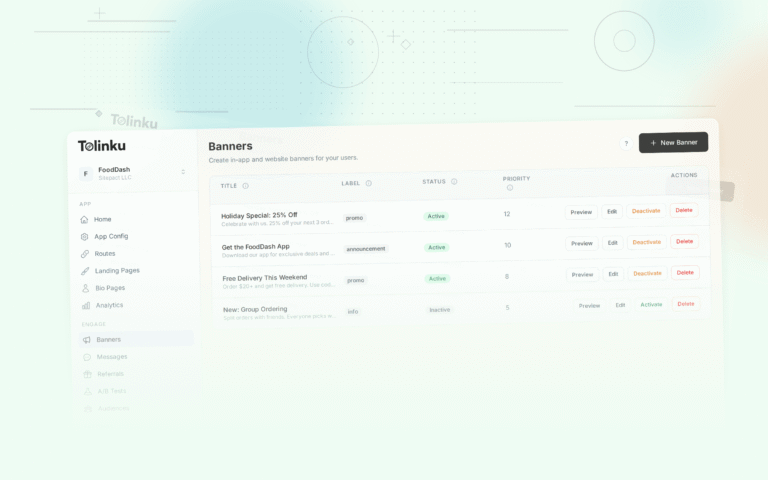
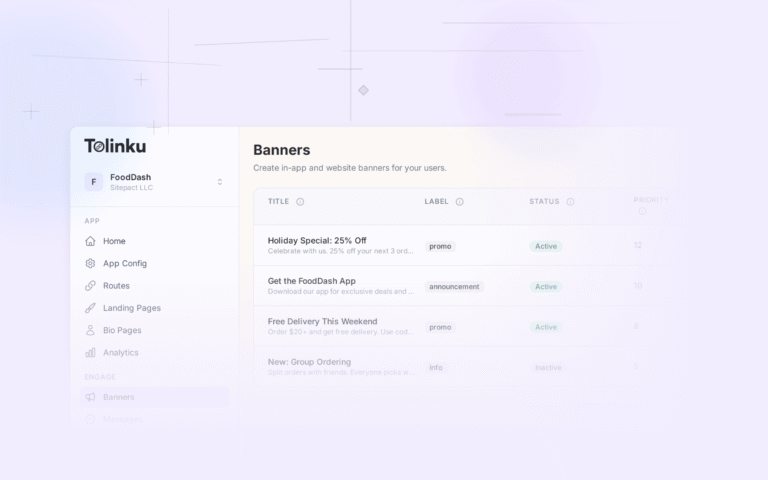
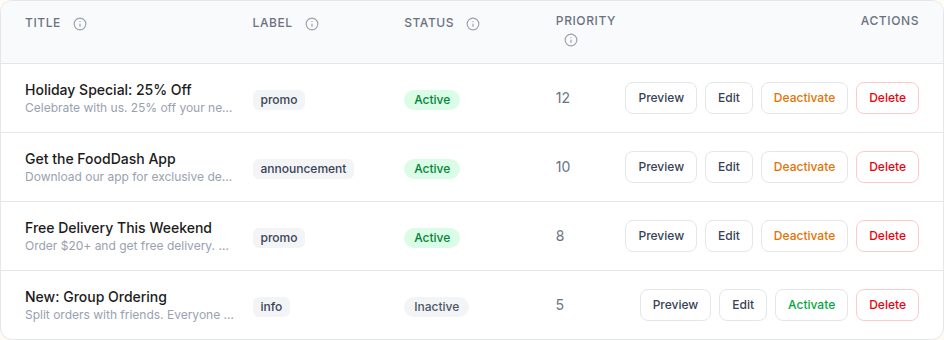 The smart banners list showing banner titles, status toggles, segments, and action buttons.
Why Frequency Cap
Diminishing Returns
Banner conversion rates follow a predictable decay curve:
| Impression # | Relative CTR |
|---|---|
| 1 | 100% (baseline) |
| 2 | 70-80% |
| 3 | 50-60% |
| 5 | 30-40% |
| 10 | 10-20% |
| 15+ | < 5% |
After 5-10 impressions, the marginal conversion value of each additional impression approaches zero, while the annoyance cost continues to accumulate.
User Experience Cost
Each unnecessary banner impression:
- Takes up screen space that could show content.
- Adds cognitive load (the user must decide to ignore or dismiss it again).
- Erodes trust ("this site keeps pushing its app on me").
- Can increase bounce rate if the banner is too persistent.
The Balance
The goal is to show the banner enough times to capture users who are genuinely interested, but stop before you annoy users who are not. The right cap depends on your app, your audience, and the banner's content.
Types of Frequency Caps
Impression Cap
Limit the total number of times the banner is shown to a user:
function trackImpression() {
  const count = parseInt(localStorage.getItem('banner_impressions') || '0') + 1;
  localStorage.setItem('banner_impressions', count.toString());
  return count;
}

function isWithinCap() {
  const impressions = parseInt(localStorage.getItem('banner_impressions') || '0');
  return impressions < 10; // Show up to 10 times total
}
Recommended caps:
- Evergreen banners (generic "get the app"): 5-10 impressions total
- Campaign banners (time-limited promotions): 3-5 impressions
- Aggressive banners (full-screen, floating): 2-3 impressions
Time-Window Cap
Limit impressions within a rolling time window:
function isWithinTimeWindowCap() {
  const impressionLog = JSON.parse(localStorage.getItem('banner_impression_log') || '[]');
  const windowMs = 24 * 60 * 60 * 1000; // 24 hours
  const maxPerWindow = 3;

  const now = Date.now();
  const recentImpressions = impressionLog.filter(ts => (now - ts) < windowMs);

  return recentImpressions.length < maxPerWindow;
}

function logImpression() {
  const impressionLog = JSON.parse(localStorage.getItem('banner_impression_log') || '[]');
  impressionLog.push(Date.now());

  // Keep only recent entries to avoid localStorage bloat
  const cutoff = Date.now() - (30 * 24 * 60 * 60 * 1000);
  const trimmed = impressionLog.filter(ts => ts > cutoff);
  localStorage.setItem('banner_impression_log', JSON.stringify(trimmed));
}
Recommended caps:
- 1-2 impressions per session
- 3-5 impressions per day
- 10-15 impressions per week
Session Cap
Limit impressions per browsing session:
function isWithinSessionCap() {
  const sessionImpressions = parseInt(sessionStorage.getItem('banner_session_impressions') || '0');
  return sessionImpressions < 1; // Show once per session
}
A session cap of 1 means the user sees the banner once when they visit. If they dismiss it, it does not reappear during that visit. This is the least intrusive approach.
Page-Type Cap
Show the banner only on certain page types, limiting total exposure:
function shouldShowOnPage() {
  const path = window.location.pathname;

  // Show on product pages and article pages
  if (path.startsWith('/products/') || path.startsWith('/articles/')) {
    return true;
  }

  // Don't show on checkout, account, or utility pages
  return false;
}
This is not a frequency cap per se, but it limits the pages where the banner appears, effectively capping how often the user encounters it during a typical browse.
Combined Frequency Strategy
The most effective approach combines multiple cap types:
function shouldShowBanner() {
  // 1. Has the user already installed the app?
  if (hasInstalledApp()) return false;

  // 2. Is the banner permanently dismissed?
  if (isPermanentlyDismissed()) return false;

  // 3. Is the dismiss timer still active?
  if (isDismissTimerActive()) return false;

  // 4. Session cap: max 1 per session
  if (getSessionImpressions() >= 1) return false;

  // 5. Daily cap: max 3 per day
  if (getDailyImpressions() >= 3) return false;

  // 6. Total cap: max 15 lifetime
  if (getTotalImpressions() >= 15) return false;

  // 7. Page type check
  if (!isHighValuePage()) return false;

  return true;
}
This ensures:
- No more than 1 impression per visit.
- No more than 3 per day.
- No more than 15 total.
- Only on pages where the banner is relevant.
- Respects active dismissals.
Resetting the Cap
New Campaign Reset
When you launch a new campaign with a fresh banner, consider resetting the impression counter:
function checkForNewCampaign(currentCampaignId) {
  const lastCampaignId = localStorage.getItem('banner_campaign_id');

  if (lastCampaignId !== currentCampaignId) {
    // New campaign: reset impression counters
    localStorage.setItem('banner_campaign_id', currentCampaignId);
    localStorage.setItem('banner_impressions', '0');
    localStorage.removeItem('banner_impression_log');
    // Keep dismiss state (don't reset if user actively dismissed)
  }
}
Reset the impression counter, but do not reset the dismiss state. A user who actively dismissed the banner has made a stronger signal than one who simply saw it.
App Detection Reset
If you detect that the user has installed the app (via a cookie set by the app, or by checking Universal Links/App Links), stop showing the banner entirely:
function hasInstalledApp() {
  // Check for a cookie set by the app's web-to-app bridge
  if (document.cookie.includes('app_installed=true')) return true;

  // Check for a localStorage flag set by the app
  if (localStorage.getItem('app_installed') === 'true') return true;

  return false;
}
Measuring Cap Effectiveness
Metrics to Track
- Conversion rate by impression number: At which impression does the conversion rate approach zero? That is your ideal cap.
- Banner CTR with different caps: Test cap of 5 vs. 10 vs. 15. Does the higher cap actually produce more installs, or just more impressions?
- Bounce rate by cap: Does a higher cap increase bounce rate?
- User satisfaction: If you run surveys, include a question about the app banner frequency.
Finding Your Optimal Cap
Run an A/B test with different cap settings:
function getCapVariant() {
  const variants = [
    { maxTotal: 5, maxDaily: 2, id: 'low' },
    { maxTotal: 10, maxDaily: 3, id: 'medium' },
    { maxTotal: 20, maxDaily: 5, id: 'high' },
  ];

  const hash = simpleHash(getUserId());
  return variants[hash % variants.length];
}
Measure total installs per variant over 2-4 weeks. The variant with the highest installs per unique visitor (not per impression) is your optimal cap.
Tolinku Frequency Capping
Tolinku's smart banners include configurable frequency caps. Set impression limits, time windows, and session caps through the dashboard without writing code. The SDK tracks impressions automatically and respects all configured caps.
For dismiss behavior after cap is reached, see banner dismiss behavior. For campaign-based cap resets, see banner scheduling. For the complete setup, see the smart banners guide.
Get deep linking tips in your inbox
One email per week. No spam.