A user dismisses your smart banner. What happens next? If the banner reappears on the next page load, you have annoyed the user. If it never appears again, you have lost a conversion opportunity. The dismiss behavior, how long the banner stays hidden after dismissal and under what conditions it reappears, is one of the most important UX decisions for smart banners.
This guide covers dismiss persistence strategies, frequency capping, re-engagement patterns, and the technical implementation of dismiss behavior. For the complete smart banners setup, see the smart banners guide. For scheduling banners, see banner scheduling for campaigns.
 The live banner preview showing how the banner appears on a mobile device.
The Dismiss Decision
When a user taps the close button (X) on your banner, they are communicating one of several things:
- "Not now." They are busy with something else. They might be interested later.
- "I already have the app." The banner is irrelevant because they have already installed it.
- "I don't want the app." They have decided not to install it.
- "This is in my way." The banner is blocking content they want to see.
The challenge: you do not know which one. Your dismiss behavior should accommodate all four by hiding the banner for a reasonable period and then testing whether the user's situation has changed.
Dismiss Persistence Strategies
Strategy 1: Session-Based Dismiss
The banner is hidden for the current browsing session. It reappears when the user returns in a new session (new tab, next day, etc.).
// Session storage: cleared when tab closes
function dismissBanner() {
  sessionStorage.setItem('banner_dismissed', 'true');
  hideBanner();
}

function shouldShowBanner() {
  return sessionStorage.getItem('banner_dismissed') !== 'true';
}
When to use: For banners with time-sensitive content (flash sales, live events) where you want maximum visibility across visits.
Risk: Too aggressive. Users who dismiss on every visit will become frustrated.
Strategy 2: Time-Based Dismiss
The banner is hidden for a fixed period (e.g., 7 days) after dismissal. After the period, it reappears.
function dismissBanner() {
  const dismissUntil = Date.now() + (7 * 24 * 60 * 60 * 1000); // 7 days
  localStorage.setItem('banner_dismiss_until', dismissUntil.toString());
  hideBanner();
}

function shouldShowBanner() {
  const dismissUntil = localStorage.getItem('banner_dismiss_until');
  if (dismissUntil && Date.now() < parseInt(dismissUntil)) {
    return false;
  }
  return true;
}
When to use: The default choice for most smart banners. 7 days is a common interval. Shorter (1-3 days) for high-intent campaigns; longer (14-30 days) for less urgent banners.
Strategy 3: Progressive Backoff
Each dismissal increases the hidden period. The first dismiss hides for 1 day, the second for 7 days, the third for 30 days, and the fourth hides permanently.
function dismissBanner() {
  const dismissCount = parseInt(localStorage.getItem('banner_dismiss_count') || '0') + 1;
  localStorage.setItem('banner_dismiss_count', dismissCount.toString());

  let hideForMs;
  switch (dismissCount) {
    case 1: hideForMs = 1 * 24 * 60 * 60 * 1000; break;  // 1 day
    case 2: hideForMs = 7 * 24 * 60 * 60 * 1000; break;  // 7 days
    case 3: hideForMs = 30 * 24 * 60 * 60 * 1000; break; // 30 days
    default: hideForMs = 365 * 24 * 60 * 60 * 1000; break; // Effectively permanent
  }

  const dismissUntil = Date.now() + hideForMs;
  localStorage.setItem('banner_dismiss_until', dismissUntil.toString());
  hideBanner();
}
When to use: When you want to respect persistent dismissers while still re-engaging users who may have changed their mind. This is the recommended approach for most applications.
Strategy 4: Permanent Dismiss
Once dismissed, the banner never appears again (or until the user clears their browser data).
function dismissBanner() {
  localStorage.setItem('banner_dismissed_permanently', 'true');
  hideBanner();
}
When to use: For banners that users find particularly intrusive (full-screen interstitials, audio/video banners). A single dismiss should be final.
Risk: You lose all future conversion opportunities from that user.
Cookie vs. localStorage
localStorage
localStorage.setItem('banner_dismiss_until', timestamp);
- Persists across sessions and page loads.
- No size limit concerns for this use case.
- Not sent to the server on every request (unlike cookies).
- Cleared when the user clears site data.
- Partitioned per origin (domain + protocol).
Cookies
document.cookie = `banner_dismissed=1; max-age=${7 * 86400}; path=/; SameSite=Lax`;
- Sent to the server on every request (useful if you want server-side rendering decisions).
- Can be set with an explicit expiration date.
- Subject to cookie consent requirements under GDPR/ePrivacy.
- Limited to ~4KB.
Recommendation
Use localStorage for client-side banner dismiss tracking. It is simpler, not subject to cookie consent requirements (since it is not a tracking cookie), and does not add overhead to HTTP requests.
If your smart banner is rendered server-side (SSR), use a cookie so the server knows whether to include the banner in the initial HTML response. This avoids a flash of the banner appearing and then disappearing.
Frequency Capping
Impression-Based Caps
Limit how many times a user sees the banner before it auto-hides:
function trackImpression() {
  const count = parseInt(localStorage.getItem('banner_impressions') || '0') + 1;
  localStorage.setItem('banner_impressions', count.toString());
  return count;
}

function shouldShowBanner() {
  const impressions = parseInt(localStorage.getItem('banner_impressions') || '0');
  const maxImpressions = 10; // Show up to 10 times, then hide

  if (impressions >= maxImpressions) {
    return false;
  }
  return true;
}
Typical caps: 5-15 impressions. After this, if the user has not engaged, the banner is unlikely to convert them.
Page-Based Caps
Only show the banner on certain pages or after a certain number of page views:
function shouldShowBanner() {
  const pageViews = parseInt(sessionStorage.getItem('page_views') || '0');

  // Don't show on the first page (let user orient themselves)
  if (pageViews < 2) return false;

  // Don't show after 5 pages in a session (user is engaged with web content)
  if (pageViews > 5) return false;

  return true;
}
This pattern avoids interrupting users who just arrived (first page) and users who are deeply engaged with your web content (5+ pages).
Combination Caps
Combine multiple signals:
function shouldShowBanner() {
  // Check dismiss persistence
  const dismissUntil = localStorage.getItem('banner_dismiss_until');
  if (dismissUntil && Date.now() < parseInt(dismissUntil)) return false;

  // Check impression cap
  const impressions = parseInt(localStorage.getItem('banner_impressions') || '0');
  if (impressions >= 15) return false;

  // Check page view threshold
  const pageViews = parseInt(sessionStorage.getItem('page_views') || '0');
  if (pageViews < 2) return false;

  // Check if user already has the app (via detection or flag)
  if (localStorage.getItem('has_app') === 'true') return false;

  return true;
}
Re-Engagement Triggers
After the dismiss period expires, do not just show the same banner. Use context-aware re-engagement:
New Campaign Trigger
When a new marketing campaign starts, show a fresh banner even if the user dismissed the previous one:
function shouldShowBanner(config) {
  const lastDismissedCampaign = localStorage.getItem('dismissed_campaign_id');

  // If this is a new campaign, reset the dismiss state
  if (config.campaignId !== lastDismissedCampaign) {
    return true;
  }

  // Otherwise, check the dismiss timer
  return checkDismissTimer();
}
Content-Specific Trigger
Show the banner when the user visits a page with high-value content that is better in the app:
function shouldShowBanner() {
  const currentPage = window.location.pathname;
  const highValuePages = ['/products/', '/checkout', '/account/'];

  // On high-value pages, show the banner even if it was recently dismissed
  // (but still respect permanent dismissals)
  if (highValuePages.some(p => currentPage.startsWith(p))) {
    return checkPermanentDismiss() === false;
  }

  return checkDismissTimer();
}
Platform-Specific Trigger
If you detect the user is on mobile (where the app provides the most value), show the banner more aggressively than on desktop:
function getDismissDuration() {
  const isMobile = /Android|iPhone|iPad/.test(navigator.userAgent);
  return isMobile ? 3 * 24 * 60 * 60 * 1000 : 14 * 24 * 60 * 60 * 1000;
  // 3 days on mobile, 14 days on desktop
}
Tracking Dismiss Events
Track dismissals to understand how users interact with your banners:
function dismissBanner(reason) {
  // Track the dismiss event
  analytics.track('banner_dismissed', {
    bannerId: currentBanner.id,
    campaignId: currentBanner.campaignId,
    reason: reason, // 'close_button', 'swipe', 'timeout'
    impressionCount: parseInt(localStorage.getItem('banner_impressions') || '0'),
    pageUrl: window.location.href,
    dismissCount: parseInt(localStorage.getItem('banner_dismiss_count') || '0') + 1,
  });

  // Persist the dismiss
  persistDismiss();
  hideBanner();
}
Monitor:
- Dismiss rate: Percentage of impressions that result in a dismiss. High dismiss rates (>50%) suggest the banner is too intrusive.
- Dismiss-to-install ratio: Some users dismiss the banner but install later. Track whether dismissed users eventually convert.
- Time to dismiss: How quickly users dismiss. Instant dismisses (<1 second) suggest the banner is blocking content. Longer times suggest the user read the message.
Tolinku Dismiss Configuration
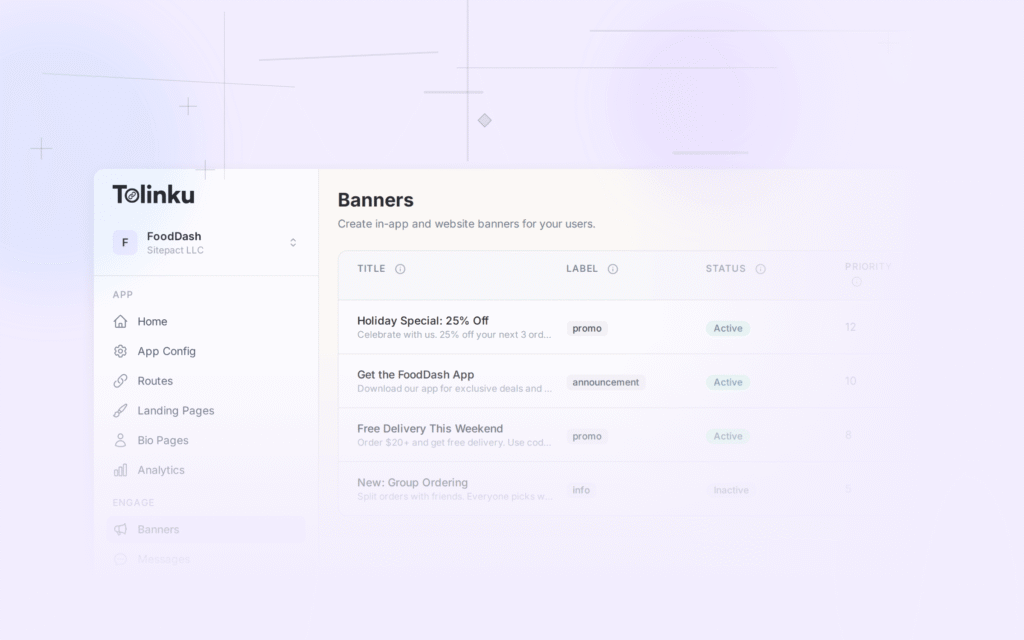
Tolinku's smart banners provide configurable dismiss behavior through the dashboard. Set dismiss duration, frequency caps, and re-engagement rules without code changes. The banner SDK handles persistence via localStorage and tracks dismiss events automatically.
For banner display behavior configuration, see the Tolinku smart banner documentation. For scheduling, see banner scheduling for campaigns. For the complete smart banners setup, see the smart banners guide.
Get deep linking tips in your inbox
One email per week. No spam.