Not every website visitor should see the same app promotion. A first-time visitor who landed from a search engine needs a gentle introduction. A returning visitor who has browsed 10 pages over three sessions is showing strong interest and may respond to a more direct prompt. A progressive banner strategy matches the promotion intensity to the user's engagement level, escalating from subtle hints to direct calls-to-action as the user demonstrates more commitment to your content.
This guide covers how to build a multi-stage banner strategy. For frequency capping (limiting impressions within a stage), see banner frequency capping. For dismiss behavior, see banner dismiss behavior.
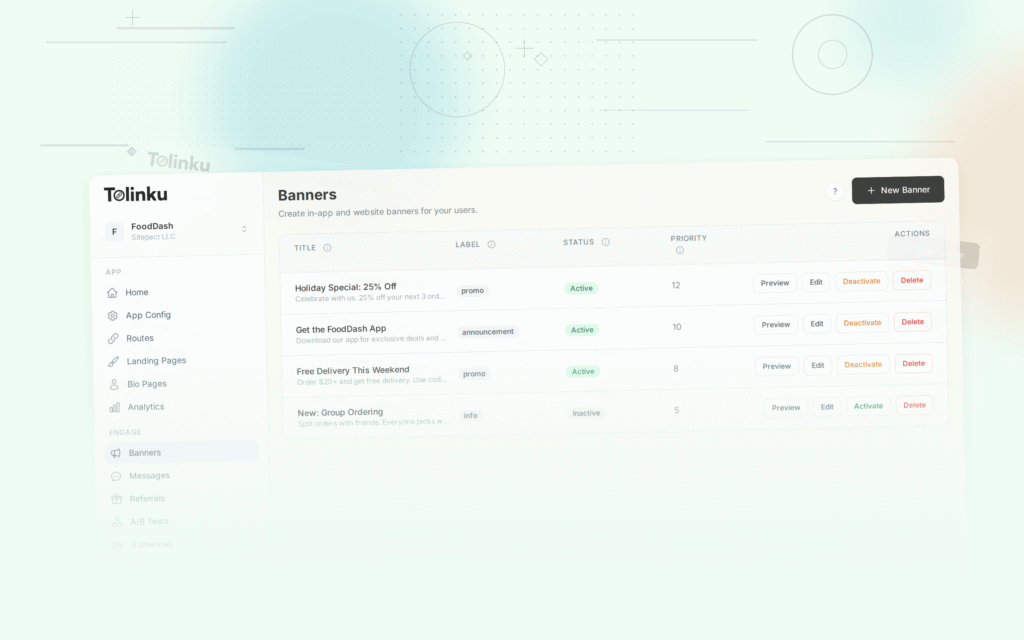
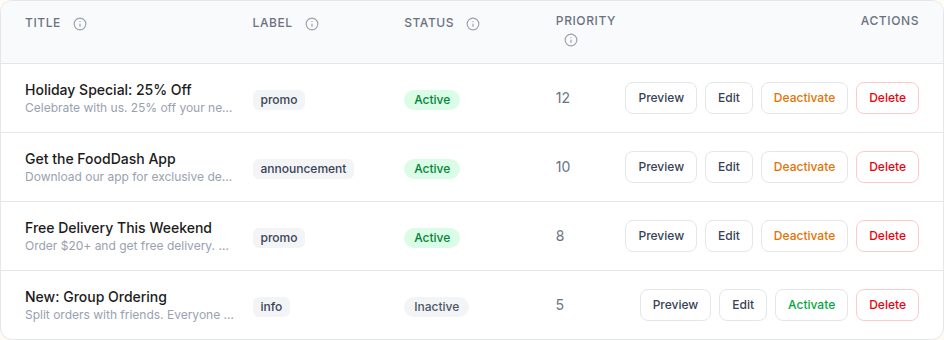 The smart banners list showing banner titles, status toggles, segments, and action buttons.
The Progressive Approach
Why One Banner Does Not Fit All
A single banner shown to all visitors has two problems:
- Too aggressive for new visitors: They have not decided whether they like your content. Pushing the app too early feels premature.
- Too passive for engaged visitors: Users who keep coming back clearly value your content. A subtle banner that they have already ignored ten times is not going to convert them. They need a different message or a stronger incentive.
The Stages
A progressive strategy typically has 3-4 stages:
Stage 1: Awareness (new visitors)
  → Subtle, non-intrusive. "We have an app."

Stage 2: Consideration (returning visitors)
  → Moderate. "The app offers [specific benefit]."

Stage 3: Conversion (engaged visitors)
  → Direct. "Get [discount/feature] in the app."

Stage 4: Re-Engagement (visitors who dismissed)
  → Fresh message. "New: [feature/campaign]."
Each stage has different banner content, positioning, and frequency rules.
Stage 1: Awareness
Who
First-time visitors and users with fewer than 3 total page views.
What
A minimal banner that establishes the app's existence without interrupting the browsing experience:
const stage1Banner = {
  message: "Also available on iOS and Android",
  cta: "Learn More",
  style: "minimal", // Small, non-intrusive
  position: "bottom",
  frequency: { maxPerSession: 1, maxTotal: 3 },
  deepLink: "/app-landing", // Generic app page, not store
};
Why
At this stage, the user has not committed to your content. Pushing them to install is premature. The goal is awareness: let them know the app exists so it is in their consideration set when they become more engaged.
Design
- Small height (40-48px)
- Muted colors (matches the site's color scheme)
- Text only, no images or app store badges
- Easy dismiss (single tap)
Stage 2: Consideration
Who
Returning visitors (2+ sessions) or users with 5+ page views in a single session.
What
A more detailed banner that communicates a specific benefit of the app:
const stage2Banner = {
  message: "Read articles offline in our app",
  subtext: "Ad-free, personalized feed, push notifications",
  cta: "Get the App",
  style: "standard",
  position: "bottom",
  frequency: { maxPerSession: 1, maxDaily: 2, maxTotal: 8 },
  deepLink: window.location.pathname, // Current page
};
Why
The user is showing repeat interest. They are a good candidate for conversion. The banner should answer "why install?" with specific benefits that the web cannot match (offline access, push notifications, better performance).
Design
- Standard height (56-64px)
- Includes app icon
- Benefit-focused copy
- Prominent CTA button
Stage 3: Conversion
Who
Highly engaged visitors: 3+ sessions, 10+ page views, or specific behavioral signals (bookmarked content, shared an article, spent 5+ minutes on a single page).
What
A prominent banner with a strong incentive or personalized message:
const stage3Banner = {
  message: "You've visited 5 times this week",
  subtext: "Get the app for a better experience. First month free.",
  cta: "Start Free Trial",
  style: "prominent",
  position: "floating",
  frequency: { maxPerSession: 1, maxDaily: 1, maxTotal: 5 },
  deepLink: "/subscribe?trial=true&source=web_banner",
};
Why
This user clearly values your content. They visit regularly. The banner should acknowledge their engagement and offer something they cannot get on the web: a free trial, an exclusive feature, or a premium experience.
Design
- Larger format (floating card or inline)
- Personalized messaging (reference their behavior)
- Strong visual contrast
- May include an incentive (discount, free trial)
Stage 4: Re-Engagement
Who
Users who previously dismissed banners but return after the dismiss period expires.
What
A fresh banner with a new message. Do not show the same banner they already dismissed:
const stage4Banner = {
  message: "New: Dark mode, offline articles, and 50% faster loading",
  cta: "Try the App",
  style: "standard",
  position: "top",
  frequency: { maxPerSession: 1, maxTotal: 3 },
  deepLink: "/app-features",
};
Why
The user dismissed a previous banner, which means the old message did not resonate. A new message (new features, new campaign, new incentive) gives them a fresh reason to consider the app.
Implementation
Tracking User Stage
Determine which stage a user is in based on their behavior:
function getUserStage() {
  const sessions = parseInt(localStorage.getItem('visit_sessions') || '1');
  const totalPageViews = parseInt(localStorage.getItem('total_page_views') || '1');
  const previouslyDismissed = localStorage.getItem('banner_dismissed_count');

  // Stage 4: Re-engagement (previously dismissed, back after cool-off)
  if (previouslyDismissed && parseInt(previouslyDismissed) >= 2) {
    const dismissUntil = localStorage.getItem('banner_dismiss_until');
    if (dismissUntil && Date.now() > parseInt(dismissUntil)) {
      return 4; // Dismiss period expired; show re-engagement banner
    }
    return 0; // Still in dismiss period
  }

  // Stage 3: Conversion (highly engaged)
  if (sessions >= 3 || totalPageViews >= 10) return 3;

  // Stage 2: Consideration (returning visitor)
  if (sessions >= 2 || totalPageViews >= 5) return 2;

  // Stage 1: Awareness (new visitor)
  return 1;
}
Session and Page View Tracking
// Track sessions
function trackSession() {
  const lastVisit = parseInt(localStorage.getItem('last_visit') || '0');
  const sessionGap = 30 * 60 * 1000; // 30 minutes

  if (Date.now() - lastVisit > sessionGap) {
    const sessions = parseInt(localStorage.getItem('visit_sessions') || '0') + 1;
    localStorage.setItem('visit_sessions', sessions.toString());
  }
  localStorage.setItem('last_visit', Date.now().toString());
}

// Track page views
function trackPageView() {
  const views = parseInt(localStorage.getItem('total_page_views') || '0') + 1;
  localStorage.setItem('total_page_views', views.toString());
}
Banner Selection
function selectBanner() {
  const stage = getUserStage();

  if (stage === 0) return null; // In dismiss cool-off period

  const bannerConfigs = {
    1: stage1Banner,
    2: stage2Banner,
    3: stage3Banner,
    4: stage4Banner,
  };

  const config = bannerConfigs[stage];

  // Check frequency cap for this stage
  if (!isWithinFrequencyCap(stage, config.frequency)) return null;

  return config;
}
Measuring Progressive Performance
Track these metrics per stage:
- Stage 1 CTR: Low is expected (0.5-1%). The goal is awareness, not conversion.
- Stage 2 CTR: Moderate (1-3%). This is where conversion starts.
- Stage 3 CTR: Highest (2-5%). Engaged users convert at the best rates.
- Stage 4 CTR: Variable. Depends on how compelling the new message is.
- Stage transition rate: How many Stage 1 users become Stage 2? This measures content quality, not banner performance.
- Overall funnel efficiency: Total installs / total unique visitors across all stages.
Tolinku Progressive Banners
Tolinku's smart banners support targeting rules that enable progressive strategies. Configure different banners for different audience segments (new visitors, returning visitors, engaged users) in the Tolinku dashboard. The SDK tracks visitor behavior automatically and serves the appropriate banner.
For frequency capping per stage, see banner frequency capping. For the complete setup, see the smart banners guide.
Get deep linking tips in your inbox
One email per week. No spam.