Firebase App Indexing was Google's recommended way to surface Android app content in search results. It was part of the Firebase platform and worked alongside Firebase Dynamic Links to connect web content with in-app destinations. In August 2025, Google shut down Firebase Dynamic Links, and Firebase App Indexing went with it.
If you relied on Firebase App Indexing, your app content may have lost search visibility. This guide explains what Firebase App Indexing did, what has replaced it, and how to migrate. For the broader Firebase shutdown migration, see Firebase Dynamic Links shutdown. For the step-by-step migration, see Firebase Dynamic Links migration guide.
What Firebase App Indexing Did
Firebase App Indexing provided two capabilities:
1. App Indexing API
The App Indexing API let your app tell Google about content the user viewed. When a user opened a product page in your app, your app called the API to report the view:
// Old Firebase App Indexing code
import com.google.firebase.appindexing.FirebaseAppIndex
import com.google.firebase.appindexing.Indexable

class ProductActivity : AppCompatActivity() {
    override fun onStart() {
        super.onStart()

        val indexable = Indexable.Builder()
            .setName("Product Name")
            .setUrl("https://www.yourapp.com/products/123")
            .build()

        FirebaseAppIndex.getInstance(this).update(indexable)
    }

    override fun onStop() {
        super.onStop()
        FirebaseAppIndex.getInstance(this).remove("https://www.yourapp.com/products/123")
    }
}
This API reported viewed content to Google, which could then surface it in search results for other users.
2. Automatic Deep Link Handling
Firebase App Indexing integrated with Firebase Dynamic Links to handle incoming deep links from search results. When a user tapped an app result in Google Search, Firebase handled the URL routing:
// Old Firebase deep link handling
FirebaseDynamicLinks.getInstance()
    .getDynamicLink(intent)
    .addOnSuccessListener { pendingDynamicLinkData ->
        val deepLink = pendingDynamicLinkData?.link
        if (deepLink != null) {
            navigateToContent(deepLink)
        }
    }
With Dynamic Links shut down, this code no longer works.
What Replaced Firebase App Indexing
Google did not provide a direct 1:1 replacement. Instead, the functionality is split across several systems:
Android App Links (Replaces Deep Link Handling)
Android App Links are the standard way to handle HTTPS deep links on Android. They existed before Firebase App Indexing and continue to work independently:
<intent-filter android:autoVerify="true">
    <action android:name="android.intent.action.VIEW" />
    <category android:name="android.intent.category.DEFAULT" />
    <category android:name="android.intent.category.BROWSABLE" />
    <data android:scheme="https"
          android:host="www.yourapp.com"
          android:pathPrefix="/products" />
</intent-filter>
App Links require hosting a Digital Asset Links file (assetlinks.json) on your domain.
Web Markup + Search Console (Replaces App Indexing API)
The App Indexing API's function (telling Google about in-app content) is now handled by web-side markup:
- Structured data on your web pages declares that app alternatives exist.
- Alternate link tags point to your Android app.
- Search Console verifies the web-app connection.
<!-- Web page markup that replaces App Indexing API -->
<link rel="alternate" href="android-app://com.yourapp.android/https/www.yourapp.com/products/123" />
See Google App Indexing setup for the full implementation.
Third-Party Deep Linking Platforms (Replaces Dynamic Links)
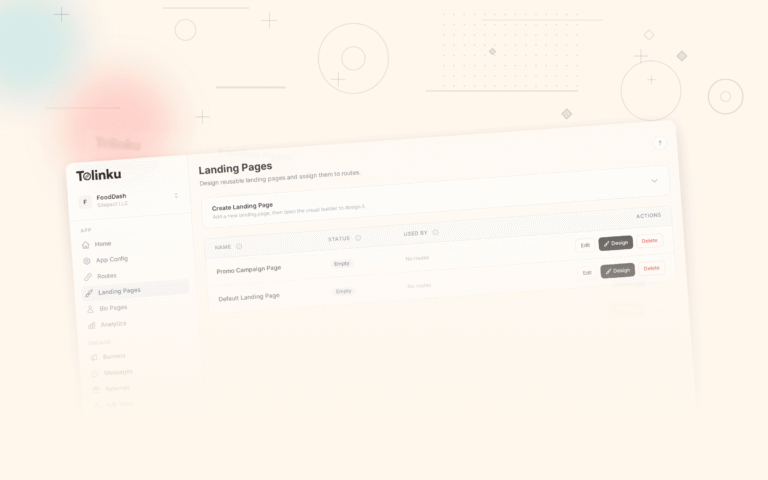
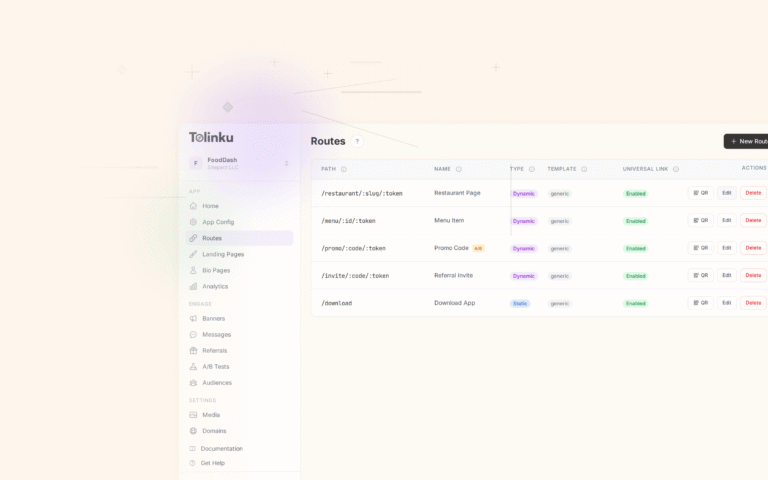
For the deep link creation, routing, and analytics that Firebase Dynamic Links provided, third-party platforms fill the gap. Tolinku handles the infrastructure: custom domains, verification file hosting, route configuration, and deep link analytics.
Migration Steps
Step 1: Remove Firebase App Indexing SDK
Remove the Firebase App Indexing dependency from your project:
// Remove from build.gradle
// implementation 'com.google.firebase:firebase-appindexing:20.0.0'
Remove all FirebaseAppIndex and Indexable code from your Activities.
Step 2: Set Up Android App Links
If you were relying on Firebase Dynamic Links for deep link handling, switch to Android App Links:
- Add intent filters to your
AndroidManifest.xmlfor each content type your app handles. - Host
assetlinks.jsonon your domain (or use a platform like Tolinku that hosts it automatically). - Handle incoming intents in your Activities.
class ProductActivity : AppCompatActivity() {
    override fun onCreate(savedInstanceState: Bundle?) {
        super.onCreate(savedInstanceState)

        val uri = intent.data ?: return
        val productId = uri.lastPathSegment ?: return
        loadProduct(productId)
    }
}
Step 3: Add Web Markup
Replace the App Indexing API's content reporting with web-side markup:
- Add
<link rel="alternate">tags to your web pages. - Add structured data with
potentialActionfor richer results. - Submit your sitemap to Search Console with app link annotations.
<head>
  <link rel="alternate" href="android-app://com.yourapp.android/https/www.yourapp.com/products/123" />
</head>
Step 4: Verify in Search Console
- Open Google Search Console.
- Go to Settings > Associations.
- Link your Android app.
- Use the URL Inspection tool to verify that app link annotations are detected.
Step 5: Monitor App Search Traffic
After migration, monitor your app's search performance:
- Check Search Console for app-specific impressions and clicks.
- Compare with your pre-migration baseline.
- If app impressions drop, verify that your web markup and
assetlinks.jsonare correct.
What You Lose
Some Firebase App Indexing features have no direct replacement:
Personal Content Indexing
The App Indexing API could index personal/private content (messages, notes) that was only searchable on the user's device. The web markup approach only works for content that has a public web URL.
Alternative: Use CoreSpotlight on iOS and Android's on-device search APIs for personal content indexing.
Automatic Snippets
Firebase App Indexing automatically generated search snippets from indexed content. With web markup, you control snippets through your web page's metadata (title tag, meta description, structured data).
Firebase Console Analytics
Firebase App Indexing provided analytics in the Firebase Console showing how often your app appeared in search and how many clicks it received. This data now lives in Google Search Console instead.
Common Migration Issues
"My app stopped appearing in search results"
Most likely cause: your assetlinks.json file is not being served correctly. Verify:
curl -s "https://digitalassetlinks.googleapis.com/v1/statements:list?source.web.site=https://www.yourapp.com&relation=delegate_permission/common.handle_all_urls"
If this returns an empty result, your verification file has a problem.
"Deep links from search open the browser instead of my app"
Your intent filters may not match the URL pattern, or App Links verification failed. Check:
adb shell pm get-app-links com.yourapp.android
Look for verified status on your domain.
"My search impressions dropped after migration"
Give it 2-4 weeks. Google needs to re-crawl your pages and detect the new markup. Submit your sitemap to speed up crawling. If impressions do not recover, check that your alternate link tags and structured data are correctly formatted.
Tolinku as Firebase Replacement
Tolinku provides a migration path from Firebase Dynamic Links that includes the app indexing infrastructure. When you configure your Appspace with your Android app settings, Tolinku hosts the assetlinks.json file automatically. Your deep link routes work as both user-facing deep links and search-indexable URLs.
For the full Firebase migration, see Firebase Dynamic Links migration guide. For the broader app indexing strategy, see app indexing and SEO for mobile apps.
Get deep linking tips in your inbox
One email per week. No spam.