E-commerce apps have a natural advantage for app indexing: they have thousands of product pages, each with structured data, and users actively search for products on Google. When your product pages are indexed with app links, mobile shoppers can jump directly from a search result into your app's product page, where the buying experience is typically faster and converts better than the mobile web.
This guide covers the specific strategies for indexing e-commerce app content. For the general app indexing setup, see app indexing and SEO for mobile apps. For e-commerce deep linking strategies, see deep linking for e-commerce apps.
What to Index
Product Pages (Highest Priority)
Every product in your catalog should have:
- A web page at a clean URL (e.g.,
/products/blue-running-shoes). - App Links / Universal Links handling for that URL.
- Structured data with Product schema.
- Alternate link tags pointing to the Android app.
<head>
  <title>Blue Running Shoes - YourApp</title>
  <link rel="canonical" href="https://www.yourapp.com/products/blue-running-shoes" />
  <link rel="alternate" href="android-app://com.yourapp/https/www.yourapp.com/products/blue-running-shoes" />
  <meta name="apple-itunes-app" content="app-id=YOUR_ID, app-argument=https://www.yourapp.com/products/blue-running-shoes">

  <script type="application/ld+json">
  {
    "@context": "https://schema.org",
    "@type": "Product",
    "name": "Blue Running Shoes",
    "image": "https://www.yourapp.com/images/blue-running-shoes.jpg",
    "description": "Lightweight running shoes with responsive cushioning for road running",
    "brand": {"@type": "Brand", "name": "RunBrand"},
    "sku": "RB-BRS-001",
    "gtin13": "0012345678901",
    "offers": {
      "@type": "Offer",
      "url": "https://www.yourapp.com/products/blue-running-shoes",
      "priceCurrency": "USD",
      "price": "129.99",
      "availability": "https://schema.org/InStock",
      "seller": {"@type": "Organization", "name": "YourApp"}
    },
    "aggregateRating": {
      "@type": "AggregateRating",
      "ratingValue": "4.5",
      "reviewCount": "230"
    },
    "potentialAction": {
      "@type": "ViewAction",
      "target": "https://www.yourapp.com/products/blue-running-shoes"
    }
  }
  </script>
</head>
Category Pages (Medium Priority)
Category and collection pages help users discover products:
<script type="application/ld+json">
{
  "@context": "https://schema.org",
  "@type": "CollectionPage",
  "name": "Running Shoes",
  "description": "Browse our collection of running shoes for road, trail, and track",
  "url": "https://www.yourapp.com/categories/running-shoes",
  "numberOfItems": 45,
  "potentialAction": {
    "@type": "ViewAction",
    "target": "https://www.yourapp.com/categories/running-shoes"
  }
}
</script>
Deal and Sale Pages (High Priority, Time-Sensitive)
Sale pages attract high-intent searches ("running shoes sale," "Black Friday deals"). Index them with time-sensitive structured data:
<script type="application/ld+json">
{
  "@context": "https://schema.org",
  "@type": "OfferCatalog",
  "name": "Summer Sale",
  "description": "Up to 50% off running shoes and activewear",
  "url": "https://www.yourapp.com/sale/summer",
  "potentialAction": {
    "@type": "ViewAction",
    "target": "https://www.yourapp.com/sale/summer"
  }
}
</script>
Product Structured Data for Rich Results
Google supports product rich results that show price, availability, and ratings directly in the SERP. These require specific fields:
Required Fields
| Field | Example | Purpose |
|---|---|---|
name |
"Blue Running Shoes" | Product title |
image |
URL to product image | Shows in rich result |
offers.price |
"129.99" | Displays price |
offers.priceCurrency |
"USD" | Currency code |
offers.availability |
InStock/OutOfStock | Stock status |
Recommended Fields
| Field | Example | Purpose |
|---|---|---|
aggregateRating |
4.5 stars | Shows star rating |
review |
Individual reviews | May show review snippets |
brand |
"RunBrand" | Brand name in results |
sku |
"RB-BRS-001" | Product identifier |
gtin |
"0012345678901" | Universal product code |
Product with Reviews
<script type="application/ld+json">
{
  "@context": "https://schema.org",
  "@type": "Product",
  "name": "Blue Running Shoes",
  "image": ["https://www.yourapp.com/images/shoes-front.jpg", "https://www.yourapp.com/images/shoes-side.jpg"],
  "brand": {"@type": "Brand", "name": "RunBrand"},
  "offers": {
    "@type": "Offer",
    "price": "129.99",
    "priceCurrency": "USD",
    "availability": "https://schema.org/InStock",
    "priceValidUntil": "2026-12-31"
  },
  "aggregateRating": {
    "@type": "AggregateRating",
    "ratingValue": "4.5",
    "reviewCount": "230",
    "bestRating": "5"
  },
  "review": [
    {
      "@type": "Review",
      "author": {"@type": "Person", "name": "Alex M."},
      "datePublished": "2026-02-15",
      "reviewRating": {"@type": "Rating", "ratingValue": "5"},
      "reviewBody": "Best running shoes I have owned. Lightweight and comfortable."
    }
  ],
  "potentialAction": {
    "@type": "ViewAction",
    "target": "https://www.yourapp.com/products/blue-running-shoes"
  }
}
</script>
Sitemaps for Large Catalogs
E-commerce apps often have thousands of products. Generate sitemaps programmatically:
async function generateProductSitemap(products) {
  let xml = '<?xml version="1.0" encoding="UTF-8"?>\n';
  xml += '<urlset xmlns="http://www.sitemaps.org/schemas/sitemap/0.9"\n';
  xml += '        xmlns:xhtml="http://www.w3.org/1999/xhtml"\n';
  xml += '        xmlns:image="http://www.google.com/schemas/sitemap-image/1.1">\n';

  for (const product of products) {
    xml += '  <url>\n';
    xml += `    <loc>https://www.yourapp.com/products/${product.slug}</loc>\n`;
    xml += `    <lastmod>${product.updatedAt}</lastmod>\n`;
    xml += `    <changefreq>daily</changefreq>\n`;
    xml += `    <priority>0.8</priority>\n`;
    xml += `    <xhtml:link rel="alternate" href="android-app://com.yourapp/https/www.yourapp.com/products/${product.slug}" />\n`;

    if (product.imageUrl) {
      xml += '    <image:image>\n';
      xml += `      <image:loc>${product.imageUrl}</image:loc>\n`;
      xml += `      <image:title>${escapeXml(product.name)}</image:title>\n`;
      xml += '    </image:image>\n';
    }

    xml += '  </url>\n';
  }

  xml += '</urlset>';
  return xml;
}
Sitemap Index
For catalogs with over 50,000 products, use a sitemap index:
<?xml version="1.0" encoding="UTF-8"?>
<sitemapindex xmlns="http://www.sitemaps.org/schemas/sitemap/0.9">
  <sitemap>
    <loc>https://www.yourapp.com/sitemaps/products-1.xml</loc>
    <lastmod>2026-06-17</lastmod>
  </sitemap>
  <sitemap>
    <loc>https://www.yourapp.com/sitemaps/products-2.xml</loc>
    <lastmod>2026-06-17</lastmod>
  </sitemap>
  <sitemap>
    <loc>https://www.yourapp.com/sitemaps/categories.xml</loc>
    <lastmod>2026-06-17</lastmod>
  </sitemap>
</sitemapindex>
Deep Link Handling for Product URLs
Your app must handle every product URL correctly:
class ProductActivity : AppCompatActivity() {
    override fun onCreate(savedInstanceState: Bundle?) {
        super.onCreate(savedInstanceState)

        val uri = intent.data ?: run {
            showHomePage()
            return
        }

        val productSlug = uri.lastPathSegment ?: run {
            showProductListing()
            return
        }

        // Load product by slug
        viewModel.loadProduct(productSlug)
    }
}
Handling Out-of-Stock and Removed Products
When a user opens a deep link to a product that no longer exists:
- Show a helpful fallback (similar products, category page), not a blank screen or error.
- Track the 404 in your analytics to identify broken deep links.
- On the web side, return a 410 (Gone) HTTP status for permanently removed products so Google removes them from the index.
viewModel.loadProduct(productSlug).observe(this) { result ->
    when (result) {
        is Success -> showProduct(result.product)
        is NotFound -> showSimilarProducts(productSlug)
        is Error -> showCategory()
    }
}
Measuring E-Commerce App Indexing
Search-to-Purchase Funnel
Track the complete funnel:
Google search impression
  → Click (Search Console)
    → App open via deep link (app analytics)
      → Product view (app analytics)
        → Add to cart (app analytics)
          → Purchase (app analytics + revenue tracking)
Attribution
Attribute purchases to search traffic using UTM parameters preserved through the deep link:
Search result → https://www.yourapp.com/products/shoes?utm_source=google&utm_medium=organic
  → App opens with these parameters
    → Track: purchase attributed to "google / organic"
Tolinku E-Commerce Integration
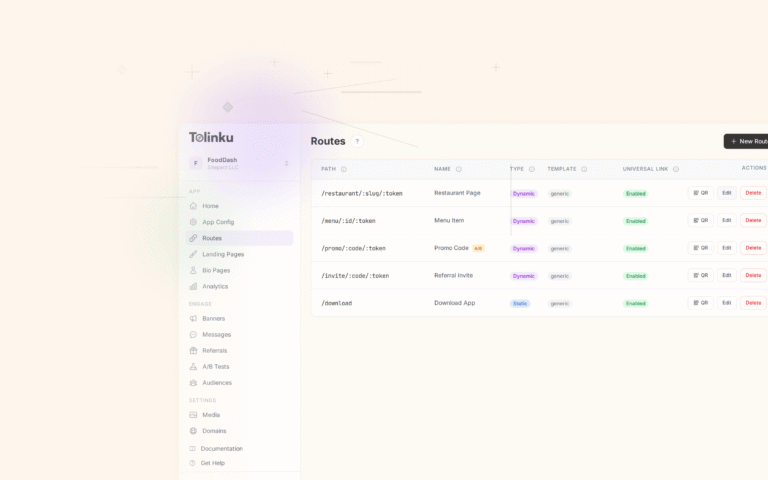
Tolinku handles deep link routing for e-commerce product URLs. Configure routes like /products/:slug in the Tolinku dashboard and Tolinku handles App Links verification, Universal Links hosting, and fallback routing for users without the app.
For e-commerce deep linking strategies, see deep linking for e-commerce apps. For app content search visibility, see app content in search results.
Get deep linking tips in your inbox
One email per week. No spam.