Your app contains content that users search for every day: products, articles, recipes, videos, listings, profiles. But search engines cannot crawl your app the way they crawl websites. Without explicit setup, your in-app content is invisible to Google and Apple search.
Getting your app content into search results requires three things: deep links that connect web URLs to in-app destinations, verification files that prove your app owns those URLs, and markup that tells search engines about the relationship. This guide covers all three. For platform-specific setup, see Google App Indexing and Apple Spotlight indexing.
The Web-App Connection
Search engines index web pages, not app screens. To get app content into search results, you need to establish a connection between your web pages and your app:
Web page: https://www.yourapp.com/products/123
    ↓ (connected via deep link markup + verification)
App screen: ProductActivity showing product 123
When a user on a mobile device clicks a search result that has this connection, the search engine can open the app directly instead of loading the web page. This is better for the user (faster, native experience) and better for you (higher engagement, lower bounce rate).
What You Need
Web pages for your content. Every piece of app content that you want in search results needs a corresponding web URL. This does not need to be a full web app; even a simple server-rendered page works.
Deep link handling in your app. Your app must handle incoming URLs and route users to the correct content. On Android, this means App Links. On iOS, this means Universal Links.
Verification files. Your website must host verification files that prove your app is authorized to handle your URLs:
- Android:
/.well-known/assetlinks.json - iOS:
/.well-known/apple-app-site-association
Search markup. Your web pages need markup that tells search engines about the app connection.
Structured Data for App Indexing
Structured data tells search engines about your content in a machine-readable format. For app indexing, use the
potentialActionproperty to declare that your content can be viewed in an app.ViewAction Markup
<script type="application/ld+json">
{
  "@context": "https://schema.org",
  "@type": "WebPage",
  "name": "Summer Sale Collection",
  "url": "https://www.yourapp.com/collections/summer-sale",
  "potentialAction": {
    "@type": "ViewAction",
    "target": [
      "https://www.yourapp.com/collections/summer-sale",
      {
        "@type": "EntryPoint",
        "urlTemplate": "android-app://com.yourapp.android/https/www.yourapp.com/collections/summer-sale"
      }
    ]
  }
}
</script>
Content-Specific Markup
Different content types have different structured data requirements:
Products:
<script type="application/ld+json">
{
  "@context": "https://schema.org",
  "@type": "Product",
  "name": "Running Shoes Model X",
  "description": "Lightweight running shoes for road and trail",
  "image": "https://www.yourapp.com/images/shoes-x.jpg",
  "offers": {
    "@type": "Offer",
    "price": "129.99",
    "priceCurrency": "USD"
  },
  "potentialAction": {
    "@type": "ViewAction",
    "target": "https://www.yourapp.com/products/shoes-x"
  }
}
</script>
Articles:
<script type="application/ld+json">
{
  "@context": "https://schema.org",
  "@type": "Article",
  "headline": "10 Best Running Routes in San Francisco",
  "author": { "@type": "Person", "name": "Jane Smith" },
  "datePublished": "2026-01-15",
  "potentialAction": {
    "@type": "ViewAction",
    "target": "https://www.yourapp.com/articles/sf-running-routes"
  }
}
</script>
Recipes:
<script type="application/ld+json">
{
  "@context": "https://schema.org",
  "@type": "Recipe",
  "name": "Classic Margherita Pizza",
  "cookTime": "PT25M",
  "recipeYield": "4 servings",
  "potentialAction": {
    "@type": "ViewAction",
    "target": "https://www.yourapp.com/recipes/margherita-pizza"
  }
}
</script>
Alternate Link Tags
In addition to structured data, add
<link>elements in your HTML<head>that declare app alternatives:<head> <!-- Android App Link --> <link rel="alternate" href="android-app://com.yourapp.android/https/www.yourapp.com/products/123" /> <!-- iOS Smart App Banner --> <meta name="apple-itunes-app" content="app-id=YOUR_APP_STORE_ID, app-argument=https://www.yourapp.com/products/123"> </head>The
alternatelink tells Google that an Android app can display this content. The Smart App Banner meta tag tells Safari that an iOS app is available.Sitemap Integration
For sites with many indexable pages, add app deep link annotations to your XML sitemap:
<?xml version="1.0" encoding="UTF-8"?>
<urlset xmlns="http://www.sitemaps.org/schemas/sitemap/0.9"
        xmlns:xhtml="http://www.w3.org/1999/xhtml">
  <url>
    <loc>https://www.yourapp.com/products/123</loc>
    <lastmod>2026-01-15</lastmod>
    <xhtml:link rel="alternate"
                href="android-app://com.yourapp.android/https/www.yourapp.com/products/123" />
  </url>
  <url>
    <loc>https://www.yourapp.com/products/456</loc>
    <lastmod>2026-01-14</lastmod>
    <xhtml:link rel="alternate"
                href="android-app://com.yourapp.android/https/www.yourapp.com/products/456" />
  </url>
</urlset>
This is especially useful for e-commerce apps with thousands of product pages. Generate the sitemap programmatically:
function generateSitemap(products) {
  let xml = '<?xml version="1.0" encoding="UTF-8"?>\n';
  xml += '<urlset xmlns="http://www.sitemaps.org/schemas/sitemap/0.9"\n';
  xml += '        xmlns:xhtml="http://www.w3.org/1999/xhtml">\n';

  for (const product of products) {
    const webUrl = `https://www.yourapp.com/products/${product.slug}`;
    const appUrl = `android-app://com.yourapp.android/https/www.yourapp.com/products/${product.slug}`;

    xml += '  <url>\n';
    xml += `    <loc>${webUrl}</loc>\n`;
    xml += `    <lastmod>${product.updatedAt}</lastmod>\n`;
    xml += `    <xhtml:link rel="alternate" href="${appUrl}" />\n`;
    xml += '  </url>\n';
  }

  xml += '</urlset>';
  return xml;
}
Content Parity Requirements
Both Google and Apple require that your app content matches your web content. If a user clicks a search result and opens your app, the app must show the same content (or richer content) as the web page.
Violations that can get your app results removed:
- App shows login wall. The user clicks a search result, the app opens, and immediately shows a login screen instead of the content. Search engines consider this a bad experience.
- App shows different content. The web page shows product details, but the app shows a homepage or a generic landing page.
- App crashes. If the deep link causes a crash, search engines will stop showing app results for that URL.
- App not installed. If there is no fallback for users without the app, the result is useless. Always provide a web fallback.
Handling Users Without the App
When a user clicks an app-indexed search result but does not have the app installed:
- Android: The browser loads the web page (assuming you have
autoVerifyset). Google may show an "Install" button. - iOS: Safari loads the web page. Your Smart App Banner encourages installation.
Your web pages must work as standalone content, not just as wrappers for the app.
Measuring Search Performance
Google Search Console
In Google Search Console, filter the Performance report by "App" to see:
- Impressions: How often your app results appear in search.
- Clicks: How often users tap your app results.
- CTR: Click-through rate for app results vs. web results.
- Queries: What users are searching for when they find your app content.
Key Metrics to Track
Metric What It Tells You App impressions How much of your content is indexed App click-through rate How appealing your app results are Post-click engagement Whether app content matches user intent Install rate from search How effective search is as an acquisition channel Common Pitfalls
No web equivalent. If your content only exists in the app (no web URL), it cannot appear in search results. You need web pages.
Inconsistent URL structure. If your web URLs use one pattern (
/product?id=123) and your app expects another (/products/123), the mapping breaks. Standardize on one URL structure.Verification file errors. The most common failure.
assetlinks.jsonorapple-app-site-associationhas a typo, wrong fingerprint, or is not served with the correctContent-Typeheader.Ignoring deep link testing. Structured data passes validation, but the actual deep link does not work in the app. Always test the full flow: search result, app open, content display.
Thin web pages. Creating empty web pages just to have URLs for app indexing. Google will flag these as thin content and may penalize your entire site.
Tolinku Deep Link Infrastructure
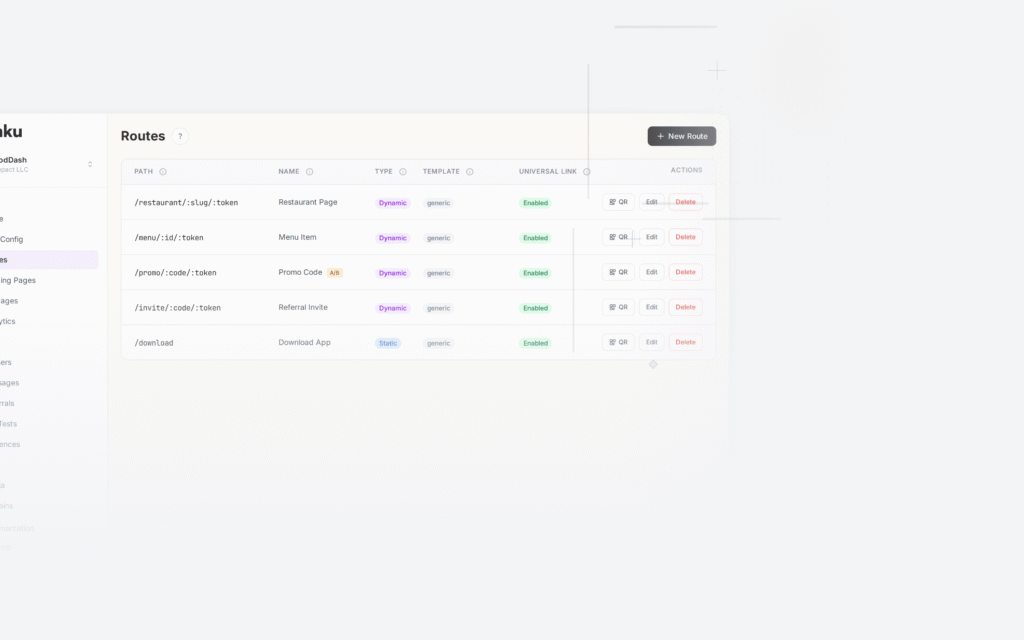
Tolinku provides the deep link routing and verification file hosting that app indexing depends on. Configure your routes and domain in the Tolinku dashboard, and Tolinku handles serving
assetlinks.jsonandapple-app-site-associationautomatically.For app packs in search results, see app packs in SERPs. For the broader strategy, see app indexing and SEO for mobile apps.
- Android:
Get deep linking tips in your inbox
One email per week. No spam.