Switching deep linking providers is one of those tasks that teams put off for months (sometimes years) because it feels risky. Links are embedded in emails, ad campaigns, QR codes, social posts, and partner integrations. Breaking any of them means lost users, broken attribution, and angry stakeholders.
But migrations happen. Firebase Dynamic Links shut down. Branch pricing doubled at renewal. AppsFlyer's attribution suite is overkill when all you need is reliable deep linking. Whatever the reason, this guide walks you through a concrete migration plan for moving your deep links to Tolinku, covering every major source platform.
The good news: a well-planned deep link migration can be done in a few days, not months. The key is handling existing links gracefully while cutting over new traffic to your new provider.
Why Teams Migrate Deep Linking Platforms
Before getting into the how, it helps to understand the common triggers. Most teams don't migrate on a whim. These are the patterns we see:
Firebase Dynamic Links deprecation. Google deprecated Firebase Dynamic Links in August 2023 and shut down the service entirely in August 2025. If you're still using them, your links are already dead or running on borrowed time through a compatibility layer. There's no path forward on Firebase.
Cost escalation. Branch and AppsFlyer both use enterprise pricing models that scale with usage. For teams doing a few million deep link clicks per month, bills can run into thousands of dollars. Tolinku's pricing starts at $39/month per Appspace with 50,000 clicks included, and scales predictably from there.
Complexity overhead. Full-stack attribution platforms like AppsFlyer bundle deep linking with install attribution, fraud detection, audience segmentation, and media cost aggregation. If you only need deep linking (or deep linking plus basic analytics), you're paying for and configuring features you don't use.
SDK bloat. Some deep linking SDKs add significant weight to your app binary. Branch's iOS SDK, for example, includes networking, caching, and tracking logic that many apps don't need. Lighter SDKs mean faster app startup times and smaller downloads.
Before You Migrate: The Pre-Migration Audit
Every successful migration starts with an inventory of what you're migrating. Skip this step and you'll discover broken links in production.
1. Document All Active Link Patterns
Export your current link configurations. You need to know:
- Every deep link path pattern in use (e.g.,
/product/:id,/invite/:code,/promo/:slug) - Which paths support deferred deep linking
- Custom parameters passed through links (referral codes, campaign tags, UTM parameters)
- Fallback URLs for each link pattern (where users go if the app isn't installed and they skip the store)
For Branch, export your link data from the Branch Dashboard under "Link Settings." For AppsFlyer, pull your OneLink template configurations. For Firebase, check your Dynamic Links console (if it's still accessible) or grep your codebase for dynamicLinks configuration.
2. Catalog Where Links Are Published
Deep links live in more places than you think:
- Email templates (transactional and marketing)
- Push notification payloads
- SMS campaigns
- QR codes (printed materials, packaging, in-store displays)
- Social media posts and bios
- Paid ad campaigns (Meta, Google, TikTok)
- Partner/affiliate integrations
- API responses sent to third parties
QR codes on printed materials are the hardest to update. If you have QR codes on physical packaging, plan for a longer parallel-running period where both old and new links work.
3. Export Historical Analytics
Before you disconnect your old provider, export any attribution and analytics data you want to keep. Most platforms let you export click and install data as CSV. Download everything, because once your contract ends, that data may become inaccessible.
Migrating from Firebase Dynamic Links
Firebase Dynamic Links reached end of life in August 2025. If you're still running Firebase links (or a compatibility shim), this section is for you.
For the full step-by-step walkthrough, see the Migrate from Firebase guide in the Tolinku docs, or read our detailed Firebase Dynamic Links migration guide.
Link Mapping
Firebase Dynamic Links used a specific URL format:
https://yourapp.page.link/abc123
https://yourapp.page.link/?link=https://example.com/product/42&apn=com.example.app&isi=123456789
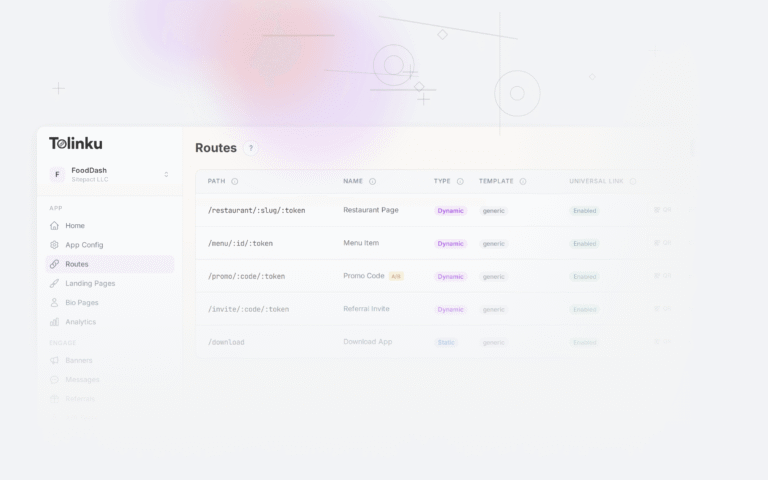
In Tolinku, the equivalent is a Route. Each route defines a path pattern, the iOS and Android destinations, and fallback behavior. Here's how a Firebase link maps to a Tolinku route:
| Firebase Parameter | Tolinku Route Config |
|---|---|
link (deep link URL) |
Route path pattern |
apn (Android package name) |
Android app package |
isi (iOS App Store ID) |
iOS App Store ID |
ibi (iOS bundle ID) |
iOS bundle identifier |
ofl (fallback URL) |
Web fallback URL |
utm_* parameters |
Query parameters (passed through) |
SDK Replacement
Remove the Firebase Dynamic Links SDK and replace it with the Tolinku SDK. On iOS:
// Before (Firebase)
import FirebaseDynamicLinks

func application(_ app: UIApplication, open url: URL, options: [UIApplication.OpenURLOptionsKey: Any]) -> Bool {
    if let dynamicLink = DynamicLinks.dynamicLinks().dynamicLink(fromCustomSchemeURL: url) {
        handleDynamicLink(dynamicLink)
        return true
    }
    return false
}

// After (Tolinku)
import TolinkuSDK

func application(_ application: UIApplication, didFinishLaunchingWithOptions launchOptions: [UIApplication.LaunchOptionsKey: Any]?) -> Bool {
    Tolinku.configure(publishableKey: "tolk_pub_your_key")
    return true
}

func application(_ application: UIApplication, continue userActivity: NSUserActivity, restorationHandler: @escaping ([UIUserActivityRestoring]?) -> Void) -> Bool {
    return Tolinku.handleUniversalLink(userActivity) { route, params in
        // Route to the correct screen using params
        navigateToScreen(route: route, parameters: params)
    }
}
On Android:
// Before (Firebase)
Firebase.dynamicLinks
    .getDynamicLink(intent)
    .addOnSuccessListener { pendingDynamicLinkData ->
        val deepLink = pendingDynamicLinkData?.link
        // Handle deep link
    }

// After (Tolinku)
class MainActivity : AppCompatActivity() {
    override fun onCreate(savedInstanceState: Bundle?) {
        super.onCreate(savedInstanceState)
        Tolinku.init(this, "tolk_pub_your_key")
        Tolinku.handleDeepLink(intent) { route, params ->
            // Route to the correct screen using params
            navigateToScreen(route, params)
        }
    }
}
Redirect Setup
Since Firebase Dynamic Links domains are no longer functional, you need to redirect traffic from any remaining *.page.link URLs. If you own a custom domain that was associated with Firebase, set up 301 redirects to your new Tolinku link domain:
# Nginx redirect config
server {
    server_name links.yourapp.com;

    location / {
        return 301 https://yourapp.tolinku.com$request_uri;
    }
}
Migrating from Branch
Branch is the most common source platform we see migrations from. The process is straightforward, but Branch's link format is more complex than Firebase's, so plan accordingly.
See the Migrate from Branch documentation for the complete walkthrough, or read our Branch migration guide and the Tolinku vs Branch comparison for a feature-by-feature breakdown.
Link Export
Branch offers a CSV export of your link data through the Branch Dashboard. Export all links and note:
- Link aliases (custom slugs)
- Deep link data (
$deeplink_path,$canonical_url, custom keys) - Redirect settings (
$fallback_url,$desktop_url) - Campaign and channel tags
Configuration Mapping
Branch uses a combination of link-level data and dashboard configuration. Here's how Branch concepts map to Tolinku:
| Branch Concept | Tolinku Equivalent |
|---|---|
| Branch Key | Tolinku Publishable Key (tolk_pub_*) |
Link Domain (*.app.link) |
Custom domain or *.tolinku.com |
| Deep Link Data (key-value) | Route parameters + query strings |
$deeplink_path |
Route path pattern |
$fallback_url |
Web fallback URL |
| Journeys (smart banners) | Tolinku Smart Banners |
| Quick Links | Routes with fixed parameters |
SDK Replacement
Branch's SDK initialization is verbose. Tolinku's is simpler. Here's the iOS swap:
// Before (Branch)
import Branch

func application(_ application: UIApplication, didFinishLaunchingWithOptions launchOptions: [UIApplication.LaunchOptionsKey: Any]?) -> Bool {
    Branch.getInstance().initSession(launchOptions: launchOptions) { params, error in
        guard let data = params as? [String: AnyObject] else { return }
        if let deepLinkPath = data["$deeplink_path"] as? String {
            self.handleDeepLink(path: deepLinkPath, data: data)
        }
    }
    return true
}

// After (Tolinku)
import TolinkuSDK

func application(_ application: UIApplication, didFinishLaunchingWithOptions launchOptions: [UIApplication.LaunchOptionsKey: Any]?) -> Bool {
    Tolinku.configure(publishableKey: "tolk_pub_your_key")
    return true
}
And the web SDK change for smart banners:
<!-- Before (Branch) -->
<script src="https://cdn.branch.io/branch-latest.min.js"></script>
<script>
  branch.init('key_live_xxxxx');
  branch.banner({
    icon: '/icon.png',
    title: 'Get Our App',
    description: 'Download for the best experience'
  });
</script>

<!-- After (Tolinku) -->
<script src="https://cdn.tolinku.com/banner.js"
  data-key="tolk_pub_your_key"
  data-title="Get Our App"
  data-description="Download for the best experience"
  data-icon="/icon.png">
</script>
Domain Transition
If you're using a custom domain with Branch (like links.yourapp.com), you can point that same domain to Tolinku after migration. Update your DNS records according to the Tolinku domain configuration docs. During the transition period, keep the Branch domain active and run both in parallel.
Migrating from AppsFlyer OneLink
AppsFlyer bundles deep linking into a broader attribution platform. If you're migrating away, you're likely either replacing just the deep linking piece or moving attribution elsewhere too.
Check the Migrate from AppsFlyer guide and the Tolinku vs AppsFlyer comparison for detailed steps.
Link Migration
AppsFlyer OneLink templates define your deep link structure. Export your OneLink configurations and map them to Tolinku routes:
| AppsFlyer OneLink | Tolinku Route |
|---|---|
| OneLink template ID | Route path pattern |
deep_link_value |
Route parameter |
deep_link_sub1 through sub10 |
Query parameters |
af_dp (Android URI scheme) |
Android deep link path |
af_ios_url (custom iOS URL) |
iOS deep link path |
| Fallback URL | Web fallback URL |
Attribution Considerations
If you use AppsFlyer primarily for install attribution and only use OneLink for deep linking, you can keep AppsFlyer for attribution while switching deep links to Tolinku. The two can coexist: Tolinku handles the link routing and deferred deep linking, while AppsFlyer's SDK continues to handle install attribution through its own mechanisms.
If you're replacing both, export your attribution data (install reports, in-app event data, cohort reports) before disconnecting. AppsFlyer retains data based on your contract terms.
SDK Swap
The AppsFlyer SDK handles both attribution and deep linking. If you're only replacing the deep linking portion, you can keep the AppsFlyer SDK for attribution and add the Tolinku SDK alongside it. If you're replacing everything, remove the AppsFlyer SDK entirely:
// Before (AppsFlyer deep linking)
class MainActivity : AppCompatActivity() {
    override fun onCreate(savedInstanceState: Bundle?) {
        super.onCreate(savedInstanceState)

        AppsFlyerLib.getInstance().init("AF_DEV_KEY", object : AppsFlyerConversionListener {
            override fun onConversionDataSuccess(data: MutableMap<String, Any>?) {
                val deepLinkValue = data?.get("deep_link_value") as? String
                deepLinkValue?.let { handleDeepLink(it) }
            }
            // ... other callbacks
        }, this)
        AppsFlyerLib.getInstance().start(this)
    }
}

// After (Tolinku only)
class MainActivity : AppCompatActivity() {
    override fun onCreate(savedInstanceState: Bundle?) {
        super.onCreate(savedInstanceState)
        Tolinku.init(this, "tolk_pub_your_key")
        Tolinku.handleDeepLink(intent) { route, params ->
            navigateToScreen(route, params)
        }
    }
}
Universal Migration Steps
Regardless of which platform you're migrating from, these steps apply to every deep link migration.
1. DNS and Domain Configuration
Set up your Tolinku link domain. You have two options:
- Use a Tolinku subdomain:
yourapp.tolinku.com(fastest setup) - Use your own custom domain:
links.yourapp.com(recommended for production)
For a custom domain, add a CNAME record pointing to Tolinku's servers:
links.yourapp.com CNAME proxy.tolinku.com
2. Update Apple App Site Association (AASA)
Your apple-app-site-association file tells iOS which URL paths should open in your app. When you configure a custom domain in Tolinku, the platform automatically serves the correct AASA file at https://links.yourapp.com/.well-known/apple-app-site-association.
Make sure your app's Associated Domains entitlement includes the new domain:
<!-- In your Xcode project's entitlements -->
<key>com.apple.developer.associated-domains</key>
<array>
    <string>applinks:links.yourapp.com</string>
</array>
For details on how Apple validates AASA files, see the Apple Developer documentation on Universal Links.
3. Update Android Asset Links
Similarly, Tolinku serves the assetlinks.json file automatically for your configured domain. Update your Android app's AndroidManifest.xml to include intent filters for the new domain:
<activity android:name=".MainActivity"
    android:exported="true">
    <intent-filter android:autoVerify="true">
        <action android:name="android.intent.action.VIEW" />
        <category android:name="android.intent.category.DEFAULT" />
        <category android:name="android.intent.category.BROWSABLE" />
        <data android:scheme="https"
              android:host="links.yourapp.com"
              android:pathPrefix="/" />
    </intent-filter>
</activity>
See the Android Developer documentation on App Links for full details on verifying Android App Links.
4. Integrate the Tolinku SDK
Install the Tolinku SDK for each platform your app supports:
iOS (Swift Package Manager):
https://github.com/tolinku/ios-sdk
Android (Gradle):
dependencies {
    implementation 'com.tolinku.sdk:tolinku-android:1.x.x'
}
React Native:
npm install @tolinku/react-native-sdk
Web (Smart Banners):
<script src="https://cdn.tolinku.com/banner.js" data-key="tolk_pub_your_key"></script>
5. Configure Routes in Tolinku
Create routes in your Tolinku Appspace that match your existing deep link patterns. Each route defines:
- A URL path pattern (e.g.,
/product/:id) - iOS destination (Universal Link path or custom scheme)
- Android destination (App Link path or intent URI)
- Web fallback URL
- Whether deferred deep linking is enabled
Handling Existing Links in the Wild
This is the most critical part of any migration. Links already shared in emails, printed on packaging, or embedded in partner systems can't be updated. You need a strategy.
Option 1: 301 Redirects (Recommended)
Set up 301 redirects from your old link domain to your new Tolinku domain. This preserves link equity for SEO and ensures existing links continue to work:
# Redirect all old deep links to Tolinku
server {
    server_name old-links.yourapp.com;
    return 301 https://links.yourapp.com$request_uri;
}
For links hosted on a provider's domain (like yourapp.app.link), you may not control the redirect. Contact your old provider about setting up redirects during the transition period.
Option 2: Parallel Running
Run both your old and new deep linking providers simultaneously during a transition period. This is the safest approach for high-traffic apps:
- Week 1-2: Set up Tolinku, create all routes, integrate the SDK alongside the old SDK
- Week 3-4: Switch new link creation to Tolinku while old links still resolve through the old provider
- Week 5-8: Monitor both platforms; update links in systems you control (email templates, CMS, ad campaigns)
- Week 9+: Disable the old provider once traffic on old links drops below an acceptable threshold
Option 3: Same Custom Domain
If you used a custom domain with your old provider (e.g., links.yourapp.com), you can repoint that same domain to Tolinku. Every existing link using that domain will now resolve through Tolinku, provided you've created matching routes. This is the cleanest approach when feasible.
Migrating Attribution Data
Deep linking and attribution are often intertwined. Here's how to handle the data side of your migration.
Export Before You Leave
Most attribution platforms retain your data only while your contract is active. Export these reports before canceling:
- Install attribution reports (source, campaign, ad group, creative)
- In-app event data (registrations, purchases, custom events)
- Cohort analysis exports
- Cost/revenue data if you imported media spend
Re-mapping Campaigns
Your new Tolinku links need consistent campaign tagging. Map your old campaign structure to Tolinku's analytics parameters:
| Old Platform | Tolinku Parameter |
|---|---|
Branch: ~campaign |
campaign query parameter |
Branch: ~channel |
channel query parameter |
AppsFlyer: c (campaign) |
campaign query parameter |
AppsFlyer: pid (media source) |
source query parameter |
Firebase: utm_campaign |
utm_campaign (passed through) |
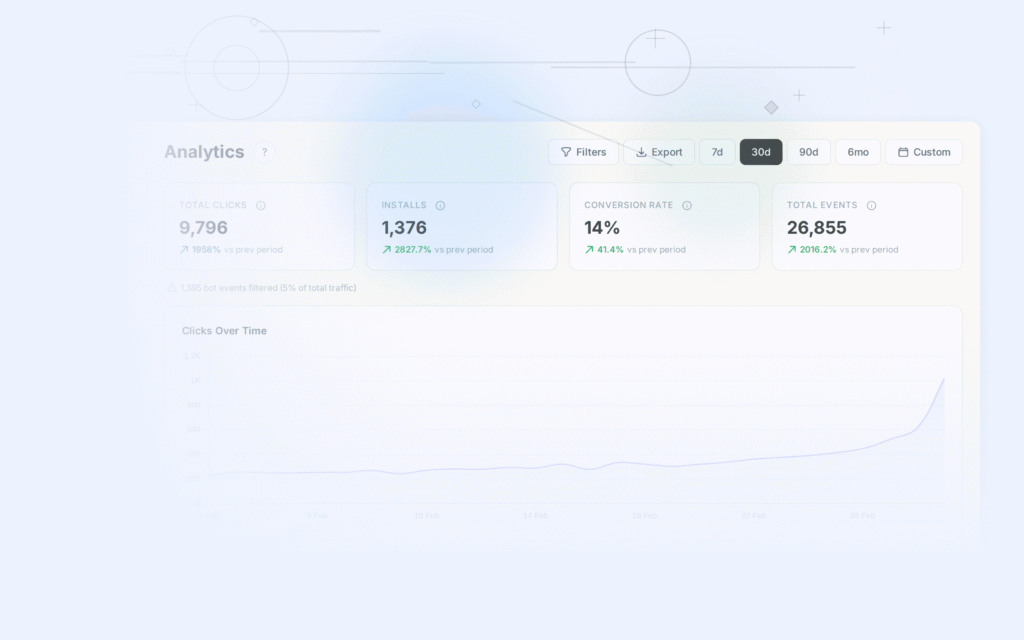
Tolinku passes UTM parameters through to your app and records them in analytics, so you can continue using the same campaign naming conventions.
Testing Your Migration
Don't flip the switch until you've tested every scenario. Here's the checklist:
iOS Testing
- Universal Link opens the app when installed (tap a link in Notes or Messages)
- Universal Link falls back to App Store when not installed
- Deferred deep link routes to the correct screen after install
- AASA file is served correctly (verify at
https://yourdomain/.well-known/apple-app-site-association) - Links work from Safari, Chrome, and in-app browsers (Instagram, Twitter, Facebook)
- Smart banner appears on your mobile website
Android Testing
- App Link opens the app when installed
- App Link falls back to Play Store when not installed
- Deferred deep link routes to the correct screen after install
-
assetlinks.jsonis served correctly and verified (use Google's Digital Asset Links tool) - Links work from Chrome, Samsung Internet, and in-app browsers
- Intent filter verification passes (check with
adb shell pm get-app-links)
Web Fallback Testing
- Desktop users land on the correct web page
- Web fallback pages include smart banners pointing to app stores
- UTM parameters pass through to the fallback URL
- Social media preview cards (Open Graph tags) render correctly for shared links
Cross-Platform Scenarios
- Same link works correctly on iOS, Android, and desktop
- QR code scanning opens the correct destination on both platforms
- Links shared via messaging apps (WhatsApp, Telegram, iMessage) resolve properly
- Email clients don't break or rewrite the link URLs
Common Migration Pitfalls
These are the mistakes we see most often. Avoid them and your migration will go much more smoothly.
Not testing on real devices. Simulators and emulators don't fully replicate Universal Link and App Link behavior. iOS in particular handles Universal Links differently in Safari versus in-app browsers. Test on physical devices.
Forgetting AASA caching. Apple caches the apple-app-site-association file aggressively. After changing DNS or updating your AASA file, it can take 24 to 48 hours for iOS to pick up the new version. Apple's CDN fetches AASA files through its own servers, so you can't force a refresh. Plan your domain cutover accordingly and account for this delay. For more on this behavior, check the Apple documentation on associated domains.
Skipping the parallel-run period. Going from old provider to new provider in a single cutover is risky. Even if everything tests perfectly, edge cases will surface in production. Run both providers for at least two weeks.
Breaking printed QR codes. If you have QR codes on physical materials (packaging, posters, business cards), those links need to keep working indefinitely. Use 301 redirects or repoint the custom domain.
Not updating all SDK references. Search your codebase for every import of your old deep linking SDK. It's common to find references in utility classes, analytics wrappers, or notification handlers that get missed during the initial swap. Our SDK swap guide walks through the replacement process platform by platform.
Ignoring Android autoVerify. Android App Links require android:autoVerify="true" in your intent filter, and the assetlinks.json file must be served over HTTPS with the correct content type. If verification fails, Android treats your links as regular web URLs instead of App Links. Use adb shell pm get-app-links your.package.name to check verification status.
Losing deferred deep link data. If your old provider handled deferred deep linking, make sure Tolinku's deferred deep linking is configured for the same routes. Test the full flow: click link on a device without the app, install from the store, open the app, and verify the user lands on the correct screen with the correct parameters.
Making the Switch
For help structuring your overall project schedule, our migration timeline planning article breaks down realistic timelines by team size and complexity.
Migrating your deep linking platform is a concrete, plannable project, not an open-ended rewrite. The pattern is consistent regardless of your source platform:
- Audit your current links and document every route pattern
- Set up your Tolinku Appspace and create matching routes
- Integrate the Tolinku SDK into your apps
- Run both providers in parallel while you update link references
- Redirect old links and cut over DNS
- Monitor and verify for two to four weeks
- Decommission the old provider
Tolinku's migration guides cover each source platform in detail: Branch, Firebase, and AppsFlyer. You can also compare features directly with Branch, AppsFlyer, or Adjust to understand what changes and what stays the same.
The biggest risk in any migration is inaction. Links on a deprecated platform (Firebase) are already broken. Links on an expensive platform are costing you money every month. Start with the audit, set up a parallel environment, and work through it methodically. Most teams complete the full migration in under two weeks of active work.
Get deep linking tips in your inbox
One email per week. No spam.