Most teams encounter deferred deep linking through paid advertising attribution. That's a good use case, but it's also a narrow one. The same mechanism that routes a user from an ad click to the right screen after install can do much more: apply referral codes automatically, personalize onboarding, carry context from a QR code, and reconnect lapsed users to where they left off.
This is a practical list of 15 use cases, with enough implementation detail to understand how each one works.
For a technical overview of the mechanism, see how deferred deep linking works before diving in.

1. Referral Programs
Referral programs are one of the highest-value use cases for deferred deep linking. Without it, referral flows are clunky: the referred user clicks a link, installs the app, and then has to manually enter a referral code. Many don't bother.
With a deferred deep link, the referral code travels through the install automatically. When the referred user opens the app for the first time, the code is applied without any input required.
How it works: Embed the referrer's ID in the link parameters. On first launch, retrieve the parameters and credit the referral to the correct user.
Example link parameters:
referrer_id=user_abc123
referral_code=SPRING20
Important: Validate the referral code server-side before applying it. A false positive match (probabilistic attribution error) should not result in an unauthorized discount or credit. Check that the code exists, hasn't been used, and belongs to a real account.
2. Email Campaign Re-Engagement
Email is an effective channel for re-engaging users who have your app installed, but it's also a channel for acquiring net-new installs. A deferred link in a promotional email does double duty: it deeplinks existing users to the right screen and routes new installs to the same destination.
Example: A sale email links to /sale/summer-collection. Users who have the app open it directly in the app. Users who don't have the app go to the App Store, install, and then land on the same sale page.
The benefit for email campaigns is that you don't need two separate links (one for app users, one for web users). One link handles both paths. See Tolinku's deep linking features for how to configure fallback behavior.
3. Paid Advertising Attribution
The classic use case. When a user clicks a paid ad on a social platform or search network, the click carries attribution data: campaign ID, ad set, creative, channel. The deferred link routes the user to the relevant product or landing screen and records the attribution for reporting.
Why it matters: Without deferred deep linking, you can attribute installs to campaigns at the click level, but you lose the ability to route new users to the specific product they clicked on in the ad. The result is a generic home screen experience for new users who saw a specific product ad.
With deferred deep links, the ad's product ID travels through the install. The user lands on the product page they saw advertised, which consistently improves post-install conversion rates.
4. QR Codes in Physical Locations
QR codes on packaging, receipts, in-store displays, and event signage all benefit from deferred deep linking. When a user scans a QR code, they may or may not have the app. A deferred link handles both cases.
Use cases within this use case:
- Restaurant QR code menu that routes new users to download and existing users to their order history
- Retail product packaging QR code that routes to the product's loyalty points page
- Event venue QR code that routes to the event's in-app schedule or seat information
- Business card QR codes that route to a specific profile or contact page
Implementation: Create a unique QR code per location. Each code carries a location ID in the parameters. This enables attribution by location, not just by campaign. See QR codes and short links for more on QR code deep linking patterns.
5. Social Media Sharing
When users share content from your app to social media, the shared link can carry the content ID and the sharer's user ID. New users who tap the link, install the app, and launch it for the first time can be routed directly to the shared content and the sharer can receive attribution credit.
Example: A fitness app user shares their workout results. The link carries the workout ID and the user's ID. New installs triggered by that share open directly on the workout screen. The original user can earn referral credit.
This pattern is common in social and consumer apps where organic sharing drives a significant portion of installs.
6. Influencer and Affiliate Tracking
Influencer marketing works better when each influencer has a unique link that can be attributed. Deferred deep links with influencer-specific parameters let you track which influencer drove which installs, what the users did after install, and what the ROI was.
Parameters to include:
utm_source=influencer
utm_campaign=spring_2026
influencer_id=creator_xyz
affiliate_code=XYZ15
The affiliate code can be applied automatically on install, giving the influencer's audience a discount without requiring manual code entry.
7. Personalized Onboarding
Onboarding conversion rates improve when the onboarding experience reflects why the user installed the app. Deferred deep links let you carry context from the acquisition channel into the first launch experience.
Examples:
- A user who clicked an ad for "recipe tracking" starts onboarding on the recipe setup screen rather than a generic welcome screen.
- A user who was referred by a friend who uses the premium tier is shown a free trial offer during onboarding.
- A user who came from a fitness content creator's link sees an onboarding flow highlighting workout features.
The logic is straightforward: check the deferred link parameters on first launch before showing the onboarding flow, and branch accordingly.
8. App Invitations and Team Invites
Invite flows in B2B and collaboration apps need to carry the inviter's context through the install. Without deferred deep linking, a user invited to join a team must install the app and then separately navigate to accept the invite, often from a follow-up email.
With a deferred deep link, the invite parameters (workspace ID, invite token) travel through the install. The user is taken directly to the "Join Team" screen on first launch.
Critical validation step: Invite tokens must be validated server-side and should expire. An invite link from six months ago should not silently add a new user to a workspace.
9. Re-Engagement After Uninstall
Users who uninstall an app and later reinstall it from a campaign link benefit from deferred context too. A "we miss you" campaign can carry a personalized offer through the reinstall.
Example parameters:
campaign=win_back_march_2026
offer=30_day_free_premium
user_hint=returning
On first launch after reinstall, the app can detect the user_hint parameter and show a returning user flow instead of the standard new user onboarding.
Note: this is attribution-based context, not account recovery. The returning user still needs to log in. The deferred link parameters just shape the first screen they see.
10. Seasonal and Time-Limited Promotions
A sale that runs for a specific period can be embedded in a deferred link with an expiry parameter. Users who install the app during the sale period get the sale experience. Users who install after the sale ends land on the default home screen.
Implementation: Set an expiry timestamp in the link parameters. On first launch, the app checks whether the current time is before the expiry. If yes, apply the promotion. If no, proceed to default onboarding.
This approach keeps the same link working for both in-window and post-window installs without requiring a separate campaign per scenario.
11. SMS and Push-Driven Acquisition
SMS campaigns targeting non-app users can use deferred links to carry the message's offer into the install. A text message with a limited-time offer can link to the app store (via a deferred link), and users who install will see the offer applied on first launch.
Same pattern applies to web push notifications. A push notification on the mobile web can drive an install with offer parameters intact.
Note on SMS attribution: SMS links are short (to preserve character count). Use a short link service that supports deferred linking parameters, not a generic URL shortener that strips tracking.
12. Cross-Platform Content Sharing (Web to App)
When a user discovers content on your website and wants to continue in the app, a deferred link carries the content ID through the install. The user clicks "Open in App," gets directed to the app store, installs, and opens directly to the content they were reading.
This is common in:
- News and media apps
- Recipe apps
- E-commerce product pages
- Documentation or tutorial content
The implementation requires detecting whether the user has the app installed (to skip the install step for existing users) and falling back to the store + deferred link for new users.
13. Coupon Codes and Discount Applications
Coupons distributed through email, social media, or affiliate sites work better when they apply automatically. A deferred link carrying a coupon code applies the code on first launch, reducing the friction of the code entry step.
User experience difference:
- Without deferred link: Install app, navigate to checkout, find the "enter promo code" field, open email to copy the code, paste it.
- With deferred link: Install app, coupon is already applied.
Fewer steps means fewer drop-offs. For e-commerce apps running first-purchase promotions, this pattern directly improves first-purchase conversion.
14. Event-Specific App Experiences
Apps that serve conferences, festivals, or sporting events can use deferred links on event materials (tickets, lanyards, programs, posters) to give attendees a customized in-app experience.
Example: A music festival app provides wristbands with a QR code linked to the specific day's lineup. Attendees who scan the code and install the app open directly to the day-specific schedule.
Each event day or venue section can have its own QR code with a unique location and schedule parameter. Attribution shows organizers which physical locations drove the most app installs.
15. Post-Purchase Onboarding for Retail
When a customer buys a physical product, the box or insert can include a deferred link (via QR code) that routes them to a product-specific setup or tutorial page in the companion app.
Example parameters:
product_sku=MODEL_X_PRO
purchase_date=2026-03-04
tutorial=quick_start
The app opens directly to the relevant tutorial for their specific product model. This improves product setup success rates and reduces support contact volume.
Putting It Together
The common thread across all 15 of these use cases is context preservation: carrying information from the moment of intent through the friction of an app install and into the first app launch.
The implementation in each case is similar. The business logic differs, but the mechanism is the same deferred link. One platform, one integration, and you can build all of these patterns.
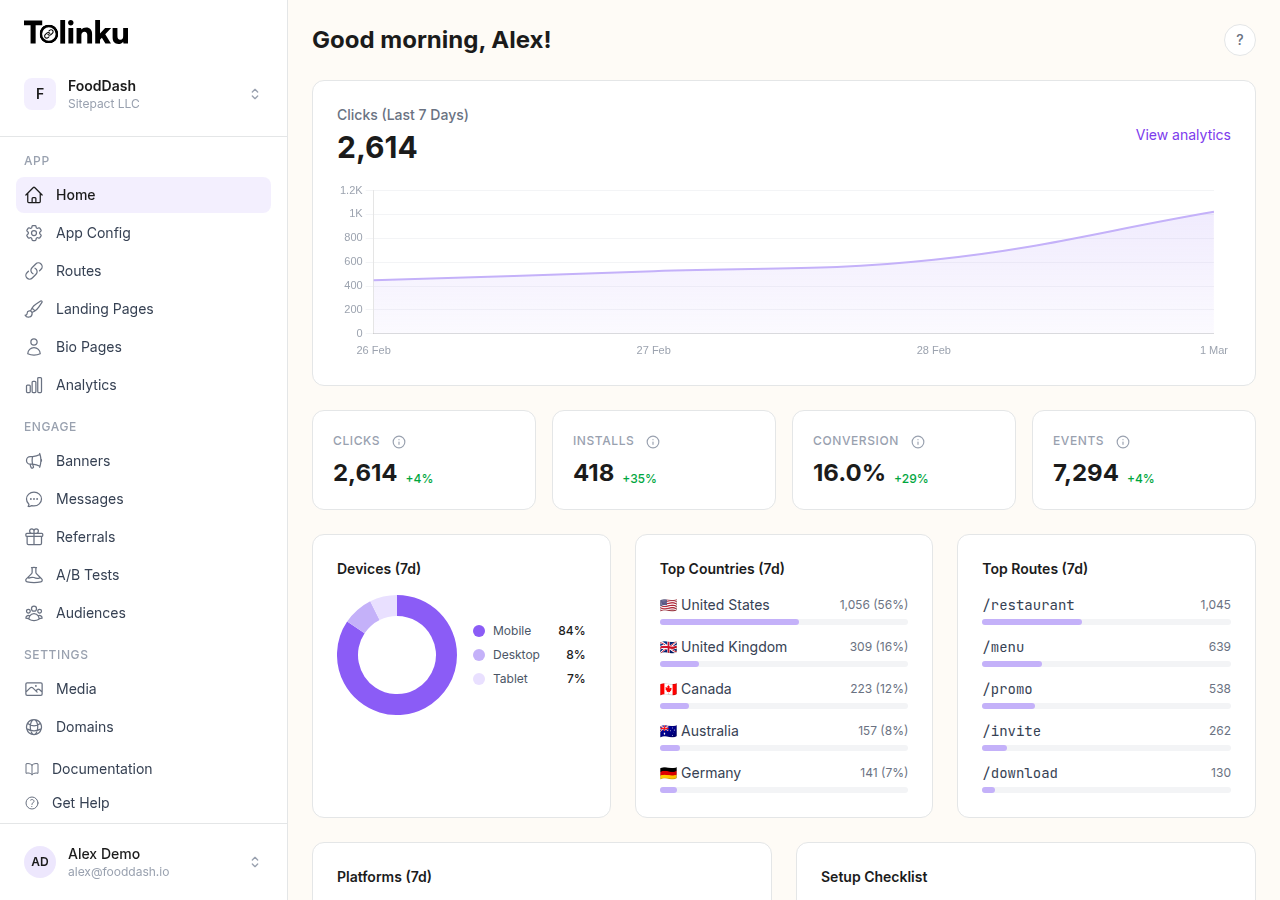
Tolinku's deferred deep linking documentation covers the parameter schema and how to configure each of these flows. The analytics dashboard shows you which use cases are driving installs and conversions, so you can invest more in what's working.
The ceiling on what you can do with deferred links is mostly a product design question. The technical capability is there. The question is how creatively you apply it to your acquisition and activation flows.
Get deep linking tips in your inbox
One email per week. No spam.