Push notifications are the most direct channel you have to reach users outside your app. Done well, they bring users back, increase engagement, and drive conversions. Done poorly, they annoy users into disabling notifications or uninstalling entirely.
The difference between effective and annoying notifications comes down to relevance, timing, and restraint. This guide covers how to build a push notification strategy that drives growth without burning goodwill.
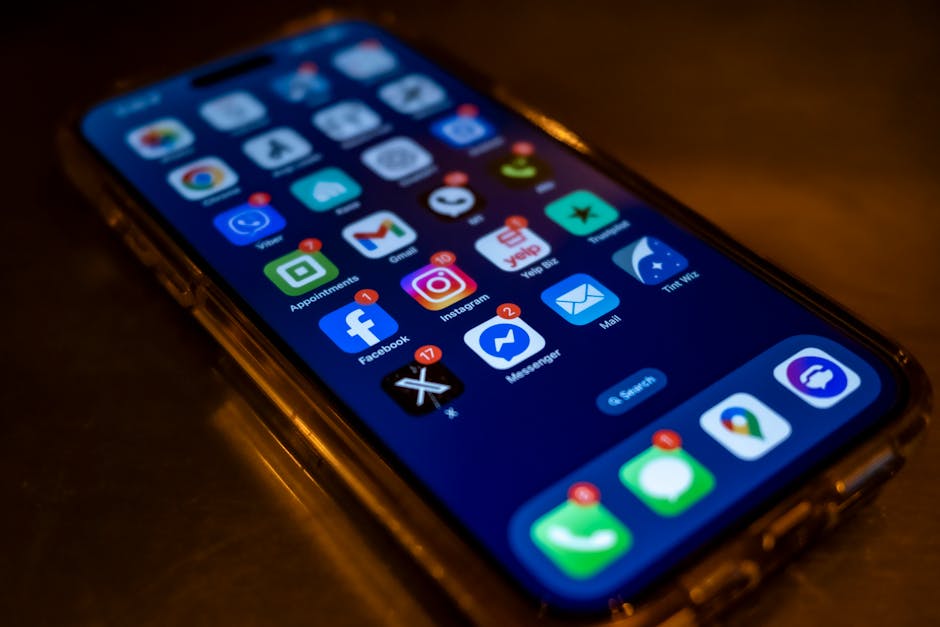
The Permission Problem
iOS Opt-In Rates
On iOS, you must explicitly request permission to send push notifications. The system dialog appears once; if the user declines, you need to direct them to Settings to re-enable.
Average opt-in rates for iOS push notifications hover around 50-60%, but this varies significantly by category:
- Messaging/Social: 70-80%
- E-commerce: 45-55%
- News/Media: 55-65%
- Utility/Productivity: 40-50%
- Gaming: 35-45%
Android Notification Channels
Since Android 13, Android also requires runtime notification permission (similar to iOS). Before Android 13, notifications were enabled by default. Regardless of version, Android's notification channels let users selectively enable/disable categories of notifications, so you need to organize your notifications into logical channels.
Optimizing Opt-In
Don't show the permission prompt immediately on first launch. At that point, the user doesn't know your app well enough to decide whether they want notifications.
Instead:
Wait for value delivery: Show the prompt after the user has experienced value (completed their first task, made their first purchase, used the app for a few days).
Use a pre-permission screen: Before triggering the system dialog, show your own in-app screen explaining what notifications they'll receive and why it's valuable. "Get notified when your friends post" or "Never miss a sale on items you've saved." If they tap "Not Now," you haven't burned your one system prompt attempt.
Be specific about value: "We'll send you notifications" is vague. "Get a reminder 15 minutes before each meeting" is specific and clearly valuable.
Types of Push Notifications
Transactional Notifications
Triggered by user actions or system events:
- Order confirmations and shipping updates
- Payment receipts and billing reminders
- Security alerts (new login, password change)
- Friend requests and messages
These have the highest engagement rates because they're directly relevant. Users expect them and consider them useful. Send these in real time, always.
Behavioral Triggers
Sent based on user behavior patterns:
- "You left items in your cart" (abandoned cart)
- "Your favorite artist released a new album" (preference-based)
- "You haven't logged your meals today" (habit reminders)
- "Someone liked your post" (social engagement)
Behavioral triggers are effective because they respond to what the user has actually done. They feel helpful, not intrusive.
Re-engagement Notifications
Sent to users who haven't opened the app recently:
- "We miss you! Here's what's new since your last visit"
- "Your weekly summary is ready"
- "3 friends joined since you last checked in"
These are necessary for retention but can feel spammy if overused. Limit re-engagement notifications to 1-2 per week for lapsed users, and stop entirely after 2-3 weeks of no response. If a user hasn't engaged with your notifications in weeks, more notifications won't fix that.
Promotional Notifications
Marketing-driven messages:
- Flash sales and limited-time offers
- New feature announcements
- Content recommendations
Use these sparingly. Promotional notifications have the highest unsubscribe and uninstall correlation. If every notification you send is a promotion, users learn to ignore you.
Timing and Frequency
When to Send
The "best time" depends on your app category and your specific users, but general patterns hold:
- Morning (7-9 AM local time): Good for news, productivity, health/fitness apps
- Lunch (12-1 PM): Good for food delivery, e-commerce, entertainment
- Evening (6-9 PM): Good for entertainment, social, gaming, lifestyle
- Avoid late night: Notifications between 10 PM and 7 AM feel intrusive unless urgently relevant
The most important word above is "local time." A notification sent at 9 AM Eastern reaches West Coast users at 6 AM. Always use the user's local time zone.
Intelligent Timing
Better than fixed schedules is per-user timing based on their activity patterns. If a user typically opens your app at 8:30 AM, that's the optimal time to notify them. Most push notification services support "intelligent delivery" or "optimal time" features that analyze per-user engagement patterns.
Frequency Caps
Set maximum notification limits:
- Daily cap: No more than 2-3 notifications per day (except transactional)
- Weekly cap: No more than 5-7 notifications per week from all categories combined
- Escalation pause: If a user doesn't engage with 3 consecutive notifications, reduce frequency automatically
Users who receive too many notifications are significantly more likely to disable them entirely. It's better to send fewer, high-quality notifications than to bombard users.
Segmentation
Sending the same notification to all users is almost always wrong. Segment your audience and tailor messages.
Behavioral Segments
- Power users (daily active): Feature tips, community content, advanced functionality
- Regular users (weekly active): Value reinforcement, personalized recommendations
- At-risk users (declining activity): Re-engagement prompts, "what's new" updates
- Lapsed users (inactive 7+ days): Win-back messages, new feature announcements
Preference-Based Segments
- Users who've shown interest in specific categories or features
- Users who've made purchases vs. free users
- Users in specific geographic regions (for location-relevant content)
Lifecycle Segments
- New users (day 1-7): Onboarding guidance, feature discovery
- Activated users (week 2-4): Habit formation, deeper engagement
- Established users (month 2+): Referral prompts, premium upsells
- Churning users: Win-back campaigns with incentives
Personalization
Personalized notifications have 4x higher open rates than generic ones.
Content Personalization
Use data you already have:
- Name: "Sarah, your order shipped!" (simple but effective)
- Behavior: "Based on your recent searches, you might like…"
- Social: "Alex and 3 others commented on your post"
- Location: "Rainy afternoon in Portland? Here are indoor activities near you"
- Progress: "You're 2 workouts away from your weekly goal!"
Dynamic Content
Pull real-time data into notification copy:
- Price drop alerts with the actual new price
- Stock alerts with current availability
- Weather-based recommendations using current conditions
- Score updates with live game data
Deep Linking from Notifications
Every notification should deep link to the relevant content, not just open the app's home screen. A notification about a friend's comment should open that comment thread. A notification about a sale should open the sale page.
This is where deep linking becomes critical. Without it, users tap a notification about a specific item and land on your home screen, confused about where to find what interested them.
For implementation details on iOS, see Universal Links in Push Notifications. For Android, see Deep Linking from Android Notifications.
Measuring Notification Performance
Key Metrics
- Delivery rate: Percentage of notifications successfully delivered (should be 95%+)
- Open rate: Percentage of delivered notifications that are tapped (industry average: 5-15%)
- Opt-out rate: Percentage of users who disable notifications after receiving one
- Conversion rate: Percentage of notification taps that lead to a desired action
- Uninstall correlation: Track whether notification sends correlate with uninstalls
A/B Testing Notifications
Test systematically:
- Copy variations: Different headlines, emojis vs. no emojis, short vs. detailed
- Timing: Morning vs. evening sends for the same message
- Rich media: Notifications with images vs. text-only
- CTAs: Different call-to-action phrasing
- Frequency: Test whether reducing frequency improves or hurts engagement
Run each test for at least one full week (to account for day-of-week variation) with a minimum sample size of 1,000 users per variant.
Common Mistakes
Asking for permission on first launch: You get one shot at the system prompt on iOS. Don't waste it before the user understands your value.
Sending the same message to everyone: A notification relevant to power users may confuse new users. Segment your audience.
No deep linking: Users tap a notification expecting to see specific content. Opening the home screen breaks that expectation and wastes the engagement you earned.
Notification fatigue: Sending too many notifications trains users to ignore them, then disable them, then uninstall. Less is more.
Ignoring time zones: A notification at 3 AM is a notification that gets your app uninstalled.
Not measuring uninstall correlation: Track whether increased notification frequency correlates with higher uninstall rates. The installs you lose may cost more to replace than the engagement you gain.
Promotional overload: If every notification is a sale or promotion, users learn that your notifications aren't worth reading. Mix promotional messages with genuinely useful content.
Building Your Strategy
Start simple and iterate:
- Begin with transactional: These are expected and welcome. Get the infrastructure right.
- Add behavioral triggers: Start with 2-3 high-value triggers (abandoned cart, activity reminders).
- Implement segmentation: At minimum, separate new users from established users.
- Add personalization gradually: Start with name and behavior-based content.
- Measure and optimize: Track open rates, opt-out rates, and uninstall correlation weekly.
- Set frequency caps: Start conservative (3-5 per week) and adjust based on data.
For a broader view of retention strategies, see Mobile App Growth: 25 Strategies That Work.
Get deep linking tips in your inbox
One email per week. No spam.