Every extra tap between a marketing touchpoint and a purchase is a drop-off point. When you send users to your app's home screen instead of the specific product they clicked on, you're asking them to search for it again. Product page deep links skip that friction: users tap a link and land directly on the product.
This guide covers how to set up, distribute, and optimize product page deep links. For the broader e-commerce deep linking strategy, see Deep Linking for E-Commerce Apps.
Why Product Deep Links Matter
The numbers are straightforward:
- Higher conversion rates: Users who land on the product they clicked are significantly more likely to purchase than users who land on a home screen and have to navigate.
- Lower bounce rates: Reducing the number of steps between interest and action keeps users engaged.
- Better ad ROI: Paid ads that deep link to the product page convert at higher rates, reducing cost per acquisition.
- Improved attribution: When each product has its own link, you know exactly which products drive clicks and conversions.
Setting Up Product Deep Links
URL Structure
Design your deep link URL structure around your product catalog:
https://go.yourapp.com/product/{product_id}
Or with more context:
https://go.yourapp.com/product/{product_id}?variant={variant_id}&color={color}
Examples:
https://go.yourapp.com/product/SKU-12345https://go.yourapp.com/product/running-shoes-v2?color=black&size=10https://go.yourapp.com/product/12345?utm_source=email&utm_campaign=summer-sale
Route Configuration
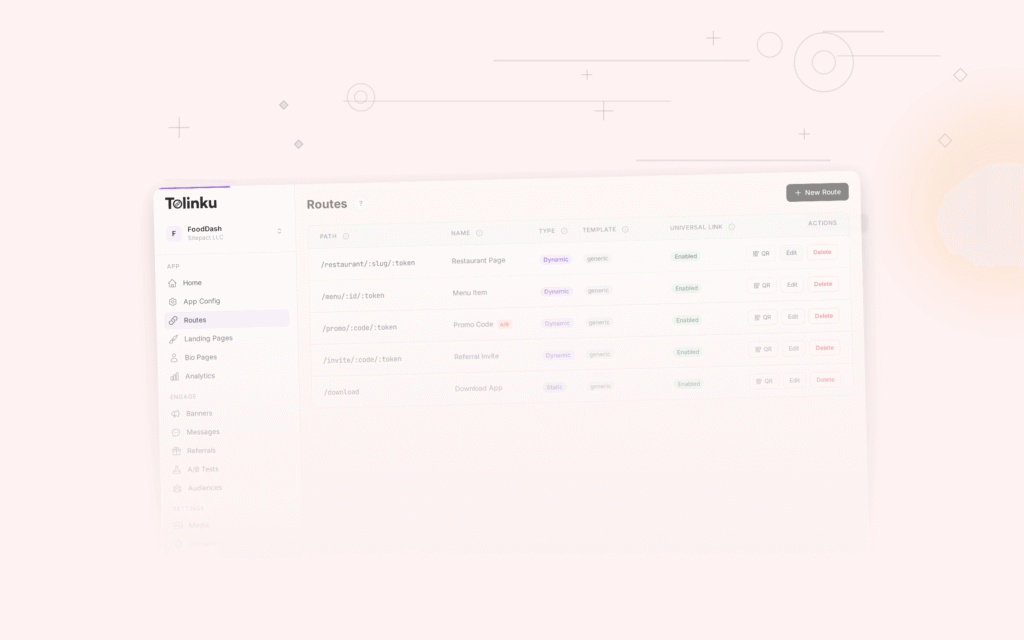
On your deep linking platform, create a dynamic route that matches product URLs:
Path pattern: /product/:id
Web fallback: https://yourapp.com/products/{id}
When a user taps https://go.yourapp.com/product/SKU-12345:
- App installed: App opens, navigates to product SKU-12345
- App not installed: Redirects to
https://yourapp.com/products/SKU-12345(your website's product page)
App-Side Handling
Your app needs to parse the URL and navigate to the correct product screen.
React Native:
// In your linking config
const linking = {
  prefixes: ['https://go.yourapp.com'],
  config: {
    screens: {
      Product: {
        path: 'product/:id',
        parse: {
          id: (id) => id,
        },
      },
    },
  },
};

// In ProductScreen
function ProductScreen({ route }) {
  const { id } = route.params;
  const { variant, color } = route.params; // from query params
  // Fetch and display product
}
Flutter (go_router):
GoRoute(
  path: '/product/:id',
  builder: (context, state) {
    final id = state.pathParameters['id']!;
    final variant = state.uri.queryParameters['variant'];
    final color = state.uri.queryParameters['color'];
    return ProductScreen(id: id, variant: variant, color: color);
  },
),
Distribution Channels
Email Campaigns
Product recommendation emails are the highest-converting use case for product deep links.
How to implement:
- Generate a deep link for each recommended product
- Use the deep link as the CTA button or product image link
- Include UTM parameters for attribution
https://go.yourapp.com/product/SKU-12345?utm_source=email&utm_medium=recommendation&utm_campaign=weekly-picks
Best practice: Include 3-6 products per email, each with its own deep link. Track which positions get the most clicks.
Social Media Ads
Facebook, Instagram, and TikTok ads support deep links in the CTA action.
How to implement:
- Create a deep link for the advertised product
- Set the deep link as the ad's destination URL
- Set the web fallback to the product's web page (for users who don't have the app)
The deep link handles routing: users with the app go straight to the product; users without the app see the web product page.
Push Notifications
When you send a push notification about a product (price drop, back in stock, recommendation), include a deep link in the notification payload.
iOS:
{
  "aps": { "alert": "Price dropped on Running Shoes V2!" },
  "deep_link": "https://go.yourapp.com/product/SKU-12345"
}
Android:
{
  "notification": { "title": "Price dropped on Running Shoes V2!" },
  "data": { "deep_link": "https://go.yourapp.com/product/SKU-12345" }
}
Your app's push notification handler opens the deep link when the notification is tapped.
QR Codes
Physical retail, product packaging, and print ads can include QR codes that deep link to product pages.
QR Code → https://go.yourapp.com/product/SKU-12345
When scanned:
- App installed: Opens directly to the product
- App not installed: Opens the web product page (with a smart banner prompting to install the app)
Important: Always use your own custom domain for QR codes on physical materials. You can change where the link resolves, but you can't change the printed QR code.
In-Store and Packaging
Product packaging can include QR codes or NFC tags that link to:
- Extended product information
- Reviews and ratings
- Complementary products
- Warranty registration
- Reorder page
Each of these is a deep link to a specific screen in your app.
Optimizing Product Deep Links
OG Metadata
When product links are shared on social media or messaging apps, the preview should show the product:
og:title: Running Shoes V2
og:description: Lightweight running shoes. $89.99
og:image: https://cdn.yourapp.com/products/running-shoes-v2.jpg
Configure this on your deep linking platform. Each route can have its own OG metadata, or you can set it dynamically via API based on the product.
A/B Testing Destinations
Test whether users convert better when they land on:
- The product detail page directly
- A "product + related items" page
- A "product + limited-time offer" page
Use your deep linking platform's A/B testing feature to split traffic between destinations and measure conversion rates.
Dynamic Parameters
Pass contextual data through deep link parameters to personalize the product page:
https://go.yourapp.com/product/SKU-12345?promo=SUMMER20&ref=friend123
The app can:
- Apply the promo code automatically
- Show a "referred by friend123" banner
- Track the referral for rewards
For parameter handling patterns, see Deep Link Parameters: Passing Data Through Links.
Measuring Success
Track these metrics for product deep links:
- Click-through rate (CTR): Percentage of users who tap the link
- Conversion rate: Percentage of link clicks that result in a purchase
- Time to purchase: How long between link click and completed purchase
- Revenue per click: Total revenue divided by total link clicks
- Add-to-cart rate: Percentage of product page views that add the item to cart
Compare these metrics against non-deep-linked traffic (users who navigate to the product through browsing or search). The difference is the direct value of your product deep links.
For deep linking features, see Tolinku deep linking. For dynamic routes, see the dynamic routes documentation.
Get deep linking tips in your inbox
One email per week. No spam.