If you have a Shopify store and a native mobile app (built with Shopify's Hydrogen, a custom native app, or a mobile app builder), deep links connect your marketing channels directly to the app's product pages. Without deep linking, your marketing links send users to the Shopify web store, missing the higher conversion rates and better experience of your native app.
For the broader e-commerce deep linking approach, see Deep Linking for E-Commerce Apps. For product page linking, see Product Page Deep Links.
Shopify URL Structure
Shopify stores use predictable URL patterns:
| Content Type | Shopify Web URL | Deep Link Pattern |
|---|---|---|
| Product | /products/running-shoes-v2 |
/product/running-shoes-v2 |
| Collection | /collections/summer-sale |
/collection/summer-sale |
| Cart | /cart |
/cart |
| Checkout | /checkouts/... |
/checkout |
| Page | /pages/about-us |
/page/about-us |
| Blog post | /blogs/news/latest-update |
/blog/latest-update |
| Account | /account |
/account |
| Order | /account/orders/12345 |
/order/12345 |
Mapping Shopify URLs to Deep Links
Your deep links don't have to mirror Shopify's URL structure exactly. Create a mapping that makes sense for your app:
Shopify: https://yourstore.myshopify.com/products/running-shoes-v2
Deep link: https://go.yourapp.com/product/running-shoes-v2
The key is that the deep link contains enough information to identify the product. Use the Shopify product handle (the URL slug) as the identifier; it's human-readable and stable.
Setting Up Deep Link Routes
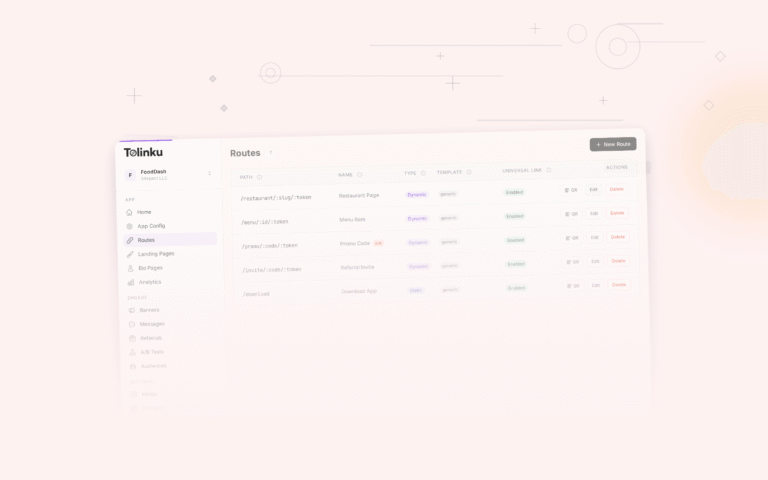
Product Routes
Create a dynamic route for products:
Path: /product/:handle
Web fallback: https://yourstore.com/products/{handle}
When https://go.yourapp.com/product/running-shoes-v2 is tapped:
- App installed: Opens the app, fetches product by handle from Shopify's API, displays it
- App not installed: Redirects to
https://yourstore.com/products/running-shoes-v2
Collection Routes
Path: /collection/:handle
Web fallback: https://yourstore.com/collections/{handle}
Search Routes
Path: /search
Query parameters: ?q=shoes&sort=price
Web fallback: https://yourstore.com/search?q={q}
Cart/Checkout Routes
Path: /cart/add
Query parameters: ?items=VARIANT_ID:QTY,VARIANT_ID:QTY
Web fallback: https://yourstore.com/cart
Note: Shopify uses variant IDs, not product IDs, for cart operations. Each product variant (size, color combination) has a unique numeric ID.
App-Side Implementation
Fetching Products by Handle
When your app receives a deep link to /product/running-shoes-v2, it needs to fetch the product from Shopify.
Using Shopify Storefront API (GraphQL):
query ProductByHandle($handle: String!) {
  product(handle: $handle) {
    id
    title
    description
    images(first: 5) {
      edges {
        node {
          url
          altText
        }
      }
    }
    variants(first: 20) {
      edges {
        node {
          id
          title
          price {
            amount
            currencyCode
          }
          availableForSale
        }
      }
    }
  }
}
React Native example:
function ProductScreen({ route }) {
  const { handle } = route.params;
  const [product, setProduct] = useState(null);

  useEffect(() => {
    fetchProductByHandle(handle).then(setProduct);
  }, [handle]);

  if (!product) return <LoadingScreen />;

  return <ProductDetail product={product} />;
}

async function fetchProductByHandle(handle) {
  const response = await fetch(SHOPIFY_STOREFRONT_URL, {
    method: 'POST',
    headers: {
      'Content-Type': 'application/json',
      'X-Shopify-Storefront-Access-Token': STOREFRONT_TOKEN,
    },
    body: JSON.stringify({
      query: PRODUCT_BY_HANDLE_QUERY,
      variables: { handle },
    }),
  });
  const data = await response.json();
  return data.data.product;
}
Adding to Cart via Deep Link
When a cart deep link arrives:
https://go.yourapp.com/cart/add?items=41234567890:2,41234567891:1
Parse the variant IDs and quantities, then add to cart:
function handleCartDeepLink(url) {
  const parsed = new URL(url);
  const itemsParam = parsed.searchParams.get('items');

  if (itemsParam) {
    const items = itemsParam.split(',').map(item => {
      const [variantId, qty] = item.split(':');
      return { variantId, quantity: parseInt(qty, 10) };
    });

    // Add each item to Shopify cart
    for (const item of items) {
      cartStore.addItem(item.variantId, item.quantity);
    }

    navigation.navigate('Cart');
  }
}
Handling Product Variants in Deep Links
If a deep link should open a specific variant (size, color):
https://go.yourapp.com/product/running-shoes-v2?variant=41234567890
Or using human-readable options:
https://go.yourapp.com/product/running-shoes-v2?color=black&size=10
The app matches the options to the correct variant:
function findVariant(product, color, size) {
  return product.variants.find(v =>
    v.selectedOptions.some(o => o.name === 'Color' && o.value === color) &&
    v.selectedOptions.some(o => o.name === 'Size' && o.value === size)
  );
}
Shopify Mobile App Builders
If you're using a Shopify mobile app builder (Tapcart, Shopney, MageNative, etc.), check whether the builder supports:
- Custom deep link domains: Can you use
go.yourapp.cominstead of the builder's domain? - Dynamic routing: Does the app resolve Shopify product handles from URLs?
- Deferred deep linking: Do first-time installs get routed to the right product?
Most app builders provide some level of deep linking, but the implementation quality varies. If deep linking is a primary use case, verify the builder's capabilities before committing.
Marketing Channel Integration
Email Campaigns (Klaviyo, Mailchimp)
Shopify merchants commonly use Klaviyo or Mailchimp for email marketing. Replace web product URLs with deep links in email templates:
Web URL: https://yourstore.com/products/running-shoes-v2
Deep link: https://go.yourapp.com/product/running-shoes-v2?utm_source=email&utm_campaign=weekly
SMS Marketing (Postscript, Attentive)
SMS links are tapped directly from the Messages app, which supports Universal Links:
New arrival! Check out our Running Shoes V2:
https://go.yourapp.com/product/running-shoes-v2
Shopify Abandoned Cart Emails
Shopify sends automatic abandoned cart emails. By default, these link to the web checkout. To deep link to your app's cart instead:
- Customize the abandoned cart email template in Shopify
- Replace the checkout URL with a deep link to your app's cart
- Include the checkout token or cart items in the URL
https://go.yourapp.com/cart?recover=true&checkout_token=ABC123
Facebook and Instagram Ads
When creating ads via Shopify's marketing tools or Facebook Ads Manager:
- Set the destination URL to your deep link
- The web fallback should be the Shopify product page
- Enable deferred deep linking for app install ads
Product Feed Synchronization
If you generate deep links from your Shopify product catalog, automate the process:
Shopify Webhook Approach
Listen for Shopify product webhooks to generate deep links:
// When a new product is created
app.post('/webhooks/shopify/product-create', (req, res) => {
  const product = req.body;
  const deepLink = `https://go.yourapp.com/product/${product.handle}`;

  // Create route on your deep linking platform
  createRoute({
    path: `/product/${product.handle}`,
    webFallback: `https://yourstore.com/products/${product.handle}`,
    ogTitle: product.title,
    ogDescription: product.body_html?.substring(0, 160),
    ogImage: product.images[0]?.src,
  });

  res.sendStatus(200);
});
Bulk Sync
For initial setup, sync all existing products:
async function syncAllProducts() {
  let products = await shopify.product.list({ limit: 250 });

  while (products.length > 0) {
    for (const product of products) {
      await createDeepLinkRoute(product);
    }
    products = await shopify.product.list({
      limit: 250,
      since_id: products[products.length - 1].id,
    });
  }
}
Handling Shopify-Specific Edge Cases
Product Availability
Shopify products can be:
- Active: Available for purchase
- Draft: Not published
- Archived: Removed from store
Your app should handle deep links to unavailable products:
if (product === null || product.status !== 'ACTIVE') {
  navigation.navigate('ProductUnavailable', {
    message: 'This product is no longer available.',
    handle: handle,
  });
  return;
}
Multi-Currency
If your Shopify store supports multiple currencies, pass the currency in the deep link:
https://go.yourapp.com/product/running-shoes-v2?currency=EUR
Shopify Plus Checkout
Shopify Plus merchants have access to checkout customization. You can create deep links that go directly to a pre-filled checkout:
https://go.yourapp.com/checkout?variant=41234567890&qty=1&discount=SUMMER20
The app creates a Shopify checkout via the Storefront API and navigates to the checkout screen.
For deep linking features, see Tolinku deep linking. For marketplace deep linking, see Deep Linking for Marketplace Apps.
Get deep linking tips in your inbox
One email per week. No spam.