Timing determines whether your A/B test produces actionable insights or misleading noise. Starting too soon means you lack the baseline to detect real differences. Stopping too early means you're acting on random fluctuations. Running too long wastes traffic you could spend on the next experiment. This guide covers when to start, how long to run, and when to stop A/B tests for deep link campaigns.
For statistical foundations, see Statistical Significance for A/B Tests: What It Means. For calculating traffic requirements before you begin, see A/B Testing Sample Size Calculator for Deep Links.
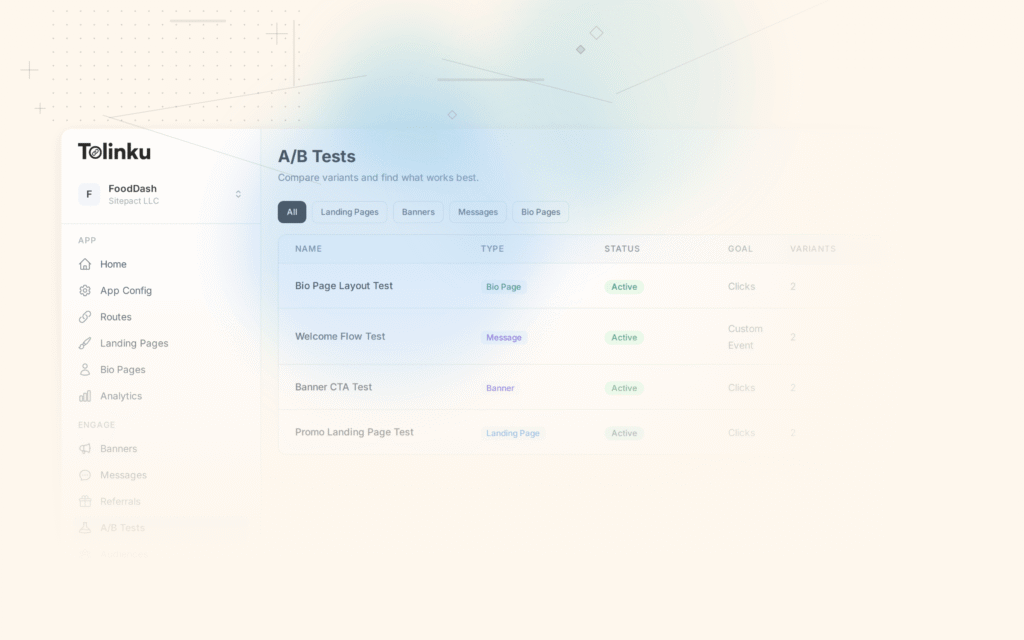
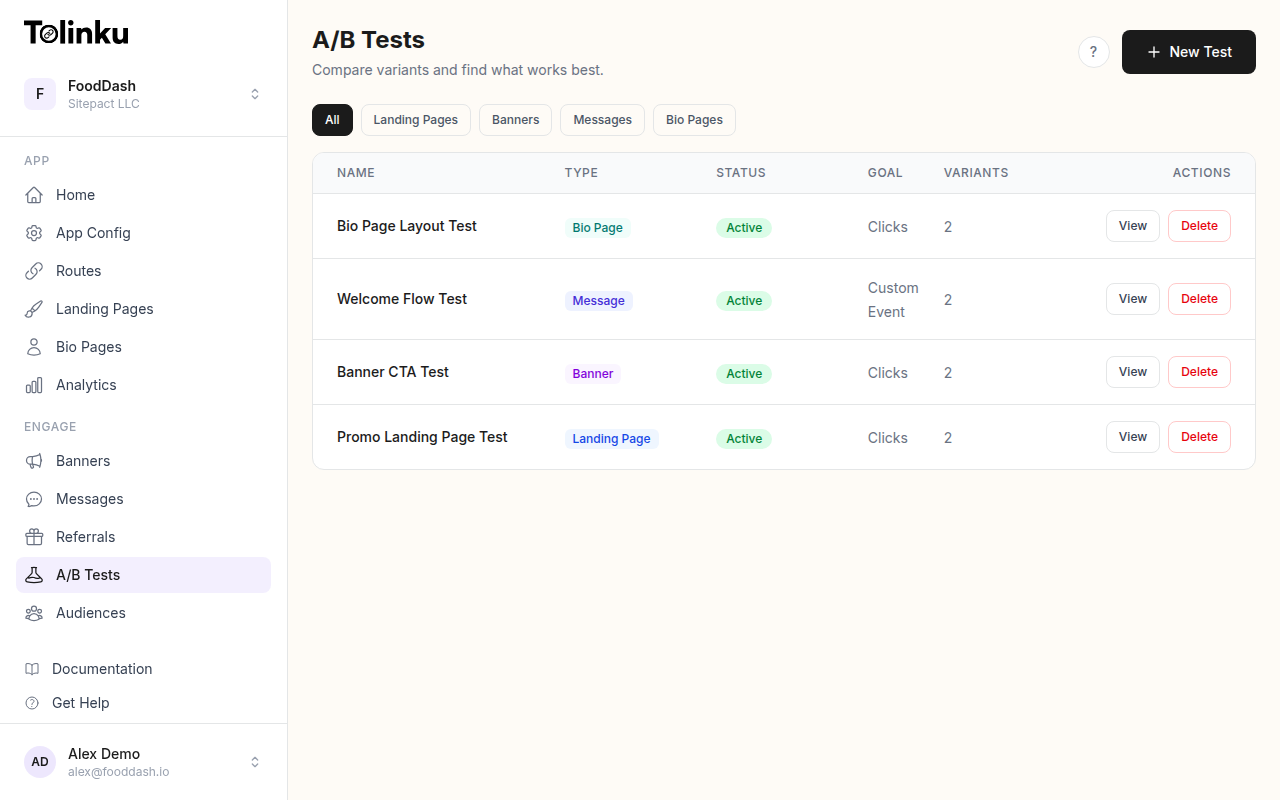 The A/B tests list page showing test names, status, types, and variant counts.
Prerequisites: Before You Start
Establish a Baseline
Never launch an A/B test without at least two weeks of baseline data. You need to understand your current conversion rate and its natural variance before you can detect meaningful changes. If your deep link click-to-install rate fluctuates between 2.8% and 3.5% on a normal week, a test result of 3.3% tells you nothing without that context.
Collect these baselines first:
- Primary metric: the conversion rate you're testing (click-through, install, purchase)
- Traffic volume: daily and weekly click counts for the route you're testing
- Variance patterns: how much your metric fluctuates day-over-day and week-over-week
- Day-of-week patterns: most apps see significant traffic differences between weekdays and weekends
Calculate Required Sample Size
Use your baseline data to determine how many visitors each variant needs. The calculation depends on your baseline conversion rate, the minimum effect size you want to detect, and your chosen significance level.
function estimateTestDuration(dailyTraffic, requiredSamplePerVariant, numVariants) {
  const totalRequired = requiredSamplePerVariant * numVariants;
  const rawDays = Math.ceil(totalRequired / dailyTraffic);

  // Round up to the nearest full week
  const fullWeeks = Math.ceil(rawDays / 7);
  return {
    minimumDays: rawDays,
    recommendedDays: fullWeeks * 7,
    fullWeeks,
    totalSampleNeeded: totalRequired
  };
}

// Example: 500 daily visitors, need 3,800 per variant, 2 variants
const estimate = estimateTestDuration(500, 3800, 2);
// { minimumDays: 16, recommendedDays: 21, fullWeeks: 3, totalSampleNeeded: 7600 }
For detailed sample size calculations, see the A/B Testing Sample Size Calculator for Deep Links.
Verify Technical Readiness
Before starting, confirm these items:
- Analytics tracking fires correctly for both variants
- Deep link routing works for all test paths (verify with Tolinku's testing tools)
- No upcoming deployments will change the pages or flows under test
- Traffic allocation splits correctly (50/50 or your chosen ratio)
How Long to Run Tests
The Full-Week Rule
Always run tests in complete weeks. User behavior varies dramatically by day of week. A test that starts Monday and ends Thursday captures none of the weekend pattern, which could differ by 30% or more in conversion rate.
| Scenario | Minimum Duration | Recommended Duration |
|---|---|---|
| High traffic (5,000+ daily clicks) | 7 days | 14 days |
| Medium traffic (1,000-5,000 daily) | 14 days | 21 days |
| Low traffic (200-1,000 daily) | 21 days | 28 days |
| Very low traffic (<200 daily) | 28+ days | Consider alternative methods |
Minimum Duration Floor
Even if you reach your required sample size in three days, do not stop the test. Short tests are vulnerable to novelty effects, day-of-week bias, and temporary traffic anomalies. The absolute minimum for any test is seven days, regardless of traffic volume.
function shouldTestContinue(test) {
  const now = new Date();
  const startDate = new Date(test.startedAt);
  const daysElapsed = (now - startDate) / (1000 * 60 * 60 * 24);
  const fullWeeksElapsed = Math.floor(daysElapsed / 7);

  // Enforce minimum duration
  if (fullWeeksElapsed < 1) {
    return { continue: true, reason: 'Minimum 1 full week not yet elapsed' };
  }

  // Check if we have enough samples
  const controlSample = test.variants[0].visitors;
  const treatmentSample = test.variants[1].visitors;

  if (controlSample < test.requiredSampleSize || treatmentSample < test.requiredSampleSize) {
    return { continue: true, reason: 'Required sample size not reached' };
  }

  // Must end on a complete week boundary
  if (daysElapsed % 7 !== 0) {
    return { continue: true, reason: 'Waiting for current week to complete' };
  }

  return { continue: false, reason: 'Test is eligible to stop' };
}
Maximum Duration Cap
Tests should not run indefinitely. Set a maximum duration upfront, typically four to six weeks. Beyond that point, external factors (app updates, competitor launches, seasonal shifts) erode the validity of your comparison. If you haven't reached significance by your cap, the effect is likely too small to matter for your business.
When to Stop a Test
Significance Reached
The primary stop condition is reaching your pre-defined significance threshold (typically p < 0.05) after the minimum duration has passed. Both conditions must be true: statistical significance AND minimum duration completed.
| Stop Condition | Action |
|---|---|
| Significant result + minimum duration met | Stop test, declare winner |
| Significant result + minimum duration NOT met | Continue until minimum duration |
| Not significant + maximum duration reached | Stop test, declare inconclusive |
| Not significant + maximum duration not reached | Continue running |
Futility Analysis
Sometimes you can tell early that a test will never reach significance. If the observed effect is trending in the opposite direction or is very close to zero after 50% of the planned duration, you can perform a futility check.
function checkFutility(test) {
  const progressRatio = test.currentSample / test.totalRequiredSample;

  // Only check futility after 50% of planned sample is collected
  if (progressRatio < 0.5) {
    return { futile: false, reason: 'Too early for futility analysis' };
  }

  const controlRate = test.variants[0].conversions / test.variants[0].visitors;
  const treatmentRate = test.variants[1].conversions / test.variants[1].visitors;
  const observedLift = (treatmentRate - controlRate) / controlRate;

  // If the observed effect is in the wrong direction after 50%+ data
  if (observedLift < 0 && test.expectedDirection === 'positive') {
    return {
      futile: true,
      reason: `Treatment is performing ${(observedLift * 100).toFixed(1)}% worse after ${(progressRatio * 100).toFixed(0)}% of data collected`
    };
  }

  // If observed effect is less than 20% of the minimum detectable effect
  const mdeRatio = Math.abs(observedLift) / test.minimumDetectableEffect;
  if (mdeRatio < 0.2 && progressRatio > 0.7) {
    return {
      futile: true,
      reason: 'Observed effect is too small to reach significance within planned duration'
    };
  }

  return { futile: false, reason: 'Test may still reach significance' };
}
External Event Interruptions
Some events invalidate your test entirely. When they occur, you should stop the test, discard the data, and plan to rerun later.
Events that require stopping:
- A major app update changes the flow under test
- A server outage causes tracking gaps
- A viral event causes a sudden, abnormal traffic spike
- A platform policy change affects link behavior (e.g., iOS or Android updates to deep link handling)
Events that require noting but not necessarily stopping:
- A minor marketing campaign launches (segment this traffic if possible)
- A holiday that was accounted for in planning
- Normal seasonal fluctuation within expected ranges
Common Timing Mistakes
Stopping Too Early ("Peeking")
The most common mistake. You check results on day three, see a 15% lift with p = 0.04, and declare a winner. The problem: with small samples, random variation produces large swings. If you peek repeatedly and stop whenever significance appears, your actual false positive rate can exceed 30%, far above the 5% threshold you think you're using.
Solutions:
- Set a minimum duration and do not check results before it passes
- Use sequential testing methods that account for multiple looks
- Pre-register your stopping criteria before the test begins
Running Too Long
The opposite problem. A test that runs for three months captures seasonal shifts, app updates, and user behavior changes that have nothing to do with your variant. Long-running tests also carry an opportunity cost: every day spent on an inconclusive test is a day not spent on the next hypothesis.
Ignoring Day-of-Week Effects
Starting a test on Wednesday and ending it the following Tuesday gives you unequal representation of each day. Weekend users often behave differently from weekday users (different intent, different devices, different conversion rates). Always start and stop on the same day of the week.
Overlapping Tests
Running multiple tests on the same route or user segment creates interaction effects. Variant A in test one might boost conversions, but only when combined with variant B in test two. The result: both tests show significance, but neither result holds when deployed independently.
Scheduling Around Calendar Events
Holiday and Seasonal Planning
Block out periods when user behavior is abnormal. These windows vary by industry, but common ones include:
| Period | Impact | Recommendation |
|---|---|---|
| Black Friday / Cyber Monday | 2x-10x traffic spikes, different user intent | Do not start tests; pause running tests |
| Christmas / New Year (Dec 20 – Jan 5) | Lower engagement, gift-related behavior | Avoid starting new tests |
| Back to school (Aug – Sep) | Traffic shifts in education and retail apps | Account for in baseline, or avoid |
| App store feature / Product Hunt launch | Abnormal traffic source mix | Pause tests or segment traffic |
| Major OS releases (Sep – Oct) | New deep link behaviors, browser changes | Pause link behavior tests |
Building a Test Calendar
Plan tests quarterly. Map out your experiment roadmap against known events, product launches, and marketing campaigns. This prevents conflicts and ensures each test gets a clean window.
function findNextTestWindow(calendarEvents, testDurationDays) {
  const today = new Date();
  let candidateStart = new Date(today);

  // Start on the next Monday
  const dayOfWeek = candidateStart.getDay();
  const daysUntilMonday = dayOfWeek === 0 ? 1 : (8 - dayOfWeek) % 7 || 7;
  candidateStart.setDate(candidateStart.getDate() + daysUntilMonday);

  while (true) {
    const candidateEnd = new Date(candidateStart);
    candidateEnd.setDate(candidateEnd.getDate() + testDurationDays);

    const hasConflict = calendarEvents.some(event => {
      const eventStart = new Date(event.start);
      const eventEnd = new Date(event.end);
      return candidateStart <= eventEnd && candidateEnd >= eventStart;
    });

    if (!hasConflict) {
      return {
        start: candidateStart.toISOString().split('T')[0],
        end: candidateEnd.toISOString().split('T')[0],
        durationDays: testDurationDays
      };
    }

    // Try the next Monday
    candidateStart.setDate(candidateStart.getDate() + 7);
  }
}

// Example usage
const blockedPeriods = [
  { start: '2026-11-25', end: '2026-12-02', name: 'Black Friday / Cyber Monday' },
  { start: '2026-12-20', end: '2027-01-05', name: 'Holiday season' }
];

const window = findNextTestWindow(blockedPeriods, 21);
// Returns the next clean 21-day window starting on a Monday
Automated Test Scheduling
Configuring Stop Criteria
When creating A/B tests in Tolinku, define your stop criteria upfront. This removes the temptation to peek and make emotional decisions.
const testConfig = {
  name: 'Homepage deep link CTA test',
  route: '/promo/summer',
  variants: [
    { name: 'Control', weight: 50 },
    { name: 'New CTA copy', weight: 50 }
  ],
  schedule: {
    startDate: '2026-06-01',       // Must be a Monday
    minimumDurationDays: 14,        // At least 2 full weeks
    maximumDurationDays: 42,        // Hard stop at 6 weeks
    significanceThreshold: 0.05,    // p < 0.05
    minimumSamplePerVariant: 3800
  },
  stopConditions: {
    significanceReached: true,      // Auto-stop when significant + min duration met
    futilityCheck: true,            // Auto-stop if futility detected after 50%
    maxDurationReached: true        // Auto-stop at max duration
  }
};
Monitoring Without Peeking
The goal is to automate monitoring so you don't need to check manually. Set up alerts for operational issues (tracking failures, traffic drops) without exposing intermediate results.
function configureTestAlerts(testId) {
  return {
    operational: [
      { type: 'traffic_drop', threshold: 0.5, message: 'Traffic dropped 50%+ from baseline' },
      { type: 'tracking_error', threshold: 0.01, message: 'Error rate exceeds 1%' },
      { type: 'variant_imbalance', threshold: 0.1, message: 'Traffic split deviates 10%+ from target' }
    ],
    results: [
      { type: 'test_complete', message: 'Test reached stop criteria' },
      { type: 'futility_detected', message: 'Test stopped for futility' }
    ]
  };
}
Best Practices Summary
- Collect two weeks of baseline data before starting any test.
- Calculate sample size first, then estimate duration. Never guess.
- Always run in full-week increments, starting and ending on the same day.
- Set minimum and maximum durations before the test begins.
- Do not peek at results before the minimum duration passes.
- Use futility analysis to save traffic on tests that clearly won't reach significance.
- Block out holidays and abnormal periods in your test calendar.
- Avoid overlapping tests on the same routes or user segments.
- Automate stop criteria to remove subjective decision-making.
- Document everything: hypothesis, start date, stop criteria, and results. Future you will thank present you.
For a broader look at testing strategies for deep links, see A/B Testing Deep Links and Landing Pages. To set up your first test, follow the A/B testing guide in the Tolinku docs.
Get deep linking tips in your inbox
One email per week. No spam.