Running A/B tests on deep links requires tools that can split traffic at the link level, track users across web and app, and handle the complexity of deferred deep linking. Not every A/B testing tool supports these requirements. This guide compares the approaches: using your deep linking platform's built-in testing, integrating a general-purpose A/B testing tool, or building custom testing infrastructure.
For A/B testing fundamentals, see A/B Testing Deep Links and Landing Pages. For platform options, see Deep Linking Platform Comparison Guide for 2026.
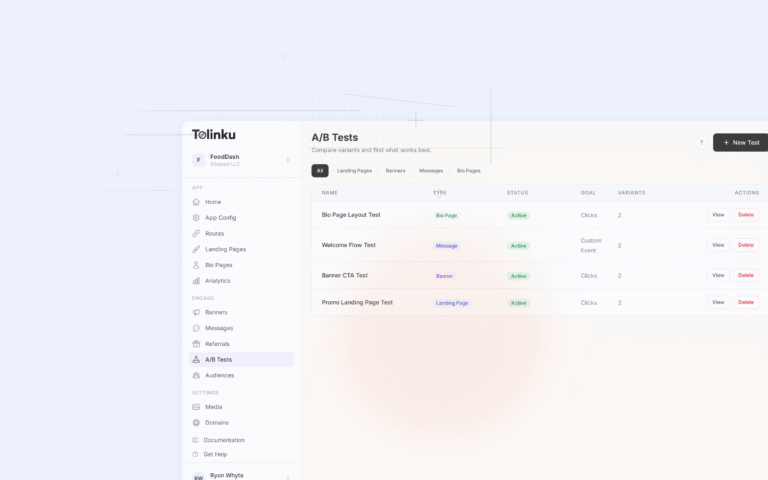
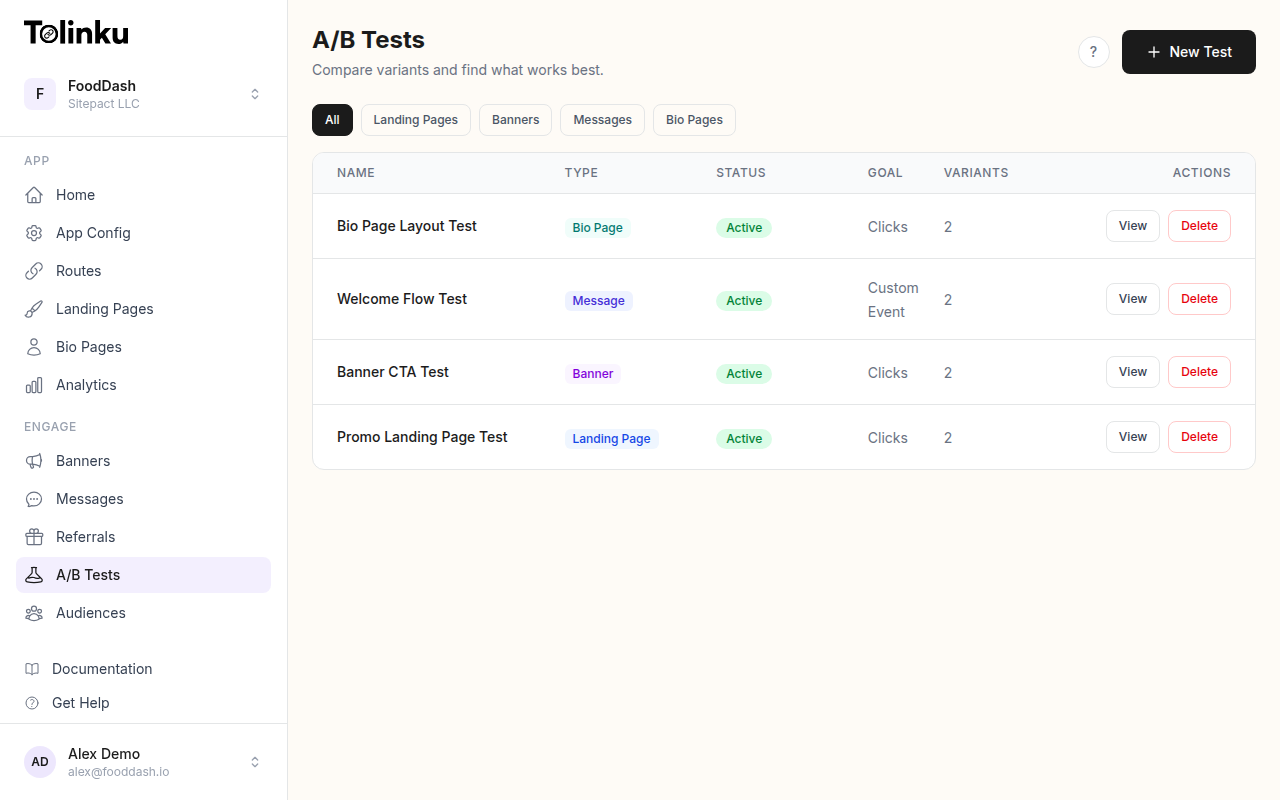 The A/B tests list page showing test names, status, types, and variant counts.
Three Approaches
1. Built-In Platform Testing
Your deep linking platform handles both link routing and A/B testing:
| Feature | What It Means |
|---|---|
| Traffic splitting at the link level | Variants assigned before the user reaches the app |
| Cross-device attribution | Same experiment, tracked from click to install to conversion |
| No additional SDK | One integration handles everything |
| Deep link-aware metrics | CTR, install rate, in-app conversion tied to each variant |
This is the simplest approach and works well for testing deep link destinations, smart banner variants, and landing page configurations.
2. General-Purpose A/B Testing Tool
Tools like LaunchDarkly, Statsig, GrowthBook, or Optimizely provide feature flagging and experimentation:
| Feature | What It Means |
|---|---|
| Feature flags + experiments | Toggle features and run experiments in one tool |
| Server-side + client-side | Test on web, mobile, and backend |
| Statistical engine | Built-in significance calculations |
| Audience targeting | Target by user properties, segments |
These tools are powerful but require you to wire up the deep link connection yourself.
3. Custom Built
Build your own experimentation system:
| Feature | What It Means |
|---|---|
| Full control | Exactly the features you need |
| No vendor dependency | Own your data and logic |
| Custom metrics | Track anything you want |
| Engineering cost | Significant upfront and ongoing investment |
Comparison Matrix
Feature Comparison
| Capability | Built-In Platform | General-Purpose Tool | Custom Built |
|---|---|---|---|
| Deep link traffic splitting | Native | Requires integration | Build it |
| Smart banner testing | Native | Requires integration | Build it |
| Landing page testing | Native | Some support | Build it |
| In-app destination testing | Supported | Native | Build it |
| Cross-device tracking | Native | Partial | Complex to build |
| Deferred deep link attribution | Native | Not supported | Very complex |
| Statistical significance | Built-in | Built-in | Build it |
| Sample size calculator | Built-in | Built-in | Build it |
| Audience segmentation | Basic to moderate | Advanced | Build it |
| Feature flagging | Limited | Full support | Build it |
| Multi-platform (web + mobile) | Link-level | Full support | Build it |
Cost Comparison
| Approach | Upfront Cost | Ongoing Cost | Time to First Test |
|---|---|---|---|
| Built-in platform | Included in plan | None additional | Hours |
| General-purpose tool | $0-500/mo | $100-2000/mo | Days to weeks |
| Custom built | 2-4 weeks engineering | Ongoing maintenance | Weeks to months |
When to Choose Each
| Scenario | Best Approach |
|---|---|
| Testing deep link destinations | Built-in platform |
| Testing smart banner variants | Built-in platform |
| Testing landing page layouts | Built-in platform or general-purpose |
| In-app feature experiments | General-purpose tool |
| Pricing experiments | General-purpose tool |
| Onboarding flow testing | General-purpose tool |
| Full experimentation platform | General-purpose tool or custom |
| Unique requirements, high traffic | Custom built |
Integration Patterns
Pattern 1: Platform-Only Testing
Use your deep linking platform for all link-related experiments:
// Configuration happens in the platform dashboard
// The platform handles variant assignment at the link level

// In your app, just read the deep link parameters
function handleDeepLink(url) {
  const params = parseDeepLink(url);

  // The platform already assigned the variant and added it to params
  if (params.experimentId) {
    analytics.track('experiment_impression', {
      experimentId: params.experimentId,
      variantId: params.variantId,
    });
  }

  navigateTo(params.destination);
}
Pros: Zero additional setup. Cons: Limited to link-level experiments.
Pattern 2: General-Purpose Tool with Deep Link Integration
Use a general-purpose tool and connect it to your deep linking:
// Initialize your A/B testing tool
const experiment = abTestingTool.getExperiment('onboarding_flow_v3');
const variant = experiment.getVariant(userId);

// Use the variant to configure the deep link
const deepLink = buildDeepLink('/onboarding', {
  flow: variant.config.flow,
  experimentId: experiment.id,
  variantId: variant.id,
});

// Track conversion back to the experiment
abTestingTool.trackConversion(experiment.id, variant.id, {
  event: 'signup_completed',
  revenue: 0,
});
Pros: Full experimentation capabilities. Cons: Two systems to maintain, potential attribution gaps.
Pattern 3: Hybrid Approach
Use built-in platform testing for link experiments, general-purpose tool for in-app experiments:
// Link-level experiments (handled by platform)
// - Deep link destination testing
// - Smart banner A/B tests
// - Landing page variants
// -> Configured in platform dashboard

// In-app experiments (handled by A/B testing tool)
// - Onboarding flow
// - Feature rollouts
// - UI experiments
const inAppVariant = abTestingTool.getVariant(userId, 'checkout_redesign');

// Connect the two systems via user ID
// So you can analyze: "Users who saw banner variant A AND checkout variant B"
analytics.setUserProperties({
  bannerExperiment: platformParams.variantId,
  checkoutExperiment: inAppVariant.id,
});
This is the most common production setup: platform handles link experiments, a separate tool handles in-app experiments.
Evaluating General-Purpose Tools
Key Criteria for Deep Link Use Cases
When choosing a general-purpose A/B testing tool for deep link experiments, evaluate:
const evaluationCriteria = {
  serverSideSupport: {
    why: 'Deep link variant assignment often happens server-side',
    required: true,
  },
  mobileSDK: {
    why: 'Track conversions in the app',
    required: true,
  },
  crossPlatformIdentity: {
    why: 'Same user across web landing page and app',
    required: true,
  },
  webhookSupport: {
    why: 'Integrate with deep link platform events',
    nice: true,
  },
  customMetrics: {
    why: 'Track deep-link-specific metrics (install, first open, deep link match)',
    required: true,
  },
  segmentation: {
    why: 'Different results by traffic source, device, OS',
    required: true,
  },
  statisticalEngine: {
    why: 'Automated significance calculations',
    nice: true,
  },
  bayesianOption: {
    why: 'Continuous monitoring without peeking problems',
    nice: true,
  },
};
Open Source Options
| Tool | Language | Strengths | Deep Link Fit |
|---|---|---|---|
| GrowthBook | TypeScript | Feature flags + experiments, warehouse-native | Good (server-side SDKs) |
| Unleash | TypeScript | Feature toggles, self-hosted | Moderate (focused on flags) |
| Flagsmith | Python | Feature flags, remote config | Moderate |
| PostHog | TypeScript | Analytics + experiments | Good (event-based) |
Managed Solutions
| Tool | Strengths | Deep Link Fit | Starting Price |
|---|---|---|---|
| LaunchDarkly | Feature management, enterprise-grade | Good | $10/seat/mo |
| Statsig | Stats engine, warehouse-native | Good | Free tier available |
| Optimizely | Full stack experimentation | Good | Contact sales |
| Split | Feature flags + experiments | Moderate | Free tier available |
| Amplitude Experiment | Analytics integration | Good | Part of Amplitude plan |
Building Custom A/B Testing
When Custom Makes Sense
Build custom when:
- You have unique requirements that no tool satisfies
- You need deep integration with your deep linking infrastructure
- You have engineering resources to maintain it
- You process millions of events and want to avoid per-event pricing
Minimum Viable Experimentation System
// 1. Experiment configuration
const experiments = {
  banner_cta_v1: {
    id: 'banner_cta_v1',
    variants: [
      { id: 'open', weight: 50, config: { ctaText: 'Open' } },
      { id: 'get', weight: 50, config: { ctaText: 'Get' } },
    ],
    status: 'running',
    startDate: '2026-05-01',
    primaryMetric: 'banner_tap',
  },
};

// 2. Deterministic assignment
function assignVariant(userId, experimentId) {
  const experiment = experiments[experimentId];
  if (!experiment || experiment.status !== 'running') return null;

  const hash = djb2Hash(`${userId}-${experimentId}`);
  const totalWeight = experiment.variants.reduce((s, v) => s + v.weight, 0);
  let bucket = hash % totalWeight;

  for (const variant of experiment.variants) {
    bucket -= variant.weight;
    if (bucket < 0) return variant;
  }
  return experiment.variants[0];
}

// 3. Event tracking
function trackExperimentEvent(experimentId, variantId, event, properties) {
  analytics.track('experiment_event', {
    experimentId,
    variantId,
    event,
    ...properties,
    timestamp: Date.now(),
  });
}

// 4. Results calculation
async function getResults(experimentId) {
  const experiment = experiments[experimentId];

  for (const variant of experiment.variants) {
    const impressions = await countEvents('experiment_event', {
      experimentId,
      variantId: variant.id,
      event: 'impression',
    });
    const conversions = await countEvents('experiment_event', {
      experimentId,
      variantId: variant.id,
      event: experiment.primaryMetric,
    });

    console.log(variant.id, {
      impressions,
      conversions,
      rate: (conversions / impressions * 100).toFixed(2) + '%',
    });
  }
}
This covers 80% of use cases. The remaining 20% (statistical engine, guardrail metrics, mutual exclusion, ramp-up) is where the engineering cost grows significantly.
Choosing the Right Setup
Decision Framework
function recommendSetup(requirements) {
  const { dailyTraffic, experiments, engineeringTeamSize, budget, deepLinkFocus } = requirements;

  if (deepLinkFocus && experiments <= 5) {
    return {
      recommendation: 'Built-in platform testing',
      reason: 'Simplest setup for link-level experiments',
      cost: 'Included',
    };
  }

  if (experiments > 5 && engineeringTeamSize < 5) {
    return {
      recommendation: 'General-purpose tool (managed)',
      reason: 'Full experimentation without build cost',
      cost: '$100-2000/mo',
    };
  }

  if (engineeringTeamSize >= 5 && dailyTraffic > 100000) {
    return {
      recommendation: 'Hybrid (platform + custom or open source)',
      reason: 'Scale and control without vendor lock-in',
      cost: 'Engineering time + hosting',
    };
  }

  return {
    recommendation: 'Built-in platform + managed tool',
    reason: 'Best of both worlds',
    cost: '$100-500/mo',
  };
}
Best Practices
- Start with your deep linking platform: If it offers A/B testing, use it before adding another tool.
- Don't over-engineer early: A simple variant assignment function covers most early-stage experiments.
- Ensure cross-platform identity: Whatever tool you use, make sure you can track the same user from link click through app conversion.
- Separate link experiments from in-app experiments: Use the right tool for each. Don't force a general-purpose tool to do link-level splitting, and don't force your deep linking platform to do in-app feature flags.
- Track the full funnel: Any tool is only useful if you can track from impression through conversion. Verify end-to-end tracking before scaling experiments.
For Tolinku's built-in A/B testing, see Tolinku A/B testing features. For setup instructions, see the A/B testing docs.
Get deep linking tips in your inbox
One email per week. No spam.