You've printed 10,000 flyers with a QR code pointing to your spring campaign landing page. The campaign ends. Now what? With a static QR code, those flyers become waste. With a dynamic QR code, you update the destination to your summer campaign and the same printed codes keep working.
This is the fundamental advantage of dynamic QR codes: the printed code never changes, but where it sends people can change at any time.
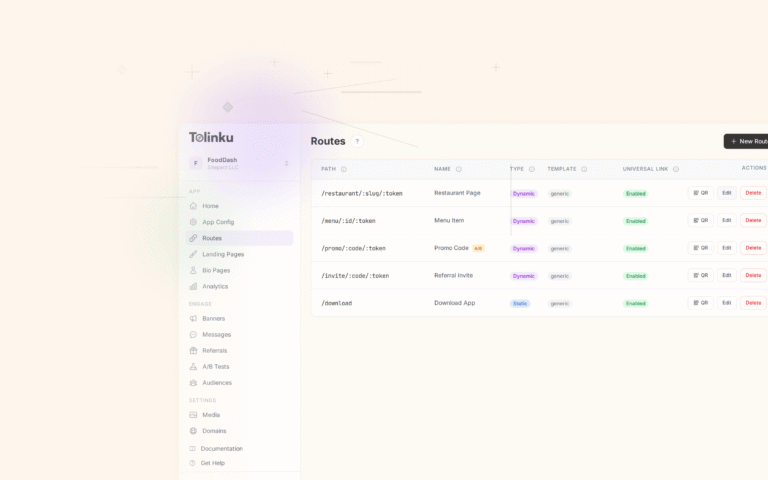
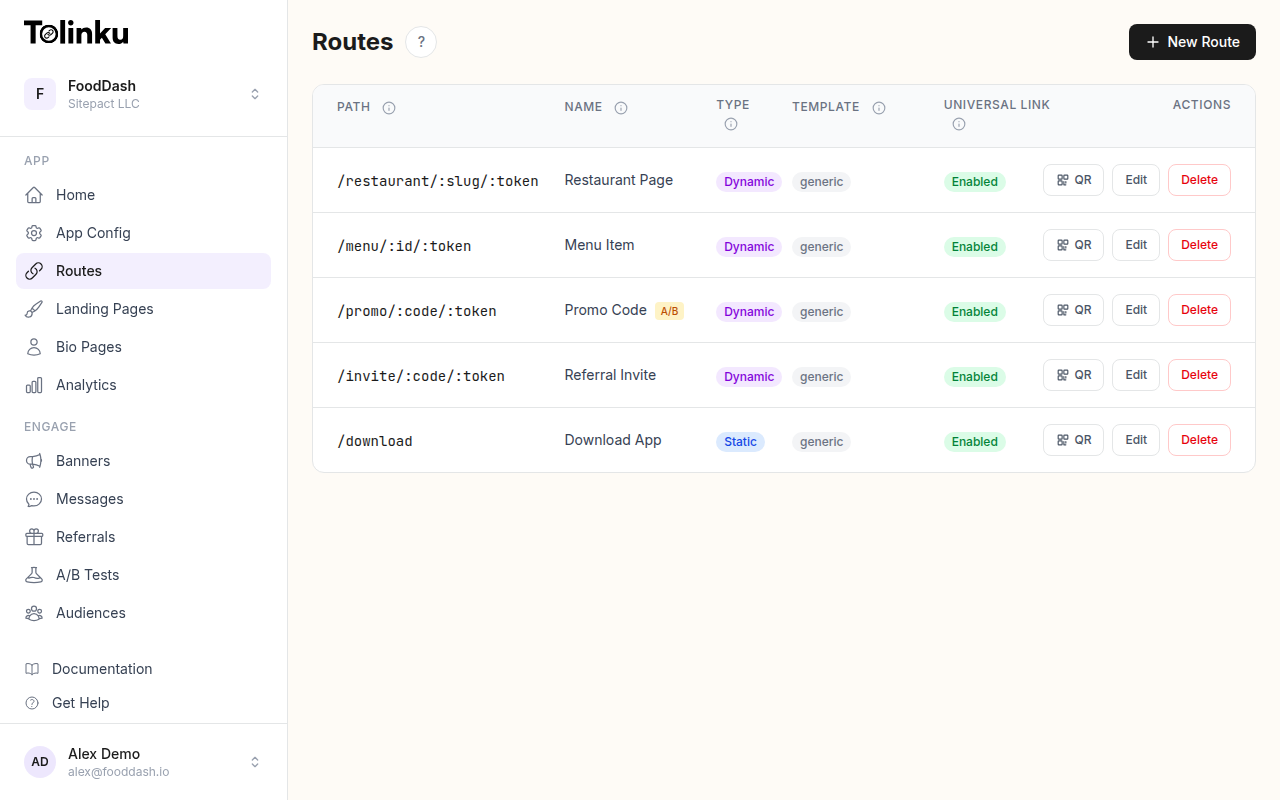 Tolinku route configuration with QR code generation for each deep link.
Static vs. Dynamic: How They Differ
A static QR code encodes the full destination URL directly into the code pattern. The URL is literally baked into the arrangement of black and white modules. Scanning the code decodes the URL and opens it. There's no server involved, no redirect, and no way to change where it goes.
A dynamic QR code encodes a short redirect URL instead. When scanned, the user's device opens that short URL, which redirects to the actual destination. Since the redirect is server-side, you can change the destination at any time without altering the QR code itself.
| Feature | Static | Dynamic |
|---|---|---|
| Destination | Fixed forever | Changeable anytime |
| URL length in code | Full URL (more modules) | Short redirect URL (fewer modules) |
| Analytics | None | Scan count, location, device |
| Expiration | Cannot expire | Can be deactivated |
| Server dependency | None | Requires redirect server |
| Best for | Permanent, never-changing links | Campaigns, marketing, products |
Why Fewer Modules Matter
This is a detail most guides skip, but it has real practical impact. A QR code's complexity is directly proportional to the amount of data it encodes. A URL with 100 characters produces a denser, more complex code than a URL with 30 characters.
Dynamic QR codes encode a short redirect URL (like go.app.com/spring), which requires far fewer modules than encoding a full URL (like https://www.yourstore.com/campaigns/spring-2026/landing?utm_source=flyer&utm_medium=print&utm_campaign=spring_promo).
Fewer modules means:
- Easier scanning: Larger modules are detected more reliably, especially in poor lighting or at a distance
- More room for logos: With fewer data modules, there's more space for error correction and logo embedding
- Better print quality: Larger modules maintain sharp edges even on lower-resolution printers
- Smaller minimum size: The code can be printed smaller while remaining scannable
For tips on designing QR codes that scan reliably, see QR Code Design Best Practices for Higher Scan Rates.
How Dynamic QR Codes Work
The architecture is straightforward:
- You create a route on your deep linking platform (e.g.,
go.app.com/spring-promo) - The platform generates a QR code that encodes this short URL
- You print the QR code on your marketing materials
- When someone scans it, their device opens
go.app.com/spring-promo - The server redirects to the actual destination (your landing page, app store listing, etc.)
- You can change that destination at any time through the dashboard
In Tolinku, every route you create automatically gets a downloadable QR code. The code points to your branded short link, and you manage the destination through the route configuration.
Practical Use Cases
Seasonal Campaigns
Retail and e-commerce businesses run campaigns that change regularly. A single QR code on a store window or product packaging can point to:
- The current seasonal sale in Q1
- A summer collection in Q2
- A back-to-school promotion in Q3
- Holiday deals in Q4
One printed code, four different destinations throughout the year.
Restaurant Menus
Restaurants discovered QR code menus during the pandemic, but many still use static codes pointing to PDF menus. A dynamic code lets you update the menu daily (for specials), adjust pricing, or even A/B test different menu layouts without reprinting the table cards.
Product Packaging
Products sit on shelves for months. A dynamic QR code on the packaging can initially point to setup instructions, then later redirect to a firmware update page, a recall notice, or a loyalty program sign-up. The packaging stays the same; the experience evolves.
Event Materials
Conference badges, programs, and signage can all use dynamic QR codes. Before the event, codes might point to the schedule. During the event, they point to live session feedback forms. After the event, they redirect to recordings or follow-up surveys.
Real Estate
Yard signs with QR codes can point to the active listing today and a "similar properties" page after the property sells. No need to swap signs.
Analytics and Tracking
One of the biggest advantages of dynamic QR codes is built-in analytics. Because every scan passes through a redirect server, you get data on every interaction:
- Scan volume: How many times the code was scanned, with unique vs. total counts
- Time patterns: When scans happen (time of day, day of week)
- Geographic data: Where scans originate (country, region)
- Device information: iOS vs. Android, phone vs. tablet
- Referrer data: Which app or browser initiated the scan
This data is available through Tolinku's analytics dashboard. You can filter by date range, device, location, and more to understand how your physical marketing materials are performing.
Without dynamic codes, you have zero visibility into whether anyone is actually scanning your QR codes. You're printing codes and hoping for the best.
Link Expiration and Access Control
Dynamic QR codes support time-based and count-based expiration through route expiration settings:
Time-based expiration: Set a date after which the code redirects to a fallback URL. Perfect for limited-time promotions, event-specific content, or compliance requirements.
Click/scan limits: Deactivate the code after a certain number of scans. Useful for exclusive offers ("First 100 scanners get 50% off").
Manual deactivation: Disable the code instantly if needed, for example, if you discover an error in the destination page or need to pull a promotion.
When a code expires or is deactivated, scanners are redirected to a fallback URL of your choice rather than seeing an error page. This ensures a graceful experience even after the campaign ends.
Setting Up Dynamic QR Codes
Step 1: Create a Route
In the Tolinku dashboard, create a new route with a memorable path:
- Path:
/spring-promo - iOS destination: Your app's spring promotion screen (or App Store link)
- Android destination: Your app's spring promotion screen (or Play Store link)
- Web fallback: Your web-based landing page
Step 2: Configure Social Previews
Set up OG tags for the route. When someone shares the link (rather than scanning it), these tags control the preview title, description, and image that appear on social platforms and messaging apps.
Step 3: Download the QR Code
Every route in Tolinku comes with a downloadable QR code. Download it as SVG for print materials (vector format scales to any size) or PNG for digital use.
Step 4: Print and Deploy
Add the QR code to your marketing materials with a clear call-to-action explaining what happens when someone scans it. Follow the sizing and design guidelines from the QR Code Design Best Practices guide.
Step 5: Monitor and Update
Watch scan analytics to understand engagement. When the campaign changes, update the route's destination URL. The printed QR code stays the same; only the redirect target changes.
Common Questions
Do dynamic QR codes require internet access? Yes. The scan triggers a redirect through a server, so the scanner needs an internet connection. Static codes that encode plain text (like WiFi credentials) work offline, but URL-based codes always need connectivity regardless of whether they're static or dynamic.
Is there a latency difference? The redirect adds a few milliseconds. In practice, users don't notice. The redirect happens before the destination page even starts loading.
What if the redirect server goes down? This is the main trade-off of dynamic codes. If the redirect server is unavailable, scans fail. Choose a platform with high uptime guarantees and redundant infrastructure.
Can I convert a static QR code to dynamic? No. The URL is encoded in the code pattern itself. You'd need to generate a new code. This is why starting with dynamic codes is the safer default for anything that will be printed.
When to Use Static Codes Instead
Static codes still make sense in specific situations:
- WiFi network credentials: Encode the SSID and password directly (works offline)
- vCard contact information: Encode contact details for easy saving
- Truly permanent URLs: Your main website homepage, an app store listing that will never change
- Offline environments: Locations where internet access is unreliable
For everything else, especially anything printed on physical materials, dynamic QR codes are the better choice. The ability to update destinations, track analytics, and manage expiration makes them far more versatile and cost-effective over time.
For a comprehensive overview of how QR codes fit into mobile app marketing, see QR Codes and Short Links for Mobile Apps.
Get deep linking tips in your inbox
One email per week. No spam.