Travel apps have complex deep linking requirements: a hotel booking confirmation needs to link to the specific reservation, a flight status notification needs to open the right trip, and a shared destination recommendation needs to show prices for the recipient's travel dates. Context matters more in travel than almost any other app category.
This guide covers the deep linking implementation patterns for travel apps. For search indexing of travel content, see app indexing for travel apps. For product page deep links, see product page deep links.
 Photo by Javier Canada on Unsplash
URL Structure
Travel Content Types
/hotels/{city}/{hotel-slug}                      → hotel detail
/hotels/{city}/{hotel-slug}/rooms/{room-type}    → specific room type
/flights/{origin}-to-{destination}               → flight search results
/flights/{flight-id}                             → specific flight
/bookings/{booking-id}                           → booking confirmation
/trips/{trip-id}                                 → trip itinerary
/destinations/{destination-slug}                 → destination guide
/activities/{city}/{activity-slug}               → activity or tour
/search?type=hotel&city={city}&checkin={date}&checkout={date}&guests={n}
Date-Aware Deep Links
Travel searches are always date-dependent. Include dates in deep links to preserve search context:
https://yourapp.com/hotels/barcelona?checkin=2026-07-15&checkout=2026-07-20&guests=2&rooms=1
func handleHotelSearchDeepLink(_ url: URL) {
    let params = url.queryParameters

    let searchCriteria = HotelSearch(
        city: url.pathComponents.last ?? "",
        checkin: DateFormatter.iso8601.date(from: params["checkin"] ?? ""),
        checkout: DateFormatter.iso8601.date(from: params["checkout"] ?? ""),
        guests: Int(params["guests"] ?? "2") ?? 2,
        rooms: Int(params["rooms"] ?? "1") ?? 1
    )

    if searchCriteria.checkin != nil && searchCriteria.checkout != nil {
        navigateToSearchResults(searchCriteria)
    } else {
        // Dates missing or expired, show search form pre-filled with city
        navigateToSearchForm(city: searchCriteria.city)
    }
}
Booking Deep Links
Confirmation Deep Links
After a booking, send the confirmation deep link via email and push notification:
// Server: send booking confirmation
async function sendBookingConfirmation(booking) {
  const deepLink = `https://yourapp.com/bookings/${booking.id}`;

  // Email
  await sendEmail(booking.userEmail, {
    subject: `Booking Confirmed: ${booking.hotelName}`,
    body: `Your booking at ${booking.hotelName} is confirmed.
           Check-in: ${booking.checkinDate}
           View details: ${deepLink}`
  });

  // Push notification
  await pushService.send(booking.userId, {
    title: "Booking Confirmed",
    body: `${booking.hotelName}, ${booking.checkinDate}`,
    data: { deepLink }
  });
}
Pre-Trip Deep Links
Send helpful deep links before the trip:
Day 7 before: "Your trip to Barcelona is in 7 days. View your itinerary."
  → /trips/{id}

Day 1 before: "Check-in at Grand Hotel Barcelona opens at 3 PM tomorrow."
  → /bookings/{id}/checkin

Day of: "Your flight departs at 2:30 PM. View boarding pass."
  → /bookings/{id}/boarding-pass
Sharing Travel Content
Hotel Sharing
When a user shares a hotel with friends:
func shareHotel(_ hotel: Hotel, dates: SearchDates?) {
    var urlString = "https://yourapp.com/hotels/\(hotel.city.slug)/\(hotel.slug)"

    if let dates = dates {
        urlString += "?checkin=\(dates.checkin.iso8601)&checkout=\(dates.checkout.iso8601)"
    }

    let message = "\(hotel.name) in \(hotel.city.name) - \(hotel.rating) stars, from $\(hotel.pricePerNight)/night"
    let url = URL(string: urlString)!

    let activityVC = UIActivityViewController(
        activityItems: [message, url],
        applicationActivities: nil
    )
    present(activityVC, animated: true)
}
The recipient's app (or web page) shows the hotel with the shared dates pre-filled, so they see the same prices and availability.
Trip Sharing
Collaborative trip planning via shared itinerary links:
https://yourapp.com/trips/TRIP-ABC123?invite=true
The invite link lets the recipient view (and optionally edit) the trip itinerary. Deferred deep linking ensures that even if the recipient installs the app from the shared link, they land on the trip directly.
Notification Deep Links
Flight Status Updates
const flightNotifications = [
  {
    trigger: 'gate_change',
    title: "Gate Change",
    body: "Your flight to Barcelona has moved to Gate B12",
    deepLink: "/flights/{flight-id}/status"
  },
  {
    trigger: 'delay',
    title: "Flight Delayed",
    body: "Your flight is delayed by 45 minutes. New departure: 3:15 PM",
    deepLink: "/flights/{flight-id}/status"
  },
  {
    trigger: 'boarding',
    title: "Now Boarding",
    body: "Boarding has started for your flight to Barcelona",
    deepLink: "/bookings/{booking-id}/boarding-pass"
  }
];
Price Alert Deep Links
Users set price alerts for routes or hotels:
Push: "Price drop! Hotels in Barcelona from $89/night (was $120)"
Deep link: /hotels/barcelona?checkin=2026-07-15&checkout=2026-07-20&sort=price&maxPrice=100
Offline Deep Link Handling
Travelers often have limited connectivity. Handle deep links that arrive when the device is offline:
class TripActivity : AppCompatActivity() {
    override fun onCreate(savedInstanceState: Bundle?) {
        super.onCreate(savedInstanceState)

        val uri = intent.data ?: return
        val bookingId = uri.lastPathSegment ?: return

        // Try cached data first
        val cachedBooking = bookingCache.get(bookingId)
        if (cachedBooking != null) {
            displayBooking(cachedBooking)
            // Refresh in background if online
            if (isOnline()) refreshBooking(bookingId)
        } else if (isOnline()) {
            fetchAndDisplayBooking(bookingId)
        } else {
            showOfflineMessage("Connect to the internet to view this booking")
        }
    }
}
Structured Data for Travel
<script type="application/ld+json">
{
  "@context": "https://schema.org",
  "@type": "Hotel",
  "name": "Grand Hotel Barcelona",
  "starRating": {"@type": "Rating", "ratingValue": "4"},
  "address": {
    "@type": "PostalAddress",
    "addressLocality": "Barcelona",
    "addressCountry": "ES"
  },
  "aggregateRating": {
    "@type": "AggregateRating",
    "ratingValue": "4.5",
    "reviewCount": "1234"
  },
  "priceRange": "$$",
  "potentialAction": {
    "@type": "ReserveAction",
    "target": "https://yourapp.com/hotels/barcelona/grand-hotel-barcelona"
  }
}
</script>
Tolinku for Travel Apps
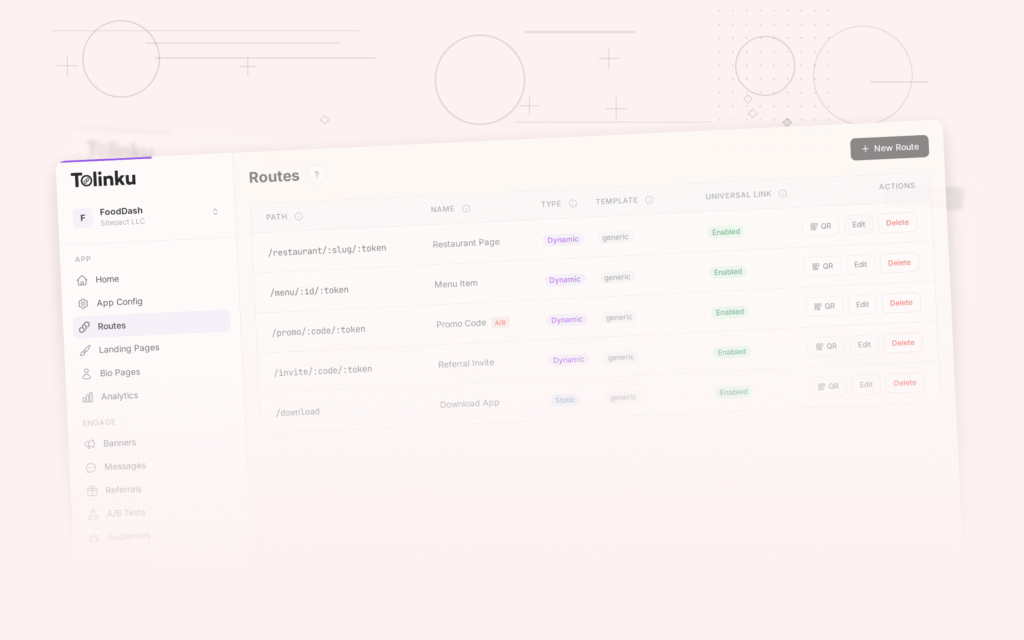
Tolinku handles deep link routing for travel content. Configure parameterized routes like /hotels/:city/:slug and /bookings/:id in the Tolinku dashboard. Deferred deep linking preserves search context (dates, guests, rooms) through the install flow, so a user who installs from a shared hotel link lands on the hotel page with the right dates.
For search indexing of travel content, see app indexing for travel apps. For the broader industry trends, see the future of mobile deep linking.
Get deep linking tips in your inbox
One email per week. No spam.