Travel searches have strong commercial intent. Users searching for "hotels in Barcelona" or "flights to Tokyo" are ready to book. If your travel app has listings, deals, or destination content, app indexing puts that content directly in front of searchers, either opening your app for existing users or driving new installs through web fallback pages.
This guide covers the specific structured data, deep link patterns, and indexing strategies for travel apps. For the general app indexing setup, see app indexing and SEO for mobile apps. For getting app content into search, see app content in search results.
Travel Content Types and Schema Markup
Hotels and Lodging
Use LodgingBusiness or the more specific Hotel schema for accommodation listings:
<script type="application/ld+json">
{
  "@context": "https://schema.org",
  "@type": "Hotel",
  "name": "Grand Hotel Barcelona",
  "description": "4-star hotel in the Gothic Quarter with rooftop pool and sea views",
  "image": "https://www.yourtravelapp.com/images/grand-hotel-barcelona.jpg",
  "address": {
    "@type": "PostalAddress",
    "streetAddress": "Carrer de Ferran 28",
    "addressLocality": "Barcelona",
    "addressRegion": "Catalonia",
    "postalCode": "08002",
    "addressCountry": "ES"
  },
  "geo": {
    "@type": "GeoCoordinates",
    "latitude": 41.3818,
    "longitude": 2.1768
  },
  "starRating": {
    "@type": "Rating",
    "ratingValue": "4"
  },
  "priceRange": "$$",
  "aggregateRating": {
    "@type": "AggregateRating",
    "ratingValue": "4.5",
    "reviewCount": "1234"
  },
  "potentialAction": {
    "@type": "ReserveAction",
    "target": "https://www.yourtravelapp.com/hotels/grand-hotel-barcelona"
  }
}
</script>
Google can display hotel listings with ratings, prices, and direct booking links. The potentialAction with ReserveAction tells search engines that users can book directly.
Flights
For flight search apps, there is no specific Google structured data type for individual flights. Instead, focus on route pages:
<script type="application/ld+json">
{
  "@context": "https://schema.org",
  "@type": "WebPage",
  "name": "Flights from New York to London",
  "description": "Compare flights from NYC to London. Find the best prices on JFK to Heathrow routes.",
  "url": "https://www.yourtravelapp.com/flights/new-york-to-london",
  "potentialAction": {
    "@type": "SearchAction",
    "target": "https://www.yourtravelapp.com/flights?from=NYC&to=LHR&date={date}",
    "query-input": "required name=date"
  }
}
</script>
Destination Guides
Destination content is the strongest SEO asset for travel apps because it targets informational queries with high volume:
<script type="application/ld+json">
{
  "@context": "https://schema.org",
  "@type": "TouristDestination",
  "name": "Barcelona Travel Guide",
  "description": "Everything you need to know about visiting Barcelona",
  "geo": {
    "@type": "GeoCoordinates",
    "latitude": 41.3874,
    "longitude": 2.1686
  },
  "touristType": ["Beach", "Culture", "Food"],
  "includesAttraction": [
    {
      "@type": "TouristAttraction",
      "name": "Sagrada Familia",
      "url": "https://www.yourtravelapp.com/attractions/sagrada-familia"
    },
    {
      "@type": "TouristAttraction",
      "name": "Park Guell",
      "url": "https://www.yourtravelapp.com/attractions/park-guell"
    }
  ],
  "potentialAction": {
    "@type": "ViewAction",
    "target": "https://www.yourtravelapp.com/destinations/barcelona"
  }
}
</script>
Activities and Tours
Use TouristAttraction or Event for bookable activities:
<script type="application/ld+json">
{
  "@context": "https://schema.org",
  "@type": "TouristAttraction",
  "name": "Barcelona Gothic Quarter Walking Tour",
  "description": "2-hour guided walking tour through Barcelona's medieval quarter",
  "geo": {
    "@type": "GeoCoordinates",
    "latitude": 41.3833,
    "longitude": 2.1777
  },
  "isAccessibleForFree": false,
  "offers": {
    "@type": "Offer",
    "price": "25.00",
    "priceCurrency": "EUR",
    "availability": "https://schema.org/InStock"
  },
  "potentialAction": {
    "@type": "ReserveAction",
    "target": "https://www.yourtravelapp.com/activities/gothic-quarter-tour"
  }
}
</script>
Deep Link URL Structure for Travel
URL Patterns
Travel apps have distinct content types, each needing a clean URL structure:
Hotels:        /hotels/{city}/{hotel-slug}
Flights:       /flights/{origin}-to-{destination}
Destinations:  /destinations/{destination-slug}
Activities:    /activities/{activity-slug}
Itineraries:   /trips/{trip-slug}
Reviews:       /reviews/{hotel-or-activity-slug}
Search:        /search?type=hotel&city={city}&checkin={date}&checkout={date}
Handling Dynamic Pricing
Travel content has a unique SEO challenge: prices change constantly. Hotel rates vary by date, flights fluctuate hourly, and tour availability changes seasonally.
For SEO purposes:
- Show a starting price or typical range on the web page (indexable by Google).
- Use JavaScript to load live pricing after the page loads (for user accuracy).
- Include
priceRangein structured data rather than exact prices. - Update
<lastmod>in sitemaps when prices change significantly.
Seasonal Content
Travel searches are highly seasonal. "Ski resorts in Colorado" peaks in October through December; "beach hotels in Greece" peaks in March through June.
Create evergreen destination pages that you update seasonally:
- Update the H1 and meta description with the current or upcoming season.
- Refresh pricing ranges.
- Update availability information.
- Add seasonal events and festivals.
On-Device Indexing for Travel
iOS: CoreSpotlight for Booked Trips
Index the user's booked trips, saved hotels, and searched destinations for Spotlight search:
import CoreSpotlight

func indexBookedTrip(_ trip: Trip) {
    let attributes = CSSearchableItemAttributeSet(contentType: .text)
    attributes.title = "\(trip.destinationName) Trip"
    attributes.contentDescription = "\(trip.checkIn.formatted()) - \(trip.checkOut.formatted())"
    attributes.city = trip.city
    attributes.country = trip.country
    attributes.supportsNavigation = true
    attributes.latitude = trip.latitude as NSNumber
    attributes.longitude = trip.longitude as NSNumber

    let item = CSSearchableItem(
        uniqueIdentifier: "trip-\(trip.id)",
        domainIdentifier: "com.yourtravelapp.trips",
        attributeSet: attributes
    )
    item.expirationDate = trip.checkOut.addingTimeInterval(86400 * 7)

    CSSearchableIndex.default().indexSearchableItems([item])
}
This lets users find their upcoming trip details by searching in Spotlight, which opens directly into the app via the deep link.
Android: Recently Viewed Hotels
fun indexViewedHotel(hotel: Hotel) {
    val shortcutInfo = ShortcutInfoCompat.Builder(context, "hotel-${hotel.id}")
        .setShortLabel(hotel.name)
        .setLongLabel("${hotel.name} - ${hotel.city}")
        .setCategories(setOf("hotel", hotel.city.lowercase()))
        .setIntent(Intent(Intent.ACTION_VIEW).apply {
            data = Uri.parse("https://www.yourtravelapp.com/hotels/${hotel.city}/${hotel.slug}")
        })
        .build()

    ShortcutManagerCompat.pushDynamicShortcut(context, shortcutInfo)
}
Sitemap Strategy for Travel Apps
Separate Sitemaps by Content Type
Travel apps have millions of potential pages. Organize sitemaps by type:
<!-- sitemap-index.xml -->
<sitemapindex xmlns="http://www.sitemaps.org/schemas/sitemap/0.9">
  <sitemap><loc>https://www.yourtravelapp.com/sitemaps/destinations.xml</loc></sitemap>
  <sitemap><loc>https://www.yourtravelapp.com/sitemaps/hotels-europe.xml</loc></sitemap>
  <sitemap><loc>https://www.yourtravelapp.com/sitemaps/hotels-americas.xml</loc></sitemap>
  <sitemap><loc>https://www.yourtravelapp.com/sitemaps/hotels-asia.xml</loc></sitemap>
  <sitemap><loc>https://www.yourtravelapp.com/sitemaps/activities.xml</loc></sitemap>
  <sitemap><loc>https://www.yourtravelapp.com/sitemaps/flight-routes.xml</loc></sitemap>
</sitemapindex>
Priority by Content Type
Not all travel pages deserve equal crawl attention:
| Content Type | Priority | Changefreq | Reason |
|---|---|---|---|
| Destination guides | 0.9 | weekly | High-value, evergreen |
| Popular hotels | 0.8 | daily | Prices change, high demand |
| Flight routes | 0.7 | daily | Dynamic pricing |
| Activities | 0.6 | weekly | Seasonal changes |
| Individual reviews | 0.4 | monthly | Static after publication |
Measuring Travel App Indexing
Key Metrics
Track these travel-specific metrics:
- Indexed pages by type: How many hotel, destination, and activity pages are indexed.
- Search impressions by intent: Brand vs. destination vs. deal keywords.
- App open rate from search: Percentage of search clicks that open the app (vs. web).
- Booking conversion from search: Users who book after arriving via organic search.
Search Console Segments
Create Search Console segments for each content type:
/hotels/pages: Track hotel-related keyword rankings./destinations/pages: Track destination keyword rankings./flights/pages: Track flight route keyword rankings.
Tolinku for Travel Apps
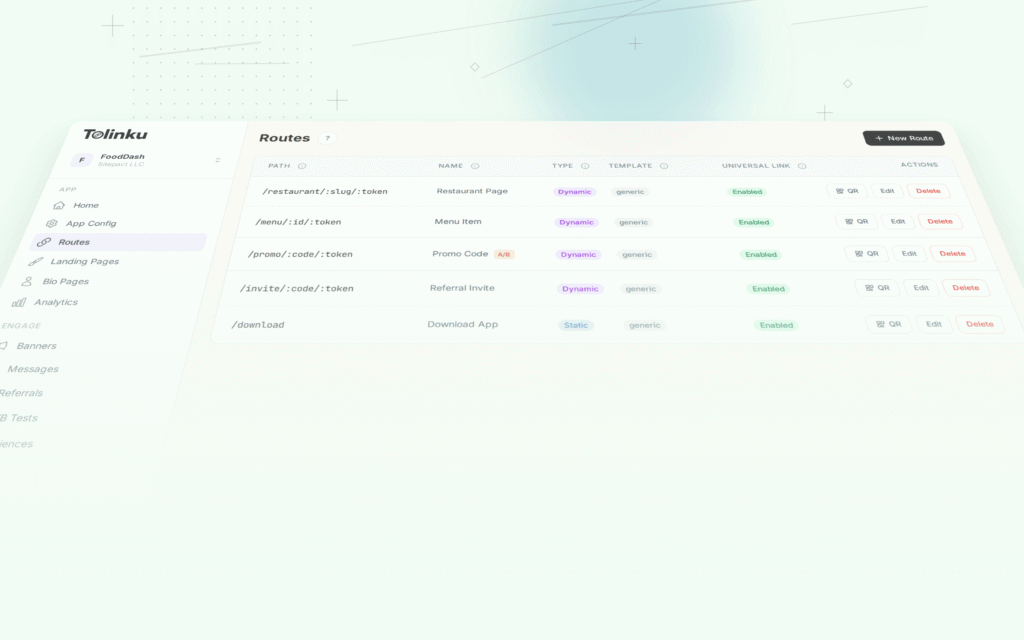
Tolinku handles deep link routing for travel content URLs. Configure routes like /hotels/:city/:slug and /destinations/:slug in the Tolinku dashboard, and Tolinku manages verification files, fallback routing to web content, and deferred deep linking for users who install the app after clicking a search result.
For e-commerce app indexing patterns, see app indexing for e-commerce apps. For the broader app indexing strategy, see app indexing and SEO for mobile apps.
Get deep linking tips in your inbox
One email per week. No spam.