Progressive Web Apps create an interesting challenge for smart banners. Traditional smart banners promote a native app install. But if you also have a PWA, which do you promote? The native app for deeper platform integration? The PWA for a lightweight install? Both? Neither (if the user is already using the PWA)?
The answer depends on what you ship: PWA only, native app only, or both. Each scenario requires a different banner strategy. This guide covers how to handle smart banners in each case. For the general smart banners setup, see the smart banners guide. For PWA and App Links interaction, see App Links for PWAs.
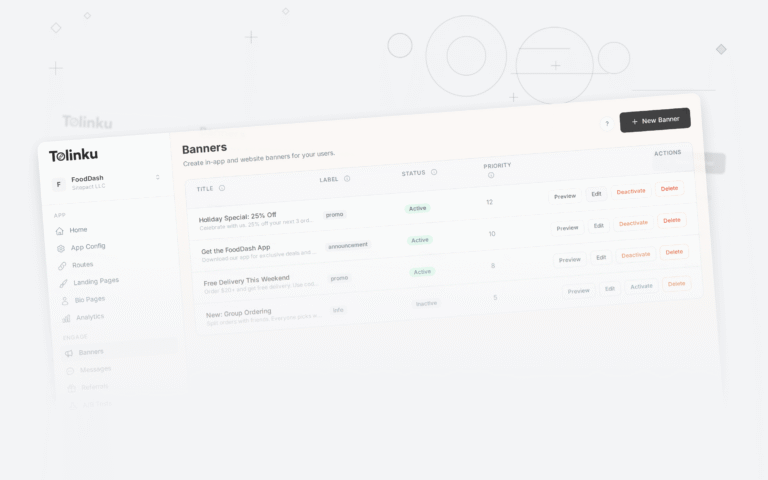
 The live banner preview showing how the banner appears on a mobile device.
Scenario 1: Native App Only (No PWA)
This is the standard smart banner use case. You have a native iOS and Android app, and your website is a traditional web experience. The smart banner promotes the native app:
const bannerConfig = {
  ios: { appId: "id123456789", storeUrl: "https://apps.apple.com/app/id123456789" },
  android: { packageName: "com.example.app", storeUrl: "https://play.google.com/store/apps/details?id=com.example.app" },
  message: "Get the app for a better experience",
  cta: "Install",
};
No PWA complications. The banner always promotes the native app.
Scenario 2: PWA Only (No Native App)
If you only have a PWA and no native app, the smart banner promotes the PWA install ("Add to Home Screen"):
Using the Web App Install Prompt
Browsers provide a built-in install prompt for PWAs via the beforeinstallprompt event. You can trigger this from your smart banner:
let deferredPrompt;

window.addEventListener('beforeinstallprompt', (e) => {
  // Prevent the default browser install prompt
  e.preventDefault();
  deferredPrompt = e;

  // Show your custom smart banner
  showPWAInstallBanner();
});

function showPWAInstallBanner() {
  const banner = createBanner({
    message: "Install our app for offline access",
    cta: "Add to Home Screen",
    onCtaClick: async () => {
      if (deferredPrompt) {
        deferredPrompt.prompt();
        const result = await deferredPrompt.userChoice;
        if (result.outcome === 'accepted') {
          analytics.track('pwa_installed');
        }
        deferredPrompt = null;
        hideBanner();
      }
    },
  });
  document.body.appendChild(banner);
}
PWA Banner Considerations
- Only show when installable. The
beforeinstallpromptevent fires only when the PWA meets the installability criteria. Do not show a PWA install banner if the event has not fired. - Do not show to already-installed users. Check the display mode to detect if the PWA is already installed:
function isPWAInstalled() {
  return window.matchMedia('(display-mode: standalone)').matches ||
         window.matchMedia('(display-mode: fullscreen)').matches ||
         window.navigator.standalone === true; // iOS Safari
}
- iOS Safari does not support
beforeinstallprompt. On iOS, you cannot trigger the install prompt programmatically. Show instructions instead: "Tap the share button, then 'Add to Home Screen'."
Scenario 3: Both Native App and PWA
This is the complex case. You ship both a PWA and a native app. The banner needs to decide which to promote.
Decision Logic
function chooseBannerType() {
  const platform = detectPlatform();

  // If the native app is installed, don't show any banner
  if (isNativeAppInstalled()) return null;

  // If the PWA is installed, don't show any banner
  if (isPWAInstalled()) return null;

  // Promote native app on platforms where it's available
  if (platform === 'ios' && hasNativeIOSApp) return 'native';
  if (platform === 'android' && hasNativeAndroidApp) return 'native';

  // On desktop or unsupported platforms, promote PWA
  if (platform === 'desktop' && hasPWA) return 'pwa';

  // Fallback: promote native if available, otherwise PWA
  return hasNativeApp ? 'native' : 'pwa';
}
When to Promote Native Over PWA
Promote the native app when:
- The native app offers features the PWA cannot (push notifications on iOS, Bluetooth, NFC, widgets, Siri/Google Assistant integration).
- The native app has significantly better performance for your use case (gaming, video editing, camera features).
- You want Play Store / App Store presence for discoverability.
When to Promote PWA Over Native
Promote the PWA when:
- The user is on a desktop browser (no native mobile app context).
- The native app is not available on the user's platform.
- You want to reduce friction (PWA install is faster than app store download).
- The PWA provides an equivalent experience to the native app for this user's needs.
Showing Both Options
In some cases, offer both:
<div class="smart-banner smart-banner--dual">
  <div class="smart-banner__content">
    <img src="/app-icon.png" class="smart-banner__icon" alt="App" />
    <p class="smart-banner__message">Get our app</p>
  </div>
  <div class="smart-banner__actions">
    <a href="https://apps.apple.com/..." class="smart-banner__cta smart-banner__cta--native">
      App Store
    </a>
    <button class="smart-banner__cta smart-banner__cta--pwa" onclick="installPWA()">
      Add to Home Screen
    </button>
  </div>
</div>
This is less common because it creates decision paralysis. Usually, pick one and promote it.
Detecting the User's Context
Is the Native App Installed?
There is no reliable cross-platform way to detect if a native app is installed from the web. Approaches include:
Custom scheme detection (limited):
// This approach is unreliable and often blocked by browsers
function checkNativeApp(customScheme) {
  const start = Date.now();
  window.location.href = `${customScheme}://check`;
  setTimeout(() => {
    if (Date.now() - start < 2000) {
      // App likely not installed (page didn't navigate)
      showBanner();
    }
  }, 1500);
}
Cookie-based detection: If the native app sets a cookie via a shared web view or SDK, the web page can check for it:
function isNativeAppInstalled() {
  return document.cookie.includes('native_app_installed=true');
}
Tolinku detection: Tolinku's SDK provides app detection through the redirect chain. If the app is installed and handles the link, the user never reaches the web fallback.
Is the PWA Installed?
function isPWAInstalled() {
  // Check display mode
  if (window.matchMedia('(display-mode: standalone)').matches) return true;

  // iOS Safari standalone mode
  if (window.navigator.standalone === true) return true;

  // Check if the install prompt is available (if not, PWA might already be installed)
  // Note: this is not conclusive; the prompt may not fire for other reasons

  return false;
}
Is This Running Inside a TWA?
If your native app is a Trusted Web Activity wrapping the PWA:
function isRunningInTWA() {
  return document.referrer.includes('android-app://');
}
Do not show any install banner inside a TWA. The user is already in the app.
Service Worker Considerations
If your PWA has a service worker that caches pages, ensure the smart banner configuration is not cached aggressively:
// Service worker: do not cache banner configuration
self.addEventListener('fetch', (event) => {
  const url = new URL(event.request.url);

  // Always fetch banner config from network
  if (url.pathname.includes('/api/banner') || url.pathname.includes('/banner-config')) {
    event.respondWith(fetch(event.request));
    return;
  }

  // Cache other resources normally
  event.respondWith(
    caches.match(event.request).then(cached => cached || fetch(event.request))
  );
});
If the banner config is cached, schedule changes and A/B tests will not take effect until the cache expires.
Tolinku Smart Banners for PWAs
Tolinku's smart banners support both native app and PWA promotion. The SDK detects the user's context (platform, installed apps, display mode) and shows the appropriate banner. Configure native app and PWA targets in the Tolinku dashboard.
For the interaction between PWAs and App Links on Android, see App Links for PWAs. For the complete smart banners guide, see the smart banners overview.
Get deep linking tips in your inbox
One email per week. No spam.