You're running campaigns across email, social media, paid ads, QR codes, and partner websites. Traffic is flowing to your site and app. But without UTM parameters, all that traffic looks the same in Google Analytics: a bunch of "direct" or "(not set)" entries with no indication of which campaign or channel drove each visit.
UTM parameters solve this by tagging your URLs with metadata that analytics tools can read. Short links make the tagged URLs usable by hiding the long query strings behind clean, shareable URLs.
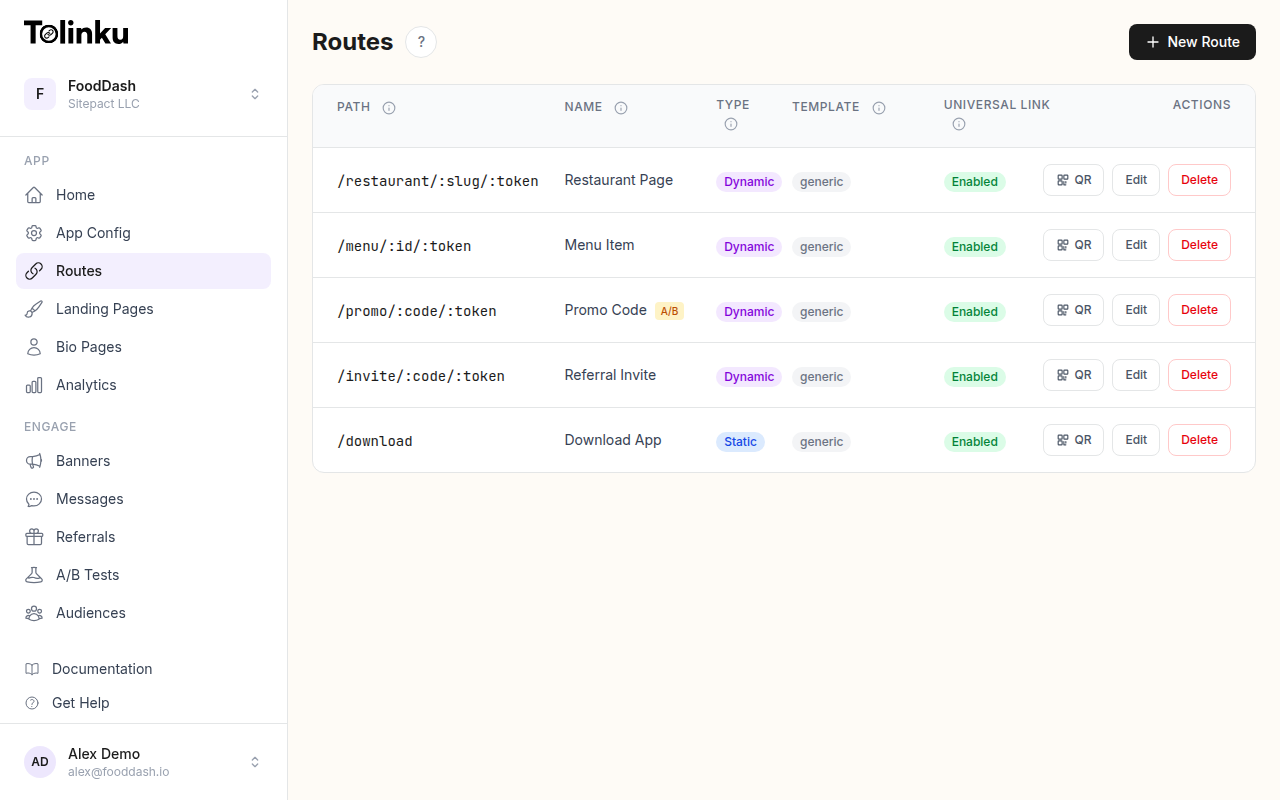 Tolinku route configuration with QR code generation for each deep link.
What Are UTM Parameters?
UTM (Urchin Tracking Module) parameters are query string tags appended to URLs. They were originally created by Urchin, the web analytics tool Google acquired and turned into Google Analytics. Five standard UTM parameters exist:
| Parameter | Purpose | Required? | Example |
|---|---|---|---|
utm_source |
Which site/platform sent the traffic | Yes | newsletter, twitter, google |
utm_medium |
The marketing medium | Yes | email, cpc, social, qr |
utm_campaign |
The specific campaign name | Yes | summer_sale_2026 |
utm_term |
Paid search keywords | No | running+shoes |
utm_content |
Differentiates similar content | No | hero_banner, sidebar_cta |
A fully tagged URL looks like this:
https://yourstore.com/summer?utm_source=newsletter&utm_medium=email&utm_campaign=summer_sale_2026&utm_content=hero_image
That's a long, ugly URL. Nobody wants to paste that into a tweet, print it on a flyer, or dictate it over the phone. This is where short links come in.
Combining UTM Parameters with Short Links
The workflow is straightforward:
- Build your destination URL with UTM parameters
- Create a short link that redirects to the tagged URL
- Share the short link everywhere
- Analytics tools see the UTM parameters when users arrive at the destination
Short link:   go.yourapp.com/summer-email
Redirects to: https://yourstore.com/summer?utm_source=newsletter&utm_medium=email&utm_campaign=summer_sale_2026
The user sees go.yourapp.com/summer-email. Google Analytics sees utm_source=newsletter, utm_medium=email, utm_campaign=summer_sale_2026. Both parties get what they need.
UTM Parameters on the Destination, Not the Short Link
An important detail: UTM parameters go on the destination URL, not on the short link itself. When you create a route in Tolinku, the destination URLs (for iOS, Android, and web fallback) should include the UTM tags:
- Web fallback:
https://yourstore.com/summer?utm_source=newsletter&utm_medium=email&utm_campaign=summer_sale_2026 - iOS app: The UTM parameters are passed through as deep link data
- Android app: Same, the parameters are available to your app
This way, the short link stays clean (go.yourapp.com/summer-email) while the UTM data flows through to your analytics.
Building a UTM Naming Convention
The biggest problem with UTM parameters isn't the technology. It's consistency. When five people on your marketing team each use different naming conventions, your analytics become a mess:
utm_source=Newsletter      (capitalized)
utm_source=newsletter      (lowercase)
utm_source=email_newsletter (different name entirely)
utm_source=mailchimp       (platform name instead of channel)
Google Analytics treats each of these as a separate source. Your data fragments.
Rules for Consistent UTMs
Use lowercase only: newsletter not Newsletter. Google Analytics is case-sensitive.
Use hyphens or underscores, not spaces: summer-sale or summer_sale, not summer sale (which becomes summer%20sale in URLs).
Be specific but not too granular: email is too broad. mailchimp-weekly-digest-march-5-2026 is too specific. Aim for newsletter or weekly-digest.
Document your conventions: Create a shared reference document with approved values for each parameter.
Recommended Values
utm_source (where the traffic comes from):
newsletter– your email listtwitter– organic Twitter postsfacebook– organic Facebook postsinstagram– organic Instagramgoogle– paid Google adspartner-name– specific partner or affiliateqr– QR code scanssms– text message campaigns
utm_medium (how the traffic arrives):
email– email campaignssocial– organic social mediacpc– paid clicks (cost per click)display– display adsprint– printed materials (via QR code)referral– referral program linkspush– push notificationsin-app– in-app messaging
utm_campaign (which campaign):
- Use a consistent format:
{year}-{season/month}-{name}or{quarter}-{name} - Examples:
2026-summer-sale,q2-product-launch,2026-03-newsletter
Per-Channel Short Link Strategy
Email Campaigns
Create one short link per email campaign with UTMs baked into the destination:
go.yourapp.com/summer-email → yourstore.com/summer?utm_source=newsletter&utm_medium=email&utm_campaign=2026-summer-sale
For emails with multiple links (hero image, CTA button, text link), use utm_content to differentiate:
go.yourapp.com/summer-email-hero    → ...&utm_content=hero_image
go.yourapp.com/summer-email-cta     → ...&utm_content=cta_button
go.yourapp.com/summer-email-footer  → ...&utm_content=footer_link
Social Media
Different platforms, different links:
go.yourapp.com/summer-twitter   → ...&utm_source=twitter&utm_medium=social
go.yourapp.com/summer-instagram → ...&utm_source=instagram&utm_medium=social
go.yourapp.com/summer-linkedin  → ...&utm_source=linkedin&utm_medium=social
QR Codes on Print
QR codes bridge offline to digital. Tag them distinctly:
go.yourapp.com/summer-poster   → ...&utm_source=qr&utm_medium=print&utm_content=store_poster
go.yourapp.com/summer-flyer    → ...&utm_source=qr&utm_medium=print&utm_content=flyer
go.yourapp.com/summer-receipt  → ...&utm_source=qr&utm_medium=print&utm_content=receipt
This lets you compare the performance of different print placements in Google Analytics.
Paid Advertising
For paid campaigns, utm_medium=cpc (cost per click) is the standard:
go.yourapp.com/summer-google → ...&utm_source=google&utm_medium=cpc&utm_campaign=2026-summer-sale&utm_term=summer+shoes
Most ad platforms (Google Ads, Meta Ads) can auto-tag links, but using manual UTMs alongside auto-tagging gives you a consistent dataset across all channels.
Analyzing UTM Data
In Google Analytics
Navigate to Acquisition > Traffic acquisition and use the secondary dimension to break down by:
- Source/Medium (combines
utm_sourceandutm_medium) - Campaign (shows
utm_campaign) - Content (shows
utm_content)
This view tells you which channels drive the most traffic, which campaigns convert best, and which creative variations perform strongest.
In Your Deep Linking Platform
Tolinku's analytics dashboard tracks clicks per route independently. Since each short link is a separate route, you get per-link click data, geographic breakdown, and device information.
Combine Tolinku analytics (pre-click: who clicked, from where, on what device) with Google Analytics (post-click: what they did on your site) for a complete picture.
Cross-Channel Comparison
The real value of UTM tracking is comparing channels side by side:
| Channel | Clicks | Sessions | Conversions | Conv. Rate | CPA |
|---|---|---|---|---|---|
| Email newsletter | 2,340 | 2,100 | 189 | 9.0% | $0.53 |
| Instagram organic | 1,870 | 1,450 | 58 | 4.0% | $0 |
| Google CPC | 5,200 | 4,800 | 384 | 8.0% | $3.12 |
| QR code (poster) | 342 | 290 | 26 | 9.0% | $3.85 |
This data drives budget allocation. In the example above, email has the best combination of conversion rate and cost per acquisition.
Common Mistakes
Putting UTMs on internal links: UTM parameters should only be used on links from external sources. Adding UTMs to links within your own site (navigation, footer links) overwrites the original traffic source and ruins your attribution data.
Inconsistent casing: Email and email are different sources in Google Analytics. Pick lowercase and stick with it.
Using UTMs on links where auto-tagging exists: Google Ads has built-in gclid auto-tagging. Don't add conflicting UTM parameters unless you've configured Google Analytics to prefer manual UTMs.
Forgetting utm_content for A/B tests: If you're testing two different email designs or ad creatives, utm_content is the only way to distinguish them in analytics. Without it, both variants look identical in your reports.
Not testing the destination URL: A URL with malformed UTM parameters (missing &, extra ?) can break the page or lose the tracking data. Always click your tagged URLs before launching a campaign.
Getting Started
- Document your UTM naming conventions (source, medium, and campaign format)
- Create a shared spreadsheet or tool where team members look up approved values
- Build destination URLs with UTM parameters
- Create branded short links that redirect to the tagged destinations
- Use separate short links per channel and content variant
- Review UTM data in Google Analytics weekly to optimize spend
For more on tracking and analytics, see QR Code Analytics: Tracking Scans and Conversions and Deep Link Analytics: Measuring What Matters.
Get deep linking tips in your inbox
One email per week. No spam.