

Routes & Deep Links
A route is a URL path that maps to content inside your mobile app. When someone taps a Tolinku link, the route determines where they go: which screen in your app, which fallback URL if they don’t have the app, and what the link preview looks like on social media.
The built-in install route
Section titled “The built-in install route”Every Appspace comes with a default /install route out of the box. You do not need to create it. This route detects the visitor’s device and sends them to the right store:
- iPhone/iPad: Redirects to your iOS App Store URL
- Android: Redirects to your Google Play Store URL
- Desktop/other: Redirects to your web fallback URL, or shows a branded download page
The install route uses the store URLs from your App Config. Once those are saved, https://your-app.tolinku.com/install works immediately. This is the fastest way to get a “download our app” link live.
Install links also carry deferred deep linking, so a user who taps one, installs, and opens your app can be attributed to that link on first open. Any query parameters on the link, campaign tags for instance, reach your app the same way if the route has query parameter forwarding enabled.
Route types
Section titled “Route types”Tolinku supports two route types you can create: static and dynamic.
Static routes
Section titled “Static routes”A static route has a fixed path like /download or /promo. Every user who taps the link goes to the same destination. Use these for marketing campaigns, landing pages, and general-purpose links where everyone gets the same experience.
Dynamic routes
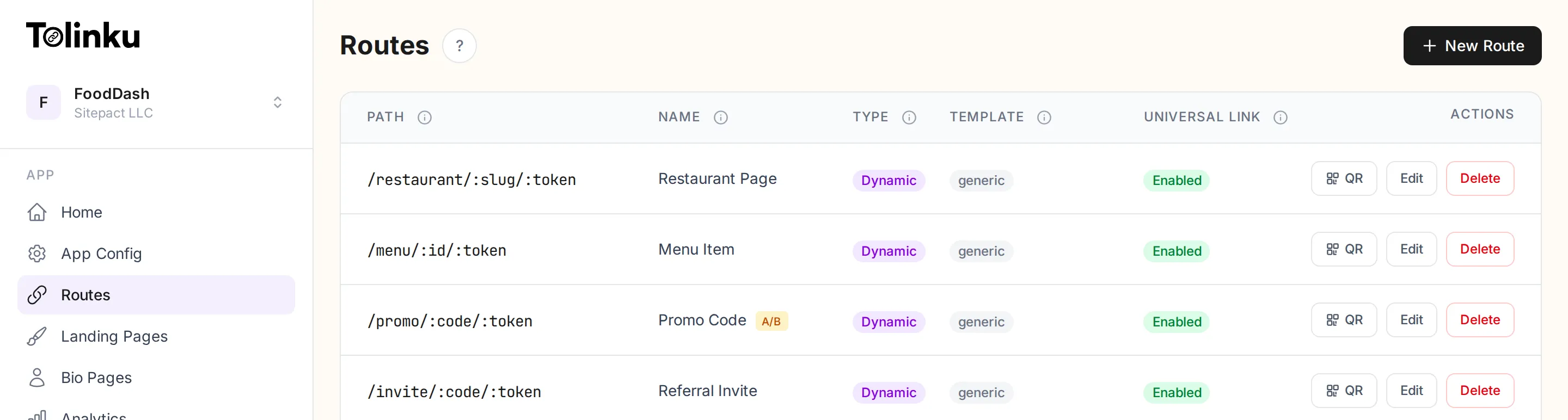
Section titled “Dynamic routes”A dynamic route includes a path parameter (:token) like /product/:token. The token is replaced with a value when you share the link (e.g. /product/abc123), making each link unique.
Dynamic routes come in two flavors:
- Basic dynamic routes: The token is passed to your app for routing. Your app parses it and navigates to the right screen. The landing page (if any) uses your default branding.
- API-enriched dynamic routes: You connect an API endpoint that Tolinku calls with the token. Your API returns data (product name, user avatar, custom message) and the landing page displays that data. This creates a personalized experience for each link.
| Static | Dynamic | Dynamic + API | |
|---|---|---|---|
| Path | /promo | /invite/:token | /product/:token |
| Use case | Campaigns, landing pages | Group invites, magic login | Merchant payments, personalized content |
| Landing page | Same for everyone | Default branding | Personalized per token |
| Server work | None | None | Your API serves data |
For a deep dive, see Dynamic Routes.
How routing works
Section titled “How routing works”When a user taps a Tolinku link:
-
Mobile with app installed: The link opens directly in your app via Universal Links (iOS) or App Links (Android). Your app receives the full URL and navigates to the matching screen.
-
Mobile without app: The user sees a landing page (if configured) or is redirected to the App Store / Play Store / your fallback URL.
-
Desktop: The user is redirected to your web fallback URL, or sees a landing page with a prompt to download the app.
What you can configure per route
Section titled “What you can configure per route”Each route has several optional settings:
- Landing page template: Choose between a generic branded page, a custom-designed page (built with the visual editor), or no landing page (direct redirect).
- Web fallback URL: Where desktop and non-app users go. Overrides the Appspace default.
- Universal Links / App Links: Toggle whether the route is included in your AASA and assetlinks.json files for direct app opening.
- OG tags: Custom title, description, and image for social media previews.
- Expiration: Set a date or click limit after which the route stops working.
- API endpoint: For dynamic routes, an endpoint that returns data for the landing page.
- Short link: Every route automatically gets a 7-character short code. For static routes, the short link works as a complete URL (e.g.
links.yourapp.com/x4km9q2). For dynamic routes, append the token (e.g.links.yourapp.com/x4km9q2/abc123). You can regenerate the short code from the route edit page.
Route limits by plan
Section titled “Route limits by plan”| Plan | Routes |
|---|---|
| Free | 5 |
| Standard | Unlimited |
| Growth | Unlimited |
| Scale | Unlimited |