Every deep linking platform uses a different URL structure for its links. When you migrate between platforms, you need to map the old link format to the new one so that redirects work correctly and new links follow the same conventions your team expects.
This guide covers the structural differences between common deep link formats and provides practical mapping strategies. For the migration timeline, see migration timeline planning. For redirect setup, see link redirects during migration.
Understanding Deep Link URL Structure
A deep link URL consists of several components, each carrying different information:
https://links.yourapp.com/campaign/summer-sale?utm_source=email&utm_medium=newsletter&deep_link=products/123
Breaking this down:
| Component | Value | Purpose |
|---|---|---|
| Domain | links.yourapp.com |
Your custom link domain |
| Path | /campaign/summer-sale |
Route identifier |
Query: utm_source |
email |
Campaign tracking |
Query: utm_medium |
newsletter |
Campaign tracking |
Query: deep_link |
products/123 |
In-app destination |
Each platform structures these components differently. The mapping challenge is converting between these structures while preserving all the information.
Platform-Specific Link Formats
Format Type 1: Hash-Based Short Links
Some platforms encode all link data in a short hash:
https://platform.link/AbCd123
The hash (AbCd123) maps to a database record on the platform's servers. The actual deep link data (destination URL, campaign parameters, fallback behavior) is stored server-side and not visible in the URL.
Migration challenge: You cannot parse these URLs to extract the deep link data. You need to use the old platform's API to export the link configurations, then recreate them on the new platform.
// Export link data from hash-based links
async function exportShortLinks(oldPlatformApi) {
  const links = await oldPlatformApi.getLinks({ limit: 1000 });
  return links.map(link => ({
    shortUrl: link.url,
    deepLinkPath: link.deepLink,
    campaign: link.campaign,
    fallbackUrl: link.fallbackUrl,
    createdAt: link.createdAt,
  }));
}
Format Type 2: Path-Based Links
Some platforms encode the deep link destination in the URL path:
https://links.yourapp.com/products/123
https://links.yourapp.com/profile/user456
The path directly maps to the in-app destination. This format is the most URL-friendly and the easiest to migrate because the intent is visible in the URL itself.
Migration strategy: Create the same routes on the new platform. If your custom domain stays the same, users never see a difference.
Format Type 3: Query Parameter Links
Some platforms pass deep link data as query parameters:
https://platform.link/open?link=https://yourapp.com/products/123&apn=com.yourapp.android&isi=123456789
| Parameter | Purpose |
|---|---|
link |
The deep link destination |
apn |
Android package name |
isi |
iOS App Store ID |
ibi |
iOS bundle ID |
efr |
Disable interstitial page |
Migration challenge: The parameter names differ between platforms. You need a parameter mapping table.
Format Type 4: Encoded JSON Links
Some platforms encode link data as a base64 or JSON payload in the URL:
https://platform.link/open?data=eyJkZWVwX2xpbmsiOiJwcm9kdWN0cy8xMjMiLCJjYW1wYWlnbiI6InN1bW1lcl9zYWxlIn0=
Migration challenge: You need to decode the payload to extract link data, then re-encode it in the new platform's format.
Building a Link Mapping Table
For each link you need to migrate, create a mapping entry:
// Link mapping entry
const linkMapping = {
  oldUrl: 'https://old-platform.link/AbCd123',
  oldFormat: {
    deepLink: 'products/123',
    campaign: 'summer_sale',
    source: 'email',
    medium: 'newsletter',
    fallbackUrl: 'https://yourapp.com/products/123',
    iosAppStoreId: '123456789',
    androidPackage: 'com.yourapp.android',
  },
  newUrl: 'https://links.yourapp.com/products/123',
  newFormat: {
    route: '/products/:id',
    params: { id: '123' },
    campaign: 'summer_sale',
    source: 'email',
    medium: 'newsletter',
    fallbackUrl: 'https://yourapp.com/products/123',
  },
};
Bulk Export from Old Platform
Most platforms provide an API for bulk link export:
async function exportAllLinks(oldPlatformApi) {
  let page = 1;
  const allLinks = [];

  while (true) {
    const response = await oldPlatformApi.getLinks({
      page,
      limit: 100,
      orderBy: 'clicks',
      direction: 'desc',
    });

    if (response.links.length === 0) break;
    allLinks.push(...response.links);
    page++;
  }

  return allLinks;
}
Export links ordered by click count (descending). Migrate the highest-traffic links first.
Route Mapping Patterns
Direct Path Mapping
The simplest case: the path structure is identical on both platforms.
Old: https://links.yourapp.com/products/123
New: https://links.yourapp.com/products/123
No conversion needed. Configure the same routes on the new platform.
Path Transformation
The path structure changes between platforms:
Old: https://old.link/open/products?id=123
New: https://links.yourapp.com/products/123
Create a mapping function:
function mapPath(oldPath, oldQuery) {
  // Old format: /open/products?id=123
  // New format: /products/123
  if (oldPath.startsWith('/open/')) {
    const resource = oldPath.replace('/open/', '');
    const id = oldQuery.id;
    return `/${resource}/${id}`;
  }
  return oldPath;
}
Wildcard Routes
If the old platform uses specific link IDs but your new platform uses path-based routes, set up a wildcard redirect:
Old: https://old.link/xK3mP → resolves to products/123
Old: https://old.link/yN7qR → resolves to profile/user456

New: https://links.yourapp.com/products/:id
New: https://links.yourapp.com/profile/:userId
You cannot set up wildcard redirects for hash-based short links. Each one needs an individual redirect entry or a redirect service that maps old hashes to new URLs.
Campaign Parameter Mapping
Different platforms use different parameter names for the same concepts:
| Concept | Platform A | Platform B | Platform C | Tolinku |
|---|---|---|---|---|
| Campaign name | campaign |
~campaign |
c |
campaign |
| Traffic source | source |
~channel |
pid |
source |
| Medium | medium |
~feature |
af_adset |
medium |
| Ad creative | ad |
~ad_name |
af_ad |
ad |
| Custom data 1 | data |
~tags |
af_sub1 |
custom |
Conversion Script
Write a script that converts parameter names:
function mapCampaignParams(oldParams, platformType) {
  const mapping = {
    platformA: {
      campaign: 'campaign',
      source: 'source',
      medium: 'medium',
    },
    platformB: {
      '~campaign': 'campaign',
      '~channel': 'source',
      '~feature': 'medium',
    },
    platformC: {
      c: 'campaign',
      pid: 'source',
      af_adset: 'medium',
    },
  };

  const map = mapping[platformType];
  const newParams = {};

  for (const [oldKey, value] of Object.entries(oldParams)) {
    const newKey = map[oldKey] || oldKey;
    newParams[newKey] = value;
  }

  return newParams;
}
Redirect Strategy for Old Links
After mapping link formats, you need to redirect old links to their new equivalents.
Individual Redirects
For high-traffic links, set up individual 301 redirects:
// Generate redirect rules from mapping table
function generateRedirects(mappings) {
  return mappings.map(m => ({
    source: new URL(m.oldUrl).pathname,
    destination: m.newUrl,
    statusCode: 301,
  }));
}
Pattern-Based Redirects
If the path structure follows a consistent pattern, use regex-based redirects:
# Nginx: redirect old format to new format
rewrite ^/open/(.+)\?id=(.+)$ /$1/$2 permanent;
Redirect Service
For large-scale migrations with thousands of hash-based short links, consider a lightweight redirect service:
// Simple redirect service
import express from 'express';

const app = express();
const redirectMap = loadRedirectMap(); // Load from database or JSON

app.get('/:hash', (req, res) => {
  const newUrl = redirectMap.get(req.params.hash);
  if (newUrl) {
    res.redirect(301, newUrl);
  } else {
    // Fallback: redirect to app homepage
    res.redirect(302, 'https://yourapp.com');
  }
});
This service runs on the old domain and redirects to the new platform's URLs.
Validation
After mapping and configuring redirects, validate:
Automated Testing
async function validateRedirects(mappings) {
  const results = [];

  for (const mapping of mappings) {
    const response = await fetch(mapping.oldUrl, { redirect: 'manual' });
    const location = response.headers.get('location');

    results.push({
      oldUrl: mapping.oldUrl,
      expectedNewUrl: mapping.newUrl,
      actualRedirect: location,
      status: response.status,
      pass: location === mapping.newUrl && response.status === 301,
    });
  }

  const passed = results.filter(r => r.pass).length;
  console.log(`Passed: ${passed}/${results.length}`);

  const failed = results.filter(r => !r.pass);
  if (failed.length > 0) {
    console.log('Failed redirects:');
    failed.forEach(f => console.log(`  ${f.oldUrl} → ${f.actualRedirect} (expected ${f.expectedNewUrl})`));
  }

  return results;
}
Manual Spot-Check
For the top 20 links by traffic, manually verify:
- Click the old link on a mobile device.
- Verify it redirects to the new platform.
- Verify the app opens to the correct screen.
- Verify campaign parameters are preserved in the new platform's analytics.
Tolinku Link Format
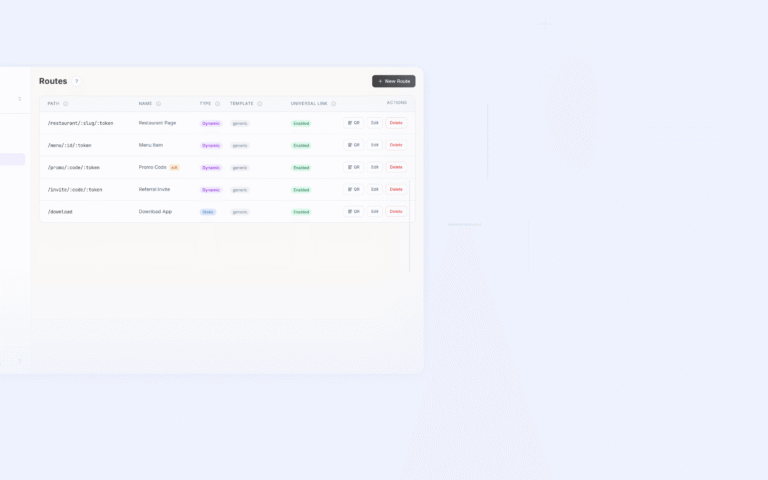
Tolinku uses path-based routing. Routes are configured in the Tolinku dashboard with pattern matching:
Route: /products/:productId
  → iOS: yourapp://products/{productId}
  → Android: yourapp://products/{productId}
  → Fallback: https://yourapp.com/products/{productId}
Campaign parameters are passed as query parameters using standard names (campaign, source, medium). For migration from other platforms, see migrating to Tolinku. For the migration checklist, see deep linking migration checklist.
Get deep linking tips in your inbox
One email per week. No spam.