Most app install campaigns rely on paid acquisition: app store ads, social media ads, and influencer marketing. But organic search is the most sustainable acquisition channel. Users who find your app through search have high intent, cost nothing per click, and keep coming month after month.
A web-to-app SEO strategy uses your website as an acquisition funnel: rank for relevant keywords, attract mobile visitors, and convert them to app installs using deep links and smart banners. This guide covers the complete strategy. For smart banner conversion tactics, see web-to-app conversion with smart banners. For organic growth channels, see organic growth channels for apps.
The Web-to-App Funnel
Organic search traffic
  → Landing on mobile web page
    → Seeing app promotion (smart banner, inline CTA)
      → Clicking through to app store or deep link
        → Installing the app
          → Deferred deep link routes to original content
            → Engaged app user
Each stage has a conversion rate. Optimizing the full funnel from search query to engaged app user is the goal.
Stage 1: Ranking for App-Relevant Keywords
Content Strategy
Create web content that matches what your potential app users search for:
| App Type | Content Strategy | Example Keywords |
|---|---|---|
| Fitness | Workout guides, nutrition articles | "home workout for beginners," "HIIT routine" |
| E-commerce | Product reviews, buying guides | "best running shoes for flat feet" |
| Finance | Financial guides, calculators | "how to create a monthly budget" |
| News | Breaking stories, analysis | Current event keywords |
| Recipes | Recipe pages, cooking tips | "easy dinner recipes," "meal prep ideas" |
Content Depth
Search engines reward comprehensive content. For each target keyword, create a page that:
- Answers the primary question thoroughly.
- Covers related subtopics (for featured snippets and People Also Ask).
- Includes practical examples, images, or data.
- Links to your app as the best way to take action on the information.
Blog as Acquisition Engine
A blog is the most scalable way to create indexable content. Each blog post targets a keyword cluster and includes:
- Substantive content that ranks on its own merit.
- Internal links to relevant app features.
- A smart banner promoting the app.
- Contextual CTAs linking to the app via deep links.
<!-- Contextual CTA within blog content -->
<div class="app-cta">
  <h3>Try This in the App</h3>
  <p>Create your own HIIT routine with our workout builder.</p>
  <a href="https://links.yourapp.com/workout-builder">Open Workout Builder</a>
</div>
Stage 2: Converting Web Visitors to App Installs
Smart Banners
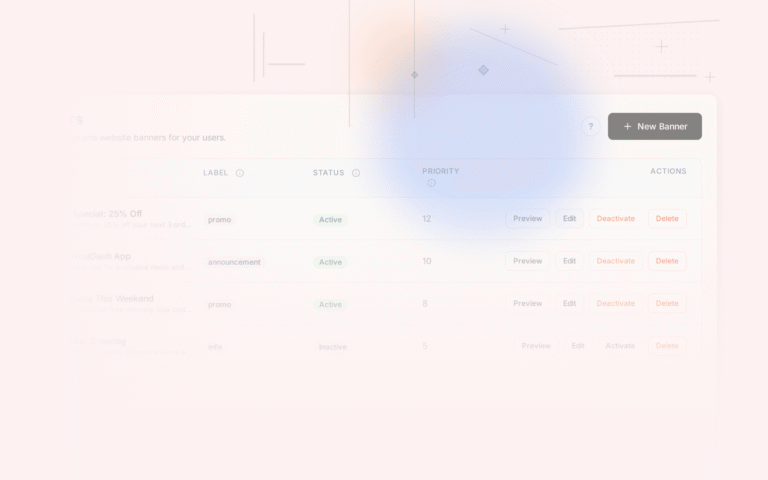
A non-intrusive smart banner is the highest-converting passive install prompt. It appears on every page, costs nothing per impression, and can be customized per page:
<!-- Apple Smart App Banner -->
<meta name="apple-itunes-app" content="app-id=YOUR_ID, app-argument=https://yourapp.com/current-page">

<!-- Custom banner for all browsers -->
<div id="smart-banner" class="smart-banner">
  <img src="/icon.png" alt="YourApp" width="40" height="40">
  <div>
    <strong>YourApp</strong>
    <span>Free · 4.7 stars</span>
  </div>
  <a href="https://links.yourapp.com/current-page">Open</a>
</div>
See Tolinku smart banners for a configurable banner solution.
Contextual CTAs
Place app promotion where it is most relevant:
- After a how-to section: "Do this faster in our app."
- Next to a data table: "Track this in real-time with our app."
- After a recipe: "Save this recipe and get step-by-step cooking mode in the app."
- At the end of an article: "Get personalized recommendations in the app."
The key is relevance. A generic "Download our app" converts poorly. A specific "Track your budget with automatic bank sync" converts well.
Exit-Intent Prompts (Desktop)
On desktop, show an exit-intent popup when the mouse moves toward the close button:
document.addEventListener('mouseout', (e) => {
  if (e.clientY < 50 && e.relatedTarget === null) {
    showAppQRCode(); // Show QR code linking to the app
  }
});
This does not affect mobile SEO (the interstitial penalty only applies to mobile).
Content Gating (Careful)
Showing a preview with "Continue reading in the app" can work, but:
- Google must be able to crawl the full content (do not gate for Googlebot).
- The web page must have enough content to rank (not just a teaser).
- Users should be able to read the full article on the web if they choose.
A soft gate ("Read the rest in our app for a better experience, or continue below") is safer than a hard gate.
Stage 3: Preserving Context Through Install
Deferred Deep Links
When a user clicks an app promotion on your web page, installs the app, and opens it, the deferred deep link routes them to the specific content they were viewing:
Blog post: "5 Best HIIT Workouts"
  → User taps "Open in App"
    → Link: https://links.yourapp.com/workouts/hiit-top-5
      → User installs the app
        → App opens to the HIIT workout list
Without deferred deep links, the user installs the app, opens it, and sees the homepage. They have to manually find the content they were interested in. Many do not bother.
UTM Parameters Through Install
Preserve UTM parameters through the install flow to track attribution:
Original search landing: /blog/hiit-workouts?utm_source=google&utm_medium=organic
  → Deep link: links.yourapp.com/workouts/hiit-top-5?utm_source=google&utm_medium=organic
    → After install, app receives these parameters
      → Analytics: "install attributed to google/organic via /blog/hiit-workouts"
This lets you measure which blog posts and keywords drive the most app installs.
Stage 4: Re-Engagement Through Search
Once a user has the app installed, search becomes a re-engagement channel:
- User searches for something your app handles.
- Google shows your web result with an "Open in app" indicator.
- User clicks and goes directly into the app.
- User engages with the content in the app (better experience, deeper engagement).
This requires app indexing setup with verified App Links and structured data.
Measuring the Full Funnel
Attribution Chain
Track each step:
| Step | Tool | Metric |
|---|---|---|
| Search impression | Search Console | Impressions by keyword |
| Web page visit | Google Analytics | Sessions by landing page |
| Banner impression | Banner analytics | Banner views per page |
| Banner click | Banner analytics | Click-through rate |
| App install | App analytics | Installs attributed to web |
| Deferred deep link resolution | Deep link analytics | Match rate |
| First app session | App analytics | Session from deferred link |
| Conversion | App analytics | Purchase/sign-up from search |
Key Ratios
- Search-to-visit rate: CTR from Search Console (target: 3-8%).
- Visit-to-banner-click rate: Banner CTR (target: 1-3%).
- Click-to-install rate: App store conversion (target: 30-50%).
- Install-to-active rate: First week retention (target: 20-40%).
- Total search-to-install rate: End-to-end conversion (target: 0.5-2%).
Content Calendar for Web-to-App SEO
Plan content that targets keywords at different funnel stages:
Awareness (Top of Funnel)
- Informational blog posts targeting broad keywords.
- "How to" guides that match your app's category.
- Industry news and trend analysis.
Consideration (Middle of Funnel)
- Feature comparison pages (your app vs. doing it manually).
- Use case pages ("How [persona] uses [app] to [outcome]").
- Customer success stories (without fabricating, use generic personas).
Decision (Bottom of Funnel)
- App feature pages with deep links.
- Free trial or free tier landing pages.
- FAQ pages addressing install hesitations.
Tolinku Web-to-App Strategy
Tolinku provides the deep link infrastructure for your web-to-app SEO strategy: custom domain routing for link equity, smart banners for non-intrusive app promotion, and deferred deep linking to preserve context through the install flow.
For smart banner conversion tactics, see web-to-app conversion with smart banners. For the broader app indexing strategy, see app indexing and SEO for mobile apps.
Get deep linking tips in your inbox
One email per week. No spam.