App indexing connects your app content to search engines. When done right, users find your app's content through Google, tap a result, and land directly in the app on the relevant screen. When done wrong, you get broken links, wasted crawl budget, and search results that lead to dead ends.
These best practices reflect the current state of Google and Apple search as of 2026. For the technical setup, see Google app indexing setup. For the complete strategy, see app indexing and SEO for mobile apps.
1. Use Your Own Domain for Deep Links
Third-party deep link domains (yourapp.app.link, dynamic-links.provider.com) create a dependency on another company's infrastructure. They also fragment your link equity across two domains.
Use your own domain:
Good: links.yourapp.com/products/shoes
Good: yourapp.com/products/shoes
Bad:  yourapp.app.link/xyz123
Bad:  provider.page.link/?link=...
Benefits of using your own domain:
- Link equity stays on your domain. Backlinks and internal links build authority for your site.
- No vendor lock-in. You can change deep link providers without changing URLs.
- Consistent branding. Users see your domain, not a third-party domain.
- Full control over verification files. You manage
apple-app-site-associationandassetlinks.jsondirectly.
2. Verify App Links and Universal Links Correctly
Verification files must be served correctly. Common problems:
Apple (AASA)
The apple-app-site-association file must:
- Be at
https://yourdomain.com/.well-known/apple-app-site-association - Be served with
Content-Type: application/json - Be accessible without redirects (no HTTP to HTTPS redirect)
- Not be behind a CDN that requires JavaScript
- Match the exact format Apple expects
{
  "applinks": {
    "apps": [],
    "details": [
      {
        "appIDs": ["TEAM_ID.com.yourapp.bundle"],
        "components": [
          { "/": "/products/*", "comment": "Product pages" },
          { "/": "/categories/*", "comment": "Category pages" }
        ]
      }
    ]
  }
}
Android (Digital Asset Links)
The assetlinks.json file must:
- Be at
https://yourdomain.com/.well-known/assetlinks.json - Be served with
Content-Type: application/json - Contain the correct SHA-256 fingerprint (both debug and release)
- Be accessible from Google's servers (no geo-blocking, no rate limiting)
[{
  "relation": ["delegate_permission/common.handle_all_urls"],
  "target": {
    "namespace": "android_app",
    "package_name": "com.yourapp",
    "sha256_cert_fingerprints": ["YOUR_SHA256_FINGERPRINT"]
  }
}]
Test with the Digital Asset Links tool.
3. Every Deep Link URL Needs a Web Fallback
A deep link URL that only works in the app is a dead end for:
- Users who do not have the app installed
- Search engine crawlers
- Social media preview bots
Every deep link URL should serve a real web page:
User with app installed → opens app to correct screen
User without app        → sees web page with content + app install prompt
Googlebot               → sees indexable web page with structured data
The web page should have real content, not just "download our app." A product deep link should show the product on the web. An article deep link should show the article. For web fallback configuration, see Tolinku deep linking docs.
4. Add Structured Data to Every Deep Link Page
Structured data tells search engines what the page content represents. Use the appropriate schema.org type for each content type:
| Content | Schema Type |
|---|---|
| Products | Product |
| Articles | Article |
| Events | Event |
| Recipes | Recipe |
| Videos | VideoObject |
| Local businesses | LocalBusiness |
| FAQ pages | FAQPage |
Always include potentialAction to indicate what the user can do:
<script type="application/ld+json">
{
  "@context": "https://schema.org",
  "@type": "Product",
  "name": "Running Shoes",
  "potentialAction": {
    "@type": "ViewAction",
    "target": "https://yourapp.com/products/running-shoes"
  }
}
</script>
5. Build a Content-First Sitemap Strategy
Separate Sitemaps by Content Type
<sitemapindex>
  <sitemap><loc>/sitemaps/products.xml</loc></sitemap>
  <sitemap><loc>/sitemaps/categories.xml</loc></sitemap>
  <sitemap><loc>/sitemaps/articles.xml</loc></sitemap>
</sitemapindex>
Set Accurate Priorities
Prioritize pages that drive the most value:
| Page Type | Priority | Update Frequency |
|---|---|---|
| Home page | 1.0 | weekly |
| Category pages | 0.8 | weekly |
| Product pages | 0.7 | daily |
| Blog posts | 0.6 | monthly |
| Author pages | 0.3 | monthly |
Keep Sitemaps Fresh
Remove expired content. Update <lastmod> when content changes. Do not include noindexed URLs in sitemaps.
6. Handle Content Expiration Gracefully
App content changes: products go out of stock, events end, articles are retracted. Handle each case with the right HTTP status:
| Scenario | HTTP Response | Effect |
|---|---|---|
| Content permanently removed | 410 Gone | Google removes from index quickly |
| Content temporarily unavailable | 503 + Retry-After | Google re-checks later |
| Content moved to new URL | 301 Redirect | Google transfers ranking to new URL |
| Content replaced by similar | 301 to replacement | Google indexes the replacement |
7. Test Deep Links Before Deploying
Broken deep links in search results are worse than no deep links. Test:
- Web fallback: Load the URL in a browser without the app installed. Does the web page render correctly?
- App opening: Click the URL on a device with the app installed. Does the app open to the correct screen?
- Structured data: Run the URL through Google's Rich Results Test. Is the structured data valid?
- Verification files: Check that AASA and assetlinks.json are accessible and correctly formatted.
- Redirect chains: Ensure the deep link does not go through multiple redirects before reaching the final destination.
8. Monitor Indexing Status
Use Google Search Console to track:
- Indexed pages: How many of your deep link pages are indexed.
- Crawl errors: URLs that return 404, 500, or other errors.
- Mobile usability: Pages flagged for mobile issues (which affect rankings).
- Enhancement reports: Structured data errors or warnings.
Set up regular monitoring (weekly at minimum) to catch issues before they affect rankings.
9. Use Deferred Deep Links for New Users
When a user clicks a search result, gets redirected to the app store, installs the app, and opens it, deferred deep linking routes them to the original content. Without this, the user sees the app's home screen and has to find the content manually.
The conversion path:
Search result → web page → "Open in App" → app store → install → app opens to correct content
Without deferred deep linking:
Search result → web page → "Open in App" → app store → install → app home screen → user leaves
10. Avoid These Common Mistakes
Mistake: Blocking Googlebot from Deep Link Pages
If your web server returns different content to Googlebot (cloaking) or blocks it with robots.txt, your pages will not be indexed. Ensure Googlebot receives the same content as regular users.
Mistake: JavaScript-Only Content
If your deep link web pages render content entirely with JavaScript, Googlebot may not see it. Use server-side rendering or pre-rendering for pages that need to be indexed.
Mistake: Interstitials That Block Content
Google penalizes mobile pages that show full-screen interstitials ("Download our app"). Use a non-intrusive smart banner instead. See Tolinku smart banners.
Mistake: Identical Content on App and Web
If the app URL and web URL show the same content, use canonical URLs to avoid duplicate content issues. The web URL should be canonical; the app is an alternate way to access it.
Tolinku App Indexing
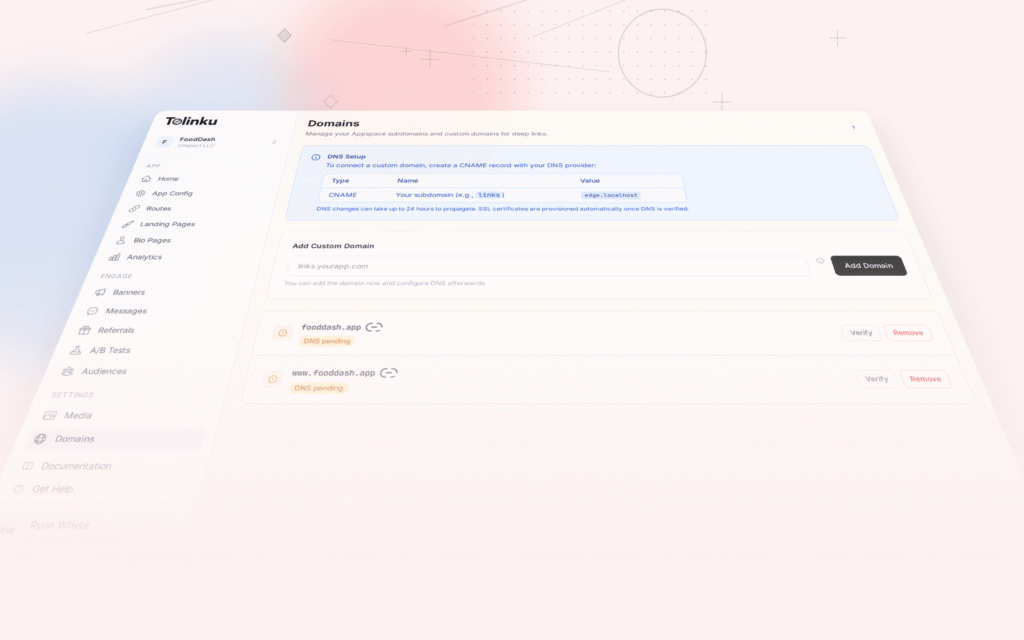
Tolinku provides the infrastructure for these best practices: custom domain routing, verification file management, web fallback pages, deferred deep linking, and smart banners for non-intrusive app promotion.
Configure your routes in the Tolinku dashboard and Tolinku handles the technical details of serving verification files, routing between app and web, and tracking engagement.
Get deep linking tips in your inbox
One email per week. No spam.