React Native apps on iOS receive Universal Links through the same native APIs as any iOS app. The URL arrives at the AppDelegate (or SceneDelegate), gets bridged to the JavaScript layer via React Native's Linking module, and then your JavaScript router handles navigation. This article focuses on the iOS-specific configuration and common pitfalls.
For the full React Native deep linking setup (iOS and Android), see Universal Links in React Native: complete guide. For SwiftUI-based Universal Links, see Universal Links with SwiftUI: implementation guide.
Prerequisites
- React Native 0.73+ (New Architecture compatible)
- An Apple Developer account
- An HTTPS domain you control
- AASA file hosted at
https://yourdomain.com/.well-known/apple-app-site-association
Step 1: Associated Domains Entitlement
In Xcode, open the ios/ workspace:
- Select the app target.
- Go to Signing & Capabilities.
- Click "+ Capability" and add "Associated Domains."
- Add
applinks:yourdomain.com.
This creates or updates the .entitlements file:
<key>com.apple.developer.associated-domains</key>
<array>
    <string>applinks:yourdomain.com</string>
</array>
For development with a local server, you can use the ?mode=developer query parameter:
<string>applinks:yourdomain.com?mode=developer</string>
This bypasses the CDN cache for the AASA file, which is useful during development. Remove it for production builds.
Step 2: AASA File
Host at https://yourdomain.com/.well-known/apple-app-site-association:
{
  "applinks": {
    "details": [{
      "appIDs": ["TEAMID.com.yourcompany.yourapp"],
      "components": [
        { "/": "/products/*" },
        { "/": "/offers/*" },
        { "/": "/referral/*" }
      ]
    }]
  }
}
The AASA file must be served with:
- Content-Type:
application/json - No redirects (Apple fetches from the exact URL)
- Valid HTTPS certificate
Apple's CDN caches the AASA file. After changes, it can take up to 24 hours (or longer on some devices) to refresh. See Apple's supporting associated domains documentation for details.
Step 3: AppDelegate Configuration
React Native projects can use either Objective-C or Swift for the AppDelegate. Both approaches work.
Objective-C AppDelegate
// AppDelegate.mm
#import <React/RCTLinkingManager.h>

// Universal Links
- (BOOL)application:(UIApplication *)application
    continueUserActivity:(NSUserActivity *)userActivity
    restorationHandler:(void (^)(NSArray<id<UIUserActivityRestoring>> * _Nullable))restorationHandler
{
  return [RCTLinkingManager application:application
                   continueUserActivity:userActivity
                     restorationHandler:restorationHandler];
}
Swift AppDelegate
If your project uses a Swift AppDelegate (common in newer React Native versions):
// AppDelegate.swift
import React

override func application(
    _ application: UIApplication,
    continue userActivity: NSUserActivity,
    restorationHandler: @escaping ([UIUserActivityRestoring]?) -> Void
) -> Bool {
    return RCTLinkingManager.application(
        application,
        continue: userActivity,
        restorationHandler: restorationHandler
    )
}
With SceneDelegate
If your app uses scenes (iOS 13+), add the handler to SceneDelegate instead:
// SceneDelegate.swift
func scene(
    _ scene: UIScene,
    continue userActivity: NSUserActivity
) {
    guard userActivity.activityType == NSUserActivityType.browsingWeb,
          let url = userActivity.webPageUrl else {
        return
    }

    // Bridge to React Native's Linking module
    RCTLinkingManager.application(
        UIApplication.shared,
        continue: userActivity,
        restorationHandler: { _ in }
    )
}
If you are using both AppDelegate and SceneDelegate, the SceneDelegate method takes priority on iOS 13+.
Step 4: JavaScript Handling
React Native's Linking module receives URLs from the native bridge:
import { Linking, Platform } from 'react-native';
import { useEffect } from 'react';
import { useNavigation } from '@react-navigation/native';

function useUniversalLinks() {
  const navigation = useNavigation();

  useEffect(() => {
    // Handle warm start (app already running)
    const subscription = Linking.addEventListener('url', ({ url }) => {
      handleUrl(url, navigation);
    });

    // Handle cold start (app launched from link)
    Linking.getInitialURL().then(url => {
      if (url) {
        handleUrl(url, navigation);
      }
    });

    return () => subscription.remove();
  }, [navigation]);
}

function handleUrl(url: string, navigation: any) {
  try {
    const parsed = new URL(url);
    const path = parsed.pathname;

    const productMatch = path.match(/^\/products\/([^/]+)$/);
    if (productMatch) {
      navigation.navigate('ProductDetail', {
        productId: productMatch[1],
        ref: parsed.searchParams.get('ref') ?? undefined
      });
      return;
    }

    const offerMatch = path.match(/^\/offers\/([^/]+)$/);
    if (offerMatch) {
      navigation.navigate('OfferDetail', {
        offerId: offerMatch[1]
      });
      return;
    }

    const referralMatch = path.match(/^\/referral\/([^/]+)$/);
    if (referralMatch) {
      navigation.navigate('Referral', {
        referrerId: referralMatch[1]
      });
      return;
    }

    // Unmatched URL
    console.warn('Unmatched Universal Link:', url);
  } catch (e) {
    console.error('Error parsing Universal Link:', e);
  }
}
React Navigation Deep Linking Config
If you use React Navigation, configure deep link handling declaratively:
import { NavigationContainer, LinkingOptions } from '@react-navigation/native';

const linking: LinkingOptions<RootParamList> = {
  prefixes: ['https://yourdomain.com'],
  config: {
    screens: {
      Home: '',
      ProductDetail: 'products/:productId',
      OfferDetail: 'offers/:offerId',
      Referral: 'referral/:referrerId',
      NotFound: '*'
    }
  }
};

function App() {
  return (
    <NavigationContainer linking={linking}>
      {/* screens */}
    </NavigationContainer>
  );
}
React Navigation automatically calls Linking.getInitialURL() and subscribes to Linking.addEventListener('url', ...) when you provide a linking prop.
Nested Navigators
For apps with nested navigators (tabs inside a stack), map deep link paths to the nested structure:
const linking: LinkingOptions<RootParamList> = {
  prefixes: ['https://yourdomain.com'],
  config: {
    screens: {
      MainTabs: {
        screens: {
          ShopTab: {
            screens: {
              ProductList: 'products',
              ProductDetail: 'products/:productId'
            }
          },
          DealsTab: {
            screens: {
              OfferList: 'offers',
              OfferDetail: 'offers/:offerId'
            }
          }
        }
      },
      Referral: 'referral/:referrerId'
    }
  }
};
Debugging
Verify AASA File
curl -v https://yourdomain.com/.well-known/apple-app-site-association
Check that:
- Status is 200 (not a redirect).
- Content-Type is
application/json. - The
appIDsvalue matches your Team ID + bundle ID. - The path patterns match your deep link URLs.
Test on Simulator
xcrun simctl openurl booted "https://yourdomain.com/products/abc123"
If the URL opens in Safari instead of your app:
- The AASA file may not be valid or cached yet.
- The Associated Domains entitlement may be missing.
- The app may not be installed (install it first, then test).
Check the Console
In Xcode, filter the console for "swcd" to see Associated Domains daemon logs:
swcd: Checking app site association for yourdomain.com
Common Issues
| Issue | Cause | Fix |
|---|---|---|
| Link opens Safari | AASA not valid or not cached | Verify AASA file, wait for cache refresh |
getInitialURL returns null |
Missing AppDelegate/SceneDelegate handler | Add continueUserActivity to AppDelegate |
| Works once then stops | App was backgrounded, addEventListener cleaned up |
Verify the subscription is set up in useEffect |
| Works in dev but not production | ?mode=developer left in entitlements |
Remove the developer mode flag |
| Navigation happens twice | Both AppDelegate and SceneDelegate handle the URL | Use only SceneDelegate on iOS 13+ |
Testing Checklist
- AASA file is valid JSON and accessible via HTTPS without redirects
- Associated Domains entitlement includes
applinks:yourdomain.com - AppDelegate (or SceneDelegate) forwards URLs to
RCTLinkingManager Linking.getInitialURL()returns the URL on cold startLinking.addEventListener('url', ...)fires on warm start- React Navigation
linkingconfig matches all deep link paths - Back navigation works correctly after deep link opens a screen
- Query parameters are passed through to the screen
Tolinku for React Native
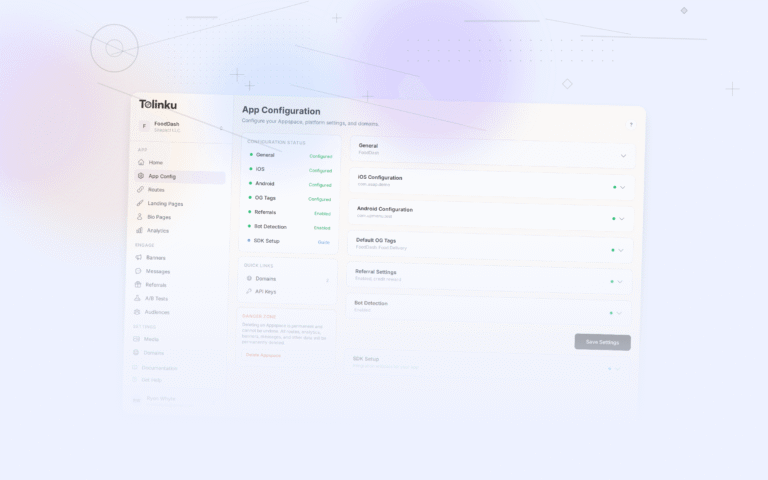
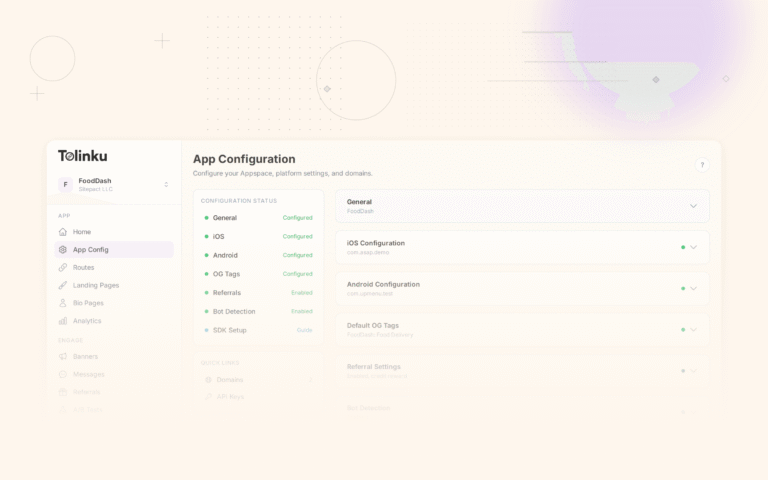
Tolinku hosts AASA files automatically. Configure your iOS app details (Team ID, bundle ID) in the Appspace settings, and the AASA file is generated and served from your domain. The React Native SDK provides additional features including deferred deep linking and analytics.
For the full React Native deep linking guide, see Universal Links in React Native: complete guide. For the cross-platform overview, see cross-platform deep linking guide for 2026.
Get deep linking tips in your inbox
One email per week. No spam.