Bitly is a URL shortener. It shortens links, tracks clicks, and provides basic analytics. What it doesn't do is deep link into mobile apps, handle deferred deep linking, serve Universal Links or App Links, or provide app-specific routing.
If you've been using Bitly for your mobile links and want real deep linking, this migration is less about moving existing functionality and more about upgrading from URL shortening to a full deep linking platform.
For the general migration guide, see Migrating to Tolinku from Branch, Firebase, and AppsFlyer. For a comparison of link management platforms, see Link Management Platforms Compared.
What Bitly Does vs What You Need
| Feature | Bitly | Tolinku |
|---|---|---|
| URL shortening | Yes | Yes |
| Click analytics | Yes | Yes |
| Custom branded domains | Yes | Yes |
| Deep linking into apps | No | Yes |
| Deferred deep linking | No | Yes |
| Universal Links (iOS) | No | Yes |
| App Links (Android) | No | Yes |
| Smart app banners | No | Yes |
| App store routing | No | Yes |
| Referral tracking | No | Yes |
| A/B testing | No | Yes |
The core reason to migrate: Bitly links always open in the browser. They can't open your app directly, can't route users to specific in-app screens, and can't preserve link context through an app install.
Step 1: Audit Your Bitly Links
Export Your Links
Bitly provides CSV exports of your links. Export your complete link history:
- Short link (e.g.,
bit.ly/abc123oryourdomain.co/abc123) - Destination URL
- Click count
- Creation date
- Tags (if you use Bitly's tagging)
Focus on links that are still actively getting clicks. Links with zero clicks in the last 90 days can be deprioritized.
Categorize by Use Case
Sort your Bitly links into categories:
Marketing links (campaigns, social posts, email): These need to be recreated as Tolinku routes with deep linking capability.
Utility links (documentation, blog posts, web pages): These might not need deep linking. Simple URL shortening is sufficient. You can still create them in Tolinku, or keep them in Bitly if preferred.
App-related links (links that SHOULD open your app but currently don't): These are your highest priority. Every link that currently sends mobile users to a web page when it should open your app is a missed opportunity.
Custom Domain
If you use a custom domain with Bitly (e.g., yourdomain.co), you can transfer it to Tolinku. If you use Bitly's default domain (bit.ly), you'll need your own domain for Tolinku.
Step 2: Set Up Tolinku
Create Your Appspace
- Sign up at tolinku.com
- Create an Appspace and configure your iOS and Android app settings
- Set your web fallback URLs
Domain Configuration
Set up your branded domain:
If transferring from Bitly: You'll need to update DNS from Bitly's servers to Tolinku's. This is the same process as any domain transfer.
If starting fresh: Choose a subdomain like go.yourapp.com or links.yourapp.com and set up DNS.
For detailed domain setup instructions, see Branded Link Domains: Setup and Management Guide.
Create Routes
For each Bitly link that should deep link into your app, create a Tolinku route:
| Bitly Link | Tolinku Route |
|---|---|
yourdomain.co/summer-sale → https://yourapp.com/sale/summer |
Route: /summer-sale with deep link to sale screen |
yourdomain.co/new-feature → https://yourapp.com/blog/new-feature |
Route: /new-feature with deep link to feature screen |
yourdomain.co/invite-ABC → https://yourapp.com/invite?code=ABC |
Route: /invite/:code with referral deep linking |
The key upgrade: Bitly redirects to a web URL. Tolinku routes check if the user has your app installed and either opens the app directly (via Universal Links/App Links) or falls back to the web URL.
Step 3: Integrate the Tolinku SDK
Since Bitly has no app SDK, this step is net-new integration (not a replacement).
iOS Setup
- Add TolinkuSDK via Swift Package Manager
- Configure Universal Links in your Associated Domains entitlement
- Add deep link handling to your SceneDelegate or AppDelegate
Android Setup
- Add the Tolinku SDK dependency
- Configure App Links intent filters in AndroidManifest.xml
- Add deep link handling to your main Activity
Deep Link Routing
Implement a router that maps URL paths to app screens:
// iOS
func handleDeepLink(url: URL) {
    let path = url.path
    switch true {
    case path.hasPrefix("/product/"):
        let id = String(path.dropFirst("/product/".count))
        navigator.showProduct(id: id)
    case path.hasPrefix("/invite/"):
        let code = String(path.dropFirst("/invite/".count))
        navigator.handleInvite(code: code)
    case path == "/summer-sale":
        navigator.showSalePage()
    default:
        navigator.showHome()
    }
}
Step 4: Migration Strategy
Option A: Gradual Migration (Recommended)
- Set up Tolinku with a new subdomain (e.g.,
go.yourapp.com) - Use Tolinku links for all new campaigns and content
- Keep Bitly active for existing links
- High-traffic Bitly links: recreate in Tolinku and update the destination where possible (social media bios, email templates, website buttons)
- Low-traffic Bitly links: let them continue through Bitly
This approach requires no downtime and no DNS changes.
Option B: Domain Transfer
If you want to use the same custom domain:
- Recreate all active Bitly link paths in Tolinku
- Lower DNS TTL to 60 seconds
- Update CNAME to point to Tolinku
- Verify all routes work
- Raise TTL back to normal
Warning: Any Bitly short links you didn't recreate in Tolinku will break after the DNS change. Use the gradual approach unless you have a manageable number of links and can recreate them all.
Step 5: What Changes for Users
Mobile Users (The Big Upgrade)
Before: User clicks a Bitly link on their phone → browser opens → web page loads → user has to manually find the content in the app (or doesn't bother).
After: User clicks a Tolinku link on their phone → app opens directly to the relevant screen (or app store if not installed, then deferred deep link on first open).
This is the entire value of migrating. Every link you share now has the ability to open your app and take users directly to specific content.
Desktop Users
Same behavior as Bitly: the link redirects to the web fallback URL. Deep linking is mobile-specific; desktop users continue to get the web experience.
Analytics
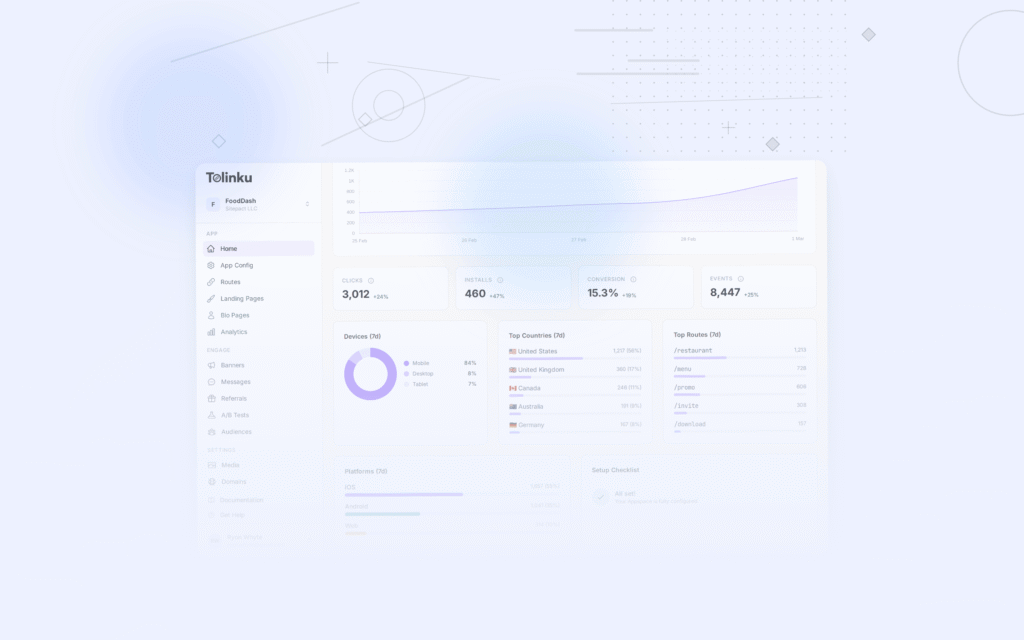
Tolinku provides click analytics similar to Bitly's: clicks over time, geographic distribution, device breakdown. Additionally, you get:
- App open vs web fallback breakdown
- Install attribution for new users
- Conversion funnel from click to in-app action
Common Questions
Can I keep Bitly for some links? Yes. You don't have to migrate everything. Use Tolinku for links where deep linking matters (marketing campaigns, sharing, referrals) and keep Bitly for simple URL shortening if you prefer.
What about Bitly's QR codes? Tolinku routes have their own QR codes. Any QR code pointing to a Bitly URL will continue to work through Bitly. New QR codes should use Tolinku links.
Is there a redirect from Bitly to Tolinku? No. Bitly links redirect to their configured destination URL, not to Tolinku. You can't "forward" Bitly links to Tolinku. You need to create new links and update references.
Timeline
Day 1: Set up Tolinku Appspace, domain, initial routes Day 2-3: SDK integration and deep link handling Day 4: Testing Day 5: Begin using Tolinku links for new campaigns Ongoing: Gradually update existing link references from Bitly to Tolinku
For more on branded link strategy, see Branded Short Links: Setup and Best Practices.
Get deep linking tips in your inbox
One email per week. No spam.