Flash sales and promotional campaigns live or die on speed. Users need to go from seeing the offer to buying before the deal expires or stock runs out. Deep links compress that journey: one tap goes from the promotional message to the exact sale page or discounted cart in your app.
For product page linking, see Product Page Deep Links. For the broader e-commerce strategy, see Deep Linking for E-Commerce Apps.
Anatomy of a Promotional Deep Link
A promotional deep link carries three types of information:
- Destination: Where the user should land (sale page, product, category)
- Promo data: Discount code, offer details, or pricing override
- Attribution: Which campaign, channel, and creative drove the click
https://go.yourapp.com/sale/summer-2026?promo=SUMMER30&utm_source=email&utm_campaign=summer-flash-sale
When a user taps this link:
- App opens to the
/sale/summer-2026page - The promo code
SUMMER30is auto-applied - The click is attributed to the email campaign
Types of Promotional Deep Links
Sale Page Links
Link directly to a dedicated sale page in your app:
https://go.yourapp.com/sale/summer-2026
https://go.yourapp.com/deals/flash-friday
https://go.yourapp.com/clearance
Best for: large sales with multiple products. The user sees the full sale catalog.
Product + Discount Links
Link to a specific product with an automatic discount:
https://go.yourapp.com/product/SKU-12345?promo=FLASH40
Best for: single-product promotions, "deal of the day" campaigns.
Pre-Filled Cart Links
Link to a pre-built cart with promotional pricing:
https://go.yourapp.com/cart/add?items=SKU-001:1,SKU-002:1&promo=BUNDLE25
Best for: curated bundles, gift sets, "buy this combo and save" campaigns.
Category + Filter Links
Link to a filtered product category:
https://go.yourapp.com/category/shoes?on_sale=true&sort=discount
Best for: category-wide sales ("All shoes 30% off").
Auto-Applying Promo Codes
The most powerful pattern for promotional deep links: the promo code is in the URL and applies automatically.
Implementation
function handlePromoDeepLink(url) {
  const parsed = new URL(url);
  const promoCode = parsed.searchParams.get('promo');
  const path = parsed.pathname;

  if (promoCode) {
    // Auto-apply the promo code
    promoStore.apply(promoCode);

    // Show a toast confirming the discount
    toast.show(`Promo code ${promoCode} applied!`);
  }

  // Navigate to the destination
  navigation.navigate(routeFromPath(path));
}
Validation
Before applying, validate the promo code:
- Is it still active? (within date range)
- Has the user already used it? (single-use codes)
- Is it applicable to the items in the current view?
If the code is expired or invalid, show a clear message. Don't silently fail; the user expects the discount they were promised.
Time-Limited Links
Promotional links often have an expiration. After the sale ends, the link should redirect to a graceful fallback.
Route-Level Expiration
Configure your deep linking platform to expire the route:
- During sale:
/sale/summer-2026resolves to the sale page in the app - After sale:
/sale/summer-2026redirects to a "Sale ended" page or the home screen
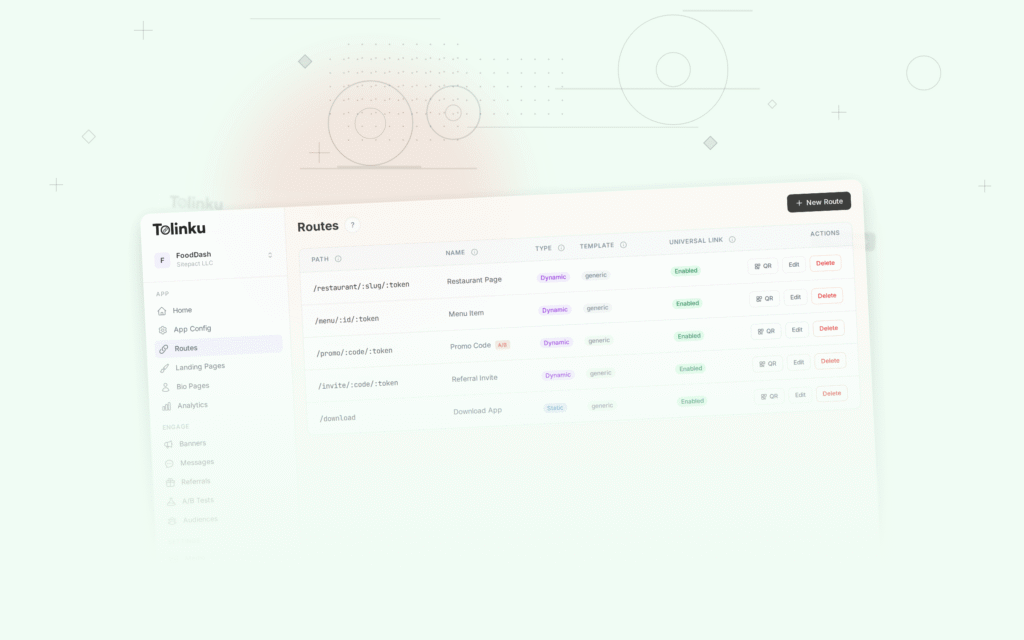
On Tolinku, you can set expiration dates on routes. See the route expiration documentation.
App-Level Expiration
Handle expiration in your app code:
function handleSaleLink(saleSlug) {
  const sale = saleStore.get(saleSlug);

  if (sale === null || sale.endDate < Date.now()) {
    // Sale ended or doesn't exist
    navigation.navigate('SaleEnded', {
      message: 'This sale has ended. Check out our current deals.'
    });
    return;
  }

  navigation.navigate('Sale', { sale });
}
Countdown Urgency
When the link includes a sale end time, the app can display a countdown:
https://go.yourapp.com/sale/flash?ends=2026-06-15T23:59:59Z
The app parses the ends parameter and shows "Sale ends in 3h 42m" on the page.
Distribution Channels for Promotional Links
Push Notifications
Push is the fastest channel for time-sensitive promotions:
{
  "notification": {
    "title": "Flash Sale: 40% Off Everything",
    "body": "Ends at midnight. Don't miss it."
  },
  "data": {
    "deep_link": "https://go.yourapp.com/sale/flash-friday?promo=FLASH40"
  }
}
Email Campaigns
Promotional emails with deep linked CTAs:
<a href="https://go.yourapp.com/sale/summer-2026?promo=SUMMER30&utm_source=email&utm_campaign=summer-sale">
  Shop the Sale →
</a>
Include product previews in the email, each linking to their specific product page with the promo applied.
Social Media
Share promotional links on social platforms. Set OG metadata so the link preview shows the promotion:
og:title: Summer Sale - Up to 50% Off
og:description: Shop our biggest sale of the year. App exclusive.
og:image: summer-sale-banner.jpg
SMS
Short links work well in SMS (character limits matter):
Flash sale! 40% off for 24 hours.
Shop now: https://go.yourapp.com/s/flash40
The short link (/s/flash40) redirects to the full sale URL with the promo code.
In-App Messages
For users already in the app, display a banner or modal linking to the sale:
// Deep link within the app (internal navigation)
navigation.navigate('Sale', { slug: 'flash-friday', promo: 'FLASH40' });
Measuring Promotional Link Performance
Per-Campaign Metrics
| Metric | What It Tells You |
|---|---|
| Click-through rate | How compelling the offer is |
| App open rate | Whether users have the app and engage |
| Conversion rate | Percentage of clicks that purchase |
| Average order value | Whether promos attract valuable orders |
| Revenue per click | The total revenue efficiency of the link |
| Promo redemption rate | Whether users complete the discount flow |
Channel Comparison
Use UTM parameters to compare channel performance:
Push:  ?utm_source=push&utm_campaign=flash-sale
Email: ?utm_source=email&utm_campaign=flash-sale
SMS:   ?utm_source=sms&utm_campaign=flash-sale
Social:?utm_source=instagram&utm_campaign=flash-sale
Compare conversion rates and ROI across channels to optimize spend.
Cohort Analysis
Track whether users acquired through promotional deep links:
- Have higher or lower lifetime value than organic users
- Become repeat purchasers or only buy during sales
- Engage with the app beyond the initial promotion
This data informs whether to continue investing in promotional link campaigns.
Best Practices
- One link per promotion: Don't reuse the same link for multiple campaigns. Create distinct links with clear attribution.
- Test before launch: Tap the link yourself before distributing. Verify the promo applies, the page loads, and the fallback works.
- Set link expiration: After the promotion ends, the link should show a clear "ended" message, not a broken page.
- Personalize when possible: If you know the user, show products they've browsed before, in their preferred categories.
- Measure incrementality: Not all users who click would have purchased without the promotion. Run holdout tests to measure true incremental revenue.
For link expiration strategies, see Link Expiration Strategies. For deep linking features, see Tolinku deep linking.
Get deep linking tips in your inbox
One email per week. No spam.