Your app landing page is often the first touchpoint between a potential user and your app. It sits in search results competing with every other app in your category. A well-optimized landing page drives organic installs without ad spend. A poorly optimized one is invisible.
App landing pages have unique SEO challenges. They need to rank for competitive keywords, convince visitors to install (not just read), and handle the web-to-app transition smoothly. This guide covers how to optimize them for both search engines and conversions. For A/B testing landing pages, see landing page A/B testing. For the broader app indexing strategy, see app indexing and SEO for mobile apps.
Types of App Landing Pages
App Store Page
Your Play Store or App Store listing. These rank well for branded queries ("YourApp download") but poorly for category queries ("best budget app"). You cannot control much of the page structure, but you can optimize the title, description, and screenshots. See app store optimization for ASO strategies.
Website Landing Page
A page on your own domain (e.g., yourapp.com or yourapp.com/features/budgeting). You have full control over content, structure, and markup. This is where SEO efforts have the most impact.
Deep Link Landing Page
A page that serves dual purpose: web content for users without the app, and a deep link entry point for users with the app. When a user with the app visits, they are routed directly into the app. When a user without the app visits, they see the web content with a prompt to install.
Mobile-First Indexing
Google uses mobile-first indexing, meaning the mobile version of your page is what Google crawls and ranks. For app landing pages, this means:
Page Speed
Mobile users are impatient, and Google measures it. Key metrics:
- Largest Contentful Paint (LCP): Under 2.5 seconds. Your hero image or app screenshot must load fast.
- First Input Delay (FID): Under 100ms. No heavy JavaScript blocking interaction.
- Cumulative Layout Shift (CLS): Under 0.1. Smart banners and app install prompts must not shift content.
<!-- Preload critical images -->
<link rel="preload" as="image" href="/images/app-screenshot-hero.webp">

<!-- Use modern image formats -->
<picture>
  <source srcset="/images/hero.webp" type="image/webp">
  <source srcset="/images/hero.avif" type="image/avif">
  <img src="/images/hero.jpg" alt="App screenshot showing budget tracking" width="375" height="812" loading="eager">
</picture>
Responsive Design
Your landing page must work on all screen sizes. Google penalizes pages that require horizontal scrolling or have touch targets too close together.
No Intrusive Interstitials
Google penalizes pages with intrusive interstitials that block content on mobile. This directly affects app landing pages because many use full-screen "Install our app" popups.
What is allowed:
- A small banner at the top or bottom of the page (Smart App Banner style).
- A banner that takes up a reasonable amount of screen space.
- A legal/compliance interstitial (cookie consent, age verification).
What is penalized:
- A full-screen popup that covers the main content immediately on page load.
- An interstitial that the user must dismiss before seeing any content.
- A popup that appears before the user has scrolled or interacted.
Content Structure for App Landing Pages
Title Tag
Your title tag is the most important on-page SEO element. For app landing pages:
<!-- Weak -->
<title>Download Our App</title>

<!-- Better -->
<title>Budget Tracker App - Free Personal Finance Manager | YourApp</title>

<!-- Best (for a feature-specific page) -->
<title>Expense Tracking Made Simple - Track Spending in Seconds | YourApp</title>
Include your primary keyword, a benefit statement, and your brand name. Keep it under 60 characters.
Meta Description
Write a compelling meta description that encourages clicks:
<meta name="description" content="Track expenses, set budgets, and see where your money goes. Free budget tracker app with bank sync, bill reminders, and spending insights. Available on iOS and Android.">
Include your primary keyword, key features, and a soft call to action. Keep it under 155 characters.
Heading Structure
Use a clear heading hierarchy:
<h1>Track Your Budget in Seconds</h1>
<!-- Primary benefit, includes main keyword context -->

<h2>Features</h2>
<h3>Automatic Expense Tracking</h3>
<h3>Budget Categories</h3>
<h3>Bill Reminders</h3>

<h2>How It Works</h2>
<h2>What Users Are Saying</h2>
<h2>Download YourApp</h2>
Content Depth
Thin content does not rank. Your landing page needs substantive content, not just an app icon and a download button. Include:
- Feature descriptions with enough detail to be useful (not just bullet points).
- Screenshots or videos showing the app in action.
- Use cases that match search intent ("How to track expenses," "Best way to stick to a budget").
- Social proof (ratings, review excerpts, user count).
- FAQ section targeting long-tail queries.
Smart App Banners and SEO
Apple Smart App Banner
The Apple Smart App Banner is an SEO-safe way to promote your app:
<meta name="apple-itunes-app" content="app-id=YOUR_APP_STORE_ID, app-argument=https://yourapp.com/feature">
Google does not penalize Apple Smart App Banners because they are small, non-intrusive, and native to Safari. The app-argument parameter passes context (a deep link) to the app when the user taps "Open."
Custom Smart Banners
If you use a custom smart banner (JavaScript-based), ensure it:
- Does not cover more than ~15% of the viewport.
- Does not block content on first load.
- Is easily dismissible.
- Does not interfere with Core Web Vitals (no layout shift, no JavaScript blocking).
Tolinku's smart banners are designed to be SEO-friendly: they load asynchronously, do not cause layout shift, and respect the user's dismiss preference.
Deep Links on Landing Pages
Open-in-App Buttons
Add "Open in App" buttons that use deep links:
<a href="https://links.yourapp.com/budgets/overview" class="open-in-app">
  Open in App
</a>
For users with the app installed, the link opens the app directly via Universal Links or App Links. For users without the app, the link falls back to the web page or app store.
Structured Data
Add structured data to help search engines understand your page:
<script type="application/ld+json">
{
  "@context": "https://schema.org",
  "@type": "SoftwareApplication",
  "name": "YourApp",
  "operatingSystem": "iOS, Android",
  "applicationCategory": "FinanceApplication",
  "offers": {
    "@type": "Offer",
    "price": "0",
    "priceCurrency": "USD"
  },
  "aggregateRating": {
    "@type": "AggregateRating",
    "ratingValue": "4.7",
    "ratingCount": "12500"
  }
}
</script>
This can generate rich results in Google Search, showing your app's rating and price directly in the SERP.
Link Building for App Landing Pages
App landing pages need backlinks just like any other page. Strategies that work well:
PR and Launch Coverage
Submit your app to tech blogs, Product Hunt, and app review sites. Each review typically links to your landing page.
Content Marketing
Create blog content that links back to your landing page. Target informational queries related to your app's category:
- "How to create a monthly budget" → links to your budgeting app landing page.
- "Best expense tracking methods" → links to your expense tracking feature page.
Integration Pages
If your app integrates with other services (banks, calendars, fitness trackers), create integration-specific landing pages. These rank for "[service name] integration" queries and attract links from partner directories.
App Directory Listings
Submit your app to directories like AlternativeTo, Product Hunt, and category-specific directories. These provide both backlinks and referral traffic.
Measuring Landing Page SEO Performance
Track these metrics in Google Search Console and your analytics platform:
| Metric | What It Tells You |
|---|---|
| Organic impressions | How visible your page is in search |
| Organic CTR | How compelling your title and description are |
| Bounce rate | Whether the page matches search intent |
| Time on page | Whether visitors engage with the content |
| App install rate | The conversion from landing page to install |
| Deep link click-through | How many visitors with the app open it from the page |
Tolinku Landing Page Integration
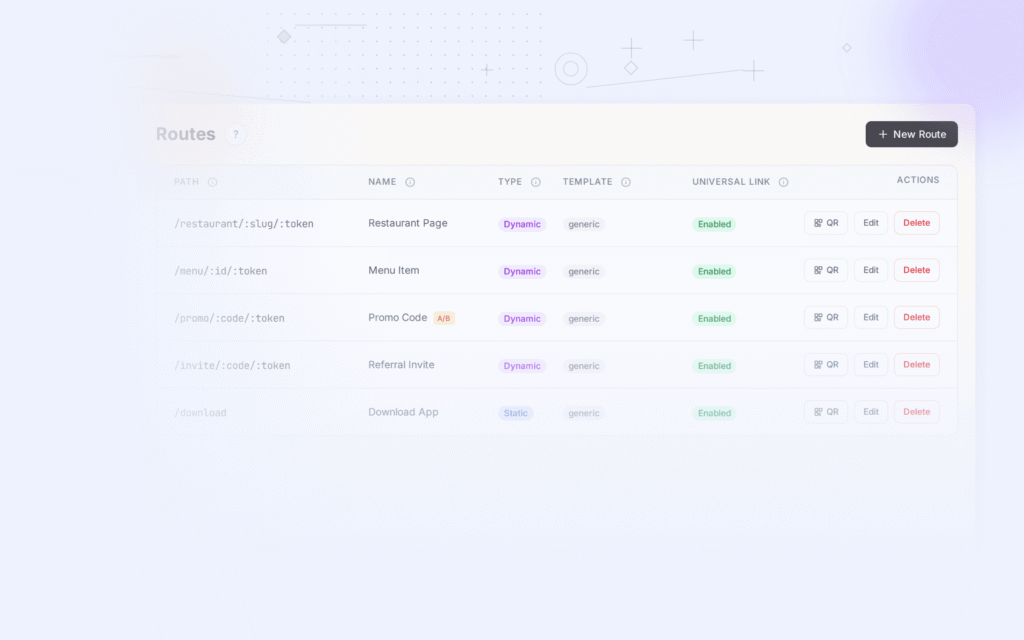
Tolinku provides deep link routing for your landing pages. Configure routes in the Tolinku dashboard and use them as "Open in App" links on your landing pages. The routes handle the detection: users with the app go directly in; users without the app see your fallback (web content or app store).
For referral landing pages, see referral landing pages. For the broader app indexing strategy, see app indexing and SEO for mobile apps.
Get deep linking tips in your inbox
One email per week. No spam.