Cross-app deep linking sends users from one app to another with context preserved. A ride-sharing app linking to a restaurant app with the reservation details. A social media app linking to a shopping app with the product page. A banking app linking to a budgeting app with the transaction imported.
The challenge is not just opening the other app; it is passing the right context so the user does not have to re-enter information or navigate manually. This guide covers how to build cross-app deep linking on both iOS and Android. For cross-promotion strategies, see cross-promotion strategies for mobile apps. For super app deep linking, see deep linking for super apps.
How Cross-App Links Work
The Three Methods
| Method | iOS | Android | Use Case |
|---|---|---|---|
| Universal Links / App Links | Yes | Yes | Standard web URLs that open apps |
| Custom URL Schemes | Yes | Yes | App-specific schemes (myapp://) |
| Intents / Activities | N/A | Yes | Direct activity launching |
Universal Links / App Links (Recommended)
The most reliable cross-app method. Your app opens a standard HTTPS URL that the target app has registered:
// iOS: Open another app via Universal Link
let targetURL = URL(string: "https://restaurantapp.com/reservations/abc123")!
UIApplication.shared.open(targetURL)
// If RestaurantApp is installed → opens the app
// If not installed → opens in Safari
// Android: Open another app via App Link
val intent = Intent(Intent.ACTION_VIEW, Uri.parse("https://restaurantapp.com/reservations/abc123"))
startActivity(intent)
// If RestaurantApp is installed → opens the app
// If not installed → opens in browser
Custom URL Schemes
Custom schemes (myapp://path) are less reliable but provide more control:
// iOS: Check if another app is installed before opening
let scheme = URL(string: "restaurantapp://")!
if UIApplication.shared.canOpenURL(scheme) {
    let deepLink = URL(string: "restaurantapp://reservations/abc123")!
    UIApplication.shared.open(deepLink)
} else {
    // App not installed, open web fallback or App Store
    let webFallback = URL(string: "https://restaurantapp.com/reservations/abc123")!
    UIApplication.shared.open(webFallback)
}
On iOS, you must declare the schemes you want to query in your Info.plist:
<key>LSApplicationQueriesSchemes</key>
<array>
    <string>restaurantapp</string>
    <string>bankingapp</string>
    <string>fitnessapp</string>
</array>
iOS limits this to 50 schemes per app.
Passing Context Between Apps
URL Parameters
The simplest approach: encode context in the URL:
https://restaurantapp.com/reservations/new?
  restaurant=pizza-palace&
  date=2026-06-22&
  time=19:00&
  guests=4&
  source=rideshare-app&
  callback=rideshareapp://rides/current
Structured Payloads
For complex data, encode a JSON payload in a URL parameter:
// Sending app: encode context
let context: [String: Any] = [
    "transaction": [
        "amount": 42.50,
        "currency": "USD",
        "merchant": "Coffee Shop",
        "date": "2026-06-22T10:30:00Z"
    ],
    "source": "banking-app",
    "callback": "bankingapp://transactions/import-result"
]

let jsonData = try JSONSerialization.data(withJSONObject: context)
let encoded = jsonData.base64EncodedString()
let url = URL(string: "https://budgetapp.com/import?data=\(encoded)")!
UIApplication.shared.open(url)
// Receiving app: decode context
func handleDeepLink(_ url: URL) {
    guard let encodedData = url.queryParameters["data"],
          let jsonData = Data(base64Encoded: encodedData),
          let context = try? JSONSerialization.jsonObject(with: jsonData) as? [String: Any]
    else { return }

    let transaction = context["transaction"] as? [String: Any]
    let callback = context["callback"] as? String
    importTransaction(transaction, callbackURL: callback)
}
Callback URLs
The source app can include a callback URL so the target app can return results:
Source app opens: https://paymentapp.com/pay?amount=25.00&callback=myapp://payment-result
  → Payment app processes payment
    → Payment app opens: myapp://payment-result?status=success&transaction_id=xyz
      → Source app receives the result
// Target app: return result to source app
fun returnResult(callbackUrl: String, result: PaymentResult) {
    val uri = Uri.parse(callbackUrl).buildUpon()
        .appendQueryParameter("status", result.status)
        .appendQueryParameter("transaction_id", result.transactionId)
        .build()

    startActivity(Intent(Intent.ACTION_VIEW, uri))
}
Platform-Specific Patterns
iOS: Activity Continuation
For richer cross-app experiences, use NSUserActivity:
// Source app: hand off an activity
let activity = NSUserActivity(activityType: "com.rideshare.destination-arrived")
activity.title = "Arrived at destination"
activity.userInfo = [
    "address": "123 Main St",
    "restaurant": "pizza-palace",
    "reservation_time": "19:00"
]
activity.webpageURL = URL(string: "https://restaurantapp.com/checkin/pizza-palace")
activity.isEligibleForHandoff = true
activity.becomeCurrent()
Android: Explicit Intents with Extras
On Android, you can send structured data through Intent extras:
// Source app: launch target app with structured data
val intent = Intent(Intent.ACTION_VIEW).apply {
    data = Uri.parse("https://restaurantapp.com/reservations/new")
    putExtra("restaurant_id", "pizza-palace")
    putExtra("date", "2026-06-22")
    putExtra("time", "19:00")
    putExtra("guests", 4)
    putExtra("source_package", packageName)
}

// Check if the target app can handle this
if (intent.resolveActivity(packageManager) != null) {
    startActivityForResult(intent, REQUEST_CODE_RESERVATION)
}
// Target app: receive the data and return a result
override fun onCreate(savedInstanceState: Bundle?) {
    super.onCreate(savedInstanceState)

    val restaurantId = intent.getStringExtra("restaurant_id")
    val date = intent.getStringExtra("date")
    val guests = intent.getIntExtra("guests", 2)

    // Process the reservation...
}

fun returnConfirmation(confirmationId: String) {
    val result = Intent().apply {
        putExtra("confirmation_id", confirmationId)
        putExtra("status", "confirmed")
    }
    setResult(RESULT_OK, result)
    finish()
}
Security Considerations
Validating Incoming Deep Links
Always validate deep link data from other apps:
func handleCrossAppLink(_ url: URL) {
    guard let host = url.host else { return }

    // Only accept links from known partner apps/domains
    let allowedHosts = ["partnerapp.com", "paymentapp.com", "restaurantapp.com"]
    guard allowedHosts.contains(host) else {
        log.warning("Rejected deep link from unknown host: \(host)")
        return
    }

    // Validate and sanitize all parameters
    guard let amount = url.queryParameters["amount"],
          let parsedAmount = Double(amount),
          parsedAmount > 0, parsedAmount < 10000
    else { return }

    // Process the validated data
    processPaymentRequest(amount: parsedAmount)
}
Preventing URL Injection
Never construct executable code from deep link parameters:
// WRONG: SQL injection risk
let query = "SELECT * FROM products WHERE id = '\(productId)'"

// RIGHT: parameterized query
let query = "SELECT * FROM products WHERE id = ?"
db.execute(query, [productId])
Callback URL Validation
Validate callback URLs before opening them:
fun validateCallbackUrl(callbackUrl: String): Boolean {
    val uri = Uri.parse(callbackUrl)

    // Only allow registered callback schemes
    val allowedSchemes = setOf("partnerapp", "bankingapp", "https")
    if (uri.scheme !in allowedSchemes) return false

    // For HTTPS callbacks, only allow known domains
    if (uri.scheme == "https") {
        val allowedDomains = setOf("partnerapp.com", "bankingapp.com")
        if (uri.host !in allowedDomains) return false
    }

    return true
}
Tolinku for Cross-App Deep Links
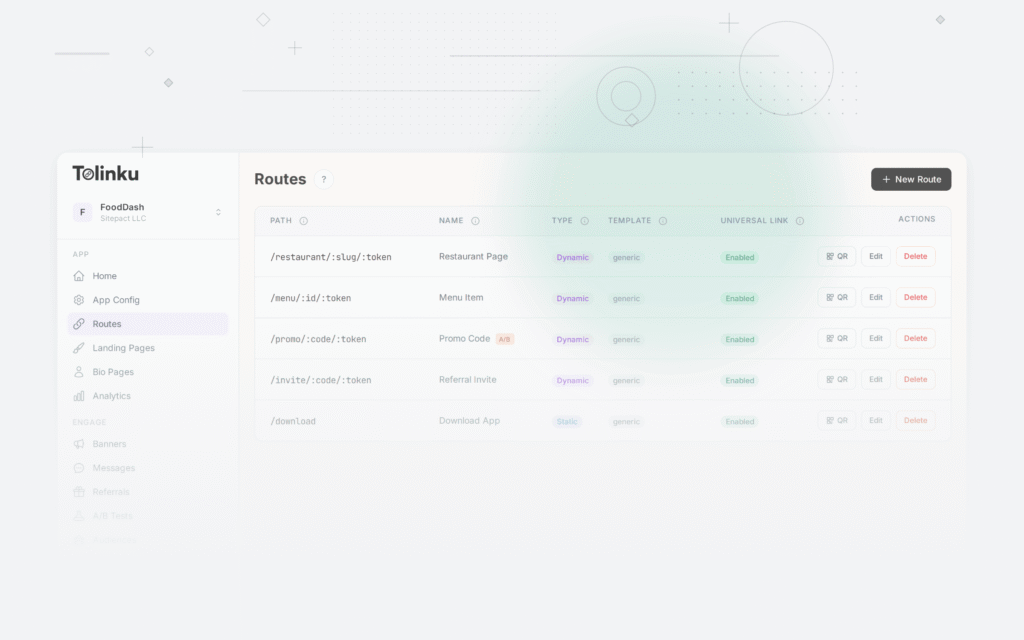
Tolinku handles the web fallback and routing for cross-app deep links. When App A links to App B via a Tolinku-managed URL, users who have App B installed go directly to the app. Users who do not have it see a web page with the content and an install prompt. Configure partner app routes in the Tolinku dashboard.
For the broader deep linking trends, see the future of mobile deep linking.
Get deep linking tips in your inbox
One email per week. No spam.