Wearable apps receive deep links differently than phone apps. There is no web browser on an Apple Watch. Wear OS has limited browser capability. Screen real estate is tiny. Interactions are measured in seconds, not minutes. These constraints change how you think about deep linking for wearables.
This guide covers the practical implementation for both Apple Watch (watchOS) and Wear OS. For the foundational deep linking concepts, see Universal Links and Android App Links.
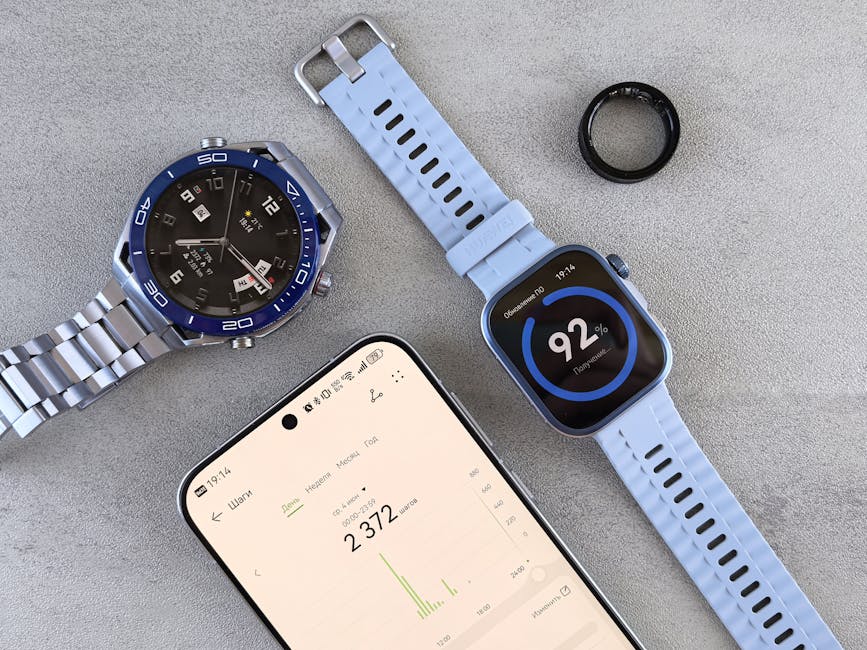 Photo by Cottonbro Studio on Pexels
How Deep Links Reach Wearables
Apple Watch
Deep links arrive on Apple Watch through several paths:
- Notifications: A push notification on the paired iPhone gets mirrored to the Watch. Tapping the notification opens the Watch app to the relevant screen.
- Handoff: The user views content on iPhone, then raises their wrist. The Watch can continue the activity via Handoff.
- Complications: Watch face complications can link to specific screens in the Watch app.
- Siri: Voice commands can trigger App Intents that open the Watch app.
- Companion app forwarding: The iPhone app receives a deep link and forwards the relevant data to the Watch app via WatchConnectivity.
Wear OS
Deep links reach Wear OS devices through:
- Notifications: Bridged notifications from the phone app.
- Tiles: Quick-glance content cards that can launch the app to a specific screen.
- Complications: Watch face complications that launch specific activities.
- Google Assistant: Voice commands that trigger App Actions.
- Standalone browsing: Wear OS 3+ supports limited web browsing, which can trigger App Links.
Apple Watch: Implementation
Handling Universal Links via Notifications
When a notification contains a Universal Link, the Watch app receives it through UNUserNotificationCenter:
// WatchApp/ExtensionDelegate.swift
import UserNotifications
import WatchKit

class NotificationController: WKUserNotificationHostingController<NotificationView> {
    var deepLinkPath: String?

    override func didReceive(_ notification: UNNotification) {
        let userInfo = notification.request.content.userInfo

        if let urlString = userInfo["deep_link"] as? String,
           let url = URL(string: urlString) {
            deepLinkPath = url.path
        }
    }
}
Handoff Between iPhone and Watch
Use NSUserActivity to pass context from the iPhone app to the Watch:
// iPhone app: advertise the current activity
func viewProduct(_ product: Product) {
    let activity = NSUserActivity(activityType: "com.yourapp.viewProduct")
    activity.title = product.name
    activity.userInfo = ["productId": product.id]
    activity.isEligibleForHandoff = true
    activity.webpageURL = URL(string: "https://yourapp.com/products/\(product.slug)")

    self.userActivity = activity
    activity.becomeCurrent()
}

// Watch app: receive the handoff
class InterfaceController: WKInterfaceController {
    override func handleUserActivity(_ userInfo: [AnyHashable: Any]?) {
        guard let productId = userInfo?["productId"] as? String else { return }
        navigateToProduct(productId)
    }
}
Watch Complications as Deep Links
Complications are the most visible entry point on Apple Watch. Each complication can link to a specific screen:
import WidgetKit
import SwiftUI

struct OrderStatusComplication: Widget {
    var body: some WidgetConfiguration {
        StaticConfiguration(
            kind: "OrderStatus",
            provider: OrderStatusProvider()
        ) { entry in
            OrderStatusView(entry: entry)
                .widgetURL(URL(string: "yourapp://orders/\(entry.orderId)"))
        }
        .configurationDisplayName("Order Status")
        .description("Track your current order")
        .supportedFamilies([.accessoryCircular, .accessoryRectangular, .accessoryInline])
    }
}
WatchConnectivity for Deep Link Forwarding
When the iPhone app receives a deep link, forward the relevant context to the Watch:
import WatchConnectivity

class PhoneSessionManager: NSObject, WCSessionDelegate {
    static let shared = PhoneSessionManager()

    func forwardDeepLink(_ url: URL) {
        guard WCSession.default.isWatchAppInstalled else { return }

        let message: [String: Any] = [
            "type": "deepLink",
            "path": url.path,
            "params": url.queryParameters
        ]

        if WCSession.default.isReachable {
            WCSession.default.sendMessage(message, replyHandler: nil)
        } else {
            try? WCSession.default.updateApplicationContext(message)
        }
    }
}
Wear OS: Implementation
App Links on Wear OS
Wear OS 3+ (based on Android) supports standard App Links. Declare intent filters in the Watch app manifest:
<!-- wear/src/main/AndroidManifest.xml -->
<activity android:name=".OrderDetailActivity"
    android:exported="true">
    <intent-filter android:autoVerify="true">
        <action android:name="android.intent.action.VIEW" />
        <category android:name="android.intent.category.DEFAULT" />
        <category android:name="android.intent.category.BROWSABLE" />
        <data android:scheme="https"
              android:host="yourapp.com"
              android:pathPrefix="/orders/" />
    </intent-filter>
</activity>
The same assetlinks.json verification works for both phone and Watch apps if they share the same package name.
Tiles as Deep Link Entry Points
Wear OS Tiles are glanceable cards. Each tile element can launch a specific activity:
import androidx.wear.tiles.*

class OrderTileService : TileService() {
    override fun onTileRequest(requestParams: RequestBuilders.TileRequest) =
        Futures.immediateFuture(
            Tile.Builder()
                .setResourcesVersion("1")
                .setTileTimeline(
                    Timeline.Builder().addTimelineEntry(
                        TimelineEntry.Builder().setLayout(
                            Layout.Builder().setRoot(
                                Text.Builder()
                                    .setText("Order #1234: Ready for pickup")
                                    .setModifiers(
                                        Modifiers.Builder()
                                            .setClickable(
                                                Clickable.Builder()
                                                    .setOnClick(
                                                        ActionBuilders.LaunchAction.Builder()
                                                            .setAndroidActivity(
                                                                AndroidActivity.Builder()
                                                                    .setPackageName("com.yourapp")
                                                                    .setClassName("com.yourapp.OrderDetailActivity")
                                                                    .addKeyToExtraMapping("orderId",
                                                                        AndroidStringExtra.Builder().setValue("1234").build())
                                                                    .build()
                                                            ).build()
                                                    ).build()
                                            ).build()
                                    ).build()
                            ).build()
                        ).build()
                    ).build()
                ).build()
        )
}
Data Layer for Phone-Watch Communication
Use the Data Layer API to forward deep link context from the phone to the Watch:
// Phone app: forward deep link data to Watch
class PhoneDeepLinkForwarder(private val context: Context) {
    private val dataClient = Wearable.getDataClient(context)

    fun forwardToWatch(path: String, params: Map<String, String>) {
        val putDataReq = PutDataMapRequest.create("/deep-link").run {
            dataMap.putString("path", path)
            params.forEach { (key, value) -> dataMap.putString(key, value) }
            dataMap.putLong("timestamp", System.currentTimeMillis())
            asPutDataRequest().setUrgent()
        }
        dataClient.putDataItem(putDataReq)
    }
}

// Watch app: receive deep link data
class WatchDeepLinkReceiver : WearableListenerService() {
    override fun onDataChanged(dataEvents: DataEventBuffer) {
        dataEvents.forEach { event ->
            if (event.type == DataEvent.TYPE_CHANGED &&
                event.dataItem.uri.path == "/deep-link") {
                val dataMap = DataMapItem.fromDataItem(event.dataItem).dataMap
                val path = dataMap.getString("path")
                handleDeepLink(path)
            }
        }
    }
}
Design Considerations for Wearable Deep Links
Content Adaptation
The same deep link URL should render different content on phone vs. watch:
| Deep Link | Phone Experience | Watch Experience |
|---|---|---|
/orders/1234 |
Full order details with items, map, tracking | Order status, ETA, one-tap action |
/products/shoes |
Full product page with images, reviews | Price, quick add to cart |
/messages/inbox |
Full message list with previews | Unread count, latest message snippet |
Navigation Depth
Keep watch navigation shallow. A deep link on the phone might open a screen 4 levels deep. On the watch, flatten the hierarchy:
Phone: Home → Orders → Order #1234 → Tracking Details
Watch: Deep link → Order #1234 status (single screen)
Offline Handling
Wearables frequently lose connectivity. Handle deep links that arrive when the watch cannot fetch data:
func handleDeepLink(_ path: String) {
    if let cachedData = cache.get(path) {
        display(cachedData)
    } else if isConnected {
        fetchAndDisplay(path)
    } else {
        showOfflineMessage("Connect to your phone to view this content")
    }
}
Tolinku and Wearable Deep Links
Tolinku handles the web-side routing for deep links that ultimately reach wearable apps. When a deep link URL is accessed (from a notification, a shared link, or a web search), Tolinku routes to the phone app via Universal Links or App Links. The phone app then forwards the context to the companion Watch app via WatchConnectivity or the Data Layer API.
Configure your deep link routes in the Tolinku dashboard. The same routes work for both phone and wearable destinations.
Get deep linking tips in your inbox
One email per week. No spam.