Deferred deep linking only delivers value if you can measure it. Without analytics, you cannot tell whether your deferred links are working, which campaigns drive the most installs, or where users drop off in the funnel. You need to track every stage: from the initial link click through the app install, the deferred match, and the post-install user behavior.
This guide covers which metrics to track, how to instrument each stage of the deferred linking funnel, and how to connect deferred link data to your broader analytics. For the matching methods, see deferred linking accuracy. For conversion benchmarks, see deferred linking conversion rates.
Key Metrics
Funnel Metrics
Track these at each stage of the deferred linking funnel:
1. Click Volume and Click-Through Rate (CTR)
- Total clicks on deferred-capable links
- CTR by channel (email, social, ads, referral)
- CTR by link position (inline text, CTA button, banner)
2. Click-to-Install Rate
- Percentage of clicks that result in an app install
- Segmented by platform (iOS vs. Android), channel, and campaign
- This is the most critical conversion metric for user acquisition
3. Match Rate
- Percentage of installs where the deferred link successfully resolved
- Segmented by matching method (Install Referrer, clipboard, fingerprint)
- High match rates indicate healthy deferred linking; low rates suggest configuration or timing issues
4. Content Landing Rate
- Percentage of matched installs where the user actually reached the intended content
- Low rates indicate routing issues, expired content, or onboarding walls blocking the destination
5. Post-Install Engagement
- Day-1, Day-7, Day-30 retention for deferred link users vs. organic installs
- First action taken (purchase, sign-up, content view) by deferred link users
- Time to first meaningful action
Attribution Metrics
6. Campaign Attribution
- Installs attributed to each campaign, source, and medium
- Revenue attributed to deferred link installs (for e-commerce and subscription apps)
- Return on ad spend (ROAS) per campaign with deferred link attribution
7. Referral Attribution
- Installs attributed to each referrer
- Referral chain depth (referrer → referred → their referrals)
- Reward fulfillment rate (referrer received credit for the install)
Instrumenting Each Stage
Stage 1: Click Tracking
When a user clicks a deferred link, log the click with context:
// Click tracking on your landing page / redirect service
function logClick(linkData) {
  analytics.track('deferred_link_click', {
    linkId: linkData.id,
    destination: linkData.destination,
    campaign: linkData.campaign,
    source: linkData.source,
    medium: linkData.medium,
    platform: detectPlatform(), // ios, android, web
    timestamp: new Date().toISOString(),
    userAgent: navigator.userAgent,
    referrer: document.referrer,
  });
}
Stage 2: Install Attribution
On Android, the Play Install Referrer API provides the referrer string. Log it on first open:
fun logInstallAttribution(referrer: String?, matchMethod: String) {
    analytics.track("app_install_attributed", mapOf(
        "matchMethod" to matchMethod, // "install_referrer", "clipboard", "fingerprint"
        "referrer" to referrer,
        "platform" to "android",
        "timestamp" to System.currentTimeMillis(),
        "appVersion" to BuildConfig.VERSION_NAME,
    ))
}
On iOS, log the match result from whatever method succeeded:
func logInstallAttribution(matchResult: DeferredLinkResult?) {
    var properties: [String: Any] = [
        "platform": "ios",
        "timestamp": Date().timeIntervalSince1970,
        "appVersion": Bundle.main.infoDictionary?["CFBundleShortVersionString"] ?? "",
    ]

    if let result = matchResult {
        properties["matchMethod"] = result.method // "clipboard", "fingerprint"
        properties["destination"] = result.destination
        properties["confidence"] = result.confidence
        properties["campaign"] = result.campaign
    } else {
        properties["matchMethod"] = "none"
    }

    Analytics.shared.track("app_install_attributed", properties: properties)
}
Stage 3: Match Resolution
Log whether the deferred link resolved successfully:
fun logMatchResolution(
    success: Boolean,
    method: String?,
    confidence: Double?,
    destination: String?,
    latencyMs: Long
) {
    analytics.track("deferred_link_resolved", mapOf(
        "success" to success,
        "method" to (method ?: "none"),
        "confidence" to (confidence ?: 0.0),
        "destination" to (destination ?: ""),
        "latencyMs" to latencyMs,
    ))
}
Track latency because slow resolution degrades UX. If resolution consistently takes more than 2-3 seconds, investigate the matching endpoint's performance.
Stage 4: Content Landing
Log when the user reaches the deferred link destination:
func logContentLanding(destination: String, wasDeferred: Bool, campaign: String?) {
    Analytics.shared.track("content_landed", properties: [
        "destination": destination,
        "wasDeferred": wasDeferred,
        "campaign": campaign ?? "",
        "timeSinceInstall": timeSinceFirstOpen(),
    ])
}
Stage 5: Post-Install Behavior
Tag all post-install events with the deferred link context so you can compare behavior between deferred link users and organic installs:
// On every analytics event, include the acquisition source
fun enrichEvent(event: AnalyticsEvent): AnalyticsEvent {
    val acquisitionSource = getUserAcquisitionSource() // Stored from match resolution
    event.properties["acquisitionSource"] = acquisitionSource.source
    event.properties["acquisitionCampaign"] = acquisitionSource.campaign
    event.properties["acquisitionMethod"] = acquisitionSource.matchMethod
    return event
}
Building Dashboards
Funnel Dashboard
Visualize the deferred linking funnel:
Clicks: 10,000
  └→ Installs: 1,200 (12% click-to-install)
      └→ Matched: 960 (80% match rate)
          └→ Content Landed: 912 (95% landing rate)
              └→ Converted: 137 (15% conversion rate)
Show this funnel by:
- Time period (daily, weekly, monthly)
- Campaign
- Channel (email, social, paid, referral)
- Platform (iOS, Android)
Match Rate Dashboard
Track match rates over time, segmented by method:
Overall match rate: 78%
  Install Referrer (Android): 97%
  Clipboard (iOS): 62%
  Fingerprint: 54%
  No match: 22%
A declining match rate may indicate:
- A new iOS version affecting clipboard behavior
- Server-side matching configuration changes
- Increased time between click and install (slower campaigns)
Campaign Performance Dashboard
For each campaign, show:
- Clicks
- Installs (with attribution)
- Match rate
- Conversions
- Revenue (if applicable)
- Cost per install (CPI) and ROAS
Connecting to Analytics Platforms
Firebase Analytics / Google Analytics
// Log deferred link match as a Firebase event
FirebaseAnalytics.getInstance(context).logEvent("deferred_link_match", Bundle().apply {
    putString("method", matchMethod)
    putString("destination", destination)
    putString("campaign", campaign)
    putDouble("confidence", confidence)
})

// Set user property for cohort analysis
FirebaseAnalytics.getInstance(context).setUserProperty("acquisition_source", source)
Amplitude / Mixpanel
// Amplitude
Amplitude.instance().logEvent("deferred_link_matched", withEventProperties: [
    "method": matchMethod,
    "destination": destination,
    "campaign": campaign,
])
Amplitude.instance().setUserProperties(["acquisition_source": source])

// Mixpanel
Mixpanel.mainInstance().track(event: "deferred_link_matched", properties: [
    "method": matchMethod,
    "destination": destination,
    "campaign": campaign,
])
Mixpanel.mainInstance().people.set(properties: ["$acquisition_source": source])
Server-Side Event Forwarding
For privacy-conscious implementations, forward events server-side rather than from the client:
// Server-side: forward match event to analytics
async function forwardMatchEvent(matchResult, userId) {
  await analyticsClient.track({
    userId: userId,
    event: 'deferred_link_matched',
    properties: {
      method: matchResult.method,
      destination: matchResult.destination,
      campaign: matchResult.campaign,
      confidence: matchResult.confidence,
    },
  });
}
This keeps device fingerprint data on your matching server and only sends anonymized match metadata to your analytics platform.
Common Analysis Questions
"Are deferred links actually helping?"
Compare cohorts:
- Deferred link users: Installed via a deferred link and landed on specific content.
- Organic installs: Found the app themselves and started from the home screen.
Compare: retention (Day 1, 7, 30), conversion rate, revenue per user, engagement metrics.
"Which campaigns benefit most from deferred linking?"
Look at the content landing rate by campaign. Campaigns with high-intent content (specific product links, referral rewards) benefit more than generic brand campaigns.
"Is our match rate declining?"
Plot match rate over time. If it drops:
- Check for iOS updates that changed clipboard behavior.
- Check if time-to-install has increased (longer gaps reduce fingerprint accuracy).
- Verify your matching server is performing correctly.
Tolinku Analytics
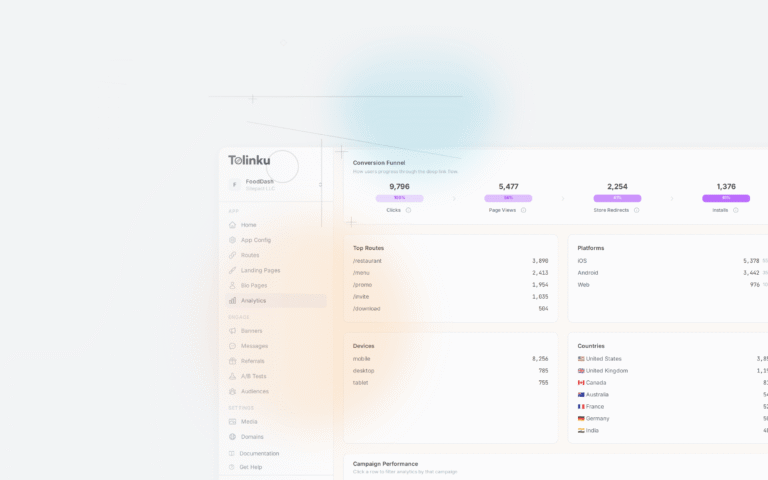
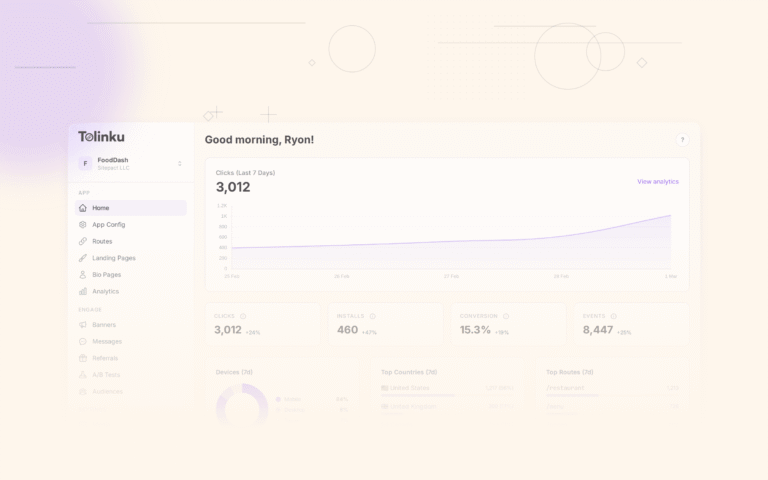
Tolinku's analytics dashboard provides built-in tracking for every stage of the deferred linking funnel. Click events, match results, and post-install attribution are tracked automatically when you use the Tolinku SDK. No additional instrumentation is needed for the core funnel metrics.
For custom analytics integrations, Tolinku supports webhook events that forward match and attribution data to your analytics platform in real time.
For conversion benchmarks, see deferred linking conversion rates. For the full deferred linking setup, see how deferred deep linking works.
Get deep linking tips in your inbox
One email per week. No spam.