The safest way to migrate between deep linking platforms is to run both simultaneously for a period. Parallel running lets you validate the new platform with real traffic while the old platform continues to serve as a safety net. If something goes wrong, you can route traffic back to the old platform immediately.
This approach adds complexity, but it dramatically reduces risk. This guide covers how to set up parallel operation, manage traffic routing, handle SDK coexistence, and plan the cutover. For the overall migration plan, see migration timeline planning. For analytics continuity during parallel running, see analytics data migration.
Why Parallel Running
A "big bang" migration (shut down old platform, turn on new platform) is faster but riskier. If anything goes wrong, all your deep links break at once.
Parallel running provides:
- Validation with real traffic. You can compare the new platform's behavior against the old platform's behavior with the same traffic.
- Gradual rollout. Start with 5% of traffic on the new platform, increase to 25%, 50%, then 100%.
- Instant rollback. If the new platform has issues, route all traffic back to the old platform.
- Attribution continuity. The old platform continues to resolve pending attributions while the new platform handles new ones.
Architecture: Two Platforms, One Domain
The key to parallel running is traffic routing. Both platforms need to handle requests for your deep link domain, but each request should go to exactly one platform.
Option 1: DNS-Based Routing
Route all traffic to one platform at a time. Simple, but does not support gradual rollout.
Phase 1: links.yourapp.com → old platform (100%)
Phase 2: links.yourapp.com → new platform (100%)
This is not true parallel running; it is a cutover. Use this only if you cannot implement traffic splitting.
Option 2: Reverse Proxy Routing
Place a reverse proxy (Nginx, Caddy, Cloudflare Workers) in front of both platforms. The proxy decides which platform handles each request.
User → links.yourapp.com → Reverse Proxy
                              ├→ Old Platform (for existing links)
                              └→ New Platform (for new links)
The proxy routes based on the link path:
# Nginx: route by path prefix
location /new/ {
    proxy_pass https://new-platform.example.com;
}

location / {
    proxy_pass https://old-platform.example.com;
}
This lets you create new links on the new platform (under /new/) while existing links continue to work on the old platform.
Option 3: Percentage-Based Traffic Splitting
Split traffic by percentage using a load balancer or CDN edge worker:
// Cloudflare Worker: percentage-based routing
addEventListener('fetch', event => {
  event.respondWith(handleRequest(event.request));
});

async function handleRequest(request) {
  const url = new URL(request.url);

  // Route new links (created on new platform) to new platform
  if (isNewPlatformLink(url.pathname)) {
    return fetch(`https://new-platform.example.com${url.pathname}${url.search}`, {
      headers: request.headers,
    });
  }

  // Route existing links to old platform
  return fetch(`https://old-platform.example.com${url.pathname}${url.search}`, {
    headers: request.headers,
  });
}

function isNewPlatformLink(path) {
  // Check against a list of paths created on the new platform
  // or use a naming convention
  return path.startsWith('/v2/') || newPlatformPaths.has(path);
}
SDK Coexistence
Running two deep linking SDKs in the same app requires careful configuration to avoid conflicts.
The Conflict Points
Both SDKs will try to:
- Handle incoming Universal Links / App Links. Both register for the same URL patterns.
- Read the Install Referrer (Android). Only one SDK can read it successfully.
- Intercept app open events. Both SDKs call their initialization logic on app launch.
- Claim attribution. Both SDKs may try to attribute the same install.
iOS: SceneDelegate Configuration
On iOS, use the SceneDelegate to route incoming links to the correct SDK:
func scene(_ scene: UIScene, continue userActivity: NSUserActivity) {
    guard let url = userActivity.webpageURL else { return }

    // New platform handles links with the new path structure
    if isNewPlatformLink(url) {
        TolinkuSDK.handleUniversalLink(url) { result in
            self.routeDeepLink(result)
        }
        return
    }

    // Old platform handles legacy links
    OldPlatformSDK.handleUniversalLink(url) { result in
        self.routeDeepLink(result)
    }
}

func isNewPlatformLink(_ url: URL) -> Bool {
    // Links created on the new platform use a specific path pattern
    return url.path.hasPrefix("/v2/") || newPlatformPaths.contains(url.path)
}
Android: Intent Filter Priority
On Android, you cannot have two SDKs both registered for the same domain in intent filters. Instead, handle all App Links in your Activity and delegate to the correct SDK:
class DeepLinkActivity : AppCompatActivity() {

    override fun onCreate(savedInstanceState: Bundle?) {
        super.onCreate(savedInstanceState)

        val uri = intent.data ?: return

        if (isNewPlatformLink(uri)) {
            TolinkuSDK.handleDeepLink(uri) { result ->
                routeDeepLink(result)
            }
        } else {
            OldPlatformSDK.handleDeepLink(uri) { result ->
                routeDeepLink(result)
            }
        }
    }

    private fun isNewPlatformLink(uri: Uri): Boolean {
        return uri.path?.startsWith("/v2/") == true ||
               newPlatformPaths.contains(uri.path)
    }
}
Install Referrer Handling
On Android, the Google Play Install Referrer API can only be read reliably once. Configure the new SDK to read it first:
// Application.onCreate()
// New SDK reads Install Referrer first
TolinkuSDK.initialize(this, config = TolinkuConfig(
    readInstallReferrer = true
))

// Old SDK: disable Install Referrer reading
OldPlatformSDK.initialize(this, config = OldConfig(
    readInstallReferrer = false,
    attributionOnly = true
))
Verification Files During Parallel Running
Both platforms may need to serve verification files for your domain. Since only one server can respond to requests for /.well-known/ paths, you need to merge the verification files.
Merging apple-app-site-association
The AASA file supports multiple applinks entries. Merge the entries from both platforms:
{
  "applinks": {
    "apps": [],
    "details": [
      {
        "appIDs": ["TEAMID.com.yourapp.ios"],
        "components": [
          { "/": "/v2/*" },
          { "/": "/*" }
        ]
      }
    ]
  }
}
Since both platforms serve links for the same app, the AASA file content should be identical. The critical fields are your Team ID and Bundle ID, which do not change between platforms.
Merging assetlinks.json
Similarly, the assetlinks.json file contains your app's package name and signing certificate, which are the same regardless of platform:
[
  {
    "relation": ["delegate_permission/common.handle_all_urls"],
    "target": {
      "namespace": "android_app",
      "package_name": "com.yourapp.android",
      "sha256_cert_fingerprints": [
        "YOUR_SHA256_FINGERPRINT"
      ]
    }
  }
]
If you are using the reverse proxy approach, serve these files directly from the proxy to ensure consistency.
Monitoring Parallel Operation
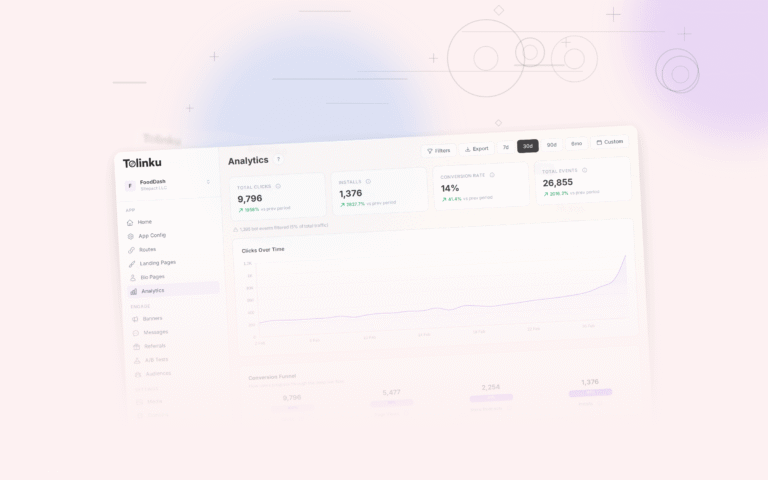
During parallel running, monitor both platforms to compare performance and catch issues.
Key Metrics to Compare
| Metric | Old Platform | New Platform | Acceptable Variance |
|---|---|---|---|
| Click count | Baseline | Should match traffic split | +/- 5% |
| Deep link open rate | Baseline | Should match or improve | +/- 10% |
| Deferred link match rate | Baseline | Should match or improve | +/- 10% |
| Verification file response time | Baseline | Should be < 200ms | |
| Error rate | Baseline | Should be < 1% |
Alerting
Set up alerts for:
- Verification file errors. If
/.well-known/paths return non-200 status codes, deep links will break on new installs. - Click spike differences. If the old platform shows 1000 clicks/hour but the new platform shows 100, traffic routing is broken.
- SDK crash rate increase. Monitor crash reporting (Firebase Crashlytics, Sentry) for new crashes related to the SDKs.
The Cutover Plan
Parallel running is temporary. Eventually, you need to cut over to the new platform entirely. Plan this in phases.
Phase 1: New Links Only (Week 1-2)
All new campaigns, QR codes, and marketing links use the new platform. Existing links continue on the old platform.
Phase 2: Traffic Split (Week 3-4)
If using a reverse proxy, start routing a percentage of existing link traffic to the new platform. Increase gradually:
Week 3, Day 1: 10% of existing link traffic → new platform
Week 3, Day 3: 25% → new platform
Week 4, Day 1: 50% → new platform
Week 4, Day 3: 75% → new platform
Monitor metrics at each step. If there is a significant regression, pause and investigate.
Phase 3: Full Cutover (Week 5)
Route 100% of traffic to the new platform. Keep the old platform running (but not serving traffic) for 1-2 weeks as a rollback option.
Phase 4: Cleanup (Week 6-8)
- Remove the old SDK from the app (after the attribution window expires).
- Shut down the reverse proxy (if used) and point DNS directly to the new platform.
- Cancel the old platform subscription (after verifying all redirects work).
- Archive the old platform's analytics data.
When to Avoid Parallel Running
Parallel running is not always the right approach:
- Simple setups. If you have one app, a few dozen links, and low traffic, a direct cutover is fine. Test thoroughly on staging, then switch.
- No custom domain. If your deep links use the old platform's subdomain (e.g.,
yourapp.oldplatform.link), you cannot split traffic. You need to create new links on the new platform and redirect old links. - Budget constraints. Running two platforms simultaneously means paying for both during the overlap period.
For these cases, a direct cutover with a solid rollback plan (see migration risk mitigation) is the better approach.
Tolinku Parallel Running
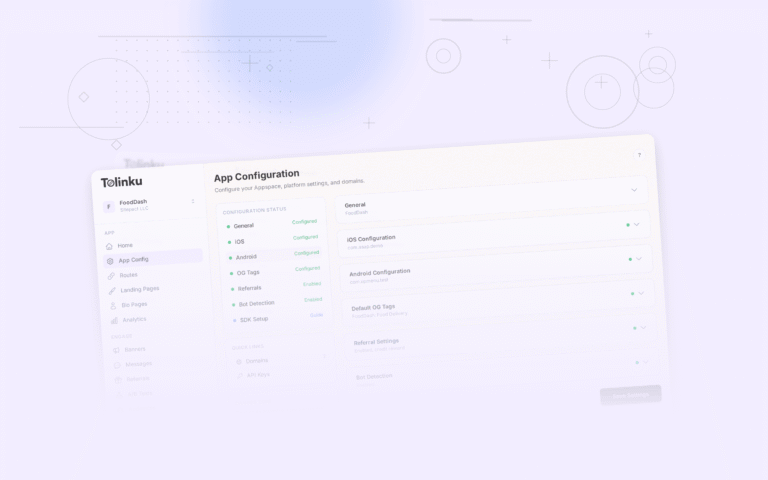
Tolinku supports custom domains, which makes parallel running straightforward. Configure your routes in the Tolinku dashboard, point your reverse proxy to Tolinku for new links, and gradually shift traffic.
For the migration timeline, see migrating to Tolinku. For domain configuration, see link redirects during migration. For attribution during parallel running, see migration impact on attribution.
Get deep linking tips in your inbox
One email per week. No spam.