Restaurants adopted QR codes at scale during 2020 for contactless menus, and they have stayed. But a QR code that opens a PDF menu is a missed opportunity. QR codes can drive app downloads, enable mobile ordering, connect to loyalty programs, and collect customer data. This article covers practical strategies for restaurants and food delivery apps.
For QR code fundamentals, see QR codes and short links for mobile apps. For print marketing strategies, see QR codes for print marketing: bridging offline to app.
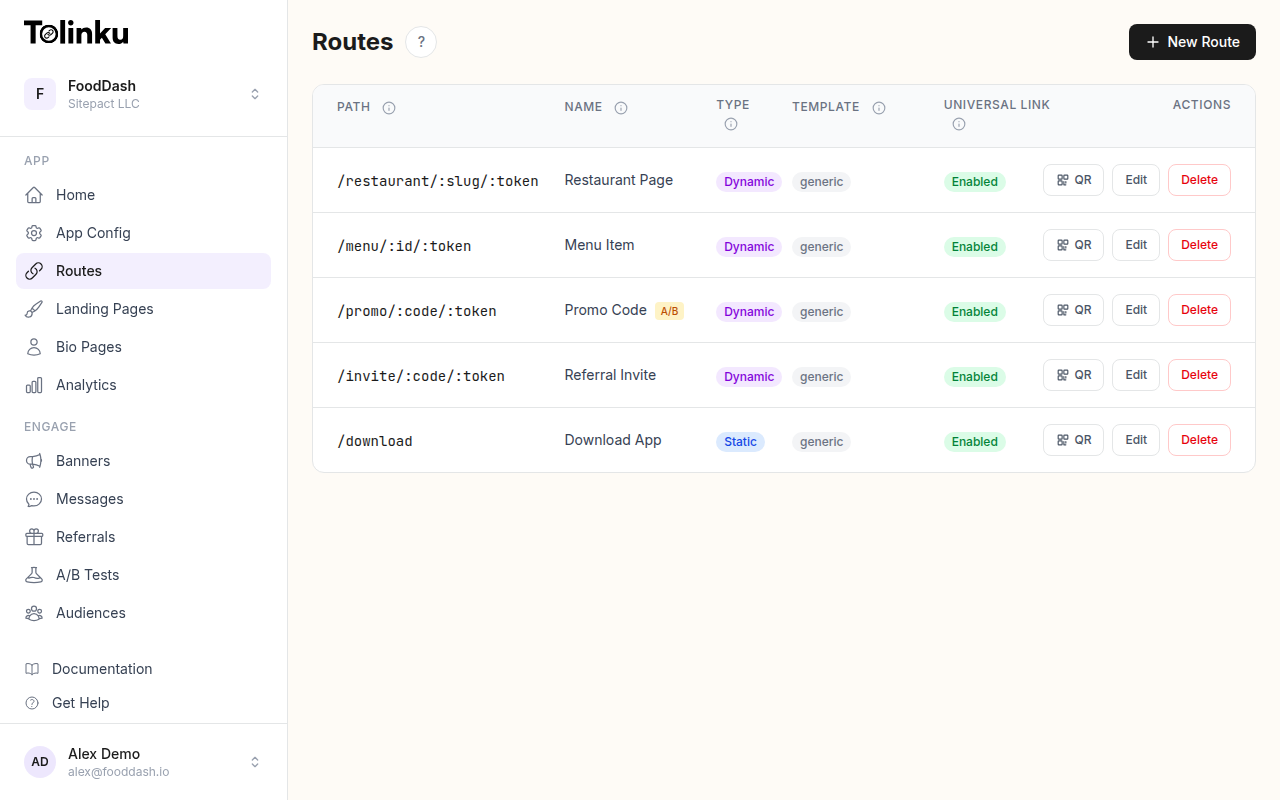 Tolinku route configuration with QR code generation for each deep link.
Beyond the PDF Menu
A QR code on a table tent that opens a PDF is the baseline. Here is what restaurants can do instead:
| QR Code Type | Destination | Business Value |
|---|---|---|
| Digital menu | Web app or PWA | No app download required, always updated |
| Mobile ordering | In-app order screen | Faster service, higher order accuracy |
| App download | App store page with deep link | Drives installs, enables future marketing |
| Loyalty signup | In-app loyalty enrollment | Captures customer data, repeat visits |
| Review request | Google/Yelp review page | Social proof for new customers |
| Feedback form | In-app survey | Private feedback before it goes public |
Placement Strategies
Table Placements
Table tents and table stickers are the highest-visibility spots. Every seated customer sees them.
What works:
- Clear call to action: "Order from your phone" or "Join our rewards" beats "Scan me."
- One QR code per purpose. A table tent with three QR codes confuses customers. Use one code that leads to a landing page with multiple options, or rotate between single-purpose tents.
- Durable materials. Laminated cards or acrylic table stands resist food and liquid spills.
Sizing: QR codes on table tents should be at least 2 cm x 2 cm (about 0.8 in x 0.8 in). For a typical scan distance of 20-30 cm, this provides reliable scanning even in low light.
Menu Integration
Print QR codes directly on physical menus:
- Next to specific dishes: "See this dish on video" linking to a short clip in the app.
- At the bottom of the menu: "Order ahead for your next visit" linking to the app.
- On the back cover: "Join rewards and get 10% off" linking to loyalty enrollment.
Receipts
Print a QR code on every receipt:
- "Rate your experience" linking to a feedback form.
- "Reorder this meal" linking directly to the items they just ordered, pre-loaded in the app's cart.
- "Download our app and earn points on today's order" with a deferred deep link that credits the visit retroactively.
Packaging (Takeout and Delivery)
Takeout bags and delivery boxes are marketing surfaces:
- Sticker on the bag: "Track your next order in real time" with an app download QR code.
- Printed on the box: "Exclusive app-only deals" with a deep link to the deals section.
- Insert card in the bag: "Get $5 off your next order" with a promo code deep link.
Window and Door Signage
Foot traffic sees the exterior:
- "Skip the line, order ahead" with a QR code linking to the app's order screen.
- "View today's specials" with a QR code linking to a daily specials page.
Deep Linking from QR Codes
A QR code that opens the app store is fine for first-time users, but returning customers should go directly to the relevant screen in the app.
Smart Routing
The QR code URL should detect whether the app is installed:
- App installed: Open the app directly to the relevant screen (menu, order, loyalty).
- App not installed: Show a landing page or redirect to the app store.
This is standard deep linking behavior. The QR code URL (e.g., https://yourdomain.com/menu) is configured as a Universal Link (iOS) and App Link (Android).
Contextual Deep Links
Different QR codes in different locations can carry context:
https://yourapp.com/order?location=downtown&table=12
https://yourapp.com/order?location=uptown&table=5
https://yourapp.com/menu?location=downtown
The location and table parameters let the app:
- Pre-select the correct restaurant location.
- Associate the order with the physical table.
- Show location-specific menus and pricing.
Driving App Downloads
The Value Exchange
Customers scan QR codes when they get something in return. Effective incentives:
- Immediate discount: "Scan to get 15% off today's order" (via the app).
- Loyalty points: "Earn 100 bonus points on your first app order."
- Exclusive access: "App-only menu items this week."
- Convenience: "Skip the wait, order from your table."
Landing Page vs Direct Store Link
A landing page between the QR code and the app store converts better than a direct store link:
| Approach | Pros | Cons |
|---|---|---|
| Direct store link | One less step | No context, no fallback, no analytics |
| Landing page | Show value prop, capture emails, track conversions | Extra step before download |
A landing page can also handle platform detection (iOS vs Android) and show the value proposition before sending users to the store.
Loyalty Program QR Codes
Enrollment
QR code on table tents: "Join rewards, earn free meals."
The deep link URL:
https://yourapp.com/loyalty/signup?source=table-tent&location=downtown
This opens the loyalty signup screen in the app. The source parameter lets you track which physical placement drives enrollments.
Check-In
Replace physical stamp cards with a QR code at the register:
The customer scans a QR code displayed at the POS. The QR code contains a rotating URL or token that the app validates:
https://yourapp.com/loyalty/checkin?token=abc123&location=downtown
The app confirms the check-in and credits the visit. Rotating tokens prevent screenshot-based fraud.
Analytics
Track QR code performance by using unique URLs per placement:
| Placement | URL | Metric |
|---|---|---|
| Table tent (Downtown) | yourapp.com/menu?src=tt-downtown |
Scans per day |
| Receipt | yourapp.com/reorder?src=receipt |
Conversion to reorder |
| Takeout bag | yourapp.com/download?src=bag |
App installs |
| Window sign | yourapp.com/order?src=window |
Orders placed |
This lets you compare which placements drive the most value and reallocate accordingly.
Design Tips
Contrast and Readability
- Use high-contrast QR codes. Black on white works best. Avoid placing QR codes on busy backgrounds or over photographs.
- Leave a quiet zone (white space) around the QR code, at least 4 modules wide.
- Add your logo to the center of the QR code only if you increase the error correction level to H (30% error tolerance).
Call to Action
Never print a QR code without context. "Scan me" is weak. Better examples:
- "Scan to order from your table"
- "Scan for 15% off your first app order"
- "Scan to join rewards"
Environmental Considerations
- Outdoor signage: Use larger QR codes (at least 10 cm for 1-meter scan distance) and weather-resistant materials.
- Dim lighting: Increase QR code size and contrast. Test scanning in the actual lighting conditions.
- Greasy environments: Laminated or acrylic surfaces resist kitchen/food contamination.
Tolinku for Restaurant QR Codes
Tolinku generates QR codes for any route. Each QR code links to a Tolinku route that handles platform detection, deep linking, and analytics. You can track scans, conversions, and app installs per QR code placement.
For retail strategies, see QR codes for retail: in-store to app strategies. For the complete QR code guide, see QR codes and short links for mobile apps.
Get deep linking tips in your inbox
One email per week. No spam.