Smart banners are designed for mobile web, where the user can tap and install the app on the same device. But what about desktop traffic? A significant portion of your website visitors are on laptops and desktops, where they cannot install a mobile app directly. Ignoring desktop visitors means missing a large segment of potential app users.
Desktop smart banners use cross-device strategies to bridge the gap: QR codes, SMS-to-phone, email-to-self, and push notification prompts. This guide covers how to adapt your smart banner strategy for desktop visitors. For mobile smart banners, see the smart banners guide. For banner positioning, see banner position and UX.
 The live banner preview showing how the banner appears on a mobile device.
Why Desktop Banners Matter
Desktop traffic still accounts for a significant share of web visits, depending on your industry:
- B2B / SaaS: 60-70% desktop
- News / Media: 40-50% desktop
- E-commerce: 30-40% desktop
- Social / Entertainment: 20-30% desktop
Even in mobile-dominated categories, desktop visitors represent high-value users: they are often researching, comparing, or making decisions before switching to mobile to complete the action.
Cross-Device Strategies
Strategy 1: QR Code Banner
Show a QR code on the desktop banner that the user scans with their phone:
<div class="smart-banner smart-banner--desktop">
<div class="smart-banner__content">
<img src="/app-icon.png" class="smart-banner__icon" alt="App" width="40" height="40" />
<div>
<p class="smart-banner__message">Get the mobile app</p>
<p class="smart-banner__sub">Scan the QR code with your phone</p>
</div>
</div>
<div class="smart-banner__qr">
<img src="/api/qr?url=https://tolk.link/app" alt="QR code to download the app" width="80" height="80" />
</div>
<button class="smart-banner__close" aria-label="Dismiss">×</button>
</div>
Advantages:
- No personal information required (no phone number, no email).
- Works instantly; the user scans and lands on the app store.
- The QR code can include deferred deep link context (the current page URL).
Disadvantages:
- Requires the user to have their phone nearby.
- QR code scanning adds friction (unlock phone, open camera, scan, tap link).
- Older users may not be comfortable with QR codes.
Including deep link context in the QR code:
function generateDesktopBannerQR() {
  const currentPath = window.location.pathname;
  const qrUrl = `https://tolk.link/app?dl=${encodeURIComponent(currentPath)}`;
  return `https://api.qrserver.com/v1/create-qr-code/?size=160x160&data=${encodeURIComponent(qrUrl)}`;
}
When the user scans the QR code and installs the app, the deferred deep link resolves to the page they were viewing on desktop.
Strategy 2: SMS to Phone
Ask the user for their phone number and send them a download link via SMS:
<div class="smart-banner smart-banner--desktop">
  <p>Get the app on your phone</p>
  <form class="smart-banner__sms-form">
    <input type="tel" placeholder="Phone number" class="smart-banner__phone" />
    <button type="submit" class="smart-banner__cta">Send Link</button>
  </form>
</div>
document.querySelector('.smart-banner__sms-form').addEventListener('submit', async (e) => {
  e.preventDefault();
  const phone = document.querySelector('.smart-banner__phone').value;
  const deepLink = `https://tolk.link/app?dl=${encodeURIComponent(window.location.pathname)}`;

  await fetch('/api/send-app-link', {
    method: 'POST',
    headers: { 'Content-Type': 'application/json' },
    body: JSON.stringify({ phone, link: deepLink }),
  });

  showConfirmation('Link sent! Check your phone.');
});
Advantages:
- High completion rate; SMS has ~98% open rate.
- The link arrives directly on the user's phone.
- You capture the phone number for future marketing (with consent).
Disadvantages:
- Requires PII (phone number), which triggers privacy concerns and regulations.
- SMS sending costs money.
- Users may be reluctant to share their phone number.
- Must comply with TCPA (US), GDPR (EU), and other regulations.
Strategy 3: Email to Self
Send a download link to the user's email, which they can open on their phone:
<div class="smart-banner smart-banner--desktop">
  <p>Email yourself a link to the app</p>
  <form class="smart-banner__email-form">
    <input type="email" placeholder="Your email" class="smart-banner__email" />
    <button type="submit" class="smart-banner__cta">Send</button>
  </form>
</div>
Advantages:
- Less sensitive than phone numbers.
- Users check email on mobile devices.
- You can include rich content (app screenshots, reviews) in the email.
Disadvantages:
- Lower urgency than SMS; the user may not check email immediately.
- Email may land in spam or promotions tab.
- Longer delay between desktop visit and mobile install.
Strategy 4: Logged-In Cross-Device
If the user is logged into your website on desktop, you can push a notification to their mobile device (if they have already installed the app) or show a personalized prompt on their next mobile web visit:
// On desktop, record the deep link context
if (isDesktop() && isLoggedIn()) {
  await fetch('/api/cross-device-context', {
    method: 'POST',
    body: JSON.stringify({
      userId: currentUser.id,
      context: window.location.pathname,
    }),
  });
}

// On mobile web, check for pending context
if (isMobile() && isLoggedIn()) {
  const pending = await fetch(`/api/cross-device-context?userId=${currentUser.id}`);
  if (pending.context) {
    showBanner(`Continue where you left off: "${pending.title}"`, pending.context);
  }
}
This approach requires no additional PII and leverages the user's existing account.
Desktop Banner Design
Placement
Desktop banners work best as:
- Top bar: A slim banner across the top of the page (similar to notification bars for sales or announcements).
- Sidebar widget: A persistent widget in the sidebar showing a QR code.
- Footer section: A section at the bottom of the page for "get our app."
Avoid: floating overlays on desktop. They are more intrusive on desktop because they cover content the user is actively reading.
Size and Proportion
Desktop banners should be smaller relative to the viewport than mobile banners:
/* Desktop: slim top bar */
@media (min-width: 768px) {
  .smart-banner {
    height: 48px;
    font-size: 14px;
  }

  .smart-banner__qr img {
    width: 36px;
    height: 36px;
  }
}
QR Code Sizing
The QR code must be large enough to scan reliably but not so large that it dominates the banner. Minimum 80×80 pixels; recommended 100-120 pixels for banners, larger for sidebar widgets.
When to Show Desktop Banners
Not every desktop page needs an app banner. Show desktop banners when:
- The user is on a page with a strong app-equivalent experience (product pages, content pages).
- The user is a new visitor (returning visitors have already decided about the app).
- The app offers a significantly better experience for the content type (video, real-time features, offline access).
Do not show desktop banners when:
- The user is in a checkout or form-filling flow (do not interrupt transactions).
- The page content is desktop-specific (admin dashboards, complex tools).
- The user has already dismissed the desktop banner (respect the dismiss).
Tolinku Desktop Banners
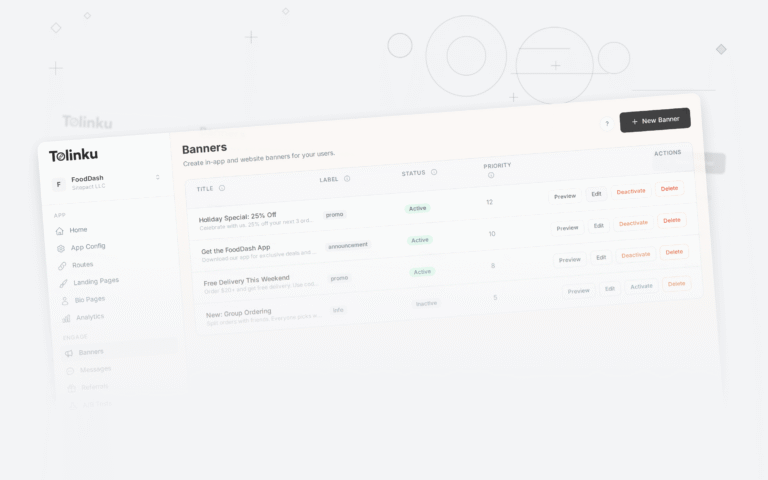
Tolinku's smart banners support desktop display modes with QR code generation. Configure desktop-specific banner content in the Tolinku dashboard, including QR codes that include the current page's deep link context for deferred deep linking after install.
For mobile banner strategies, see the smart banners guide. For QR code deep linking, see QR codes for app deep linking.
Get deep linking tips in your inbox
One email per week. No spam.