A viral campaign link can go from 10 clicks per minute to 10,000 clicks per minute overnight. Each click generates a link.clicked webhook event. If your receiver processes events synchronously and writes to a database on each request, it falls over. If it responds slowly, Tolinku's 10-second timeout kicks in, the delivery is marked as failed, and retries add even more traffic.
Rate limiting on the receiver side isn't about rejecting events. It's about absorbing traffic spikes without losing data or destabilizing downstream systems. This guide covers strategies for handling high-volume Tolinku webhooks gracefully. For the general webhook architecture, see the webhooks and integrations pillar post. For retry behavior, see the retry logic guide.
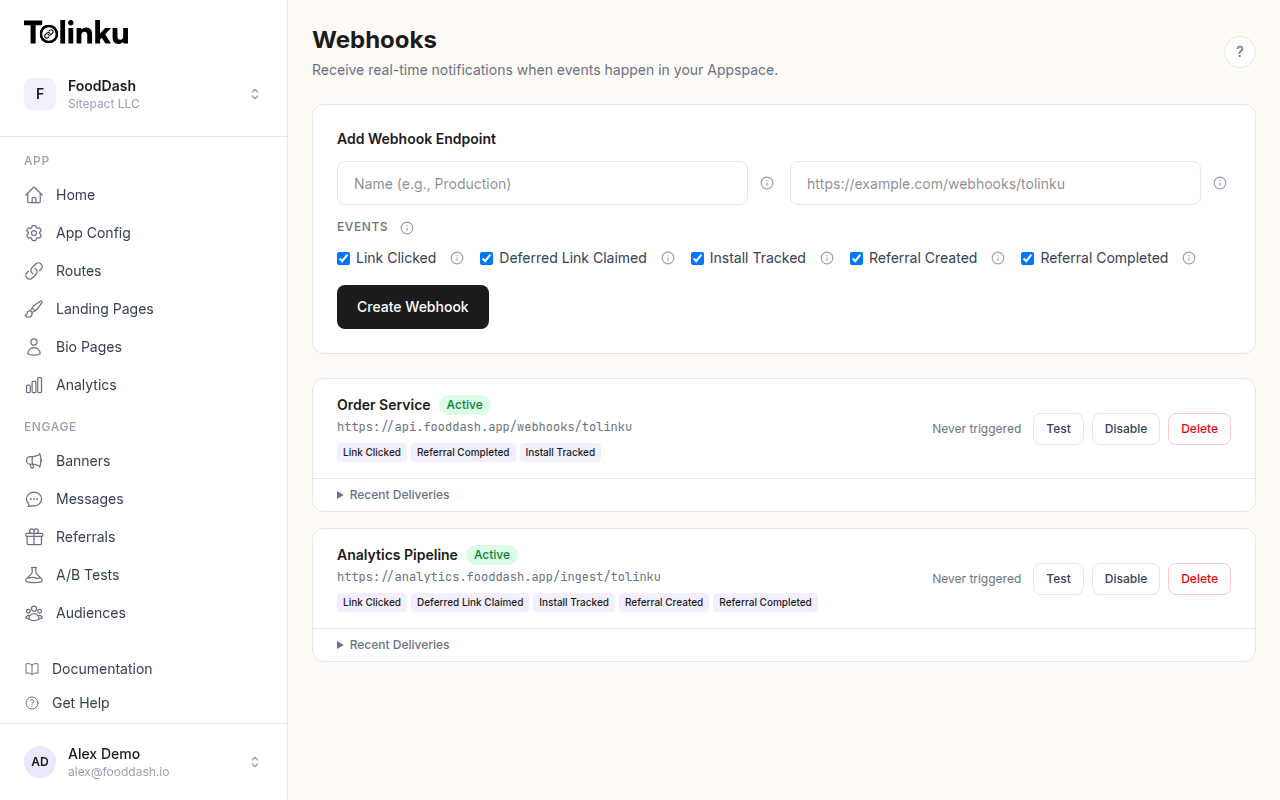 The webhooks page with create form, webhook list, and delivery log.
How Tolinku Delivers Webhooks
Understanding the delivery characteristics helps you design your receiver:
- Timeout: 10 seconds. If your endpoint doesn't respond within 10 seconds, the delivery fails.
- Retries: 3 retries at 1 minute, 5 minutes, and 30 minutes after a failure.
- Concurrency: Tolinku may deliver multiple events simultaneously. There's no guarantee of sequential delivery.
- No redirects: Tolinku won't follow HTTP redirects. Your endpoint must respond directly.
- Success criteria: HTTP status 200-299. Anything else triggers a retry.
The critical implication: your endpoint must respond quickly. Everything else can happen asynchronously.
Strategy 1: Respond First, Process Later
The most important pattern for handling any volume of webhooks. Separate the acknowledgement from the processing.
import express from 'express';
import crypto from 'crypto';

const app = express();
app.use('/webhooks', express.raw({ type: 'application/json' }));

app.post('/webhooks/tolinku', (req, res) => {
  // Verify signature (fast: ~0.1ms)
  const signature = req.headers['x-webhook-signature'] as string;
  const expected = crypto
    .createHmac('sha256', process.env.WEBHOOK_SECRET!)
    .update(req.body)
    .digest('hex');

  if (signature !== expected) {
    return res.status(401).send('Invalid signature');
  }

  // Respond immediately
  res.status(200).send('OK');

  // Process asynchronously (does not block the response)
  processAsync(req.body).catch(err =>
    console.error('Processing failed:', err.message)
  );
});

async function processAsync(rawBody: Buffer) {
  const event = JSON.parse(rawBody.toString());
  // Your processing logic here
}
Response time: under 5ms. The 10-second timeout is irrelevant because you've already responded. Processing happens in the background; if it fails, you've still acknowledged the delivery.
Strategy 2: Queue as a Buffer
For sustained high volume, an in-process async function isn't enough. A message queue absorbs spikes and lets you process at a controlled rate.
With Redis (BullMQ)
import { Queue, Worker } from 'bullmq';
import IORedis from 'ioredis';

const connection = new IORedis(process.env.REDIS_URL!);
const webhookQueue = new Queue('webhooks', { connection });

// Receiver: enqueue immediately
app.post('/webhooks/tolinku', async (req, res) => {
  // Verify signature...
  res.status(200).send('OK');

  const eventHash = crypto
    .createHash('sha256')
    .update(req.body)
    .digest('hex')
    .substring(0, 16);

  await webhookQueue.add('process', {
    body: req.body.toString(),
    eventType: req.headers['x-webhook-event'],
  }, {
    jobId: eventHash, // Deduplicate retries
  });
});

// Worker: process at controlled rate
const worker = new Worker('webhooks', async (job) => {
  const event = JSON.parse(job.data.body);
  await processEvent(event);
}, {
  connection,
  concurrency: 10,       // Process up to 10 events concurrently
  limiter: {
    max: 100,             // Max 100 jobs
    duration: 1000,       // Per second
  },
});
The limiter option controls throughput to downstream systems. If your database can handle 100 writes per second, set the limiter to match. Events exceeding that rate queue up and process when capacity is available.
The jobId based on the event hash deduplicates webhook retries automatically. If Tolinku sends the same event twice, BullMQ ignores the duplicate.
With AWS SQS
import { SQSClient, SendMessageCommand } from '@aws-sdk/client-sqs';

const sqs = new SQSClient({});

app.post('/webhooks/tolinku', async (req, res) => {
  // Verify signature...
  res.status(200).send('OK');

  const eventHash = crypto
    .createHash('sha256')
    .update(req.body)
    .digest('hex');

  await sqs.send(new SendMessageCommand({
    QueueUrl: process.env.SQS_QUEUE_URL!,
    MessageBody: req.body.toString(),
    MessageDeduplicationId: eventHash,
    MessageGroupId: req.headers['x-webhook-event'] as string,
  }));
});
SQS FIFO queues provide built-in deduplication via MessageDeduplicationId. Standard queues offer higher throughput but don't deduplicate.
Strategy 3: Load Shedding
When the system is overwhelmed, it's better to drop low-priority events than to crash. Load shedding prioritizes important events over noise.
const PRIORITY_EVENTS = new Set([
  'install.tracked',
  'referral.created',
  'referral.completed',
]);

let activeProcessing = 0;
const MAX_CONCURRENT = 50;

app.post('/webhooks/tolinku', (req, res) => {
  // Verify signature...

  const eventType = req.headers['x-webhook-event'] as string;

  // Always accept and process priority events
  if (PRIORITY_EVENTS.has(eventType)) {
    res.status(200).send('OK');
    processAsync(req.body);
    return;
  }

  // Shed low-priority events when overloaded
  if (activeProcessing >= MAX_CONCURRENT) {
    // Still respond 200 to prevent retries (we're intentionally shedding)
    res.status(200).send('OK');
    console.log(`Shed ${eventType} event (${activeProcessing} active)`);
    return;
  }

  res.status(200).send('OK');
  activeProcessing++;
  processAsync(req.body).finally(() => activeProcessing--);
});
Note: we respond 200 even for shed events. Responding with 429 or 503 would trigger Tolinku's retry logic, adding more traffic during the spike. If you're intentionally shedding, acknowledge the delivery and move on.
For link.clicked events (the highest volume), losing a small percentage during a spike is usually acceptable since the analytics will still be directionally correct. Losing install.tracked or referral.completed events is not acceptable, hence the priority system.
Strategy 4: Receiver Auto-Scaling
If you deploy your receiver on an auto-scaling platform (AWS Lambda, Google Cloud Run, Fly.io), the infrastructure handles spikes by spinning up more instances.
AWS Lambda
Lambda scales automatically per request. Each invocation handles one webhook delivery.
// handler.ts (Lambda function)
import crypto from 'crypto';

export async function handler(event: any) {
  const body = event.body;
  const signature = event.headers['x-webhook-signature'];

  const expected = crypto
    .createHmac('sha256', process.env.WEBHOOK_SECRET!)
    .update(body)
    .digest('hex');

  if (signature !== expected) {
    return { statusCode: 401, body: 'Invalid signature' };
  }

  const webhookEvent = JSON.parse(body);

  // Process or enqueue
  await processEvent(webhookEvent);

  return { statusCode: 200, body: 'OK' };
}
Lambda concurrency limits protect downstream systems. Set a reserved concurrency of 100 to cap the number of simultaneous executions. Events that exceed the limit get throttled (429 response) and Tolinku retries them later.
Google Cloud Run
Cloud Run scales containers based on request concurrency. Set the --max-instances flag to cap total capacity:
gcloud run deploy webhook-receiver \
  --max-instances=10 \
  --concurrency=80 \
  --timeout=10
This gives you up to 800 concurrent webhook requests (10 instances x 80 concurrency).
Rate Limiting Downstream Calls
Your receiver might handle thousands of events per second, but your downstream systems (database, CRM, analytics API) probably can't. Rate limit the outbound calls.
Token Bucket Rate Limiter
class TokenBucket {
  private tokens: number;
  private lastRefill: number;

  constructor(
    private readonly maxTokens: number,
    private readonly refillRate: number, // tokens per second
  ) {
    this.tokens = maxTokens;
    this.lastRefill = Date.now();
  }

  async acquire(): Promise<boolean> {
    this.refill();
    if (this.tokens >= 1) {
      this.tokens--;
      return true;
    }
    return false;
  }

  private refill() {
    const now = Date.now();
    const elapsed = (now - this.lastRefill) / 1000;
    this.tokens = Math.min(this.maxTokens, this.tokens + elapsed * this.refillRate);
    this.lastRefill = now;
  }
}

// Allow 50 database writes per second with burst capacity of 100
const dbLimiter = new TokenBucket(100, 50);

async function processEvent(event: any) {
  if (await dbLimiter.acquire()) {
    await writeToDatabase(event);
  } else {
    // Queue for later or drop if non-critical
    await enqueueForLater(event);
  }
}
Monitoring Under Load
During high-volume periods, watch these metrics:
- Queue depth: If it's growing faster than it's draining, your workers need to scale up or you need to shed more aggressively.
- Response time p99: Should stay under 100ms. If it spikes, your receiver is doing too much synchronous work.
- Event loss rate: How many events are being shed? Is it within acceptable bounds?
- Downstream error rate: Are your database, CRM, or analytics APIs returning errors under load?
See the delivery monitoring guide for a complete monitoring setup.
Choosing Your Strategy
| Situation | Strategy |
|---|---|
| Occasional traffic spikes | Respond first, process later |
| Sustained high volume with multiple destinations | Queue as buffer |
| Extreme spikes with non-critical event types | Load shedding |
| Variable traffic on managed infrastructure | Auto-scaling (Lambda/Cloud Run) |
| Rate-sensitive downstream systems | Token bucket on outbound calls |
Most teams need a combination. Start with "respond first, process later." Add a queue when you need reliability guarantees. Add load shedding when you need to protect critical event types during extreme spikes.
For real-time processing patterns beyond rate limiting, see the real-time event processing guide. For testing your receiver under load, see the webhook testing tools guide.
Get deep linking tips in your inbox
One email per week. No spam.