Link retargeting adds tracking pixels to the redirect page of a short link. When someone clicks the link, the pixel fires before they reach the destination. This adds the user to a retargeting audience on platforms like Facebook, Google, LinkedIn, or TikTok, even if the destination page is not yours (a news article, a partner site, a third-party review).
For short link fundamentals, see QR codes and short links for mobile apps. For attribution tracking, see re-engagement attribution for mobile apps.
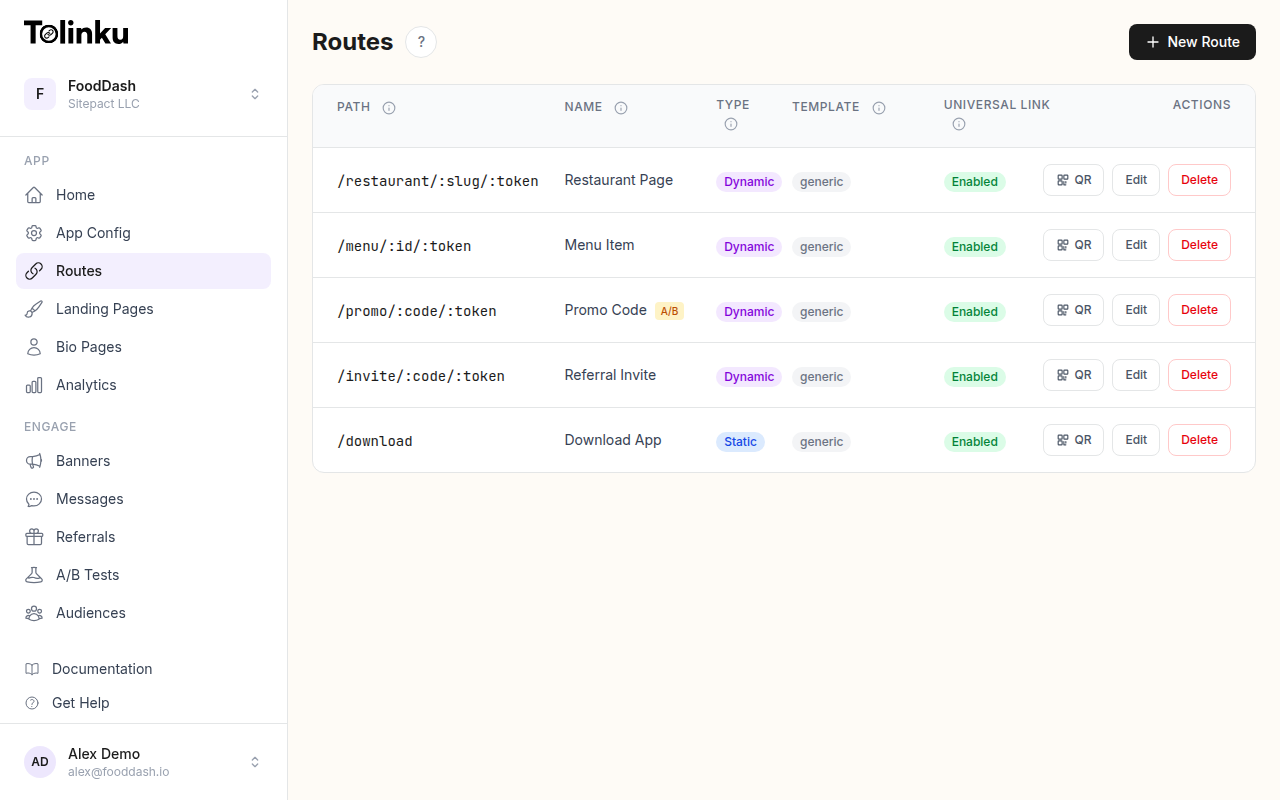 Tolinku route configuration with QR code generation for each deep link.
How Link Retargeting Works
The Flow
- You create a short link with a retargeting pixel attached.
- A user clicks the short link.
- The redirect service loads a lightweight page that fires the pixel.
- The user is added to a retargeting audience on the ad platform.
- The user is redirected to the destination URL.
- You can now show ads to users who clicked the link.
The Technical Implementation
The redirect service serves a page with the tracking pixel before redirecting:
<!-- Intermediate page (served for ~1 second before redirect) -->
<html>
<head>
  <!-- Meta refresh as fallback -->
  <meta http-equiv="refresh" content="1;url=https://destination.com/page">
</head>
<body>
  <!-- Facebook Pixel -->
  <script>
    !function(f,b,e,v,n,t,s){...}(window, document,'script',
    'https://connect.facebook.net/en_US/fbevents.js');
    fbq('init', 'YOUR_PIXEL_ID');
    fbq('track', 'PageView');
  </script>

  <!-- Google Ads Remarketing -->
  <script async src="https://www.googletagmanager.com/gtag/js?id=AW-YOUR_ID"></script>
  <script>
    window.dataLayer = window.dataLayer || [];
    function gtag(){dataLayer.push(arguments);}
    gtag('js', new Date());
    gtag('config', 'AW-YOUR_ID');
  </script>

  <!-- Redirect after pixels fire -->
  <script>
    setTimeout(function() {
      window.location.href = 'https://destination.com/page';
    }, 500);
  </script>
</body>
</html>
Most link retargeting services handle this automatically. You just paste your pixel ID.
Use Cases
Content Curation
You share third-party content (industry news, reviews, partner articles) with your audience. With link retargeting, every reader who clicks your curated links gets added to your retargeting audience, even though the destination is someone else's site.
Example: A fintech company shares a Bloomberg article about interest rates. Users who click are added to the company's Facebook Custom Audience. The company can later show ads to these financially engaged users.
Influencer and PR Links
When influencers or press mention your product with a link, use a retargeted short link instead of a direct URL. Every reader who clicks through the influencer's content enters your retargeting funnel.
Partner and Affiliate Links
Retarget users who click links to partner or affiliate products. Even if they do not convert on the partner's site, you can show them ads for your own related products.
QR Code Campaigns
QR codes on physical materials (flyers, posters, packaging) use short links. Add retargeting pixels to those short links to build audiences from offline interactions.
Building Retargeting Audiences
Facebook / Meta Custom Audiences
- Create a Custom Audience based on website traffic.
- Define the audience as "people who visited pages containing [your short link redirect domain]."
- Use this audience for lookalike audiences or direct retargeting.
Google Ads Remarketing
- Create a remarketing list in Google Ads.
- The Google Ads tag fires on the redirect page, adding users to the list.
- Target these users in display, search, or YouTube campaigns.
LinkedIn Insight Tag
- Install the LinkedIn Insight Tag on the redirect page.
- Build matched audiences for sponsored content campaigns.
- Especially useful for B2B link retargeting.
TikTok Pixel
- Add the TikTok Pixel to the redirect page.
- Build custom audiences from link clickers.
- Target with in-feed ads.
Segmenting by Link
Different links indicate different interests. Create separate retargeting audiences per link or link category:
| Link Category | Audience | Retargeting Ad |
|---|---|---|
| Product links | Product-interested users | Product showcase ads |
| Pricing page links | High-intent users | Free trial or discount ads |
| Blog content links | Awareness-stage users | Educational content ads |
| Case study links | Evaluation-stage users | Social proof ads |
| Partner review links | Research-stage users | Comparison ads |
This segmentation ensures users see relevant ads based on the content they engaged with.
Privacy Considerations
Cookie Consent
In jurisdictions with cookie consent requirements (GDPR in the EU, CCPA in California), retargeting pixels require user consent before firing.
Options:
- Show a consent banner on the redirect page before firing pixels.
- Only fire pixels for users in jurisdictions that do not require consent.
- Use contextual targeting instead of pixel-based retargeting.
Transparency
Be transparent about tracking. Include a privacy notice on your redirect pages and in your privacy policy.
First-Party Data
Link retargeting builds first-party audiences (you own the data on the ad platform). This is more resilient than third-party cookies, which browsers are deprecating.
Measuring Impact
Audience Growth
Track how quickly your retargeting audiences grow from link clicks:
| Week | Links Shared | Clicks | New Audience Members |
|---|---|---|---|
| 1 | 10 | 2,400 | 1,800 |
| 2 | 12 | 3,100 | 2,200 |
| 3 | 8 | 1,900 | 1,400 |
Not all clickers are added (ad blockers, cookie consent refusals), so expect 60-80% capture rates.
Retargeting Campaign Performance
Compare retargeting campaigns fueled by link retargeting against other audience sources:
| Audience Source | Audience Size | CTR | CPA |
|---|---|---|---|
| Link retargeting | 15,000 | 2.8% | $12 |
| Website visitors | 50,000 | 1.9% | $18 |
| Lookalike audiences | 500,000 | 0.6% | $25 |
Link retargeting audiences are often smaller but higher quality, since the users actively engaged with your content.
Best Practices
- Minimal redirect delay: Keep the pixel-firing page under 500ms. Users should barely notice the intermediate step.
- Fallback redirect: Use
<meta http-equiv="refresh">as a fallback for users with JavaScript disabled. - Multiple pixels: You can fire pixels for multiple platforms on the same redirect page.
- Test pixel firing: Use browser developer tools (Network tab) to verify pixels fire before the redirect.
- Frequency caps: Set frequency caps on retargeting ads to avoid annoying users.
- Audience refresh: Set audience durations appropriately (7-30 days for most campaigns).
Tolinku for Link Retargeting
Tolinku routes support analytics tracking for every click. While Tolinku does not currently embed third-party pixels on redirect pages, the click data feeds into webhooks that can trigger pixel events server-side. This provides the audience-building benefit without client-side pixel delays.
For QR code analytics, see QR code analytics: tracking scans and conversions. For the complete short link guide, see QR codes and short links for mobile apps.
Get deep linking tips in your inbox
One email per week. No spam.