

Webhooks
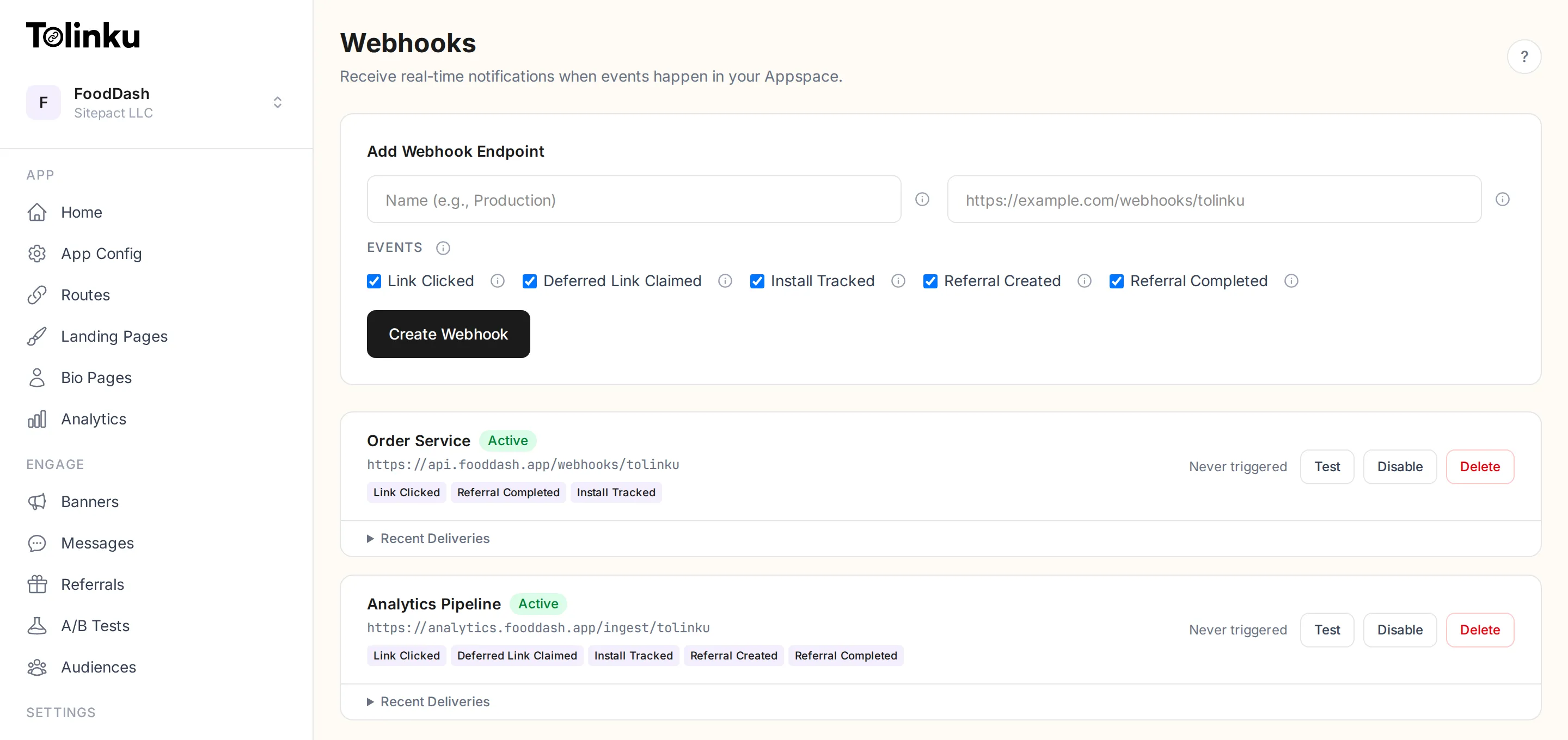
Webhooks send HTTP POST requests to your server when events happen in your Appspace. Use them to trigger workflows, sync data, or send notifications in response to link clicks, app installs, and referral events.
How it works
Section titled “How it works”- You create a webhook in the dashboard with a URL and the events you want to receive.
- When a matching event occurs, Tolinku sends a POST request to your URL with a JSON payload.
- Your server processes the payload and returns a 2xx status code to acknowledge receipt.
Each webhook delivery includes an HMAC signature so your server can verify that the request came from Tolinku and was not tampered with.
Quick example
Section titled “Quick example”When a user clicks a deep link, Tolinku sends:
{ "event": "link.clicked", "timestamp": "2026-03-02T14:30:00.000Z", "data": { "url": "https://your-app.tolinku.com/promo/summer", "country": "US", "device_type": "mobile", "platform": "ios" }}Your server receives this POST request and can use the data to update a dashboard, send a Slack notification, trigger a marketing automation, or anything else.
Free tier
Section titled “Free tier”The free tier includes 1 webhook. Paid plans allow unlimited webhooks.
Next steps
Section titled “Next steps” Creating Webhooks Set up your first webhook endpoint.
Event Types Reference of all available webhook events.
Signing & Verification Verify that webhook payloads are authentic.
Testing & Deliveries Send test events and monitor delivery logs.