Growing a mobile app has never been more competitive. The App Store hosts over 1.8 million apps, and Google Play has roughly 3.3 million. User acquisition costs keep climbing, attention spans keep shrinking, and the apps that win are the ones that get the fundamentals right.
This article lays out 25 mobile app growth strategies, organized by where they hit the user lifecycle: acquisition, activation, retention, and analytics. These are not theoretical frameworks. They are tactics that product and growth teams use every day to move real numbers.
Pick the ones that fit your stage, run them, measure the results, and double down on what works.

Acquisition Strategies
Getting users through the door is the first challenge. These eight strategies focus on driving installs and first opens.
1. Deep Linking From Every Touchpoint
Most apps treat deep linking as an afterthought. That is a mistake. Every link that points to your app (from emails, social posts, ads, SMS, or your website) should land the user on the exact right screen inside the app, not a generic home screen.
Universal Links on iOS and App Links on Android make this possible without custom URI schemes. When a user taps a link and already has the app installed, they go straight to the relevant content. When they do not have the app, they land on a fallback page or the app store.
The result: higher conversion rates on every channel that links into your app. Users who land on relevant content are far more likely to stick around than users who land on a home screen and have to find their way. Tools like Tolinku handle the cross-platform routing so you do not have to build and maintain it yourself. For a deeper explanation of how this works, see the deep linking concepts guide.
2. App Store Optimization (ASO)
Organic search within the App Store and Google Play still drives a significant share of installs. ASO is the practice of optimizing your listing to rank for relevant keywords and convert browsers into installers.
The basics matter more than tricks:
- Title and subtitle: Include your primary keyword naturally. Apple gives you 30 characters for the title and 30 for the subtitle. Use them.
- Screenshots: Your first two screenshots are the most important. Show the core value proposition, not a splash screen.
- Description: On Google Play, keyword density in the description affects ranking. On iOS, the keyword field (100 characters) matters more.
- Ratings and reviews: Apps with higher ratings rank better and convert better. Prompt users for reviews at moments of delight, not during onboarding.
- Localization: Translating your listing into additional languages can unlock entirely new markets with minimal effort.
Google's own documentation on store listing best practices is worth reading.
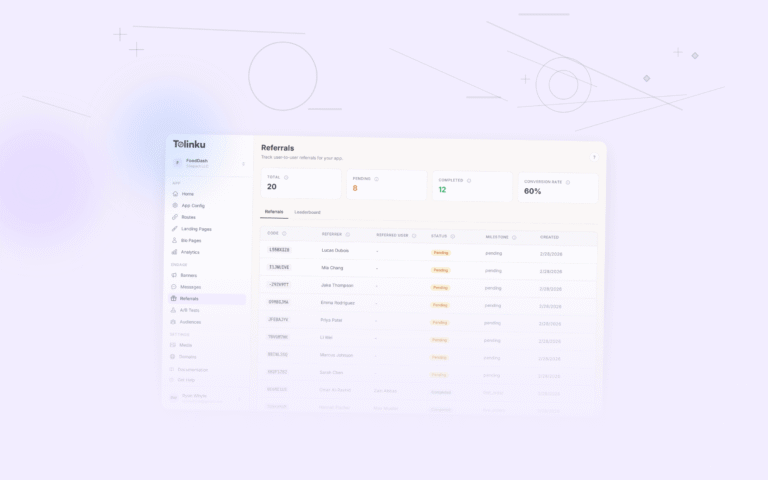
3. Referral Programs
Word of mouth is still the most trusted acquisition channel. A referral program turns that organic behavior into a measurable, scalable system.
The best referral programs share a few traits: the reward is valuable to both the referrer and the invitee, the sharing mechanism is dead simple (one tap to share a link), and the experience carries context through the install. That last point is critical. If someone taps a referral link, installs the app, and then has to manually enter a referral code, you have already lost a chunk of conversions. Deferred deep linking solves this by passing the referral context through the install process automatically. For implementation details, see our article on referral deep links.
Platforms like Tolinku's referral features handle the link generation, attribution, and context passing so your team can focus on designing the right incentive structure.
4. Smart Banners on Your Website
If your app has a companion website, you are sitting on one of the most efficient acquisition channels available. Mobile web visitors are already interested in your product. A smart banner at the top or bottom of the page can nudge them toward installing the app.
Apple provides a native Safari Smart App Banner, but it only works in Safari and offers limited customization. Custom smart banners give you control over design, targeting, and behavior. You can show different messages to different segments, suppress the banner for users who already have the app, and deep link directly to the content they were viewing on the web.
The key metric here is banner-to-install conversion rate. A well-placed, well-designed banner converts at 5-15% of impressions.
5. QR Codes for Offline-to-Online
QR codes have made a permanent comeback. They appear on product packaging, restaurant menus, event signage, print ads, and billboards. Each one is an opportunity to drive an app install or re-engagement.
The trick is making the destination worthwhile. A QR code that dumps someone on a generic app store page will underperform. A QR code that opens a specific product, discount, or experience inside the app (using short links with QR code generation) will outperform it significantly.
Track each QR code as its own campaign so you can measure which placements actually drive installs.
6. Content Marketing and SEO
Content marketing for apps works differently than for SaaS products. The goal is not just traffic; it is traffic from people who have the problem your app solves.
Write articles, guides, and tutorials that address the pain points your app fixes. Optimize them for search. Include clear calls to action that link into your app (with deep links, naturally). Over time, this creates a compounding acquisition channel that does not depend on ad spend.
The most effective content strategies focus on bottom-of-funnel queries: "how to [do the thing your app does]" rather than broad industry topics. These readers are closer to taking action. For a deeper look at this channel, our guide on content marketing for apps covers strategy, distribution, and measurement.
7. Paid User Acquisition With Proper Attribution
Paid UA is straightforward in concept and tricky in practice. You buy installs through channels like Apple Search Ads, Google App Campaigns, Meta, TikTok, and others. The challenge is knowing which spend is actually driving valuable users, not just installs.
Attribution is the foundation. Without it, you are flying blind. You need to connect ad clicks to installs, installs to in-app actions, and in-app actions to revenue. Our paid user acquisition for mobile article covers channel selection and budget allocation in more depth. SKAdNetwork on iOS and Google's Privacy Sandbox add complexity, but the fundamentals remain: track what you can, model what you cannot, and optimize toward downstream value rather than cost per install.
8. Social Sharing Mechanics
Make sharing a natural part of your app's experience. This means more than adding a share button. Think about what users would actually want to share and why.
Fitness apps let users share workout completions. Recipe apps let users share dishes they have cooked. Language learning apps let users share streaks. The best sharing mechanics are tied to moments of accomplishment or discovery.
When someone shares from your app, the shared link should deep link back into the app with full context. If the recipient does not have the app, the link should show a preview page that makes the content (and the app) look compelling, then route to the appropriate app store.
Activation Strategies
Getting the install is only half the battle. These seven strategies focus on turning installs into active, engaged users.
9. Personalized Onboarding
Generic onboarding flows waste your best opportunity to hook a new user. If you know anything about why someone installed your app (which ad they clicked, which referral link they used, which content they were reading), use that information to customize their first experience.
A user who installed after reading an article about meal planning should see meal planning features first, not a generic tour of your entire app. A user who came through a referral should see their reward immediately.
This is where deep linking and onboarding intersect. The context carried through the install link should directly influence the screens a new user sees.
10. Deferred Deep Links for First-Time UX
Deferred deep linking is one of the most underused activation tools. Here is how it works: a user taps a link to a specific piece of content in your app, but they do not have the app installed yet. They go to the app store, install, and open the app for the first time. A deferred deep link remembers the original destination and routes the user there after install.
This is enormously powerful for activation. Instead of dropping a new user on a blank home screen, you deliver them to the exact content or offer that motivated them to install. The gap between intent and experience shrinks to nearly zero.
For a technical overview of how deferred deep links work alongside Universal Links and App Links, check out the deep linking concepts documentation.
11. Push Notification Opt-In Strategy
On iOS, you get one shot at the push notification permission prompt. If the user declines, getting them to re-enable notifications requires navigating to system settings, and very few users will do that.
Do not show the permission prompt during onboarding before the user understands the value of your app. Instead, use a "pre-permission" screen that explains what notifications they will receive and why they are useful. Only trigger the system prompt after the user taps "Yes" on your custom screen. This technique, sometimes called a "soft ask," consistently doubles opt-in rates compared to prompting immediately.
Apple's notification guidelines recommend this pattern explicitly.
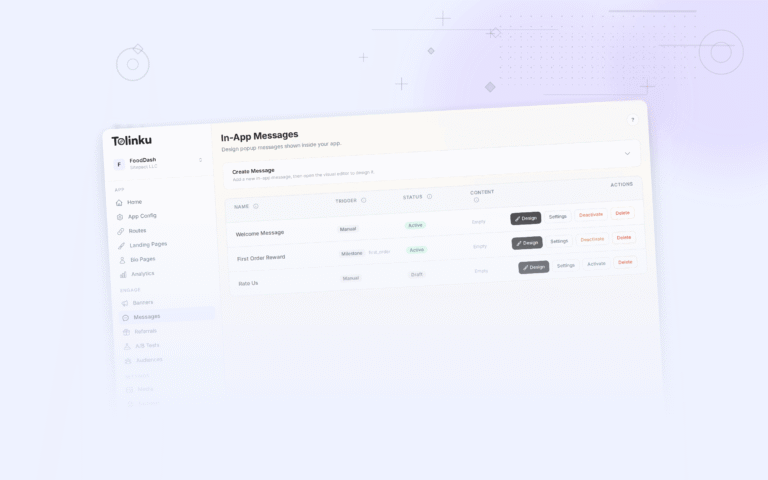
12. In-App Messaging
In-app messages (tooltips, modals, banners, and guided tours) help new users discover features without leaving the app. Unlike push notifications, they do not require permission and they reach users when they are already engaged.
Use in-app messages to:
- Highlight features a user has not tried yet
- Announce new releases or updates
- Guide users through multi-step workflows
- Celebrate milestones (first purchase, 10th session, etc.)
The best in-app messages are contextual. They appear when the user is in the right part of the app, at the right moment. Blanket popups on every app open train users to dismiss without reading.
13. Progressive Profiling
Asking for too much information upfront kills activation. Progressive profiling collects user data gradually over multiple sessions rather than demanding it all at signup.
Session one: email and password (or social login). Session two: ask about preferences. Session five: ask for demographic info or additional details. Each request should be tied to a clear benefit: "Tell us your interests so we can personalize your feed."
This approach reduces signup friction and gives you better data over time, because users who stick around are more invested and more likely to provide accurate information.
14. A/B Testing Your Onboarding Flow
Your first onboarding flow is almost certainly not your best one. A/B testing different versions is the only reliable way to improve it.
Test the number of screens, the order of information, the copy, the visuals, and the calls to action. Measure not just completion rate but downstream activation metrics: does the user perform the key action (first purchase, first post, first connection) within the first session or first week?
Tools like Firebase A/B Testing or Optimizely make this operationally simple. The hard part is picking the right metrics and running tests long enough to reach statistical significance.
15. Early Email Capture
Even if your app does not require an account, capturing an email address early opens up a re-engagement channel. The key is asking at the right moment and offering a clear reason.
"Enter your email to save your progress" works for utility apps. "Sign up for weekly recommendations" works for content apps. "Get your receipt by email" works for commerce apps.
Once you have the email, you have a fallback channel for users who stop opening the app. Email re-engagement campaigns can bring back 5-10% of lapsed users, and those users are already familiar with your product.
Retention Strategies
Acquiring and activating users costs money. Retaining them is where the return on that investment materializes. These seven strategies keep users coming back.
16. Re-Engagement Deep Links in Email and Push
When you send a push notification or email to bring a user back, the link should drop them into the exact right place in the app. "You left items in your cart" should open the cart. "New episode available" should open the episode. "Your friend posted" should open the friend's post.
This sounds obvious, but a surprising number of apps still link to the home screen (or worse, the app store) from their re-engagement messages. Every additional tap between the notification and the destination is a drop-off point.
17. Abandoned Cart Recovery
For commerce apps, abandoned cart recovery is one of the highest-ROI retention tactics. The user has already expressed purchase intent. Your job is to remove whatever friction prevented the conversion.
Send a push notification or email within 1-3 hours with a direct link to the cart. If the first message does not convert, follow up 24 hours later, optionally with a small incentive (free shipping, a discount). The deep link should open the cart with the items still in it, ready for checkout.
According to the Baymard Institute, the average cart abandonment rate is around 70%. Recovering even a fraction of those carts has an outsized impact on revenue.
18. Personalized Push Notifications
Batch-and-blast push notifications are a retention killer. Users quickly learn to ignore (or disable) notifications that are not relevant to them.
Segment your push notifications by user behavior, preferences, and lifecycle stage. A user who browses running shoes should get notified about running shoe sales, not handbag arrivals. A power user should not receive the same tips as a new user.
Personalization also applies to timing. Send notifications when each user is most likely to be active, not at a blanket time that works for your marketing team's schedule.
19. Web-to-App Journeys
Many of your users interact with your product on both web and mobile. The transition between the two should feel continuous, not disjointed.
If a user is browsing your website on their phone, a smart banner can prompt them to continue in the app. If they are on desktop, a "Send to phone" option (via SMS or email with a deep link) lets them pick up where they left off. If they click a link in an email on their phone, it should open in the app with full context.
Tolinku's deep linking and smart banner tools handle the routing logic across these scenarios, making sure users always land in the right place regardless of their starting point.
20. Loyalty and Rewards Programs
Loyalty programs give users a concrete reason to keep coming back. Points, tiers, badges, streaks, and exclusive perks all create switching costs that reduce churn.
The program does not need to be complex. Duolingo's streak system is just a counter, but it drives daily engagement. Starbucks Rewards is essentially a prepaid balance with bonus incentives. The common thread is that users accumulate something they do not want to lose.
Design your loyalty mechanics around your core loop. If your app's value comes from daily use, reward streaks. If it comes from purchases, reward spend. If it comes from content creation, reward contributions.
21. Feature Discovery Campaigns
Most users only engage with a fraction of your app's features. Feature discovery campaigns use in-app messages, emails, and push notifications to introduce users to features they have not tried yet.
The timing matters. Do not overwhelm new users with every feature at once. Instead, introduce features gradually as users demonstrate readiness. A user who has completed five workouts might be ready to learn about the meal planning feature. A user who has made three purchases might be interested in the wishlist feature.
Track feature adoption rates by cohort to identify which features correlate with long-term retention, then prioritize discovery campaigns for those features.
22. Habit Loops
The most successful consumer apps are built around habit loops: a trigger, an action, a reward, and an investment (as described in Nir Eyal's Hooked model).
- Trigger: An external cue (push notification, email) or internal cue (boredom, curiosity) that prompts the user to open the app.
- Action: The simplest behavior the user can take (scroll, tap, swipe).
- Reward: The variable payoff (new content, social validation, useful information).
- Investment: Something the user puts in that improves the next cycle (profile data, preferences, content, connections).
You cannot manufacture habit loops artificially, but you can design your app's core loop to reinforce natural usage patterns. Identify when and why your most engaged users open the app, then engineer triggers and rewards that encourage the same behavior in less engaged users.
Analytics and Optimization
Growth without measurement is just guessing. These three strategies are about building the feedback loop that makes everything else work.
23. Attribution Tracking Across Channels
You need to know which channels, campaigns, and creatives are driving installs, activations, and revenue. Without attribution, you cannot allocate budget intelligently or identify what is working.
Attribution has gotten more complex with privacy changes on both iOS (App Tracking Transparency) and Android. But the core practice remains essential: tag every link, track every touchpoint, and connect upstream activity to downstream outcomes.
Set up your analytics and attribution pipeline early. Retrofitting attribution after you have scaled is painful and leaves gaps in your historical data.
24. Funnel Analysis
Define the key funnels in your app (install to signup, signup to first action, first action to purchase, etc.) and measure conversion rates at every step. Then focus your optimization efforts on the biggest drop-off points.
A 50% drop-off between install and signup is a different problem than a 50% drop-off between "add to cart" and "purchase." The first is an onboarding issue. The second is a checkout issue. Funnel analysis tells you where to look.
Most analytics platforms (Mixpanel, Amplitude, PostHog) provide funnel visualization tools. Tolinku's analytics dashboard tracks link-level and campaign-level funnels so you can see how users flow from click to install to in-app action.
25. A/B Test Everything That Matters
A/B testing should extend beyond onboarding. Test your pricing page, your paywall design, your notification copy, your referral incentives, your checkout flow, your feature flags, and your re-engagement campaigns.
The discipline is not just running tests. It is running tests with clear hypotheses, adequate sample sizes, and pre-defined success metrics. A test that "feels like it worked" but did not reach statistical significance is not a result; it is a guess.
Prioritize tests by potential impact. A 10% improvement in your activation rate matters more than a 10% improvement in a feature used by 2% of your users. Use frameworks like ICE (Impact, Confidence, Ease) to rank your testing backlog.
Putting It All Together
Twenty-five strategies is a lot. No team should try to execute all of them at once. Here is how to prioritize:
- Audit your current funnel. Where is the biggest drop-off? Acquisition, activation, or retention? Start there. Our guides on organic growth channels for apps and influencer marketing for mobile apps can help you identify new acquisition opportunities.
- Pick 3-5 strategies from the relevant section. Implement them properly rather than doing 15 things halfway.
- Measure relentlessly. Set up attribution, define your key metrics, and review them weekly.
- Iterate. Kill what does not work. Double down on what does. Run A/B tests to optimize what is already working.
- Expand. Once your initial strategies are performing, add new ones from other parts of the funnel.
The apps that grow consistently are not the ones with the biggest budgets. They are the ones that execute a focused set of strategies well, measure the results, and improve continuously. Whether you are working on deep linking, referrals, retention campaigns, or analytics, the same principle applies: start with the user's experience, remove friction at every step, and let the data tell you what to do next.
Get deep linking tips in your inbox
One email per week. No spam.