Generic short links like bit.ly/3xR7kP look suspicious. They hide the destination, they don't reinforce your brand, and users have learned to distrust them. Branded short links solve this by putting your company name front and center: go.yourapp.com/summer-sale tells users exactly who sent the link and gives them confidence to tap.
This guide covers how to set up branded short links with a custom domain, along with practical tips for naming conventions, analytics, and maintaining consistency across marketing channels.
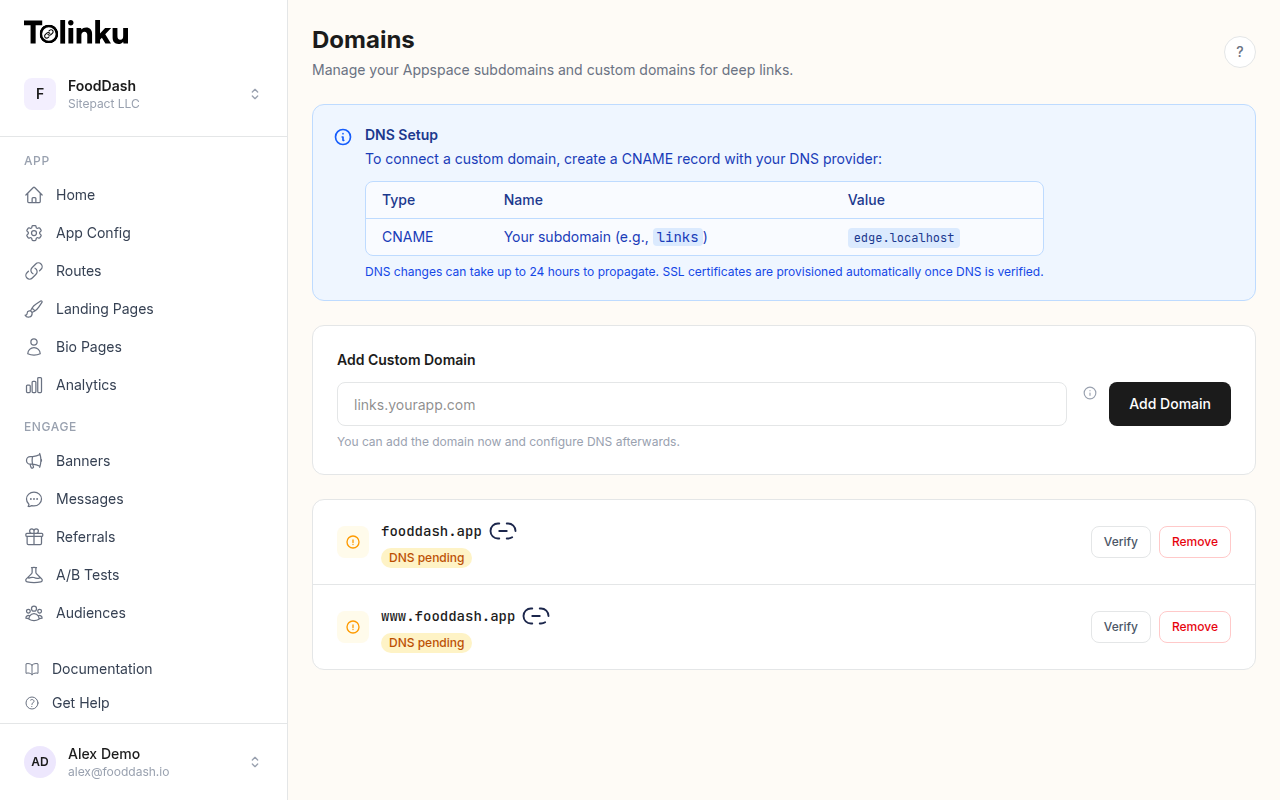 The domains page with subdomain and custom domain management.
Why Branded Short Links Matter
The case for branded links comes down to three factors: trust, recognition, and data.
Trust and Click-Through Rates
Studies consistently show that branded links outperform generic short URLs. When users see a familiar domain, they're more likely to click. A link like links.yourstore.com/new-arrivals communicates legitimacy in a way that bit.ly/abc123 never can.
This matters especially in channels where link trust is low: SMS, social media comments, email campaigns, and printed materials. In these contexts, a branded domain can be the difference between a click and an ignore.
Brand Recognition
Every link you share is a branding opportunity. Branded short links reinforce your company name across every touchpoint: social media posts, email signatures, QR codes on physical materials, partner integrations, and customer communications.
Over time, users start recognizing your link domain the same way they recognize your logo or app icon. That recognition compounds with every impression.
Analytics Ownership
When you use a third-party link shortener, your analytics live on someone else's platform. With branded short links on your own domain, you own the click data. You control the redirect behavior. You decide what happens when a link expires or when you need to change the destination.

Setting Up a Custom Domain
The technical setup for branded short links involves three steps: choosing a domain, configuring DNS, and verifying ownership with your deep linking platform.
Step 1: Choose Your Link Domain
You have two options:
Subdomain of your main domain (recommended for most apps):
go.yourapp.comlinks.yourapp.coml.yourapp.com
Separate short domain (for maximum brevity):
- A short vanity domain like
yrapp.co
Subdomains are easier to set up and inherit trust from your main domain. Separate domains are shorter but require additional DNS configuration and SSL certificate management.
Step 2: Configure DNS
Point your chosen domain to your deep linking platform with a CNAME record:
go.yourapp.com CNAME link.tolinku.com
If you're using a root domain (without a subdomain), you'll need an A record or ALIAS record instead, since CNAME records aren't valid at the zone apex per RFC 1034.
Step 3: Verify and Activate
In the Tolinku dashboard, navigate to Domains and add your custom domain. The platform verifies DNS propagation and provisions an SSL certificate automatically. Once verified, all your deep links can use the branded domain.
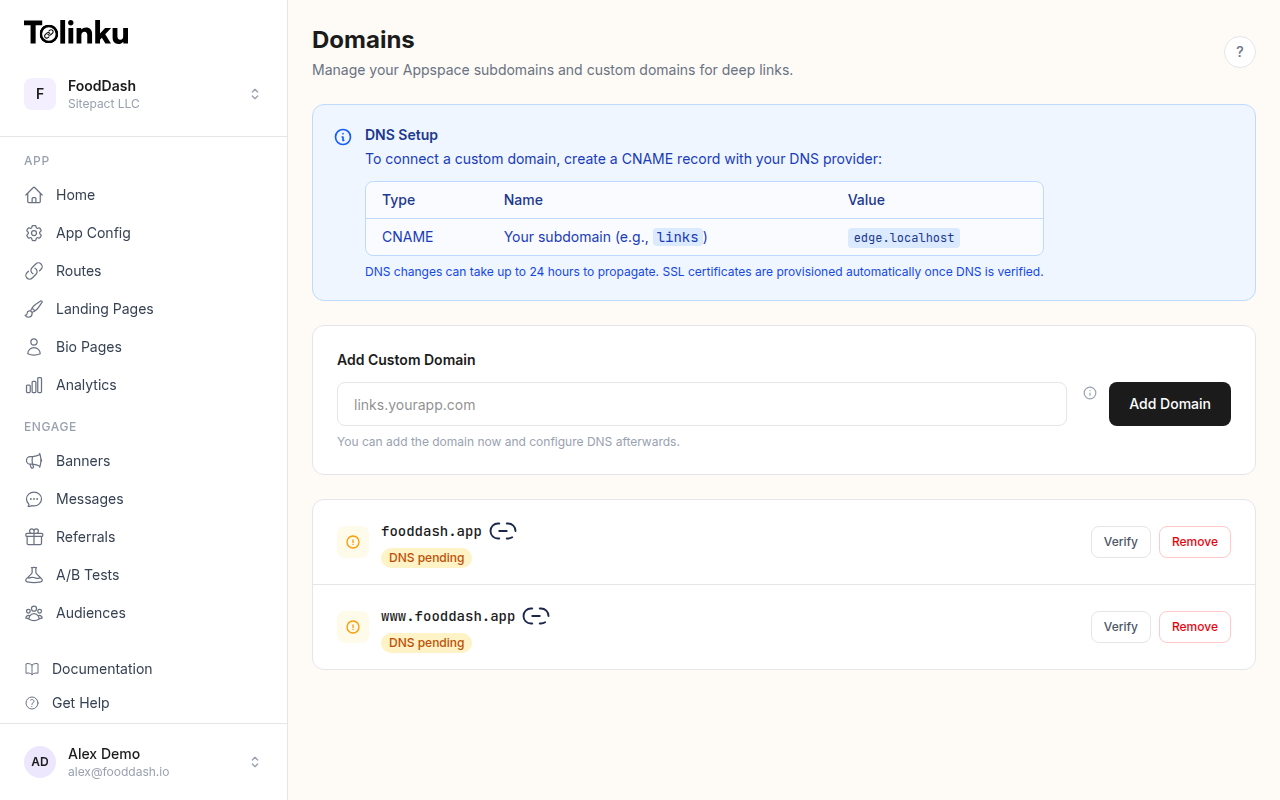
You can also configure subdomains for different use cases: one for marketing links, another for referral links, and a third for support links.
Link Naming Conventions
The path after your domain is just as important as the domain itself. A well-chosen path makes links memorable, shareable, and meaningful.
Use Descriptive Slugs
Instead of auto-generated hashes, use human-readable paths that describe the destination:
| Instead of | Use |
|---|---|
go.app.com/3xR7kP |
go.app.com/summer-sale |
go.app.com/abc123 |
go.app.com/refer-a-friend |
go.app.com/link42 |
go.app.com/ios-download |
Descriptive slugs improve trust (users can predict where the link goes) and make links easier to share verbally. "Go to go dot app dot com slash summer sale" is much clearer than dictating a random string.
Establish a Naming Pattern
Create a consistent structure across your organization:
- Campaign links:
go.app.com/campaign-name(e.g.,/black-friday-2026) - Product links:
go.app.com/product/item-name(e.g.,/product/wireless-earbuds) - Referral links:
go.app.com/ref/code(auto-generated per referrer) - Content links:
go.app.com/blog/post-slugorgo.app.com/read/title
Document your naming conventions so that everyone on your marketing team creates links that follow the same pattern.
Keep Paths Short
The whole point of short links is brevity. Aim for paths under 20 characters. Avoid unnecessary nesting (/campaigns/2026/q2/email/summer-sale is too deep). One or two path segments is ideal.
Configuring Routes for Short Links
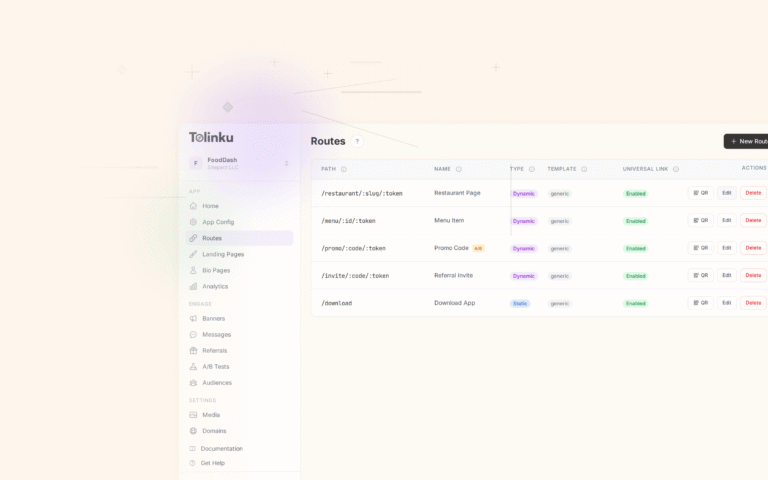
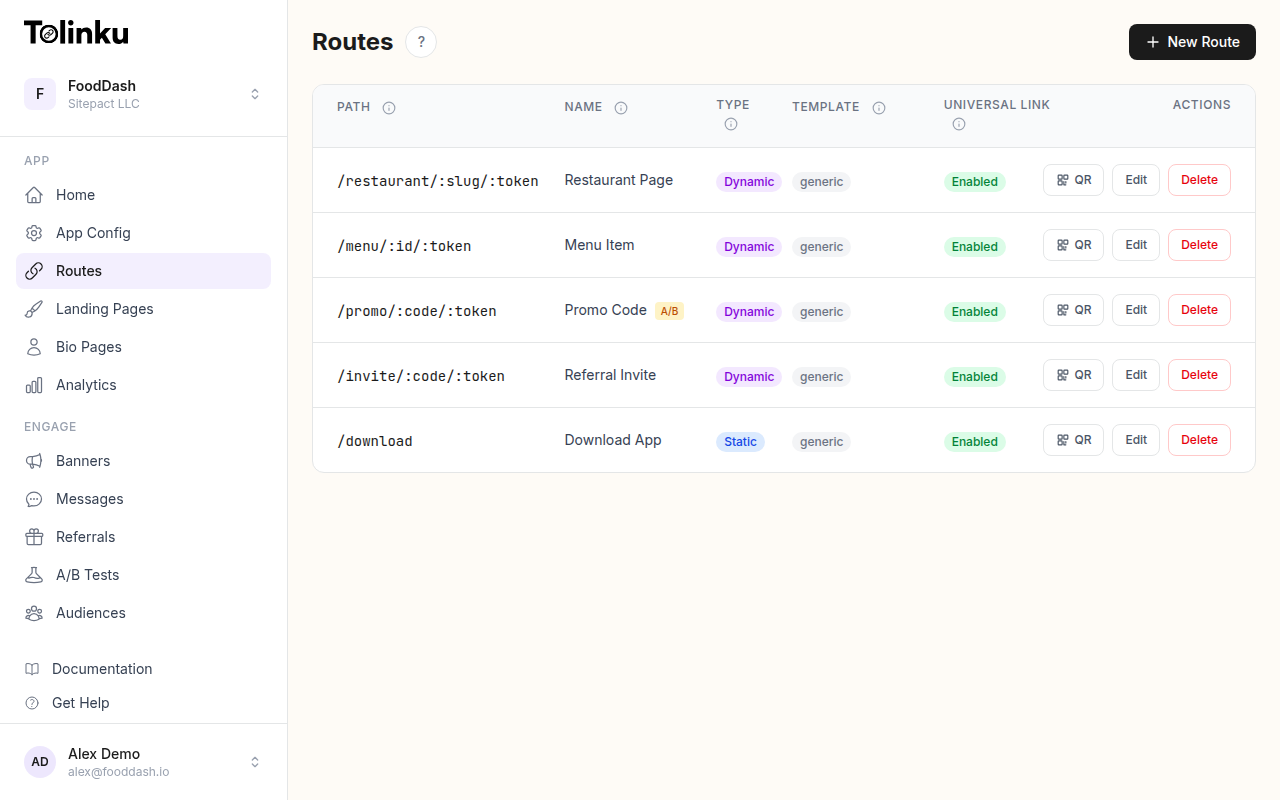
In Tolinku, each short link path maps to a route. Routes define what happens when someone clicks the link: where the user goes on iOS, Android, and web, what the social preview looks like, and whether the link expires.
Static vs. Dynamic Routes
Static routes have a fixed destination. go.app.com/download always sends users to your app store listing. These are best for permanent links on printed materials, email signatures, or social profiles.
Dynamic routes use path parameters to handle variable content. go.app.com/product/:id can route users to any product page. The :id parameter is passed through to your app as deep link data. Learn more about dynamic routes in the docs.
Link Expiration
For time-sensitive campaigns, set an expiration date on the route. After the expiration, clicks redirect to a fallback URL instead of the original destination. This prevents users from landing on expired promotion pages.
You can also set a click limit: the route deactivates after a certain number of clicks. This is useful for exclusive offers with limited availability.
Best Practices for Different Channels
Branded short links behave differently depending on where they're shared. Here are channel-specific tips:
Social Media
Social platforms often strip or modify link previews. Make sure your routes have OG tags configured with a compelling title, description, and image. The preview is often the first (and only) thing users see before deciding whether to click.
Keep the visible link short. On platforms like Twitter/X where character count matters, every character saved by using a branded short link is valuable.
Email Campaigns
In email, branded links build trust with spam filters too. Major email providers are more likely to deliver emails containing links from reputable, recognizable domains than emails with generic shortener URLs.
Use descriptive paths so recipients can hover over the link and see where it leads. Many email clients show the full URL on hover, and go.yourstore.com/spring-collection looks far more legitimate than a random hash.
SMS and Messaging
SMS is the highest-stakes channel for link trust. Users are trained to be suspicious of links in text messages due to phishing. A branded domain immediately signals legitimacy.
Keep the full URL (domain plus path) as short as possible. SMS has character limits, and shorter links leave more room for your message copy.
Print and Physical Materials
For printed materials (business cards, flyers, packaging), branded short links are essential because users have to type the URL manually. go.yourapp.com/menu is far easier to type than a long URL with query parameters.
Pair your branded link with a QR code for the best of both worlds: scannable for smartphone users, typeable for everyone else. For more on QR code design, see QR Codes and Short Links for Mobile Apps.
Tracking and Analytics
Every branded short link generates analytics data. With Tolinku's analytics dashboard, you can track:
- Click volume: Total clicks, unique clicks, and clicks over time
- Geographic data: Which countries and regions your clicks come from
- Device breakdown: iOS vs. Android vs. desktop, and specific device types
- Referrer data: Which websites and apps are driving traffic to your links
- Campaign performance: Compare click-through rates across campaigns using UTM parameters
This data helps you understand which channels drive the most engagement, which creative assets perform best, and where to allocate your marketing budget.
Common Mistakes to Avoid
Using too many domains: Stick to one branded link domain (or at most two: one for marketing, one for product). More domains fragment your analytics and confuse users.
Reusing slugs for different campaigns: Once you've used go.app.com/sale for your summer campaign, don't reuse it for winter. Create a new path. Users may have bookmarked the original link, and changing its destination breaks their expectations.
Forgetting HTTPS: Every branded link must use HTTPS. Browsers flag HTTP links as insecure, and many platforms won't even render previews for non-HTTPS URLs. Tolinku provisions SSL certificates automatically for custom domains.
Not setting up fallbacks: Always configure a web fallback URL for desktop users who click your deep links. Without a fallback, desktop users see an error page instead of being gracefully redirected.
Ignoring link rot: Over time, campaigns end and products change. Audit your links periodically. Either update the destination or set an expiration with a redirect to a relevant alternative.
Getting Started
Setting up branded short links is one of the highest-impact, lowest-effort improvements you can make to your link strategy. The technical setup takes minutes: add a CNAME record, verify the domain, and start creating routes with memorable paths.
For a comprehensive overview of short links and QR codes in mobile marketing, see QR Codes and Short Links for Mobile Apps.
Get deep linking tips in your inbox
One email per week. No spam.