

Domains
Every Appspace needs at least one domain to serve deep links. Tolinku gives you two options: free subdomains on tolinku.com, or your own custom domain.
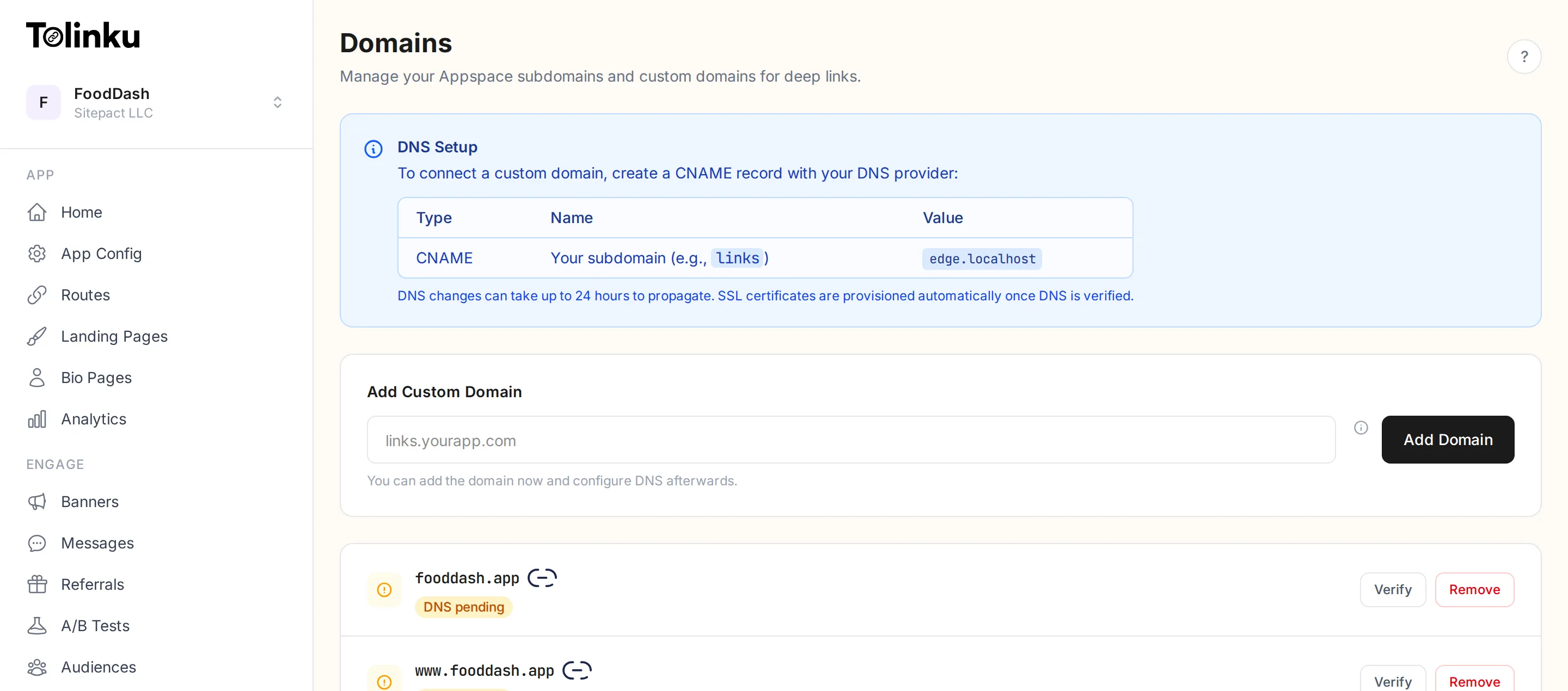
Subdomains
Section titled “Subdomains”When you create an Appspace, you get a free subdomain like my-app.tolinku.com. This works immediately with no DNS setup required. You can have up to 2 subdomains per Appspace (useful when rebranding, so old links continue to work during the transition).
Custom domains
Section titled “Custom domains”For a more professional look, you can add your own domain like links.yourapp.com or go.yourcompany.com. Custom domains require a CNAME record pointing to Tolinku’s edge servers. SSL certificates are provisioned automatically.
Which should you use?
Section titled “Which should you use?”| Subdomain | Custom domain | |
|---|---|---|
| Setup | Instant | Requires DNS configuration |
| Branding | your-app.tolinku.com | links.yourapp.com |
| SSL | Included | Auto-provisioned |
| Cost | Free | Free (you manage DNS) |
| Best for | Getting started, testing | Production, brand consistency |
Domain and deep linking
Section titled “Domain and deep linking”Your domain is central to how deep linking works. Both Apple (AASA) and Google (Digital Asset Links) verify your domain to authorize your app to handle links. When you configure iOS or Android in App Config, Tolinku automatically serves the verification files on all your configured domains.
If you add or remove a domain, make sure your app’s Associated Domains (iOS) or intent filters (Android) are updated to match.