Branch is the most widely used deep linking platform, but its enterprise pricing model, SDK complexity, and feature bloat lead many teams to look for alternatives. If you've decided to migrate from Branch to Tolinku, this guide walks you through every step: from pre-migration planning to SDK swap to handling existing links.
For a broader overview of deep link platform migrations (covering multiple providers), see Migrating to Tolinku from Branch, Firebase, and AppsFlyer.
Pre-Migration: Inventory Your Branch Setup
Before changing anything, document what you're currently using in Branch.
Link Patterns
Export your Branch link configurations:
- Quick Links: Marketing links created in the Branch dashboard
- Deep Link Routes: URL patterns configured in Branch's link settings (e.g.,
/product/:id,/invite/:code) - Deep link data: Custom key-value pairs passed through Branch links (e.g.,
product_id,referral_code,campaign) - Redirect targets: Where each link sends users who don't have the app (web fallback URLs, custom landing pages)
SDK Usage
Identify how your app uses the Branch SDK:
- Deep link handling: How does your app receive and process deep link data from Branch?
- Link creation: Does your app create Branch links programmatically (using the BranchUniversalObject API)?
- Events: What custom events are you tracking through the Branch SDK?
- Referral system: Are you using Branch's referral tracking?
- Content discovery: Are you using Branch's content indexing (Spotlight, Firebase App Indexing)?
External Integrations
List everywhere Branch links appear:
- Email campaigns (which ESP? How are links generated?)
- Social media posts (organic and paid)
- QR codes (print materials, packaging)
- Paid ad campaigns (which networks?)
- Partner integrations (which partners use your Branch links?)
- SMS/push notifications
- Website (smart banners, download buttons)
Step 1: Set Up Tolinku
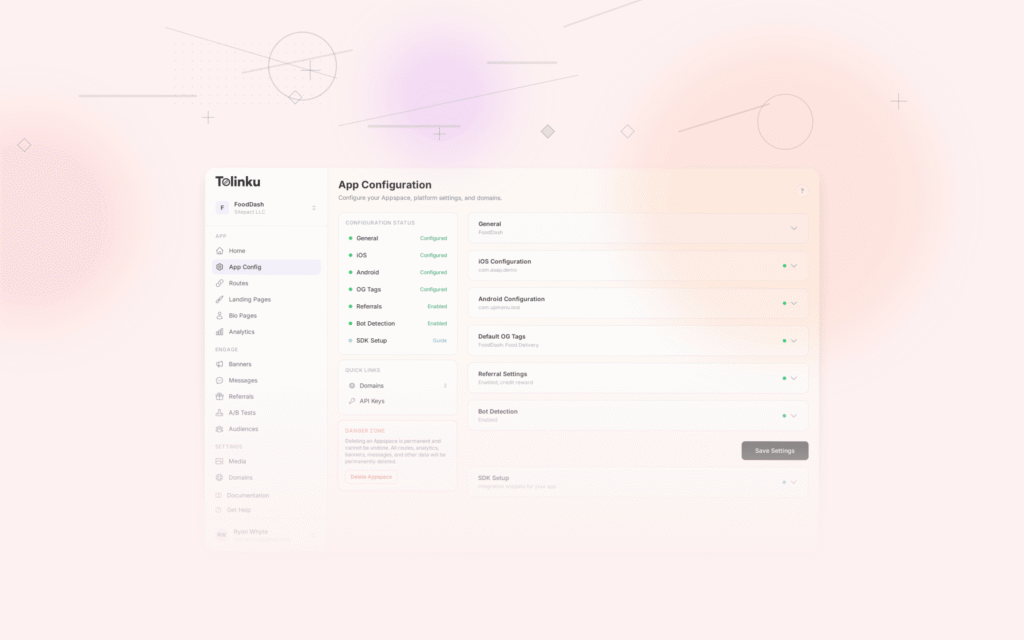
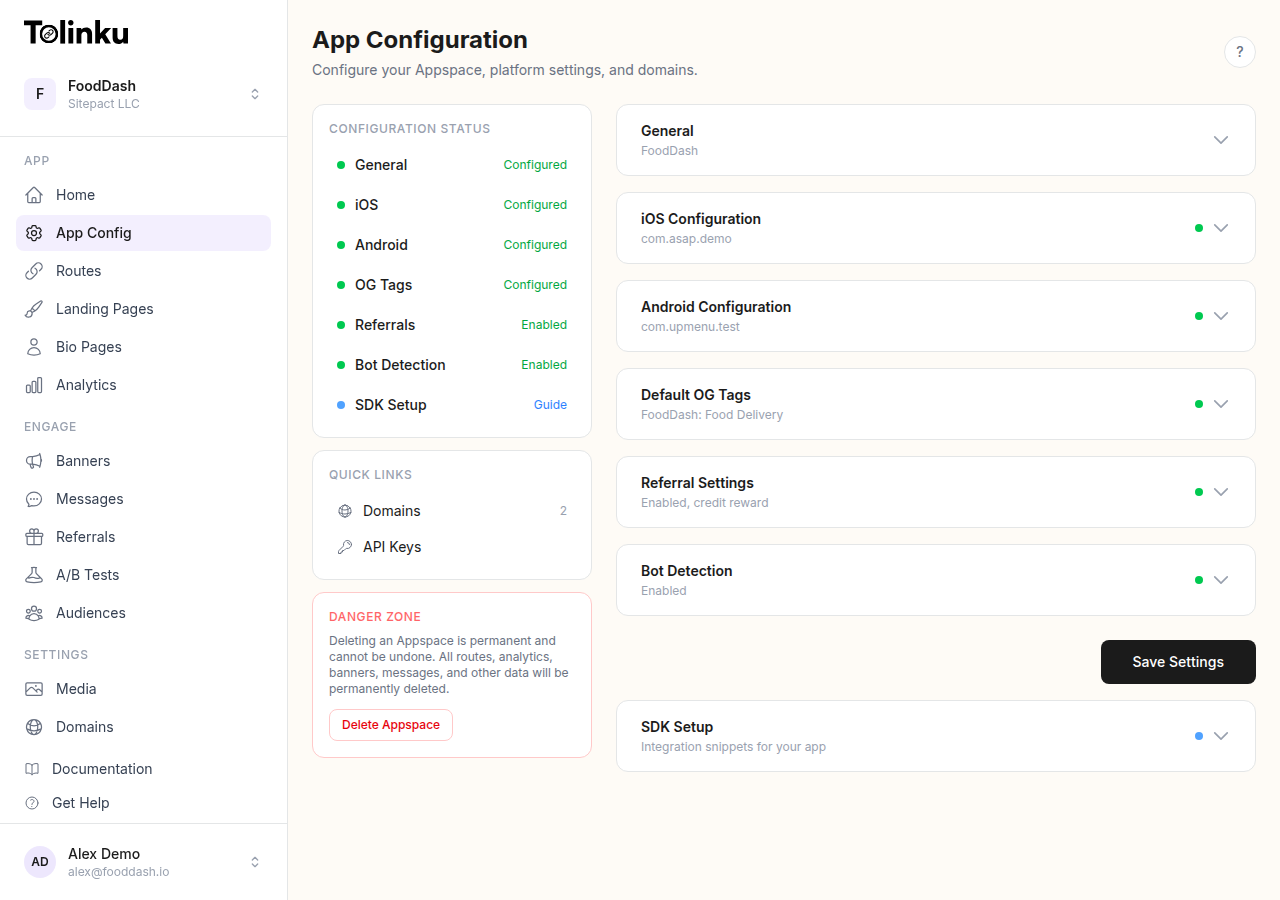
Create Your Appspace
- Sign up at tolinku.com and create an Appspace for your app
- Configure your iOS settings (Bundle ID, Team ID)
- Configure your Android settings (Package Name, SHA-256 fingerprint)
- Set your web fallback URL
Set Up Your Branded Domain
If you're using a custom link domain with Branch (e.g., yourapp.app.link or a custom domain), set up your branded domain in Tolinku:
- Add your domain in the Domains section
- Update DNS (CNAME record pointing to Tolinku's servers)
- Wait for SSL provisioning
If you want to use the same custom domain you're using with Branch, you'll need to update the DNS during the cutover step (Step 4). Until then, use a new subdomain for testing (e.g., links.yourapp.com while Branch still uses go.yourapp.com).
Recreate Your Routes
Map your Branch link patterns to Tolinku routes:
| Branch Config | Tolinku Equivalent |
|---|---|
Deep Link Route /product/:id |
Route with path /product/:id |
Link data key product_id |
URL parameter or path parameter |
| Custom redirect URL | Web fallback URL on the route |
| Deep Link Domain | Custom domain in Domains settings |
| OG tags on a link | OG configuration on the route |
For each Branch Quick Link, create a corresponding route in Tolinku with the same path and parameters.
Step 2: Integrate the Tolinku SDK
Remove the Branch SDK
iOS (Swift):
- Remove the Branch SDK dependency from your Package.swift, CocoaPods Podfile, or Carthage Cartfile
- Remove
branch_universal_link_domainsfrom your Info.plist - Remove Branch initialization from your AppDelegate/SceneDelegate
- Remove Branch deep link handling code (BranchDeepLinkingController, branch.initSession callback)
- Remove any Branch event tracking calls
Android (Kotlin/Java):
- Remove the Branch SDK dependency from your build.gradle
- Remove Branch initialization from your Application class
- Remove Branch deep link handling from your Activity (BranchDeepLinkRouter, branch.initSession)
- Remove Branch event tracking calls
- Remove Branch-related intent filters from AndroidManifest.xml
Add the Tolinku SDK
iOS: Add TolinkuSDK via Swift Package Manager. Configure Universal Links with your Tolinku domain in the Associated Domains entitlement:
applinks:go.yourapp.com
Handle deep links in your SceneDelegate or AppDelegate:
func scene(_ scene: UIScene, continue userActivity: NSUserActivity) {
    guard let url = userActivity.webpageURL else { return }
    // Parse the URL and route to the correct screen
    handleDeepLink(url: url)
}
Android: Add the Tolinku SDK dependency. Configure App Links in your AndroidManifest.xml:
<intent-filter android:autoVerify="true">
    <action android:name="android.intent.action.VIEW" />
    <category android:name="android.intent.category.DEFAULT" />
    <category android:name="android.intent.category.BROWSABLE" />
    <data
        android:scheme="https"
        android:host="go.yourapp.com" />
</intent-filter>
Handle incoming links in your Activity:
override fun onCreate(savedInstanceState: Bundle?) {
    super.onCreate(savedInstanceState)
    handleIntent(intent)
}

override fun onNewIntent(intent: Intent) {
    super.onNewIntent(intent)
    handleIntent(intent)
}

private fun handleIntent(intent: Intent) {
    val uri = intent.data ?: return
    // Parse the URI and route to the correct screen
    handleDeepLink(uri)
}
Mapping Branch Data Keys to Tolinku Parameters
Branch uses a custom data dictionary ($canonical_identifier, $og_title, custom keys). Tolinku uses standard URL parameters and path parameters.
| Branch Approach | Tolinku Approach |
|---|---|
BranchUniversalObject.canonicalIdentifier |
URL path (e.g., /product/123) |
Custom data key product_id=123 |
URL parameter ?product_id=123 or path parameter /product/:id |
$og_title, $og_description |
OG tags configured on the route |
$deeplink_path |
The route path itself |
The main difference: Branch passes data as a JSON dictionary through its SDK. Tolinku uses standard URL patterns. Your deep link handler needs to parse the URL path and query parameters instead of reading from a Branch data dictionary.
Step 3: Test Everything
Before cutting over production traffic, test the full flow:
Deferred Deep Linking
- Uninstall your app
- Click a Tolinku deep link (on your test domain)
- Install the app from the store (or TestFlight/Internal Testing)
- Open the app and verify you land on the correct screen with the correct data
Universal Links / App Links
- Open a link from Messages (iOS) or a messaging app (Android)
- Verify the app opens directly (no browser redirect)
- Verify the correct screen loads with the correct parameters
Web Fallback
- Click a link on a device without your app installed (and decline to install)
- Verify you're redirected to the correct web fallback URL
Link Creation
If your app creates links programmatically:
- Create a link through the Tolinku API
- Share it and verify it works for both existing and new users
Analytics
- Click several test links
- Verify clicks appear in your Tolinku analytics dashboard
- Verify deferred deep link matches are tracked correctly
Step 4: Cut Over Production Traffic
This is the critical step. You have two approaches:
Option A: Parallel Running (Recommended)
Run both Branch and Tolinku simultaneously for a transition period:
- New links: All new marketing links, emails, and campaigns use Tolinku links
- Existing links: Branch links continue to work through Branch's infrastructure
- Transition period: 2-4 weeks, or until traffic on Branch links drops to a negligible level
- Final cutover: Once Branch traffic is minimal, update your custom domain DNS to point to Tolinku instead of Branch
This approach has zero downtime. Old links keep working through Branch while new links use Tolinku.
Option B: DNS Cutover
If you're using a custom domain with Branch and want to move it to Tolinku immediately:
- Lower your DNS TTL to 60 seconds (do this 24 hours before the cutover)
- Recreate all active Branch link paths as Tolinku routes (same paths)
- Update the CNAME to point to Tolinku's servers
- Verify SSL provisioning completes
- Test all critical link paths
- Raise TTL back to 3600+
Risk: Any Branch link paths you missed won't work after the DNS change. The parallel approach is safer.
Step 5: Update External References
After the cutover, update links in places where they're hardcoded:
- Email templates
- Social media profiles (link in bio)
- Print materials (reprint if still in circulation)
- Partner integration documentation
- API documentation (if partners create links to your app)
- QR codes (static QR codes pointing to Branch links need new codes)
Links in already-sent emails and already-printed materials will still work if you used the parallel approach and keep Branch active during the transition.
Branch-Specific Considerations
Branch Journeys (Smart Banners)
If you use Branch Journeys for smart app banners on your website, replace them with Tolinku's smart banners. Configure the banner in your Appspace settings and add the banner script to your website.
Branch NativeLink (Deferred Deep Linking)
Branch's NativeLink uses clipboard-based or pasteboard-based matching for deferred deep linking on iOS. Tolinku uses server-side fingerprint matching and token-based matching for deferred deep links. The behavior is similar from the user's perspective; the implementation is different under the hood.
Branch Events and Analytics
Branch's event tracking system (standard events and custom events) needs to be replaced with your own analytics or Tolinku's event tracking. Export your Branch analytics data before deactivating your account, as you may want historical reference.
Branch Referral System
If you use Branch's referral credits system, switch to Tolinku's referral program feature. The core mechanics (unique referral links, attribution, reward tracking) are similar, but the APIs differ.
Timeline
A typical Branch-to-Tolinku migration takes 1-2 weeks of active work:
Day 1-2: Set up Tolinku Appspace, create routes, configure domains Day 3-5: Integrate SDK, replace Branch code, test all flows Day 6-7: QA and testing across devices and scenarios Day 8: Begin parallel running (new links use Tolinku) Day 8-21: Transition period (both platforms active) Day 21+: DNS cutover for custom domain (if using Option A), deactivate Branch
Post-Migration
After migration is complete:
- Monitor analytics for any drop in deep link performance
- Watch for user reports of broken links
- Keep Branch active (but on a minimal plan) for 1-2 months to catch any long-tail links
- Document the new setup for your team
For the detailed comparison between Branch and Tolinku, see Branch vs Tolinku. For the general migration guide, see Migrating to Tolinku from Branch, Firebase, and AppsFlyer.
Get deep linking tips in your inbox
One email per week. No spam.